Voclock: Talking Clock
Big buttons, it says the hour
Designed for iPhone, iPad, iPod touch
Free
- Age rating4+
- CategoryUtilities
- DeveloperJun Park
- LanguagesEnglish
- Size67.6 MB
Links to the official App Store page
Download.org hosts no file of Voclock: Talking Clock. The button opens its official App Store page, published by Jun Park. Listing last checked on Nov 17, 2026.
Screenshots

About
Know the time without looking at your phone.
Voclock says the hour out loud, on the hour.
Press "What time is it?" and it tells you the time right now.
Made for when your hands are busy, your eyes are tired, or the screen is just too small to bother with.
■ Easy to see, easy to hear
Large text, large buttons, and very few of them.
Turn your phone's font size all the way up and the screen still works.
Every button is labelled for VoiceOver, so it can be used by ear.
■ Four settings, and that is the whole app
When it starts, when it stops, which days, and which voice.
Nothing to download, nothing to set up, and it sounds the same on every phone.
■ What it does
• Speaks the hour, every hour
• "What time is it?" — press it and hear the time right now
• Start and end times — silence while you sleep
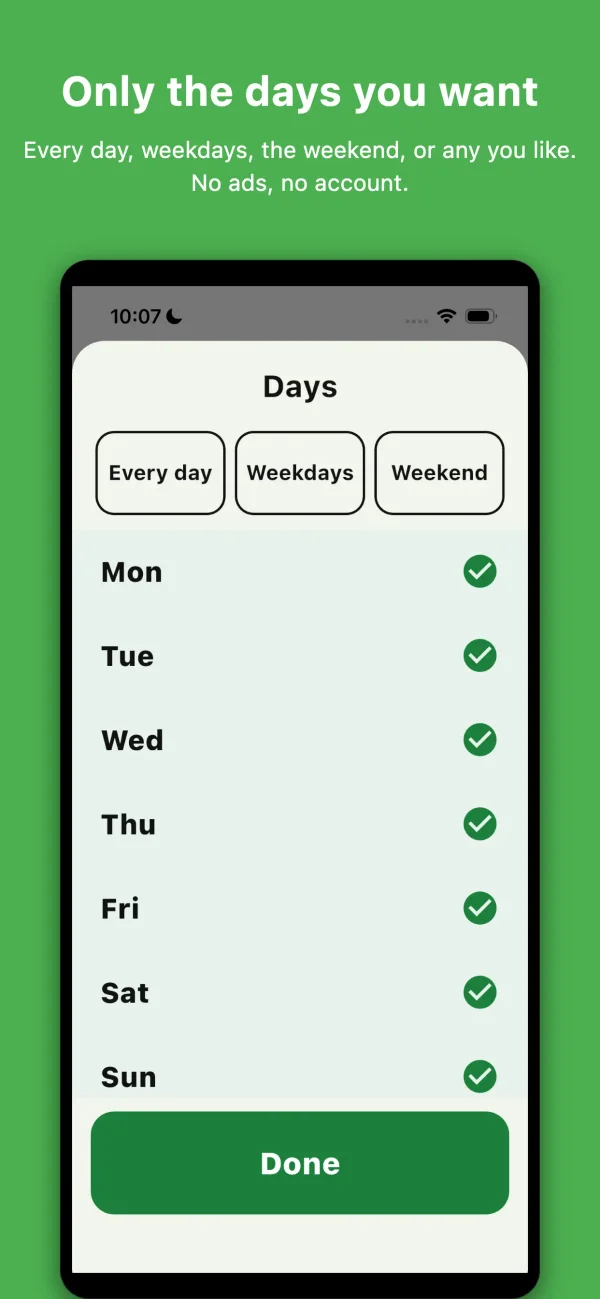
• Choose the days — weekdays, weekends, or any days you like
• Three volume levels
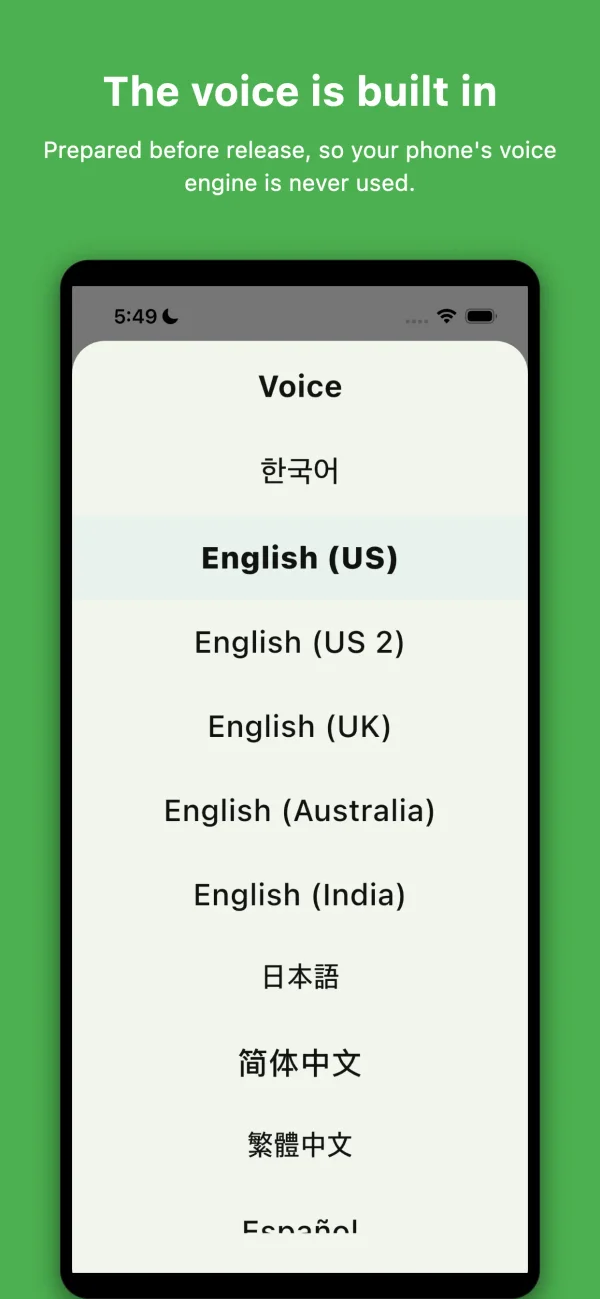
• Voices in Korean, English (US, UK, Australia, India), Japanese, Chinese (Simplified or Traditional), Spanish and French
■ No ads, nothing collected
No ads, no purchases, no sign-in, no account.
The only permission it asks for is the one that lets a notification make a sound. It works in airplane mode and sends nothing anywhere.
Privacy policy: https://bonstandard.xyz/privacy_policy
■ One thing to know
When your phone is in silent mode, iOS mutes every notification sound, including this one. Turn silent off to hear the hour. The "What time is it?" button works either way.
What’s new
Version 1.0.1 · Oct 2, 2026
• New French voice
• Three more English voices: UK, Australia, India
• The English voice list now names each accent
• The home screen tells you if notifications have been turned off
• "Next" names the day when the next chime is not today
• With days chosen, a night past midnight now carries on into the next morning
• Text no longer gets cut off on smaller phones
App privacy
What Jun Park declares on the App Store about how this app handles data.
-
Data not collected
The developer does not collect any data from this app.
Privacy practices may vary, for example with the features you use or your age.
Information
- Seller
- Jun Park
- Category
- Utilities
- Version
- 1.0.1
- Updated
- Oct 2, 2026
- Released
- Aug 31, 2026
- Size
- 67.6 MB
- Requires
- iOS 15.0 or later
- Age rating
- 4+
- Price
- Free
- Languages
- English
- Copyright
- © 2026 Bon Standard
You might also like
-
 Ppokkuk - Hourly ChimeEvery hour, a cuckoo
-
 ClockChime – Speaking ClockHourly Chime·Flip Clock·Focus
-
 老年报时Utilities
-
 Hourly Chime & Speaking ClockTime Announcements & Reminders
-
 TinnyNot: Hourly Chime & BellSpeaking clock, time reminders
-
 HoraeKeeper: Chime & RemindersHourly, Pomodoro, Countdown
-
 Voice Clock - Hear the TimeSpoken Clock & Timer
-
 Chimer - Voice Time AnnouncerInterval Chime & Talking Clock
-
 Talking Alarm Clock: Say TimeSpeaking Voice, Timer & Flash
-
 しゃべる目覚まし:時刻を声でお知らせUtilities