Voice Aloud Reading
Text to Speech, AAC & My Voice
Designed for iPhone, iPad
Free · In-app purchases
- Age rating4+
- CategoryMedical
- Developerryo muranaka
- LanguagesEnglish+ 9 more
- Size43.2 MB
Links to the official App Store page
Download.org hosts no file of Voice Aloud Reading. The button opens its official App Store page, published by ryo muranaka. Listing last checked on Nov 25, 2026.
Screenshots
About
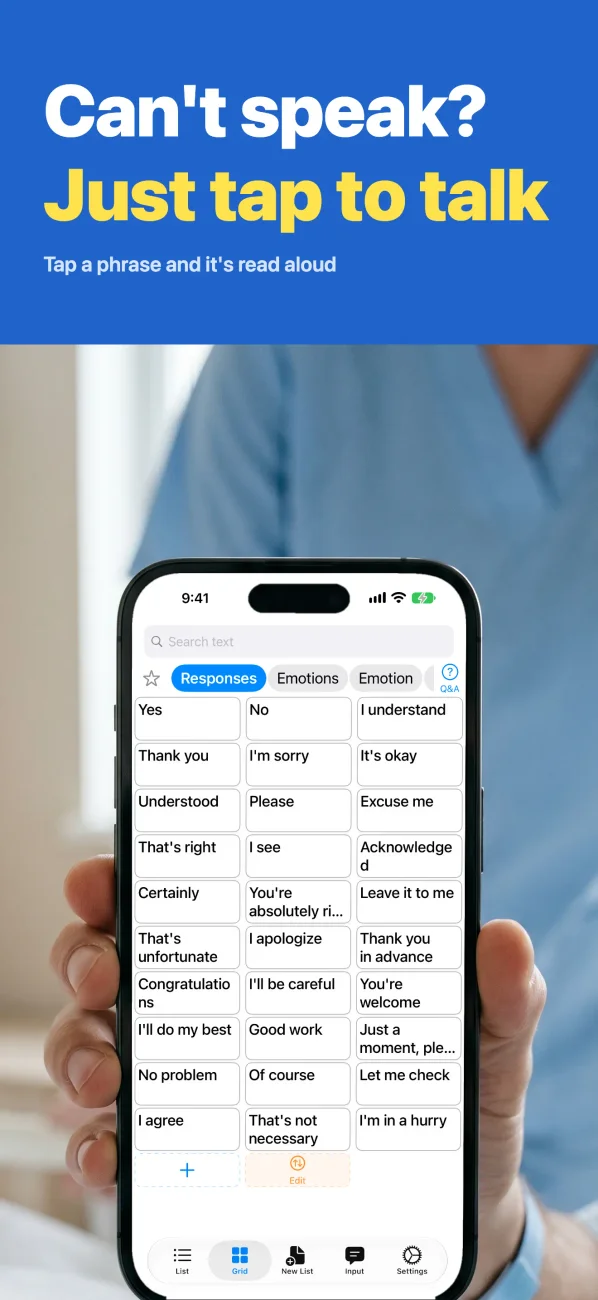
Voice Aloud Reading is a free, easy-to-use text-to-speech app for reading out both ready-made and freely typed sentences.
The main functions are as follows
Read aloud in your own voice:
Record your voice for each phrase before losing it, for example before surgery, and hear it instead of a synthesized voice. Existing audio can be imported, and a full backup moves everything to a new device.
High-quality Japanese voices (VOICEVOX):
Add natural-sounding Japanese voices generated on your device. Compare 80 voices with the same sentence and listen before you download; one tap downloads and switches.
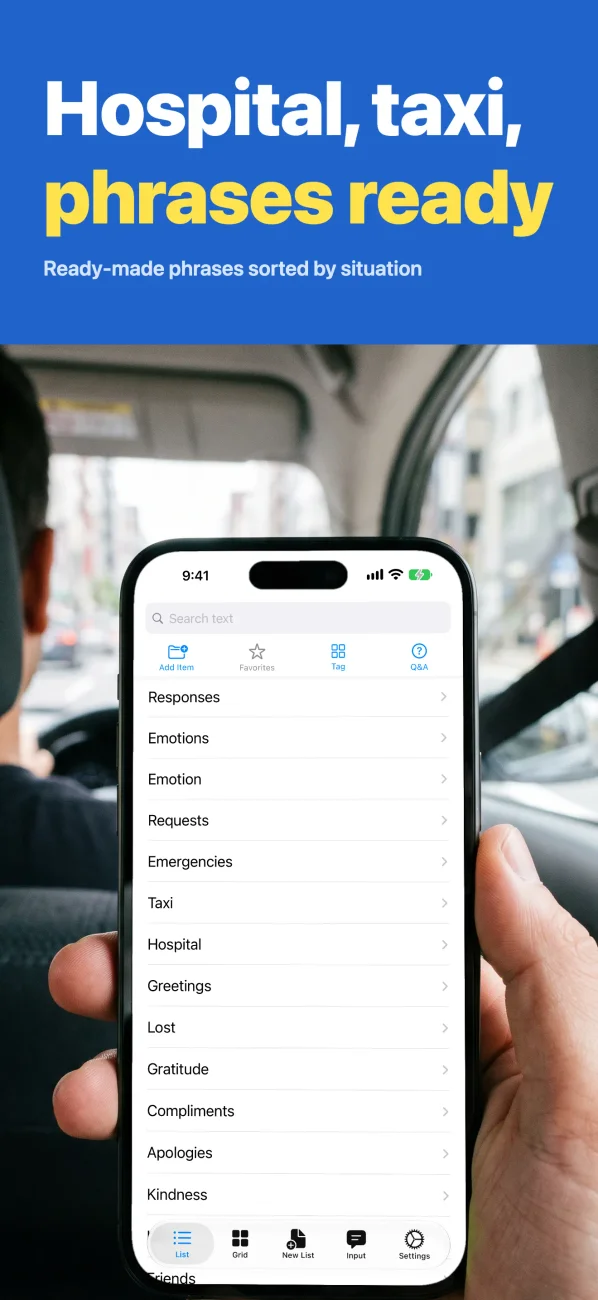
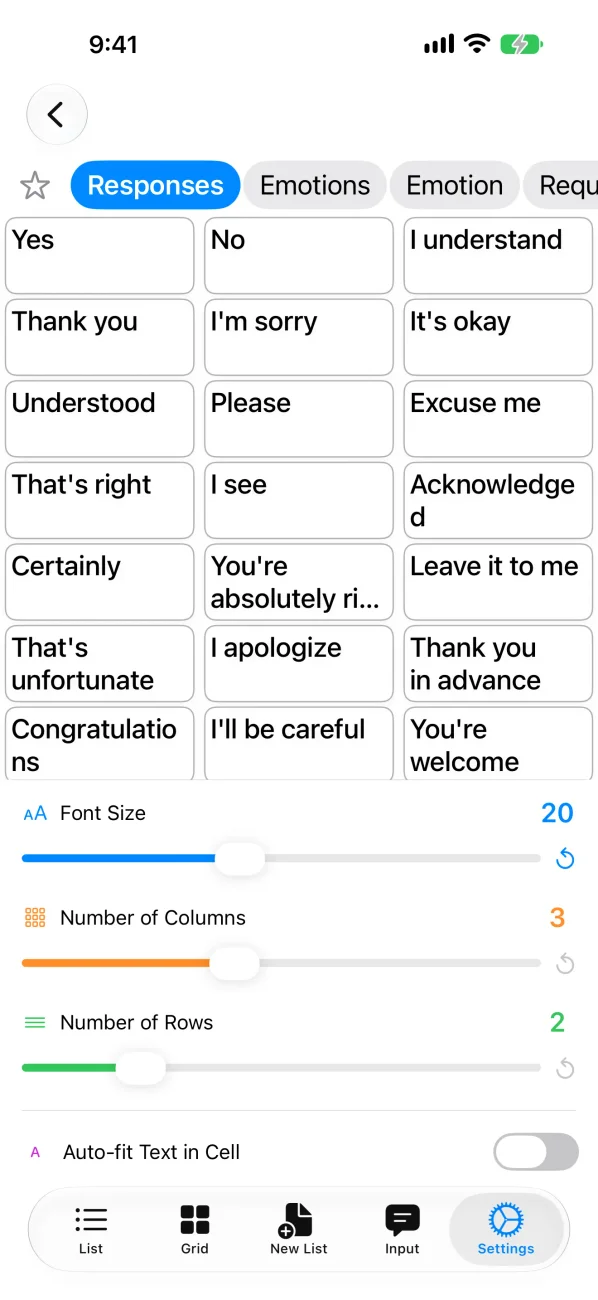
Ready-made sentences:
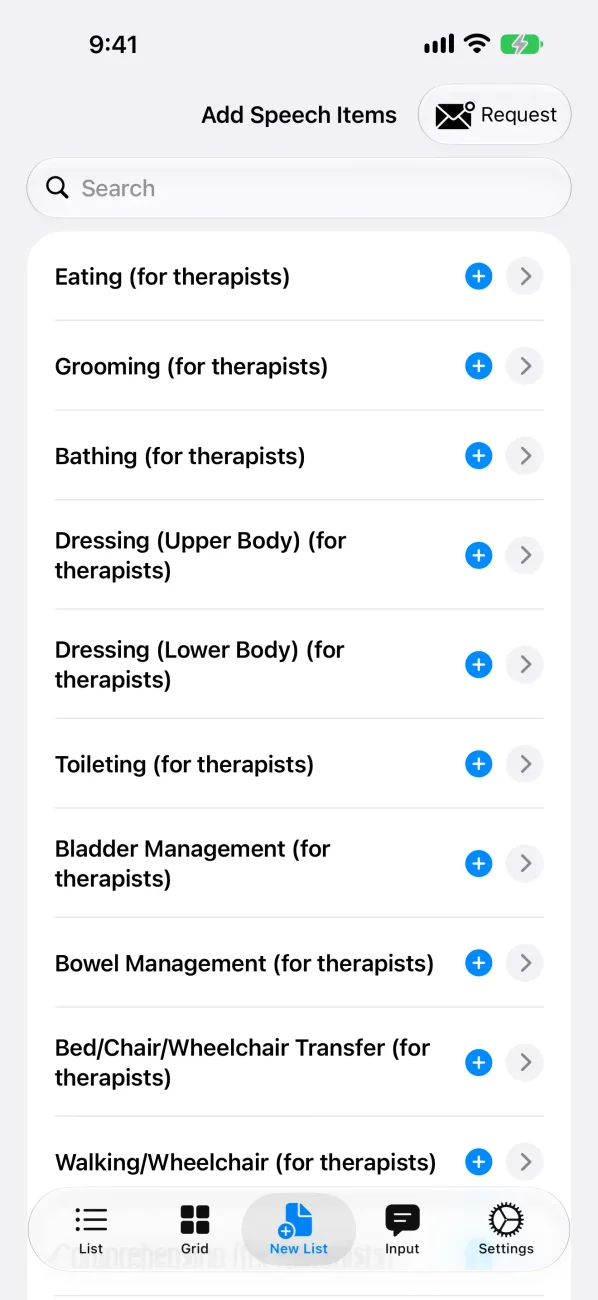
400 phrases for daily life, travel and work. You can add your own without limit.
Tap to speech:
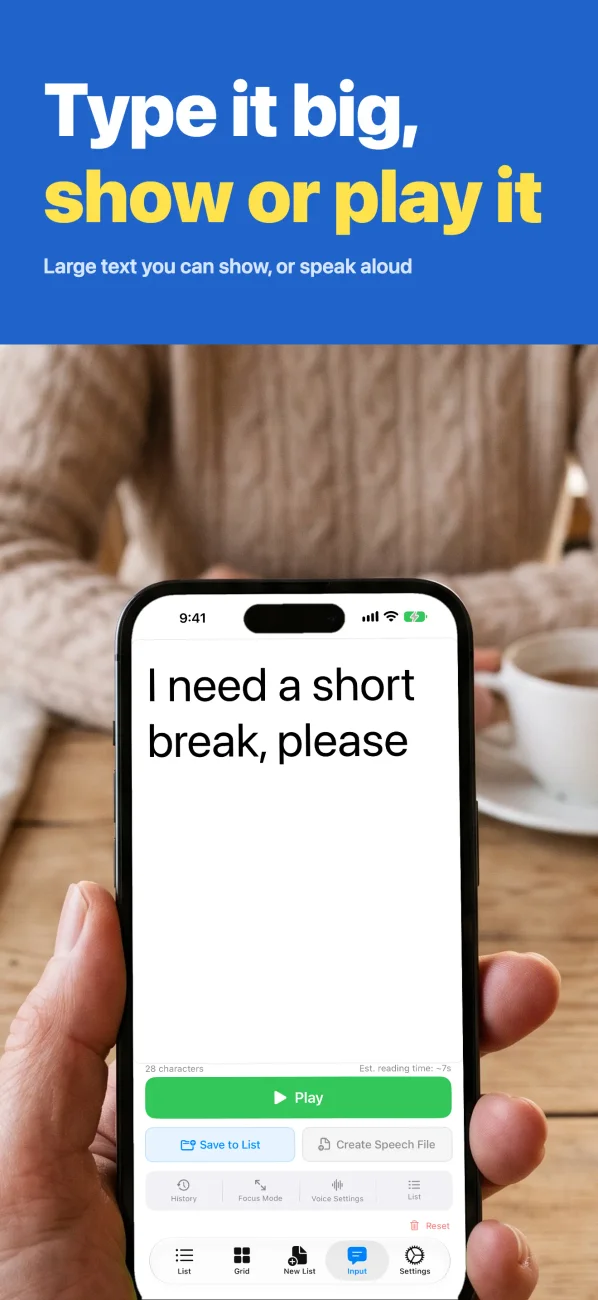
Tap a sentence and it is read out immediately in a natural voice.
Text-to-speech:
Type your own text and have it read out. What you type is kept in the history.
Dark mode:
Easy on the eyes at night or in dark places.
Font size:
Change the size of the text on screen to suit your eyesight.
Designed with accessibility in mind, for medical, care and educational settings as well as everyday conversation. Updated regularly — missing a sentence? Mention it in a review and we will add it.
Frequently Asked Questions:
Q: What is My Voice?
A: You record your own voice for each phrase; tapping it plays your recording instead of a synthesized voice. Made for people preparing to lose their voice, for example before surgery. Settings > Voice > My Voice.
Q: Where are recordings stored? Are they sent anywhere?
A: They stay on this device only. Nothing is sent anywhere, including to our servers.
Q: How long can one recording be?
A: Up to 60 seconds. For longer sentences, we recommend splitting them into separate phrases.
Q: Can I use audio I have already recorded?
A: Yes — from the Files app, iCloud Drive, or the share sheet in Voice Memos. Up to 10 minutes per file, and several files at once with matches suggested from file names.
Q: Will I lose my data when I change devices?
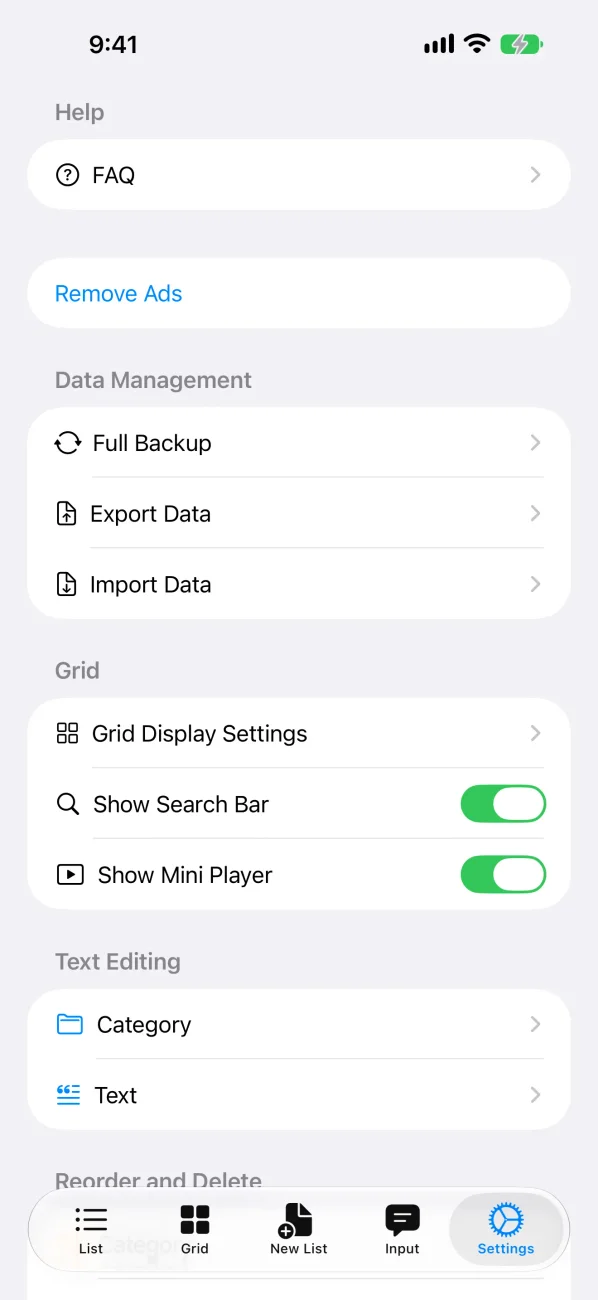
A: No. The full backup saves phrases, categories, order, recordings and settings in one file. Settings > Full Backup.
Q: Is the app paid?
A: Every reading feature is free. Ads are shown, and a one-time purchase to remove them is available. Nothing is locked behind that purchase.
Q: Ads came back after I changed devices.
A: Ad removal is tied to your Apple Account, so it is not included in the backup. Go to Settings > Remove Ads and tap "Restore Purchase".
Q: Can I use Personal Voice (iOS 17 or later)?
A: Yes. It is created in iOS Settings > Accessibility and supports English (US), Spanish (Mexico) and Chinese. For other languages, use My Voice.
Q: The silence before and after my recording bothers me.
A: It is trimmed automatically and can be undone. Strength: Settings > Voice > My Voice.
Q: Does it work on iPad?
A: Yes, both iPhone and iPad are supported.
Q: Can I add my own phrases and categories?
A: Yes, with no limit. Add, edit, reorder and move phrases between categories; put frequent ones in Favorites.
Q: Can I change the voice?
A: Yes. Pick from the voices on your device; speed and pitch in Settings > Voice.
Q: How many languages are supported?
A: Eleven, switching automatically with your iPhone's language setting.
Q: Does it work offline?
A: Yes. Only some high-quality voices need an initial download in iOS.
Q: Can I save the spoken text as a file?
A: Yes, and share it. If the phrase has your recording, that is exported.
Q: There is no sound.
A: Check the silent switch and volume, then close and reopen the app.
Q: Can I open the app's screens directly from other apps?
A: Yes: speechlist://main, //grid, //new, //input, //settings — handy with the Shortcuts app.
Voices: VOICEVOX:冥鳴ひまり, VOICEVOX:九州そら, VOICEVOX:雀松朱司, and more (full credits in the app)
What’s new
Version 1.21.6 · Nov 23, 2026
• Fixed an issue where some screens showed untranslated labels
• Shortcuts and Siri now work in your language
• Minor fixes
App privacy
What ryo muranaka declares on the App Store about how this app handles data.
-
Data used to track you
May be used to track you across apps and websites owned by other companies.
- Purchases
- Location
- Identifiers
- Usage data
- Diagnostics
-
Data linked to you
May be collected and linked to your identity.
- Purchases
- Location
- Identifiers
- Usage data
- Diagnostics
Privacy practices may vary, for example with the features you use or your age.
Information
- Seller
- ryo muranaka
- Category
- Medical
- Version
- 1.21.6
- Updated
- Nov 23, 2026
- Released
- Mar 20, 2023
- Size
- 43.2 MB
- Requires
- iOS 16.6 or later
- Age rating
- 4+
- Price
- Free
- In-app purchases
- Yes
- Languages
- English, French, German, Italian, Japanese, Korean, Russian, Simplified Chinese, Spanish, Traditional Chinese
- Copyright
- © ryo muranaka