
Voice Isolation: Denoise
Remove Background Noise Fast
Designed for iPhone, iPad
Free · In-app purchases
- Age rating4+
- CategoryPhoto & Video
- DeveloperBULPARA TEKNOLOJI LIMITED SIRKETI
- LanguagesEnglish+ 10 more
- Size7.5 MB
Links to the official App Store page
Download.org hosts no file of Voice Isolation: Denoise. The button opens its official App Store page, published by BULPARA TEKNOLOJI LIMITED SIRKETI. Listing last checked on Nov 15, 2026.
Screenshots
About
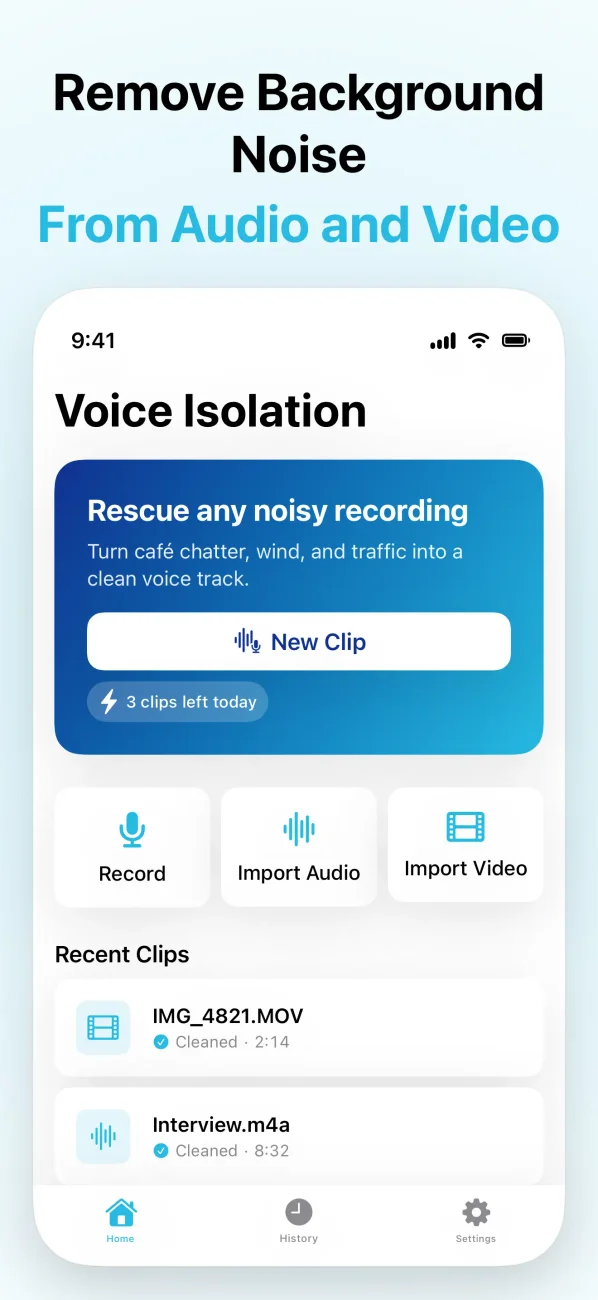
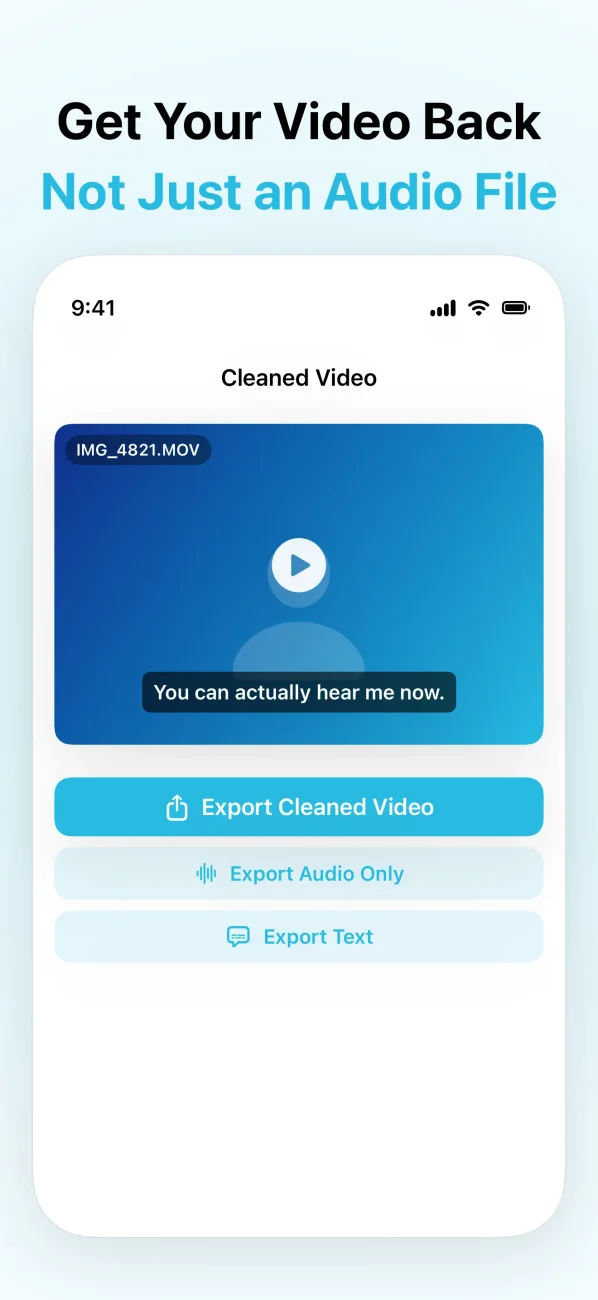
Great picture, terrible sound? Import the video and Voice Isolation hands it back with the noise gone — same footage, clean voice, captions if you want them. Most clips come back in about a minute. No desktop session, no re-syncing an audio file to your timeline.
It works the same way on plain audio: voice memos, interviews, dictation, or anything you can share in from another app.
▸ WHAT IT FIXES
• Wind on outdoor and beach clips
• Café and restaurant chatter
• Traffic and street noise
• Room echo and reverb
• HVAC hum, fan noise, and other steady backgrounds
▸ HOW IT WORKS
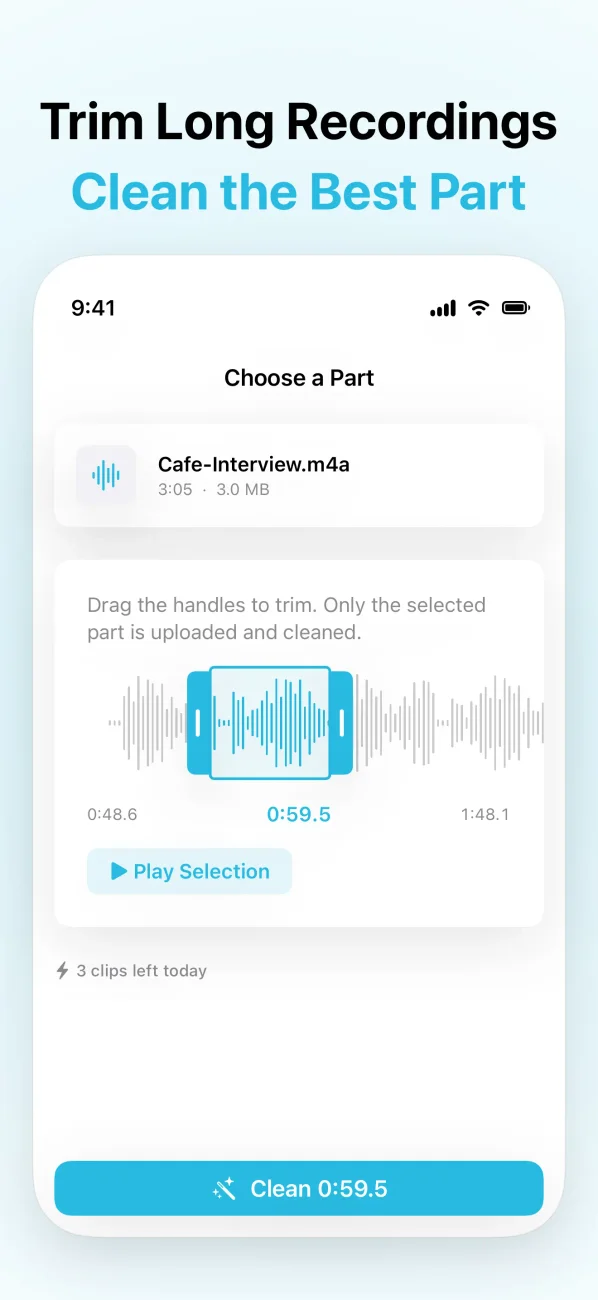
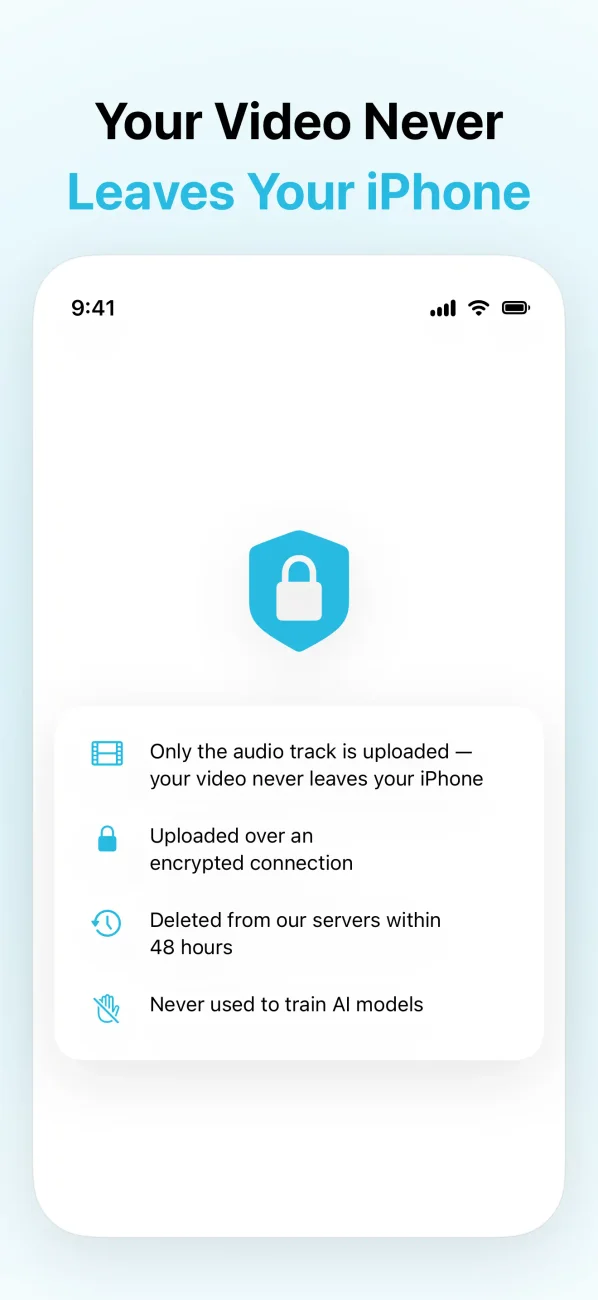
Pick a video or an audio file, then the part you want — slide the handles and only that part is uploaded and cleaned. Voice Isolation runs it through an AI speech-enhancement model and blends the result back against your original. For video it puts the cleaned audio back onto your footage automatically, so what you get is a finished MP4 — not an audio file you have to line up yourself.
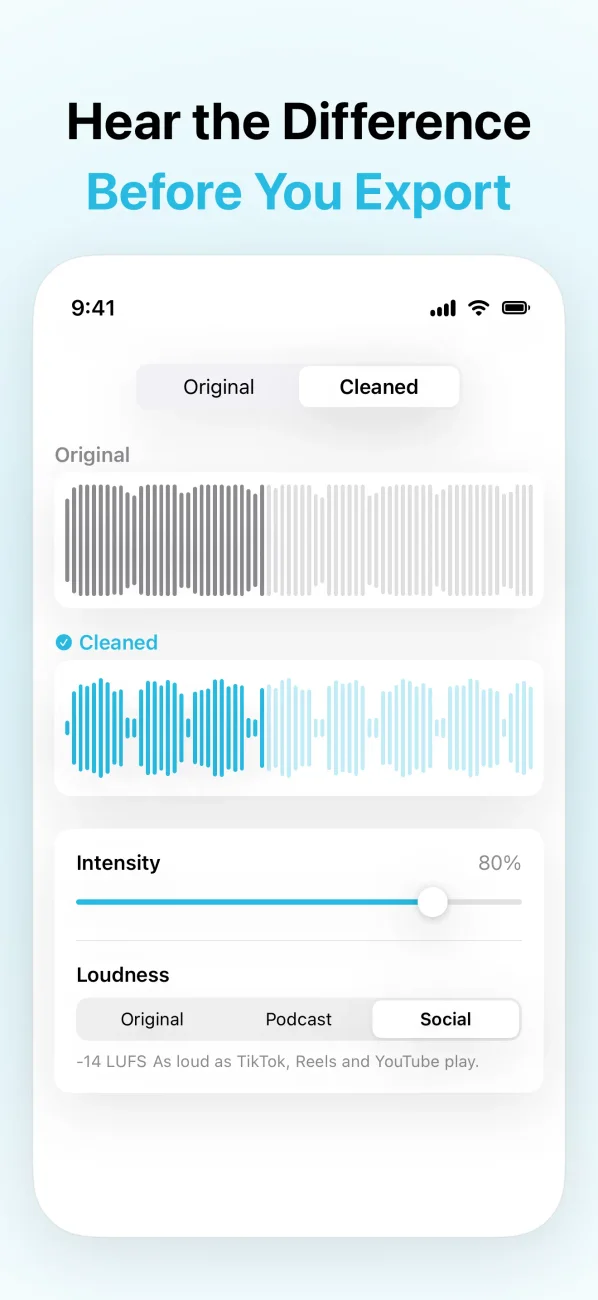
One tap A/B: switch between the original and the cleaned version and hear exactly what changed before you export anything.
Cleaning runs on our servers, so your clip is uploaded over an encrypted connection while it is processed. Uploads are deleted automatically within 48 hours, and we never train on your audio.
▸ CAPTIONS
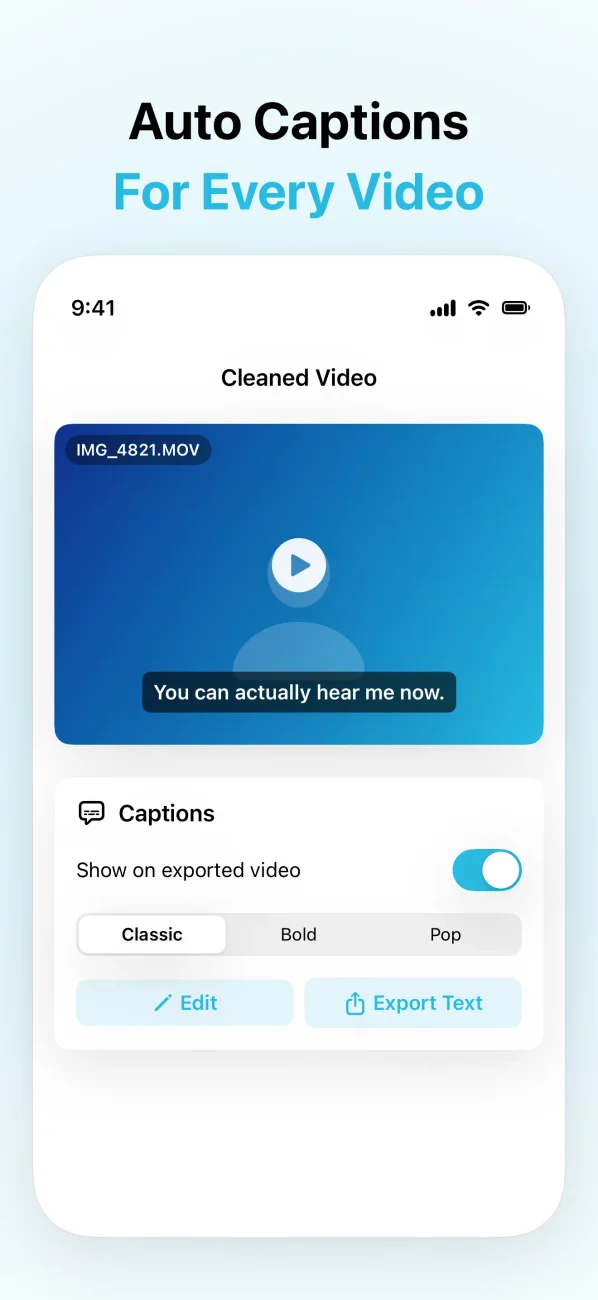
Write captions in one tap. They are transcribed on your iPhone, not uploaded. Fix any word, pick a style — Classic, Bold or Pop — and burn them into your video, placed clear of TikTok's and Reels' buttons. Pro exports SRT subtitles and plain transcripts too. Captions need iOS 26.
▸ BRING IT IN
• Record in the app with a live level meter — or start recording straight from Control Center, the Lock Screen or the Action button
• Import audio (M4A, WAV, MP3, AIFF) or video (MP4, MOV) from Files
• Pull videos straight from your Photo Library
• Send anything in from another app through the iOS share sheet
• Run Clean Audio in Shortcuts, or ask Siri
▸ GET IT BACK OUT
• Share the cleaned audio to any app
• Save the cleaned video as a new MP4 — free with a small watermark, clean with Pro
• SRT subtitles and transcripts (Pro)
• Export as WAV (Pro)
• Save to Files or Photos
▸ FREE
• 3 cleans a day, up to 60 seconds each — on longer recordings, pick the part to clean
• Audio and video draw on the same 3 — video is not walled off
• Captions, with the full editor
• Video export with a small watermark
• Full A/B preview, player, and cleaned-audio sharing
• Ad-supported
▸ PRO
• No daily limit — clips up to 10 minutes, and 90 minutes of cleaning a month
• Videos and captions without the watermark
• SRT subtitles and transcripts
• Podcast and Social loudness presets: the level podcast apps, TikTok and YouTube expect, with peaks held under the limit
• WAV export
• Adjustable cleaning strength, so you can dial back how aggressive it gets
• Re-clean up to 10 saved clips in one batch
• Zero ads
▸ SUBSCRIPTION
Voice Isolation Pro
Monthly — $7.99 per month
Annual — $39.99 per year, including a 7-day free trial
Payment is charged to your Apple ID at confirmation of purchase. Subscriptions renew automatically unless canceled at least 24 hours before the end of the current period, and your account is charged for renewal within 24 hours before that period ends. Manage or cancel anytime in your App Store account settings.
Terms of Service: https://voiceisolation.bulpara.com/terms
Privacy Policy: https://voiceisolation.bulpara.com/privacy
▸ QUESTIONS
support@bulpara.com — we read every message.
What’s new
Version 2.0 · Oct 23, 2026
Voice Isolation 2.0: clean it, caption it, post it.
• Captions in one tap. Turn what's said into captions, written on your iPhone. Fix any word, pick a style — Classic, Bold or Pop — and burn them into your video. With Pro, export SRT subtitles and transcripts too. Captions need iOS 26.
• Pick the part to clean. Long recording? Slide to the part you want and clean just that. On the free plan that means any 60 seconds of a longer memo, instead of a "too long" dead end.
• Export videos on the free plan. Your cleaned video now exports for free, with a small Voice Isolation mark. Pro removes it.
• Loud enough to post. Podcast and Social presets set the level podcast apps, TikTok and YouTube expect, with peaks held safely under the limit. (Pro)
• Clean from anywhere. Run Clean Audio in Shortcuts, ask Siri, or add Record & Clean to Control Center, the Lock Screen or the Action button.
Also fixed: long free recordings were refused with the wrong message, some recordings and AIFF files failed to upload, the export-format setting is now respected, and imported clips keep their own names.
Questions or a recording that gave you trouble? support@bulpara.com — we read everything.
App privacy
What BULPARA TEKNOLOJI LIMITED SIRKETI declares on the App Store about how this app handles data.
-
Data used to track you
May be used to track you across apps and websites owned by other companies.
- Identifiers
- Usage data
-
Data not linked to you
May be collected but is not linked to your identity.
- User content
- Identifiers
- Usage data
Privacy practices may vary, for example with the features you use or your age.
Information
- Seller
- BULPARA TEKNOLOJI LIMITED SIRKETI
- Category
- Photo & Video
- Version
- 2.0
- Updated
- Oct 23, 2026
- Released
- Apr 30, 2026
- Size
- 7.5 MB
- Requires
- iOS 18.0 or later
- Age rating
- 4+
- Price
- Free
- In-app purchases
- Yes
- Languages
- English, Arabic, French, German, Italian, Japanese, Korean, Portuguese, Simplified Chinese, Spanish, Turkish
- Copyright
- © Bulpara 2026
You might also like
-
 Audio Cleaner AI: DenoiseNoise Reducer: Video & Voice
-
 Denoise: AI Noise RemoverBackground noise reducer
-
 Perfect Sound: Noise RemoverAI Audio Enhancer for Video
-
 Denoisely: Noise ReducerRemove background noise
-
 Denoise Kit: Noise ReducerAudio Cleanup & Voice Clarity
-
 Video Noise Cleaner & RemoverDenoise audio & remove hiss
-
 Video Volume Booster: Loudify#1 Video Sound Amplifier
-
 Audio Cleaner: Video Sound FixAI Noise Remover & Voice Boost
-
 Video Audio Stem SplitterSeparate Instruments & Vocals
-
 Denoise.FX for Audio & VideoAI denoiser