Hearless: Voice Notes to Text
Transcribe Voice Notes & Audio
Designed for iPhone, iPod touch
Free · In-app purchases
- Age rating4+
- CategoryProductivity
- DeveloperTalha Hussain
- LanguagesEnglish
- Size86.4 MB
Links to the official App Store page
Download.org hosts no file of Hearless: Voice Notes to Text. The button opens its official App Store page, published by Talha Hussain. Listing last checked on Nov 23, 2026.
Screenshots
About
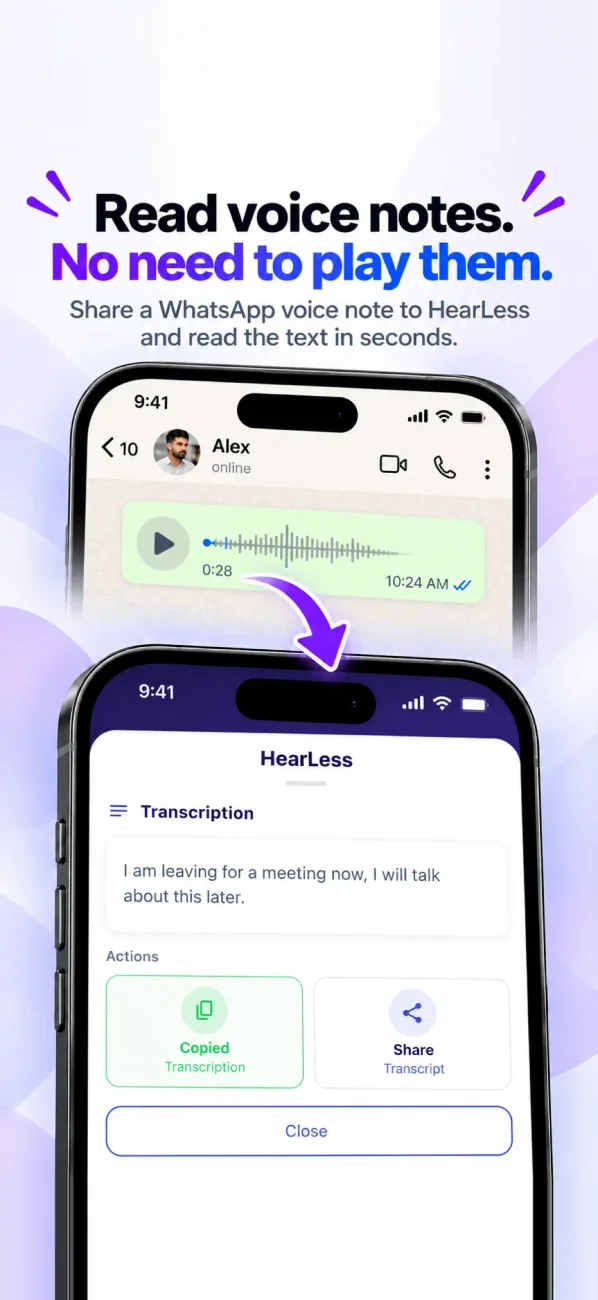
Read voice messages instead of playing them.
Got a long WhatsApp voice note in a meeting, in class or somewhere loud? Share it to HearLess and read it as clean, punctuated text in seconds. No headphones, no replaying.
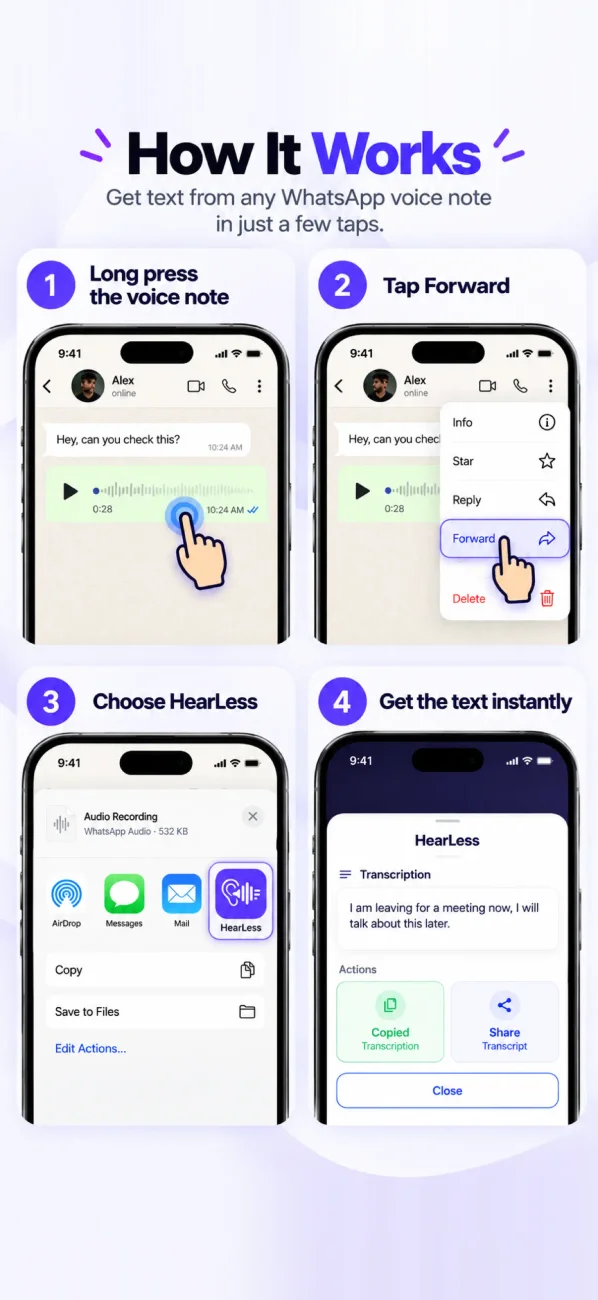
HOW IT WORKS
1. In WhatsApp, long-press the voice note and tap Forward, then Share.
2. Pick HearLess.
3. Read the text. Copy it or share it with one tap.
Works with WhatsApp, WhatsApp Business, Telegram, Signal, Voice Memos, Files and any app that can share audio.
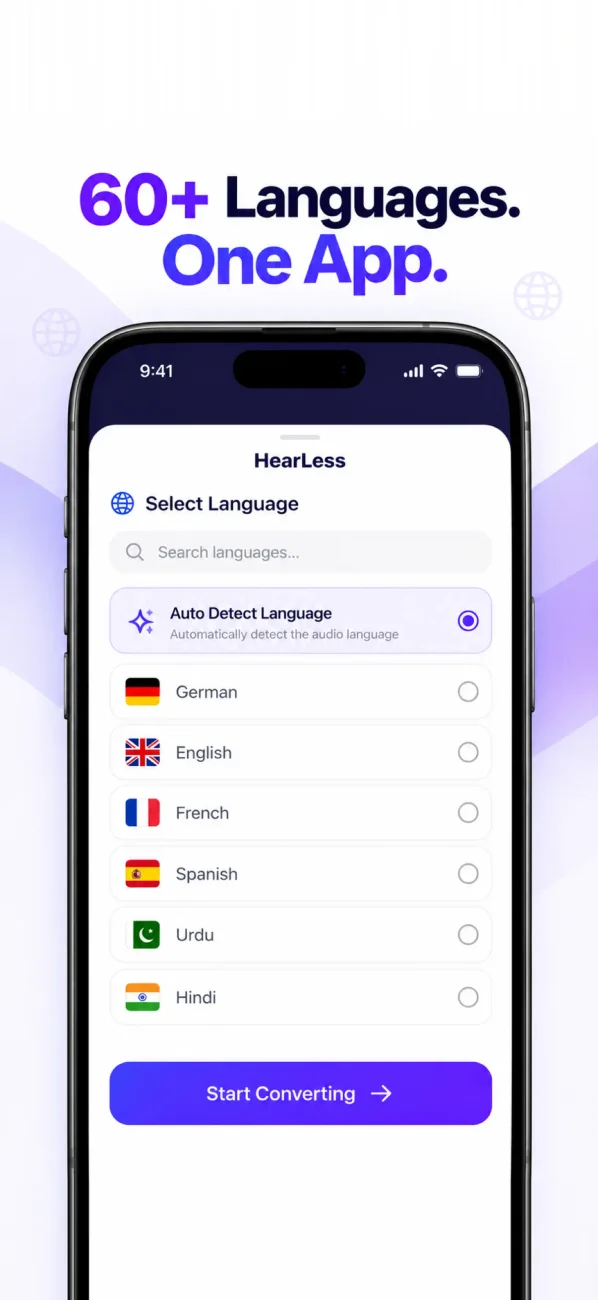
60+ LANGUAGES, YOUR SCRIPT
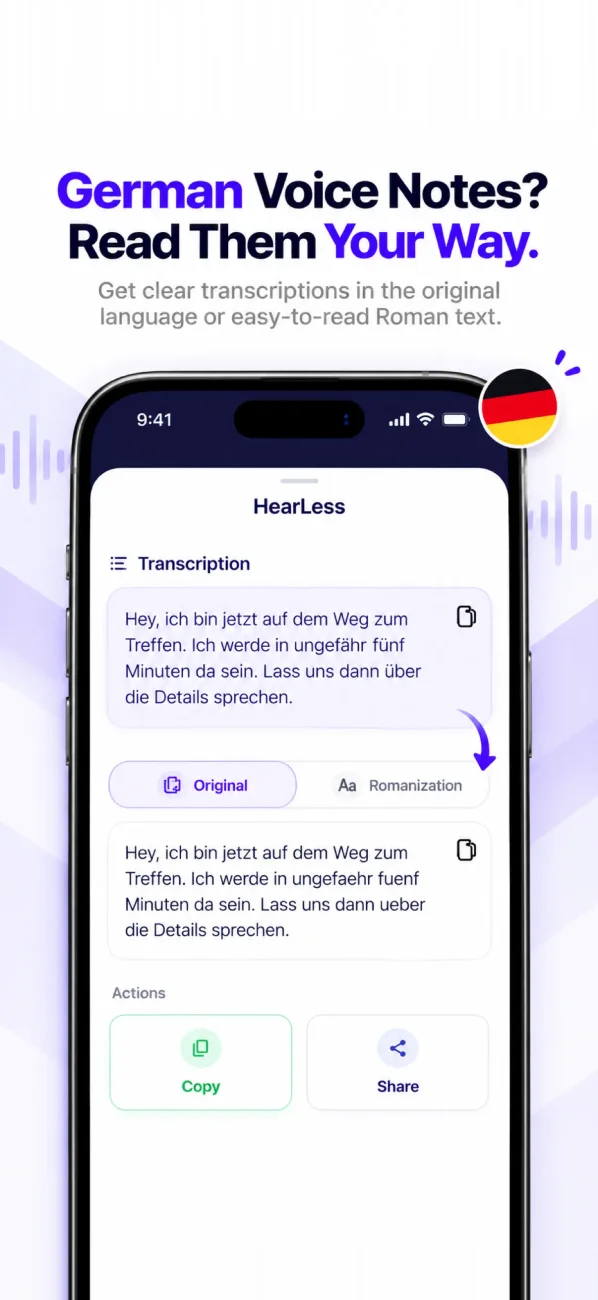
Accurate speech to text for English, Urdu, Hindi, Arabic, Punjabi, Persian, Turkish, German, Spanish, French, Portuguese, Russian and many more. Auto-detect handles messages that mix languages. Get Urdu, Hindi, Punjabi, Arabic or Persian in Roman script (Roman Urdu) or the native script, and switch any time.
VOICE TYPING IN ANY APP
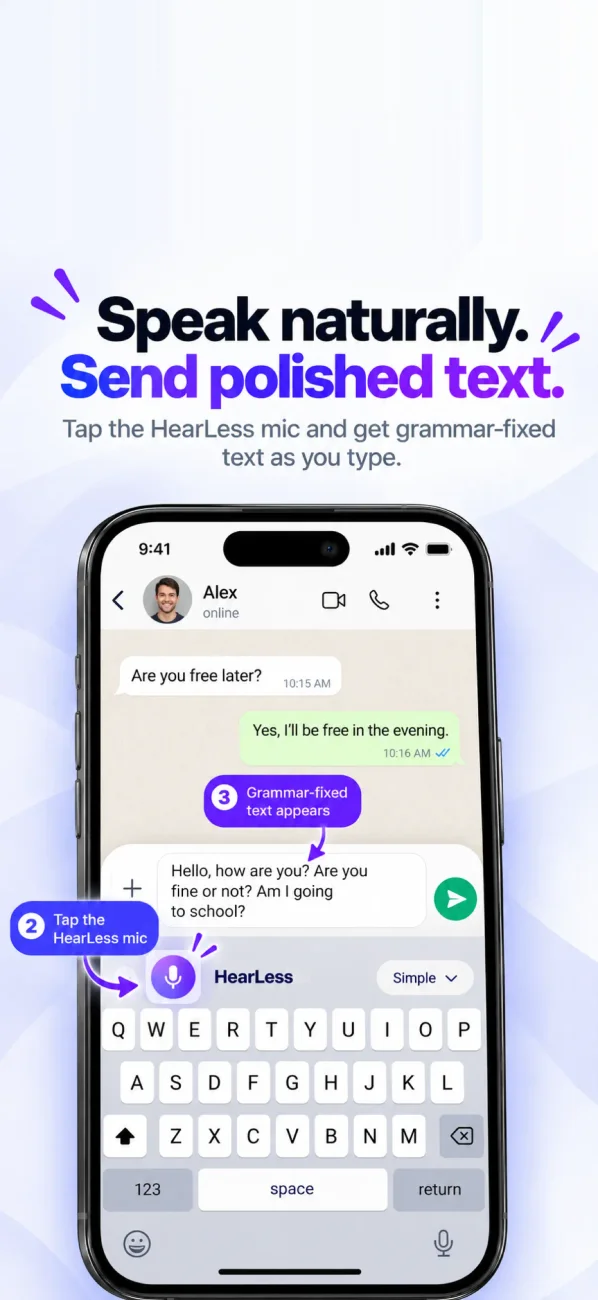
Talk instead of typing long messages. Switch to the HearLess keyboard, tap the mic, speak, and your words are typed in, with filler words like "um" removed. It's a full keyboard too.
AUDIO AND VIDEO FILES TOO
Transcribe MP3, WAV, M4A, OGG, AAC, FLAC and MP4: lectures, interviews, meetings and memos.
YOUR TRANSCRIPTS, ORGANISED
Every transcript is saved to your library. Search by keyword and copy any text with one tap.
SIMPLE, FAIR PRICING
Free to download, with free minutes to try it on your own voice notes. Need more? Buy a minutes pack once. Minutes never expire, there is no subscription, and you always see how much time you have left.
PRIVATE BY DESIGN
• Audio is sent only when you share a voice note or tap the mic, and is deleted after it's transcribed.
• The HearLess keyboard never collects what you type. "Allow Full Access" is used only so the keyboard can talk to the HearLess app, which records your voice (iOS keyboards can't use the microphone).
• No ads.
FREQUENTLY ASKED
Does it work with apps other than WhatsApp? Yes: any app that can share audio, and the keyboard works in every app.
Can it write Urdu or Hindi in English letters? Yes, that's the Roman script option.
Do I need internet? Yes. Speech is processed on our servers to keep accuracy high; recordings are deleted after processing.
HearLess is not affiliated with WhatsApp or Meta.
Privacy Policy: https://talhahussain22.github.io/hearless-privacy-policy/
Terms of Use: https://talhahussain22.github.io/Hearless-terms-and-conditions/
What’s new
Version 1.0.15 · Nov 17, 2026
Smarter automatic capitalization on the Hearless keyboard.
Review longer dictations in a scrollable, multiline preview.
Shared voice notes now open the transcription sheet directly.
Clearer keyboard setup and more reliable dictation sessions.
Tell us how you discovered Hearless during onboarding.
App privacy
What Talha Hussain declares on the App Store about how this app handles data.
-
Data linked to you
May be collected and linked to your identity.
- Purchases
- Contact info
- User content
- Identifiers
- Usage data
- Diagnostics
Privacy practices may vary, for example with the features you use or your age.
Information
- Seller
- Talha Hussain
- Category
- Productivity
- Version
- 1.0.15
- Updated
- Nov 17, 2026
- Released
- Oct 19, 2026
- Size
- 86.4 MB
- Requires
- iOS 15.0 or later
- Age rating
- 4+
- Price
- Free
- In-app purchases
- Yes
- Languages
- English
- Copyright
- © 2026 Talha Hussain
You might also like
-
 Flustr: Voice to Text KeyboardDictate & translate offline
-
 AI Voice transcriptorWhatsApp Audio to Text
-
 Transcribe Audio AppSpeech to Text & Voice Memos
-
 Clavio: Voice to Text KeyboardAI Voice Typing & Dictation
-
 VoiBoard: AI Voice KeyboardSpeak to Type & Fast Dictation
-
 VOR: Voice to TextSpeak. It types. Instantly.
-
 SpeechBee: Voice to TextDictation & Text to Speech
-
 Whisper: Voice to TextDictate anywhere with AI
-
 TypeVoice: AI Voice KeyboardDictation, Rewrite, Translate
-
 Lume Voice: Flow Keyboard AITypeless Memo & Audio Notes