VoiceAlarm: Talking Clock
Warm, smart voice reminders
Designed for iPhone, iPad, iPod touch
Free · In-app purchases
- Age rating4+
- CategoryProductivity
- Developerniuqun guqun
- LanguagesEnglish+ 2 more
- Size35.1 MB
Links to the official App Store page
Download.org hosts no file of VoiceAlarm: Talking Clock. The button opens its official App Store page, published by niuqun guqun. Listing last checked on Nov 27, 2026.
Screenshots


About
VoiceAlarm is a powerful and beautifully designed voice-enabled time management app that helps you stay aware of and manage time in a more natural way.
[CORE FEATURES]
Voice Time Announcement
- Automatic Hourly Chime - TTS announces the current time, no need to check the screen
- Shake to Speak - Shake your phone to hear the time instantly
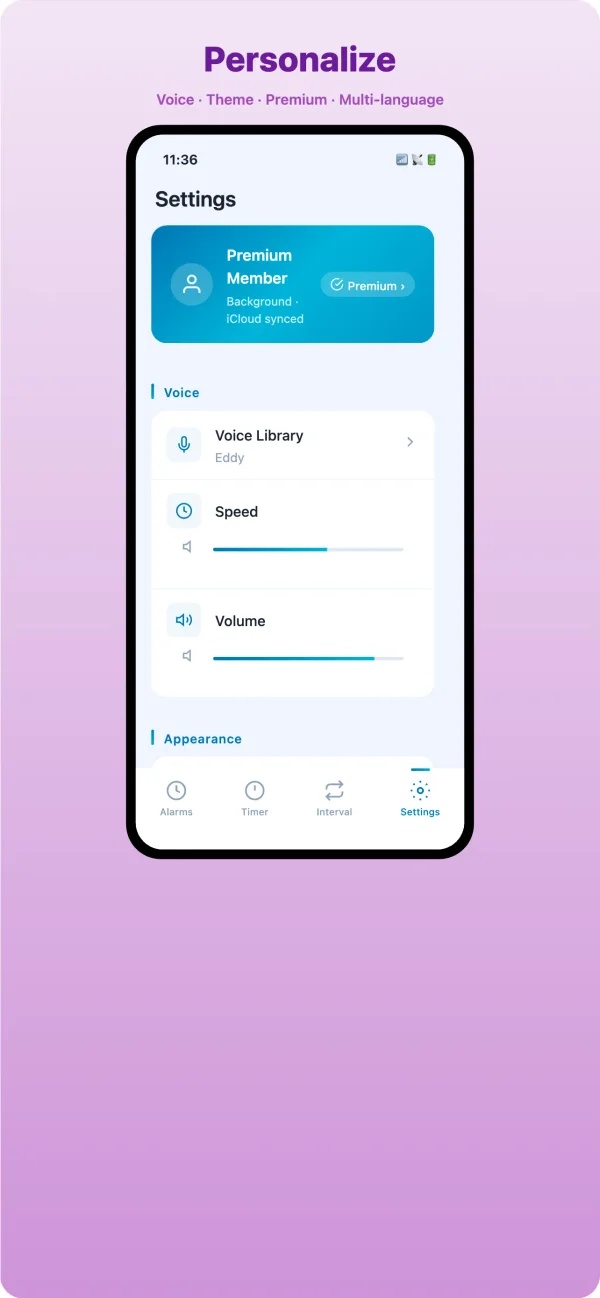
- Custom Voice - Multiple system voices with adjustable speed, volume, and pitch
Smart Alarms
- Flexible Repeat Rules - Daily, weekdays, weekends, monthly, yearly, custom dates
- Four Alert Modes - Ringtone, TTS voice, recording, and audio files, mix and match
- Snooze Function - Customizable snooze intervals
- Alarm Groups - Organize by scenario (work, life, fitness, etc.)
- Vibration - Works alongside any alert mode
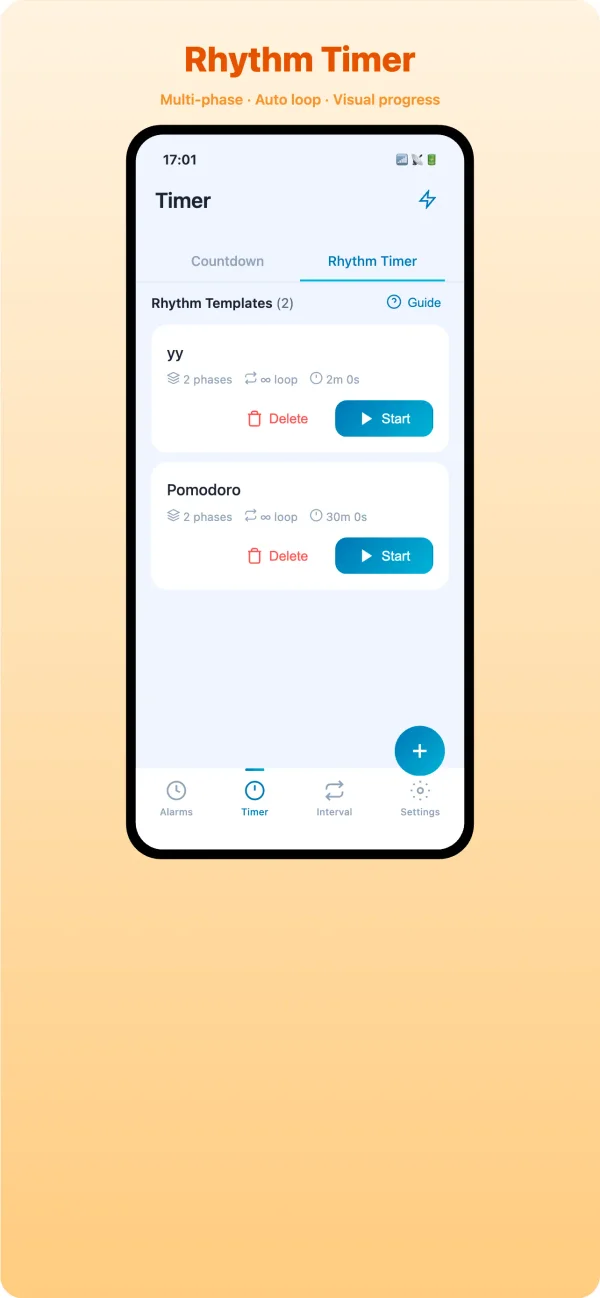
Rhythm Timer
- Pomodoro Technique - Multi-phase cycle timing with automatic focus/rest switching
- Immersive Mode - Full-screen timing, minimize distractions, boost focus
- Landscape Support - Better experience on iPad and large screens
- Custom Phases - Up to 99 phases, flexibly arrange your work rhythm
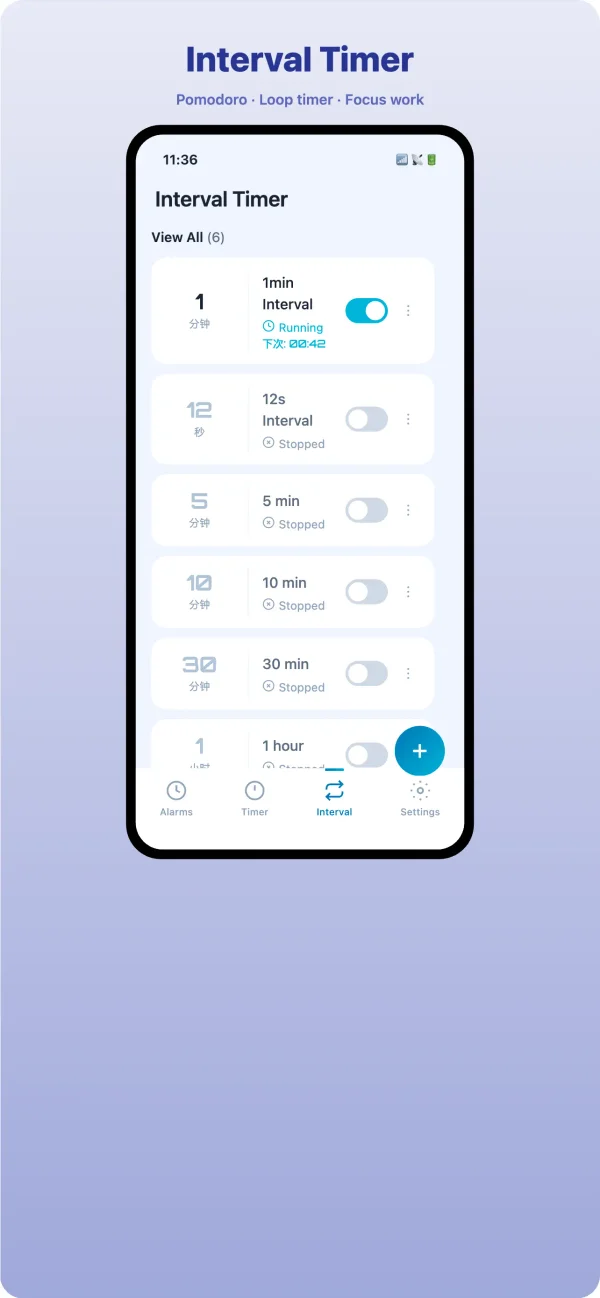
Interval Timer
- Custom Intervals - Precise day/hour/minute/second settings
- Loop Modes - Once, infinite, or specified number of cycles
- History Tracking - Review past sessions, monitor productivity
Countdown Timer
- Quick Presets - One-tap start from 1 minute to 2 hours
- Custom Duration - Precise hour/minute/second settings
- Group Management - Organize by scenario (cooking, fitness, study)
- Auto Repeat - Loop countdown after completion
[PERSONALIZATION]
- Light/Dark Theme - Auto-follow system or manual switch
- Rich Audio Library - Curated built-in ringtones
- Multi-language - Full Simplified Chinese, Traditional Chinese, and English UI
- Lunar Calendar - Display lunar dates on home screen
- Full-Screen Clock - Turn your phone into a desk clock
[PREMIUM]
- Background Reliability - Alarms and reminders trigger reliably in background
- iCloud Sync - Automatic data sync across all your devices
- One-time purchase, lifetime access
[WHY VOICEALARM?]
- Refined Design - Light tech-forward UI, smooth and intuitive
- Privacy First - Local storage by default, optional iCloud sync for members
- Feature Complete - Alarms, interval timers, countdowns, rhythm timers, all in one
- Global Ready - Seamless trilingual experience
Whether you are a student, a professional, or a fitness enthusiast, VoiceAlarm is your ideal time management companion.
What’s new
Version 2.2.0 · Nov 26, 2026
- Plan the next start of an interval timer. Set a future start time on a timer that's turned off, then turn it on before that time. A timer set for 2 pm with a 30-minute interval gives its first reminder at 2:30.
- Premium members can now choose downloaded sounds for new alarms and timers while offline. Once this device has confirmed your membership, use a downloaded sound on its own or pair it with a second sound.
- The voice editor includes examples for saying the reminder name and the current time. For a voice-only alert, leave the message blank to hear the default for that type of reminder.
- Find the new User guide in Settings. Members can check iCloud sync status on the Premium page and retry a failed sync there.
- Improved the handoff from a spoken alarm to an interval chime. Alarm groups and Premium card text are also easier to read in Dark Mode.
App privacy
What niuqun guqun declares on the App Store about how this app handles data.
-
Data not collected
The developer does not collect any data from this app.
Privacy practices may vary, for example with the features you use or your age.
Information
- Seller
- Hangzhou Yuhang Minglan Software Studio(Individually Owned Business)
- Category
- Productivity
- Version
- 2.2.0
- Updated
- Nov 26, 2026
- Released
- Nov 11, 2025
- Size
- 35.1 MB
- Requires
- iOS 15.0 or later
- Age rating
- 4+
- Price
- Free
- In-app purchases
- Yes
- Languages
- English, Simplified Chinese, Traditional Chinese
- Copyright
- © minglan software studio
You might also like
-
 TicWak - AI Daily PlannerSmart Voice Reminder & To-Do
-
 Voice wake alarmMulti-functional Timer
-
 Todo Alarm - Task ReminderSpoken alerts for routines
-
 Chimebird - Hourly Voice ChimeTalking Clock & Time Reminders
-
 Slob Reminder- hourly schedulechime maker todolist alarm
-
 Diii Notify - hourly chimecustom your alarm and reminder
-
 PureAlarmShift & Rotation Alarms
-
 Chimo - Voice RemindersCustom sound for every moment
-
 Voice Clock : Time SpeakerTalking Clock & Hourly Chime
-
 VoiceMinderPersonalized Voice Reminders