- Age rating4+
- CategoryUtilities
- DeveloperChristian Weissinger
- LanguagesEnglish+ 12 more
- Size35.7 MB
Links to the official App Store page
Download.org hosts no file of VoiceButler. The button opens its official App Store page, published by Christian Weissinger. Listing last checked on Nov 20, 2026.
Screenshots


About
Can't hear? Can't speak? Visual contact only?
VoiceButler – The Swiss Army Knife of Communication.
One tap. Large, clear text. Instantly visible.
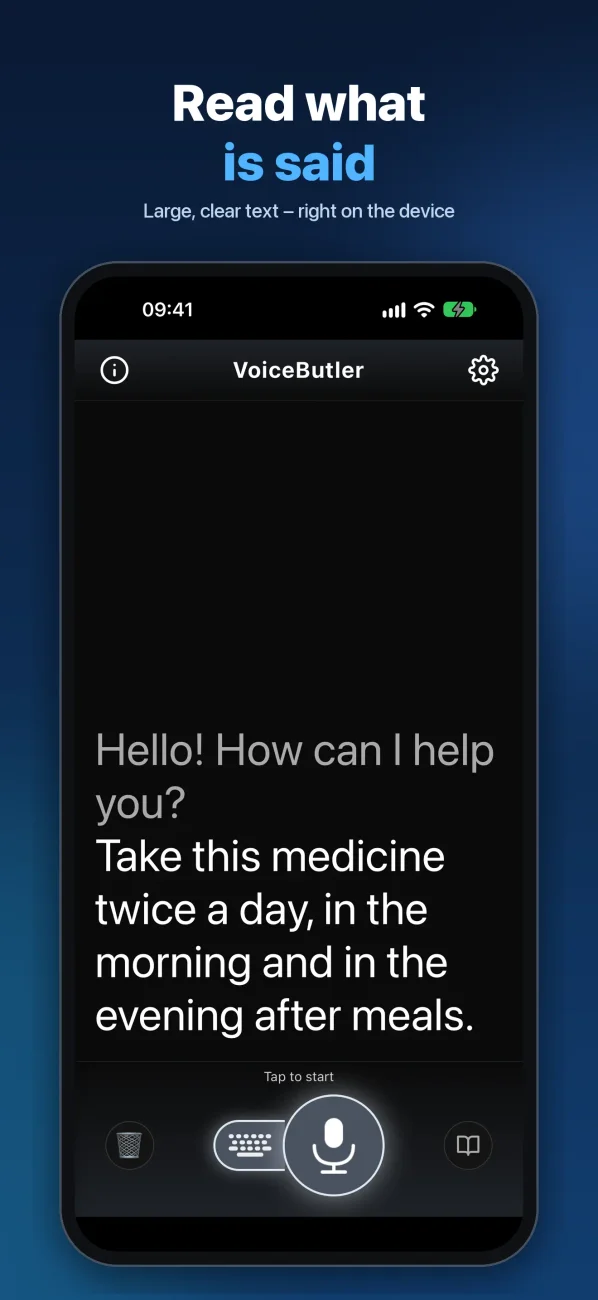
VoiceButler turns spoken words into large, easy-to-read text in real time – giving people a voice when words can't be heard or spoken.
WHO NEEDS VOICEBUTLER?
Deaf & Hard of Hearing
Someone speaks – VoiceButler displays the text instantly on screen. No lip-reading, no misunderstandings.
Mute & Voice Loss
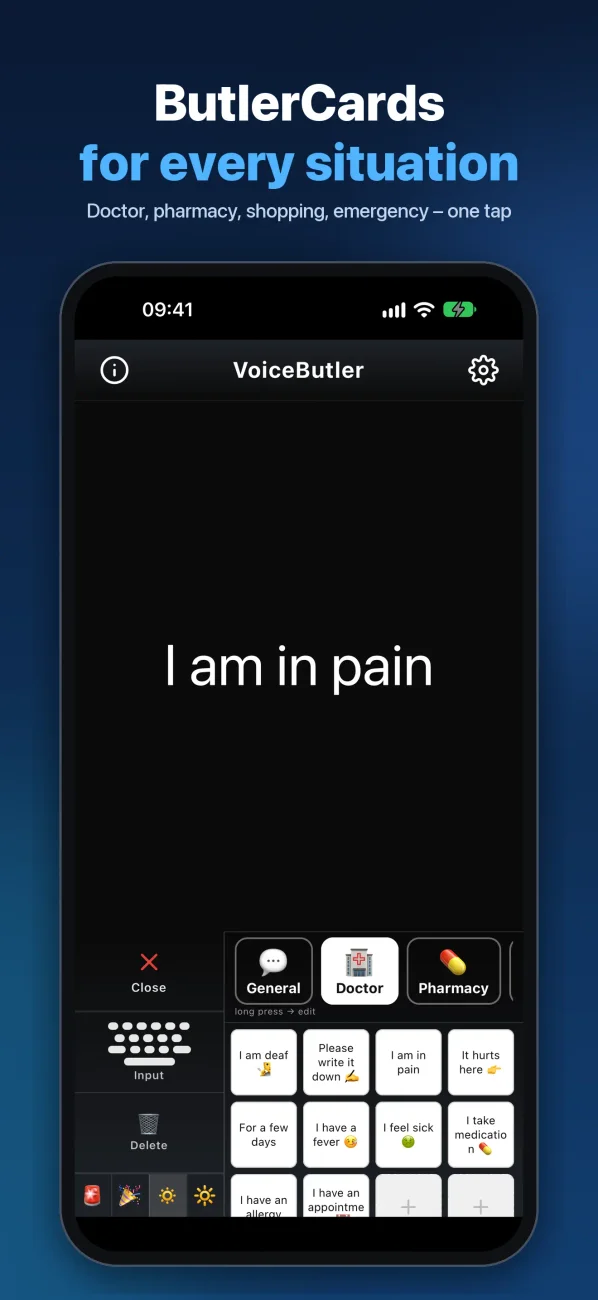
Tap one of the ButlerCards or type yourself – the text appears large on the screen you hold up to the person opposite. Ready-made phrases for Doctor, Pharmacy, Shopping, Directions, Authorities, Emergency are included.
Loud Environments
Concerts, motorsports, Grand Prix, construction sites, airports – where speech gets lost in the noise, the text stays readable.
Illness & Temporary Conditions
After surgery, with laryngitis or temporary voice loss – VoiceButler takes over.
Visual Contact Only
Behind glass, underwater, at a distance, through a window or on a screen – just hold up your display. Turn it upside down and the person opposite reads along.
Emergencies
The red flashing border draws attention. "Help!" on a ButlerCard activates the alarm automatically.
FEATURES
• Instant speech recognition – no login, no setup
• Huge text, readable even from a distance
• ButlerCards: ready-made phrases by topic – Doctor, Pharmacy, Shopping, Directions, Authorities, Emergency – freely extendable
• Focus mode: while recording, the whole screen belongs to the text
• Turn upside down: the person opposite reads along
• Alarm effect: red flashing border for emergencies
• Party effect: colorful rainbow border
• Effect intensity: gentle or strong
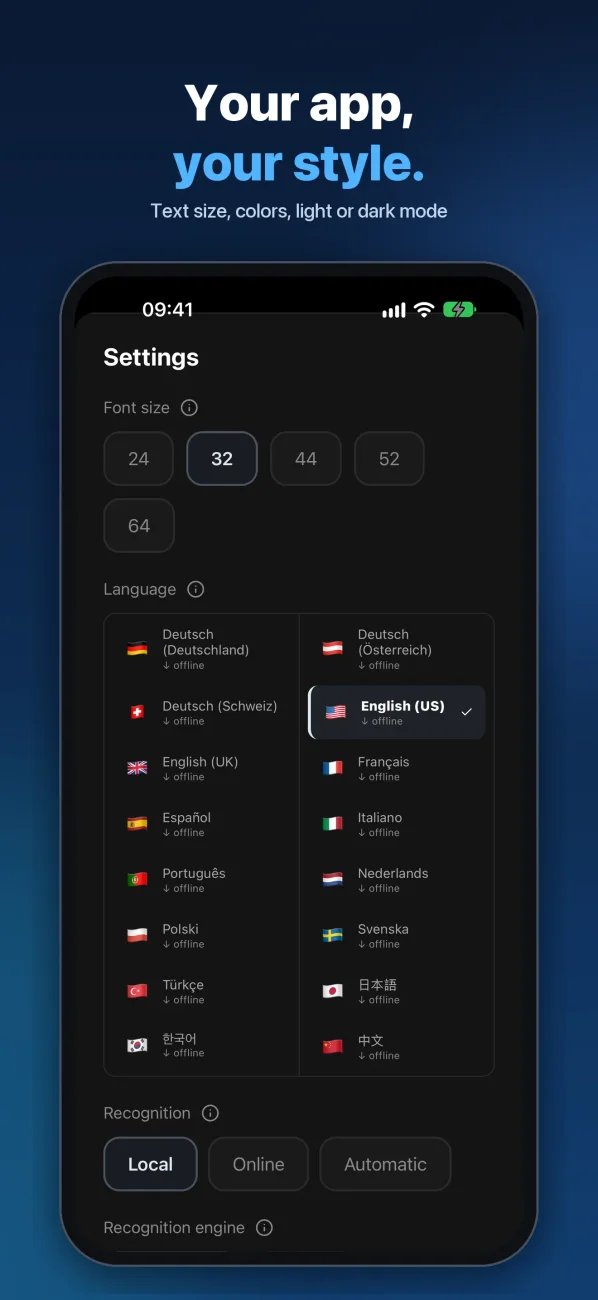
• Smoothly adjust the text size with two fingers
• 13 built-in languages
• Speech recognition right on the device – works without internet
• Automatic punctuation
• Session archive: save and share conversations
• No account, no ads, no subscription
ZERO TRAINING REQUIRED
VoiceButler explains itself. One button. No manual. No training.
PRIVACY
Speech recognition runs on Apple's built-in technology right on your iPhone – your speech never leaves the device. VoiceButler stores no audio, runs no servers of its own and collects no usage data. Session logs stay on the device.
PLEASE NOTE
VoiceButler replaces neither sign language nor an interpreter. It is made for the many everyday situations where neither is available.
What’s new
Version 3.0.0 · Oct 17, 2026
• NEW: ButlerCards with topics – Doctor, Pharmacy, Shopping, Directions, Authorities, Emergency: show ready-made phrases with one tap
• Speech recognition on the device by default – nothing leaves your iPhone
• Faster live text with automatic punctuation
• Focus mode: while recording, the whole screen belongs to the text
• Turn upside down: the person opposite reads along
• Smooth two-finger zoom
• New guide, ⓘ explanations, 6 new accent colors
App privacy
What Christian Weissinger declares on the App Store about how this app handles data.
-
Data not collected
The developer does not collect any data from this app.
Privacy practices may vary, for example with the features you use or your age.
Information
- Seller
- Christian Weissinger
- Category
- Utilities
- Version
- 3.0.0
- Updated
- Oct 17, 2026
- Released
- May 25, 2026
- Size
- 35.7 MB
- Requires
- iOS 16.4 or later
- Age rating
- 4+
- Price
- $1.99
- Languages
- English, Dutch, French, German, Italian, Japanese, Korean, Polish, Portuguese, Simplified Chinese, Spanish, Swedish + 1 more
- Copyright
- © Christian Weissinger
You might also like
-
 Journal 2026Large Text, Big Fonts Diary
-
 Clear Magnifier: Zoom OCRRead Small Text Clearly
-
 Notebook : Notes & To Do ListVoice Notes, Memo & Notepad
-
 xDTU ConnectUtilities
-
 PageScribble for SafariDraw, markup & screenshot
-
 Remote-REDNode-RED mobile extenstions
-
 Photo to PDF Converter pic2pdfjpg convert scan photos to pdf
-
 QR Code Generator QRGenieCustom Maker for More Scans
-
 Live Speech to Text: iScribeCaptions, Transcription, Notes
-
 Qr Code Reader & Scanner ZapQRQr Code Generator - Barcode