
- Age rating4+
- CategoryProductivity
- DeveloperJUNICHI KOHMURA
- LanguagesJapanese+ 1 more
- Size17.9 MB
Links to the official App Store page
Download.org hosts no file of Voicera. The button opens its official App Store page, published by JUNICHI KOHMURA. Listing last checked on Nov 15, 2026.
Screenshots


About
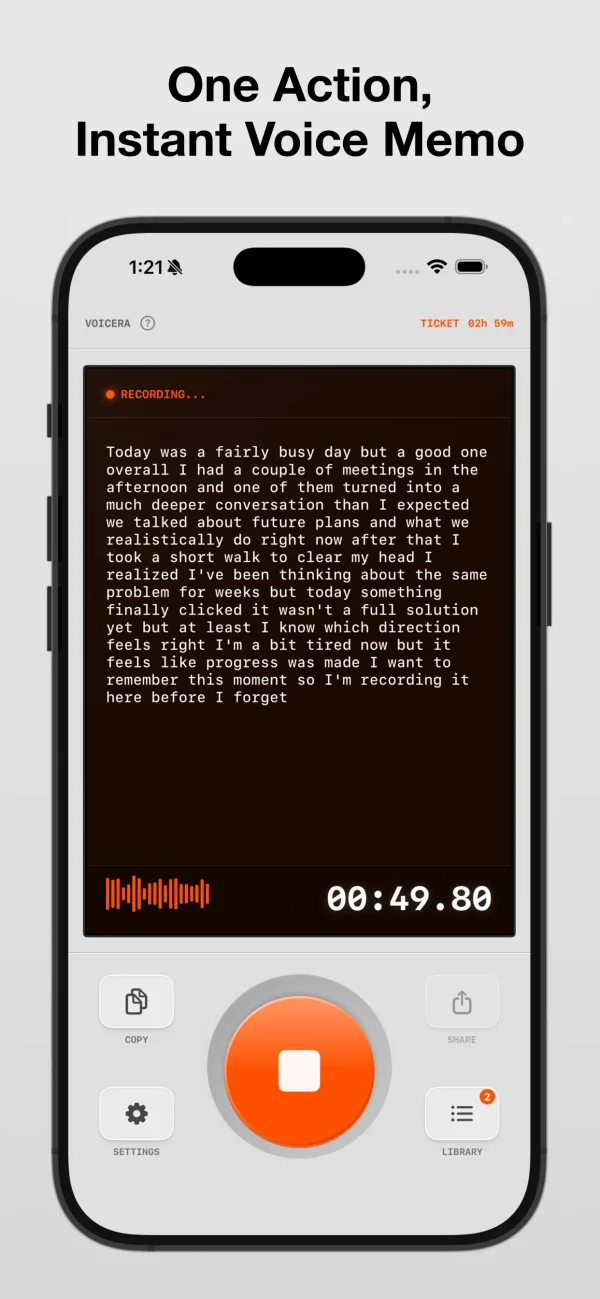
Voicera is a voice memo app that helps you quickly capture ideas and conversations, transcribe them, and refine the results into readable text with AI.
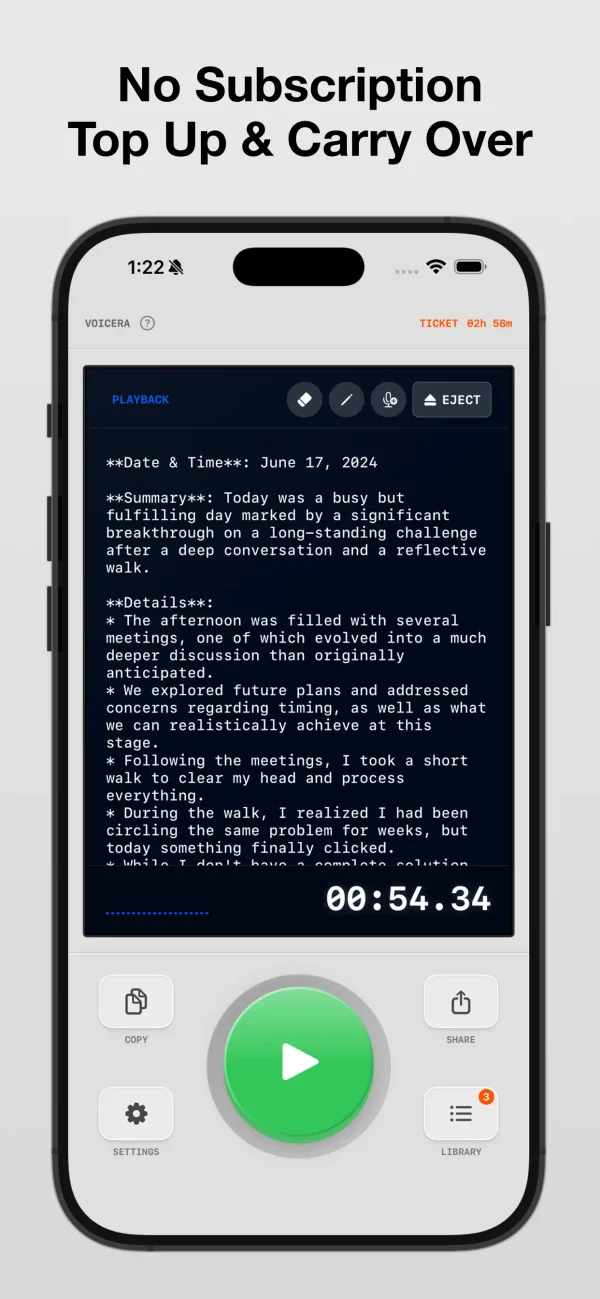
Voicera can remove filler words and unnecessary repetition while preserving the original meaning and specific details of what you said.
Key features
• One-tap voice recording
• Live transcription while recording
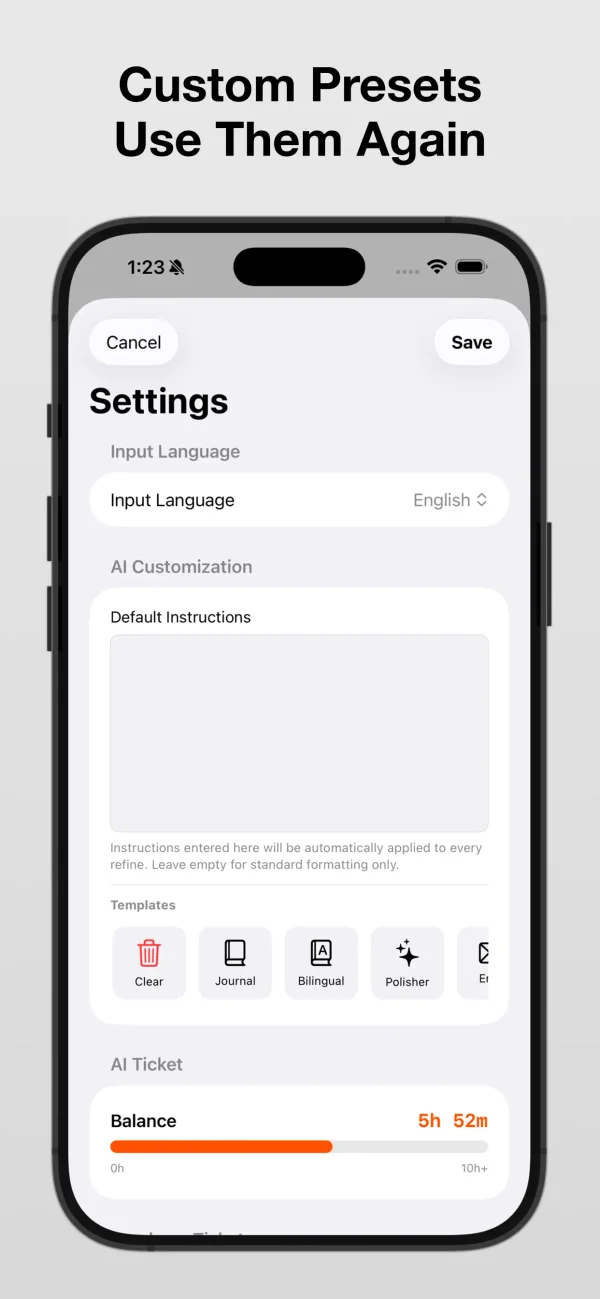
• AI-powered transcription and text refinement
• AI processing for longer recordings
• A library for recordings and transcripts
• Playback, copy, and sharing
• Record on Apple Watch and transfer recordings to iPhone
• Start recording from a Home Screen widget
• View your AI balance, saved memo count, and latest memo in widgets
• Japanese and English display
• View and purchase additional AI processing time
While recording, Voicera prevents the screen from automatically locking. Your normal device auto-lock setting resumes after recording stops.
Use Voicera for meeting notes, capturing ideas, journaling, drafting documents, or whenever you want to turn spoken thoughts into useful text.
An internet connection and available AI balance are required for AI processing.
What’s new
Version 2.0 · Sep 3, 2026
This update fixes multiple issues based on user reports and improves the reliability of recording, transcription, and AI-powered text refinement.
Bug fixes
• Fixed an issue where AI processing time (tickets) could disappear when linking an Apple Account
• Fixed an issue that could cause the app to freeze or close when starting a recording
• Fixed an issue that could cause the app to crash during launch
• Fixed an issue where Apple Watch transfers could remain stuck on “Syncing”
• Fixed an issue where a successfully retrieved AI balance could incorrectly return to an error state
• Fixed an issue where transcription could remain marked as in progress after completion
• Fixed unwanted white margins around widgets
• Improved recovery from AI authentication errors
Other improvements
• Prevented auto-lock during recording and live transcription
• Added AI processing support for longer recordings
• Added quick recording from the Home Screen widget
• Improved widget layout and Japanese/English display
• Improved the return of reserved AI time when processing fails
App privacy
What JUNICHI KOHMURA declares on the App Store about how this app handles data.
-
Data linked to you
May be collected and linked to your identity.
- Purchases
- Contact info
- User content
- Identifiers
- Usage data
Privacy practices may vary, for example with the features you use or your age.
Information
- Seller
- JUNICHI KOHMURA
- Category
- Productivity
- Version
- 2.0
- Updated
- Sep 3, 2026
- Released
- Jan 8, 2026
- Size
- 17.9 MB
- Requires
- iOS 17.6 or later
- Age rating
- 4+
- In-app purchases
- Yes
- Languages
- Japanese, English
- Copyright
- © 2026 Junichi Kohmura
You might also like
-
 BizScan Pro AIHigh-Accuracy AI OCR & Team
-
 ThinkCapture: Notes That SortOn-device AI, zero sorting
-
 SlotPickProductivity
-
 NoteTap - Voice to NotesVoice notes to text instantly
-
 RecTapApp - AI Notes & SummaryJust record. Get the summary.
-
 Clean Ocean EnsembleImpact of Ensemble
-
 Voca: Voice DictationSpeech to Text & Transcribe
-
 TimTim BrowserWorld's Fastest AI Browser
-
 Hovor: Voice to Text KeyboardOffline AI Dictation & Typing
-
 Set · ADHD Task ManagerPlan your day, keep it moving.