
- Age rating4+
- CategoryUtilities
- DeveloperShahid Ali
- LanguagesEnglish
- Size15.9 MB
Links to the official App Store page
Download.org hosts no file of Volume Shader. The button opens its official App Store page, published by Shahid Ali. Listing last checked on Nov 20, 2026.
Screenshots

About
Volume Shader is the viral Volume Shader BM GPU test, built natively for iPhone and iPad.
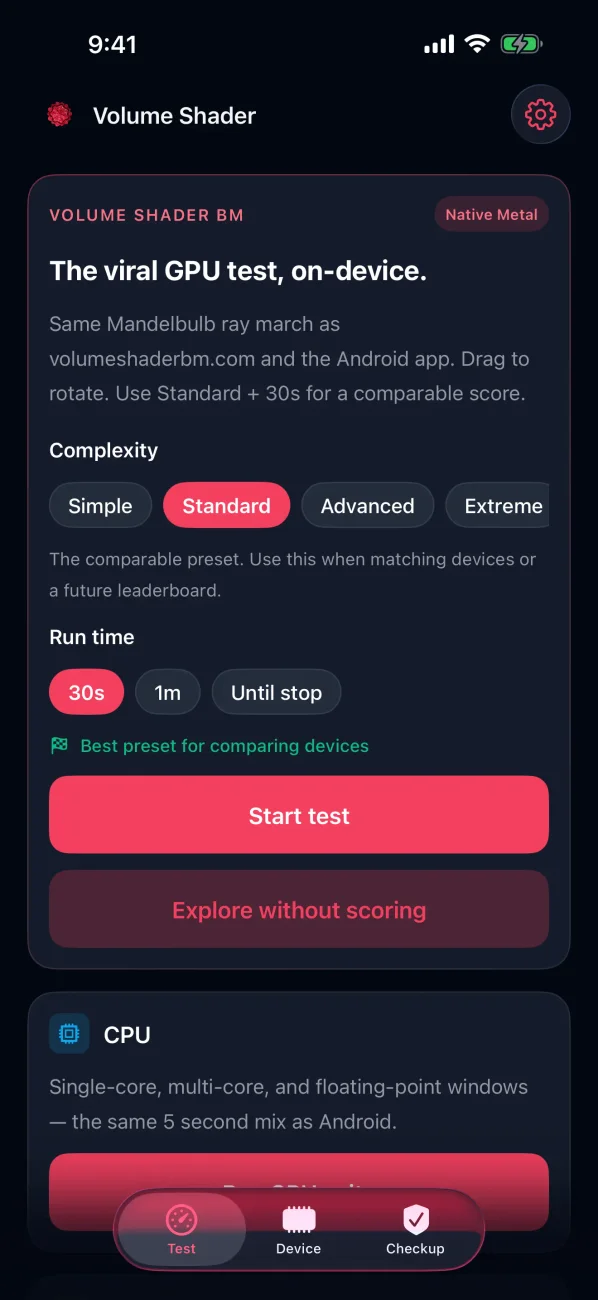
The Mandelbulb ray march runs in Metal on your iPhone or iPad.
WHAT YOU CAN DO
• Run Volume Shader BM at Simple, Standard, Advanced, or Extreme
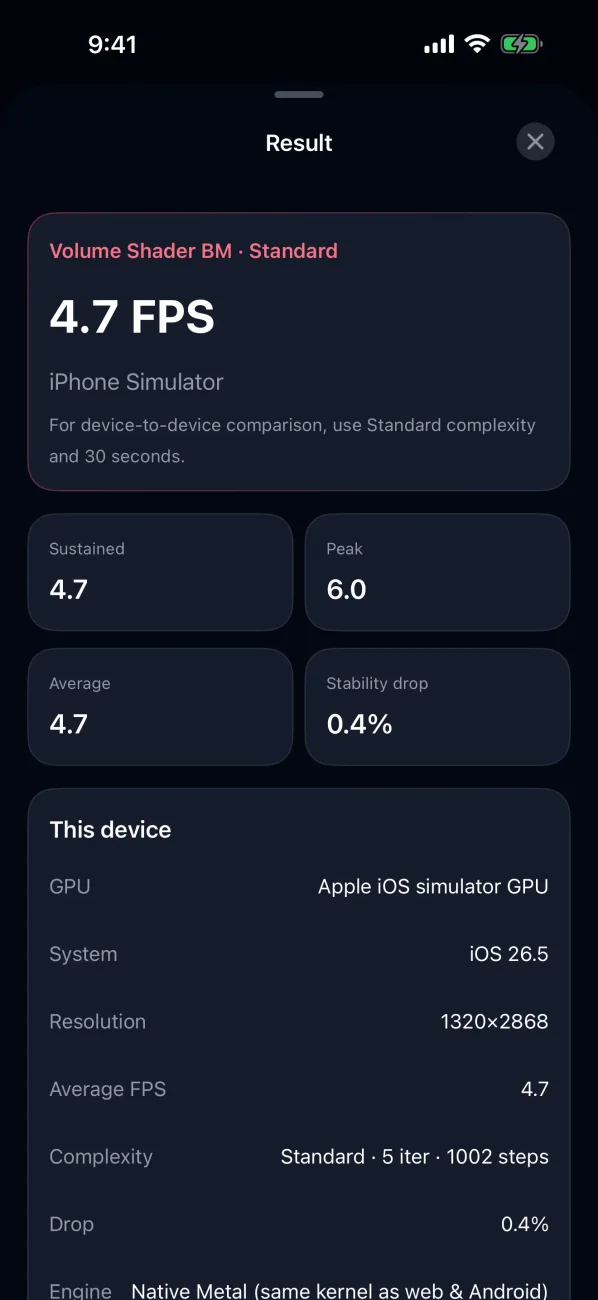
• Use Standard + 30 seconds when you want a score you can compare
• Drag to rotate, pinch to zoom, and pan. Explore does not save a score.
• Time CPU and memory on the same device
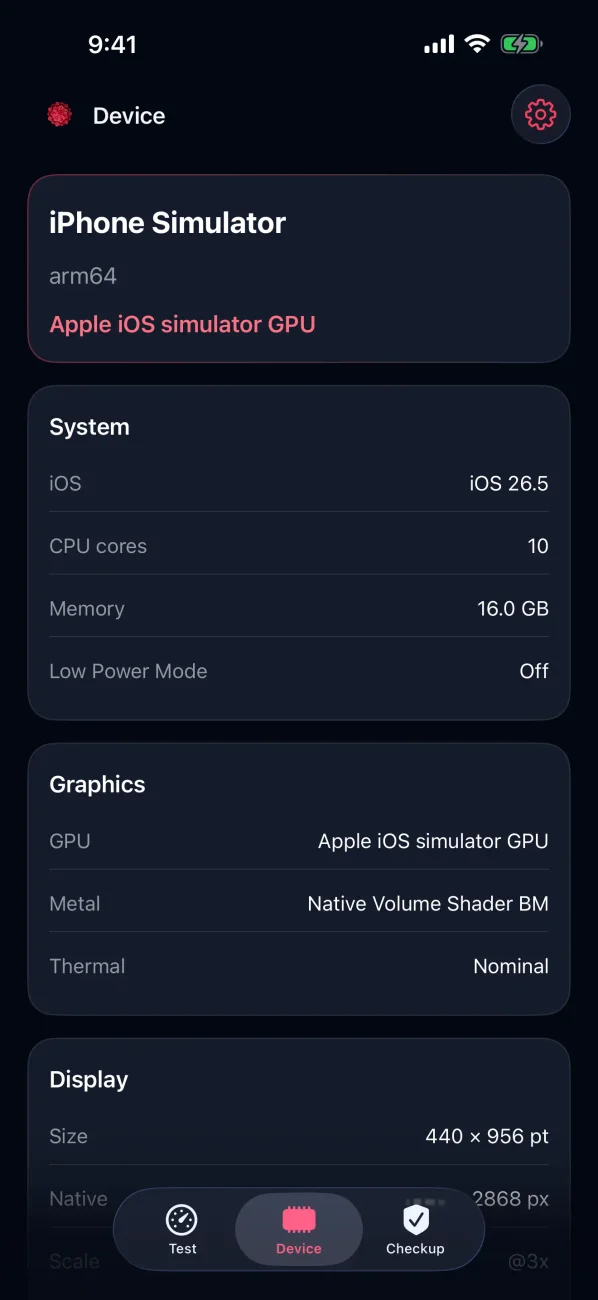
• See GPU, memory, display, storage, and thermal state
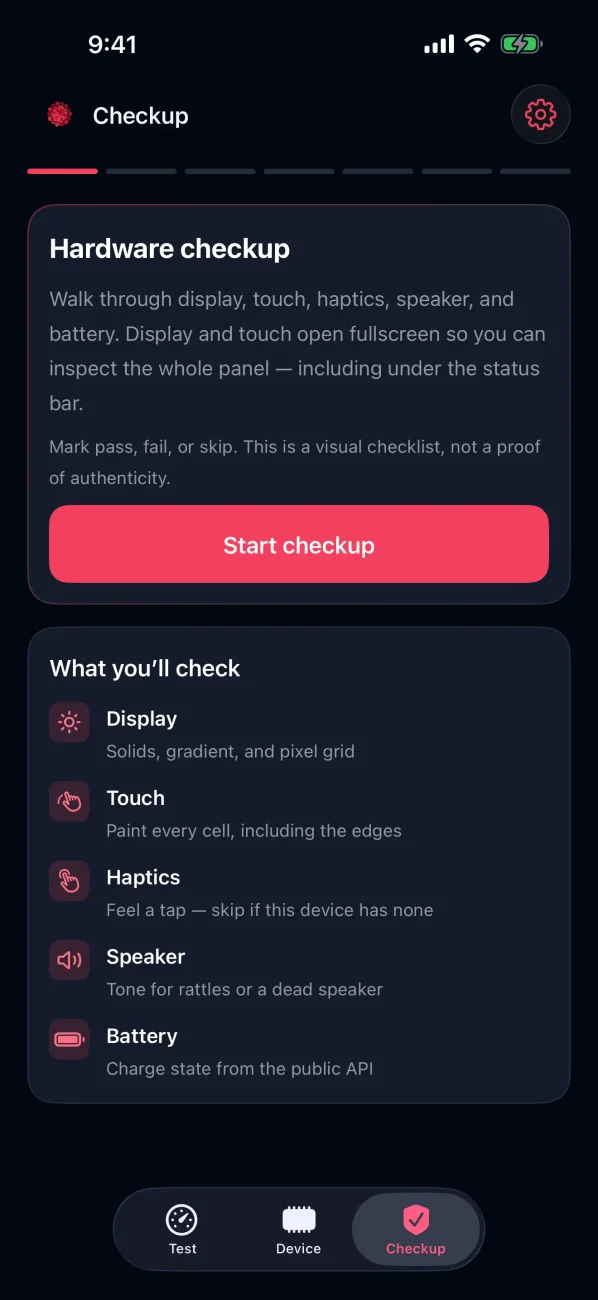
• Walk a display, touch, haptics, speaker, and battery checkup
HEAT AND BATTERY
This is a real GPU workload. The device can get warm and the battery will drain faster while a test is running. Extreme asks for confirmation. The app stops itself if iOS reports a critical thermal state.
ADS
Volume Shader is free. A small banner sits on Test and Device. Labeled native ads sit on Test, Device, and Checkup. Ads do not overlay the GPU test or fullscreen checkup steps. You can report an ad from the AdChoices icon on the ad.
After one free Test session and one free Checkup session (each about 15 minutes), the next free session waits about 30 minutes. You can wait, or watch an optional short ad to unlock unlimited Tests and Checkup for 2 hours. Declining the ad does not block the rest of the app.
PRIVACY
No account. History and checkup marks stay on this device. A finished GPU window can be shared as anonymous device stats (FPS, GPU, device model, screen, OS version). Turn that off in Settings. If you tap Share, iOS’s share sheet sends only what you chose to the app you pick. Ads use the ads SDK described in the privacy policy.
Support: https://volumeshaderbm.com
Privacy: https://volumeshaderbm.com/privacy-policy/
What’s new
Version 1.2 · Oct 19, 2026
Optional short ad unlocks unlimited Tests and Checkup for 2 hours after your free session, or wait for the next free window. GPU sessions and checkup steps stay interruption-free.
App privacy
What Shahid Ali declares on the App Store about how this app handles data.
-
Data used to track you
May be used to track you across apps and websites owned by other companies.
- Identifiers
-
Data linked to you
May be collected and linked to your identity.
- Identifiers
-
Data not linked to you
May be collected but is not linked to your identity.
- Location
- Usage data
- Diagnostics
Privacy practices may vary, for example with the features you use or your age.
Information
- Seller
- Shahid Ali
- Category
- Utilities
- Version
- 1.2
- Updated
- Oct 19, 2026
- Released
- Aug 26, 2026
- Size
- 15.9 MB
- Requires
- iOS 18.0 or later
- Age rating
- 4+
- Price
- Free
- Languages
- English
- Copyright
- © 2026 VolumeShaderBM
You might also like
-
 Geekbench 7CPU and GPU performance test
-
 120 FPS Meter & ExplorerFPS Meter & Device Insights
-
 Status MonitorDevice,Activity,CPU,Usage info
-
 GravityMark GPU BenchmarkGravityMark
-
 PulzeMarkAI, CPU & Storage speed test
-
 CPU-Kit: Device Info & MonitorSystem Widgets & Hardware Test
-
 Thermal StatusMonitor your device's thermal
-
 System Status Monitor: CPU RAMDevice monitor & battery usage
-
 FoxPeek: Device SpecsBattery Health & Hardware Info
-
 Geekbench AIUtilities