Voxcribe
Offline Video to Text, Private
Designed for iPhone, iPad
In-app purchases
- Age rating4+
- CategoryUtilities
- DeveloperSeiya.k
- LanguagesEnglish+ 7 more
- Size21.8 MB
Links to the official App Store page
Download.org hosts no file of Voxcribe. The button opens its official App Store page, published by Seiya.k. Listing last checked on Nov 12, 2026.
Screenshots
About
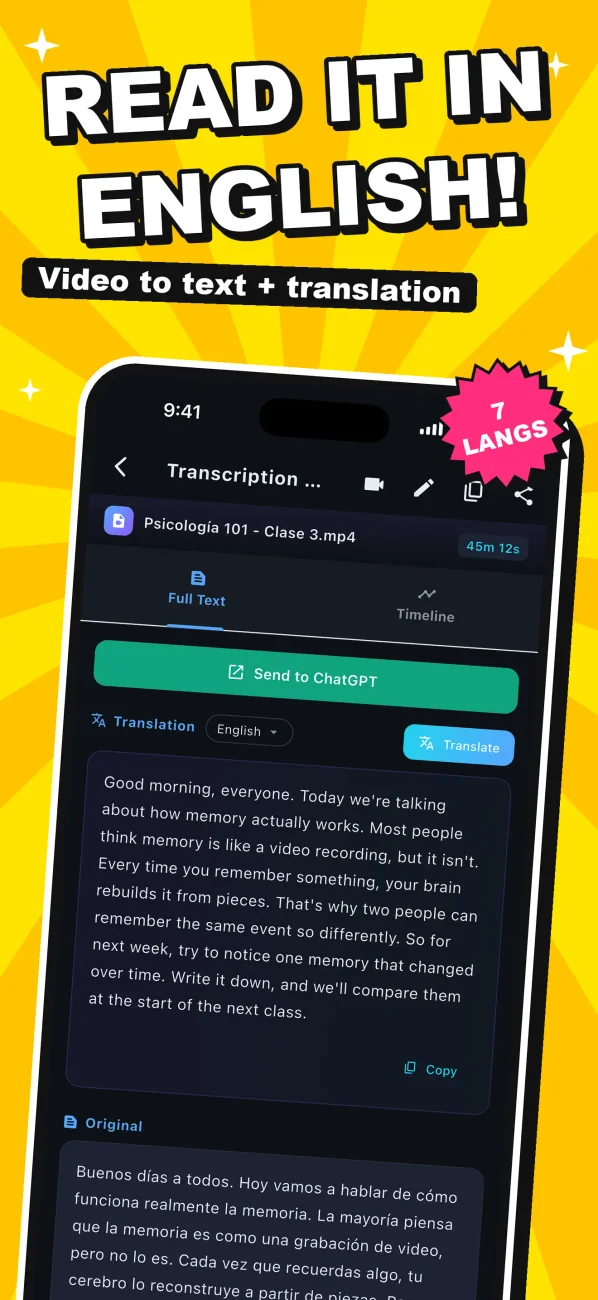
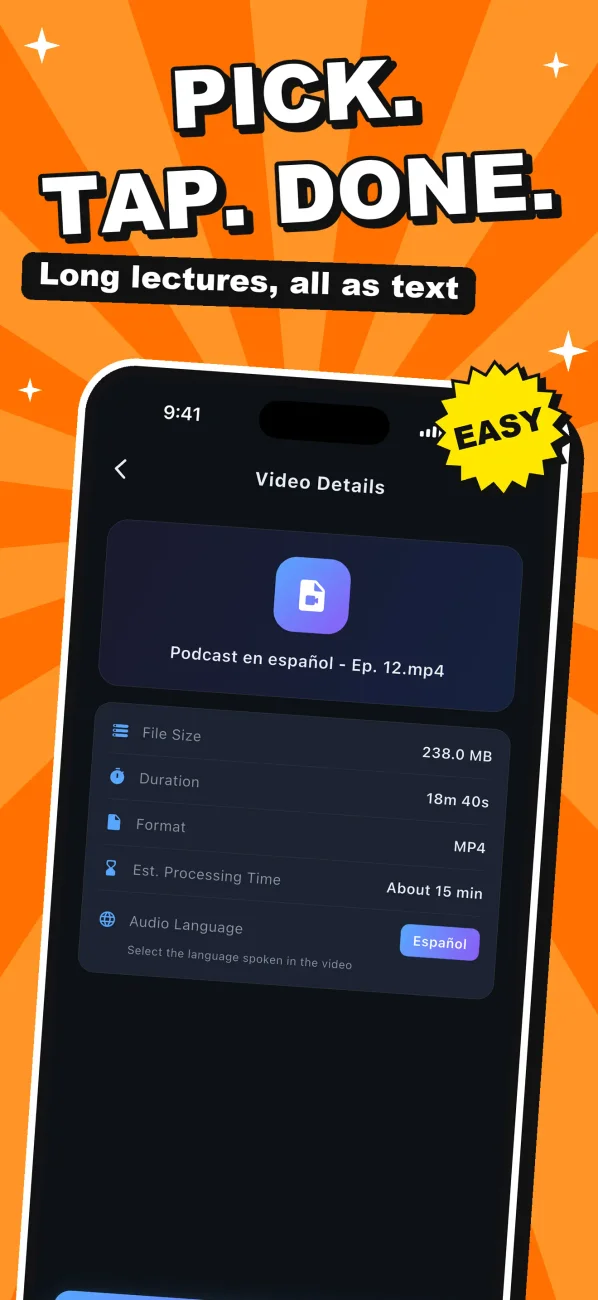
Want to read a lecture or class video instead of rewatching it? Pick the video in Voxcribe and the audio becomes text — with a translation into your language.
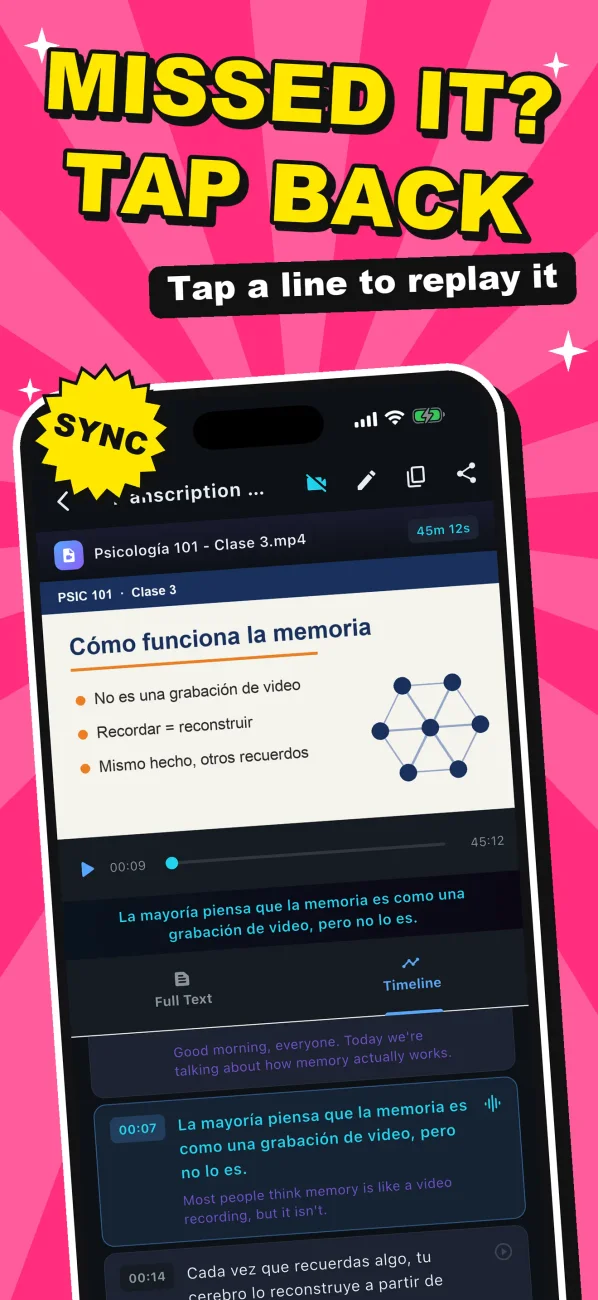
Missed something? Tap any line and the video plays from that exact moment. Even a long lecture becomes something you can skim.
--- Perfect For ---
- Reviewing a lecture you took in another language, in your own
- Checking what was said in a recorded meeting or seminar
- Learning a language by comparing the original and the translation
- Getting a first draft for video subtitles
--- Key Features ---
- Transcribe a video just by picking it (English, Japanese, Chinese, Korean, Spanish, French, German)
- Translation into 7 languages, for the full text or line by line
- Timeline view that plays the video in sync with the text
- Edit, copy and share the text, or send it to other apps
- Organize transcripts into folders by class or project
--- Privacy ---
- Transcription runs on your device first. When that isn't possible, it uses Apple's speech recognition service
- Your videos stay on your device and are never sent to the developer's servers
- Translation uses Apple's translation feature (offline use needs the language downloaded)
--- What It Can't Do ---
- Accuracy drops with unclear audio or a lot of background noise. It's made for getting the content — reviewing lectures, learning languages — rather than word-perfect minutes
--- Pricing ---
Free plan: Transcription up to 3 minutes
Pro plan: Unlimited transcription + translation (monthly auto-renewal)
Subscriptions are charged to your Apple ID. Auto-renews unless cancelled at least 24 hours before the end of the current period. Cancel anytime in Settings > Apple ID > Subscriptions.
Privacy Policy: https://fillapps.com/privacy/
Terms of Use (EULA): https://www.apple.com/legal/internet-services/itunes/dev/stdeula/
What’s new
Version 1.0.14 · Nov 1, 2026
• Now optimized for iPhone Duo. The app fills the screen whether the device is open or closed.
• On wide landscape screens, the result screen now shows the video on the left and the full text and timeline on the right.
• The "Start Transcription" button now stays visible on shorter screens.
• Fixed the "Move to Folder" list being cut off when you have many folders.
App privacy
What Seiya.k declares on the App Store about how this app handles data.
-
Data not collected
The developer does not collect any data from this app.
Privacy practices may vary, for example with the features you use or your age.
Information
- Seller
- seiya kawano
- Category
- Utilities
- Version
- 1.0.14
- Updated
- Nov 1, 2026
- Released
- Apr 25, 2026
- Size
- 21.8 MB
- Requires
- iOS 26.0 or later
- Age rating
- 4+
- In-app purchases
- Yes
- Languages
- English, Spanish, Korean, German, Traditional Chinese, Simplified Chinese, French, Japanese
- Copyright
- © 2026 seiya kawano
You might also like
-
 NagRXReminder to take your meds
-
 Media TranscriptTranscribe audio & video
-
 VoiceScribe: Diary & NotesAudio Transcription, Converter
-
 YouSum: AI For YouTube SummaryAuto Summary When Videos Post
-
 唐诗宋词 - 诗词鉴赏背诵学习Utilities
-
 Whisper - Speech to TextTranscribe any Voice to Text
-
 mcp client aimpc client,mcp server,ai
-
 StorySheetYour Story in Photos & Videos
-
 MrScribe: Voice to TextOffline Audio & Video AI
-
 Gratuity Calculator IndiaEligibility & payout, FAQ