
- Age rating4+
- CategoryPhoto & Video
- DeveloperYasuo Hasegawa
- LanguagesJapanese
- Size26.6 MB
Links to the official App Store page
Download.org hosts no file of VoxScan. The button opens its official App Store page, published by Yasuo Hasegawa. Listing last checked on Nov 16, 2026.
Screenshots

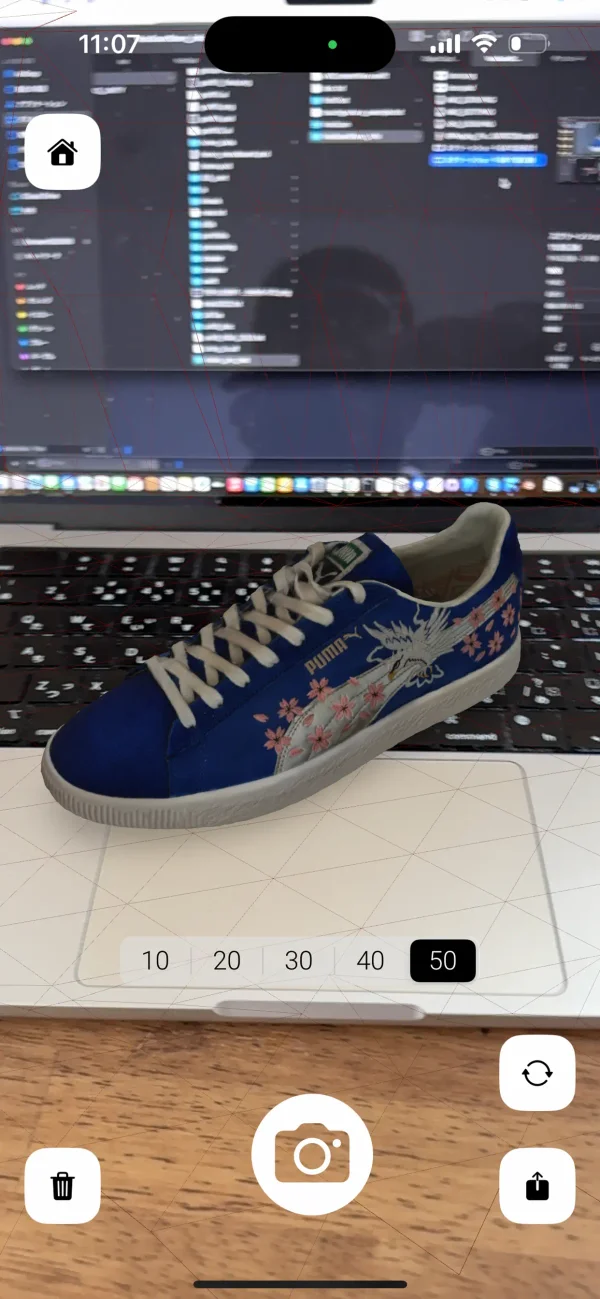
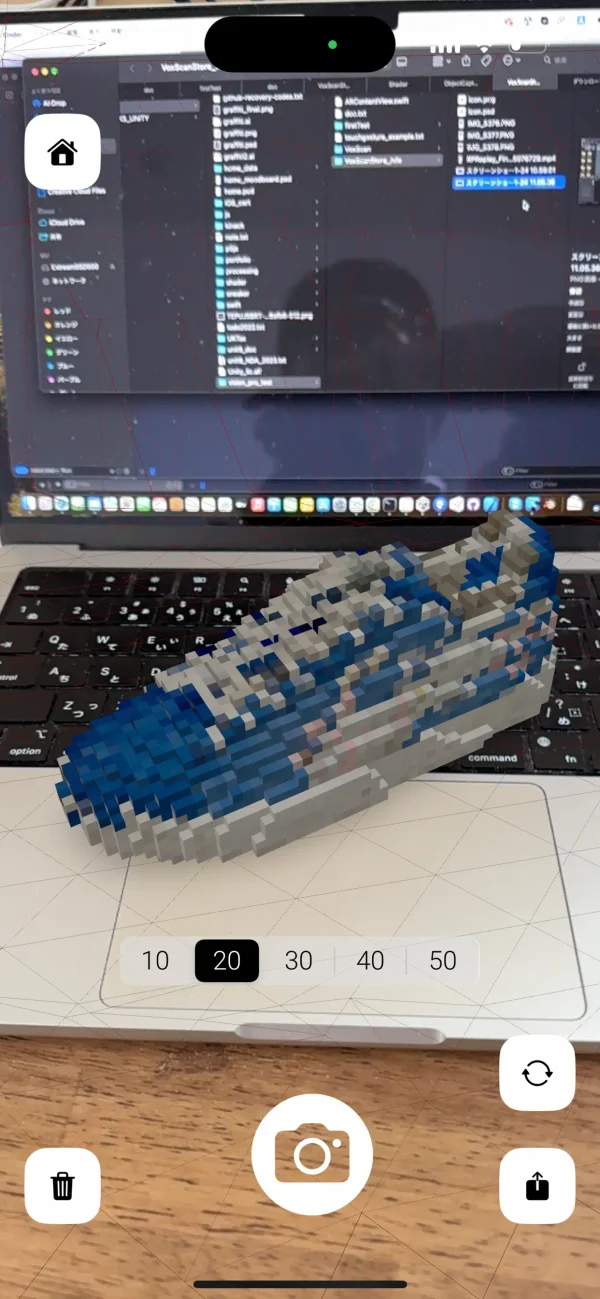


About
Key Features:
Capture and Export Functionality:
VoxScan seamlessly captures and exports your creations in various formats, including .vox, .ply, .usdz, .stl, .glTF, and .obj, offering versatility for your 3D modeling projects.
USDZ Import Service:
Explore new dimensions by importing USDZ 3D file formats, enabling Voxel Model creation even on iPhone models without LiDAR cameras.
Apple Vision Pro Compatibility:
VoxScan extends its support to Apple Vision Pro, supporting only functionality to experience the Voxel Model Creation feature.
Capture Feature Requirements:
To utilize the capture feature, iOS 17+ and an iPhone with a LiDAR camera are essential.
Apple Vision Pro and Other iPhone Models(Without LiDAR Camera Support) Note:
Please be aware that on Apple Vision Pro and other iPhone models without LiDAR camera support, only the input feature will be functional.
Supported Input Format:
The exclusive supported input format is USDZ. Particularly effective are 3D models created through object capture using Photogrammetry. However, please note that importing USDZ files containing complex 3D models, such as those with separated objects, excessively large or small mesh data, and animated objects, may result in display issues, including the possibility of rendering nothing in the space. Exercise caution when importing such files.
Supported Export Formats:
Export your creations in diverse file formats, including .vox, .ply, .usdz, .stl, .glTF, and .obj.
Tested on:
VoxScan has undergone successful testing on iPhone 12 Pro and 15 Pro models.
MagicaVoxel Note:
Please note that the model's color will be based on the default MagicaVoxel color palette, resulting in a different appearance compared to our app.
Unlock the potential of 3D modeling with VoxScan – Download now and bring your creations to life!
What’s new
Version 2.0 · Nov 8, 2024
version 2.0:
- Added blend color editing functionality
- Introduced 2D image-to-voxel conversion
- Added support for FBX (ASCII) and DAE exports
- Resolved minor bugs
App privacy
What Yasuo Hasegawa declares on the App Store about how this app handles data.
-
Data not collected
The developer does not collect any data from this app.
Privacy practices may vary, for example with the features you use or your age.
Information
- Seller
- Yasuo Hasegawa
- Category
- Photo & Video
- Version
- 2.0
- Updated
- Nov 8, 2024
- Released
- Feb 9, 2024
- Size
- 26.6 MB
- Requires
- iOS 17.0 or later
- Age rating
- 4+
- Price
- Free
- Languages
- Japanese
- Copyright
- © Yasuo Hasegawa
You might also like
-
 Polymuse 3D scannerWebAR and 3D made easy
-
 Storytelling XRMixed Reality Storytelling
-
 Object Capture: PhotogrammetryCapture high‑quality 3D models
-
 Flourish - Color Photo EditorThe Histogram is Everything
-
 MEISAI ΣAR Effects using LiDAR
-
 rooomScan - 3D Scan AppScan Objects, Create 3D Models
-
 i3DDepthCamPhoto & Video
-
 ImageSpaceScan Big
-
 AR Video Camera: Mixed RealityVirtual Content creation in 4K
-
 Scanomy - 3D Product ExplainerScan, Annotate, Collaborate