
- Age rating4+
- CategoryBusiness
- DeveloperWaiterOne SL
- LanguagesEnglish+ 26 more
- Size190.6 MB
Links to the official App Store page
Download.org hosts no file of WaiterOne. The button opens its official App Store page, published by WaiterOne SL. Listing last checked on Nov 22, 2026.
Screenshots



About
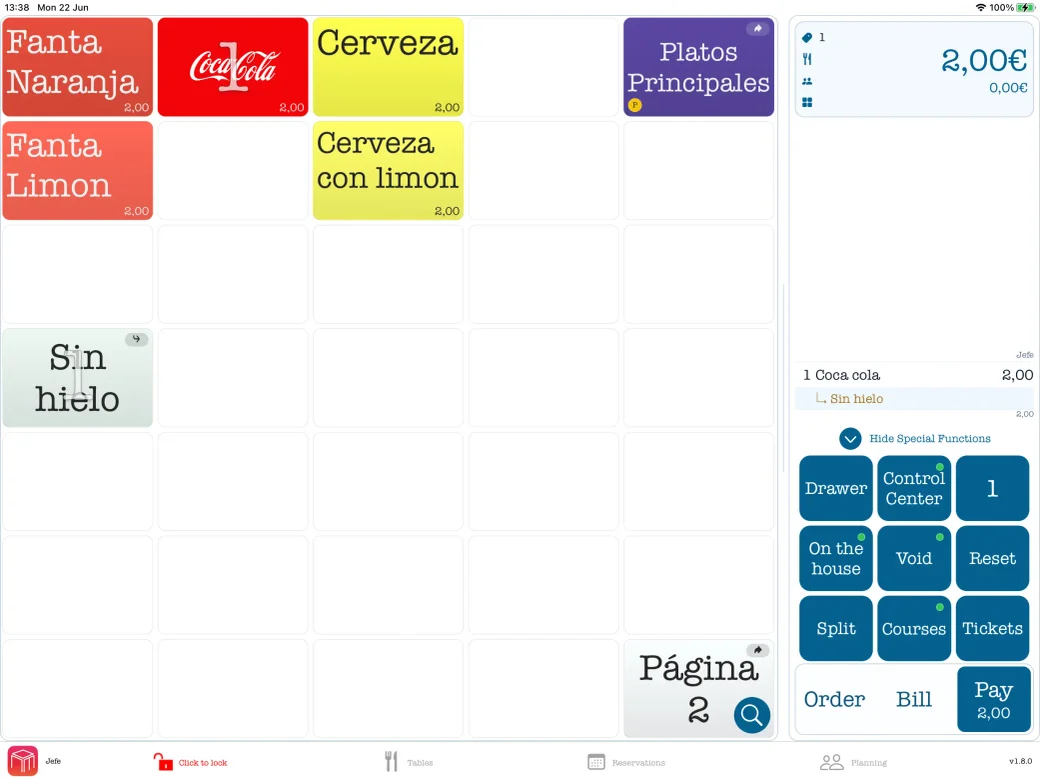
WaiterOne is a fast and complete POS system for cafes, bars, restaurants, food trucks, events, terraces, and hospitality businesses that want professional point-of-sale software on iPad.
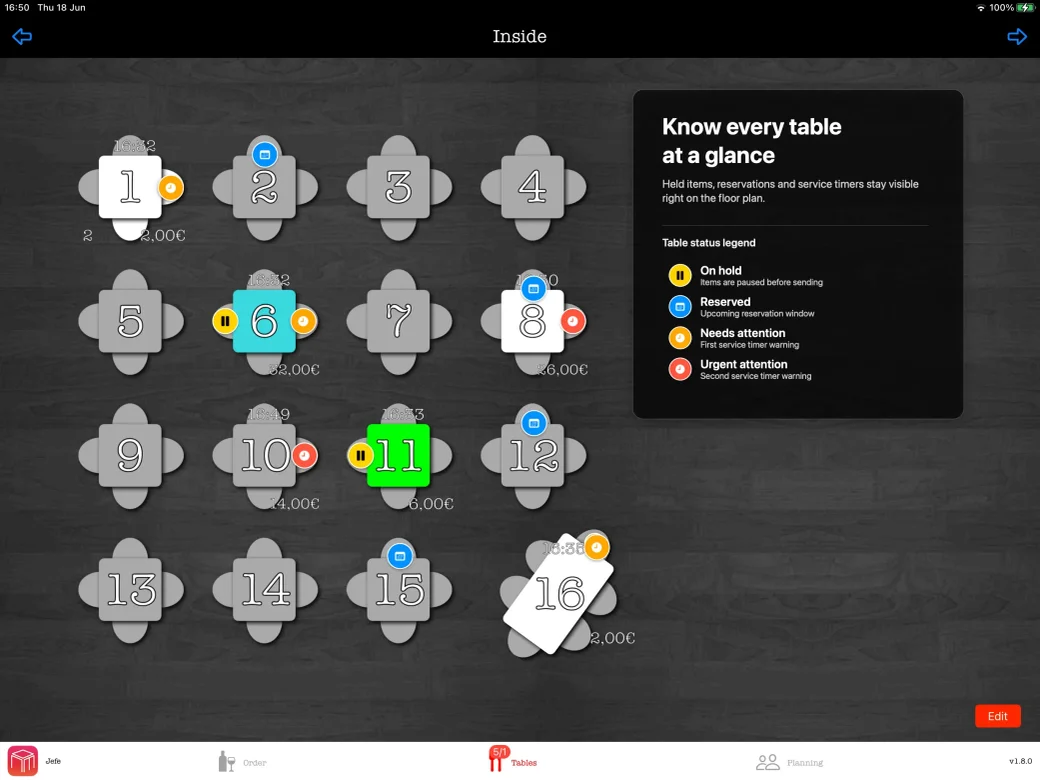
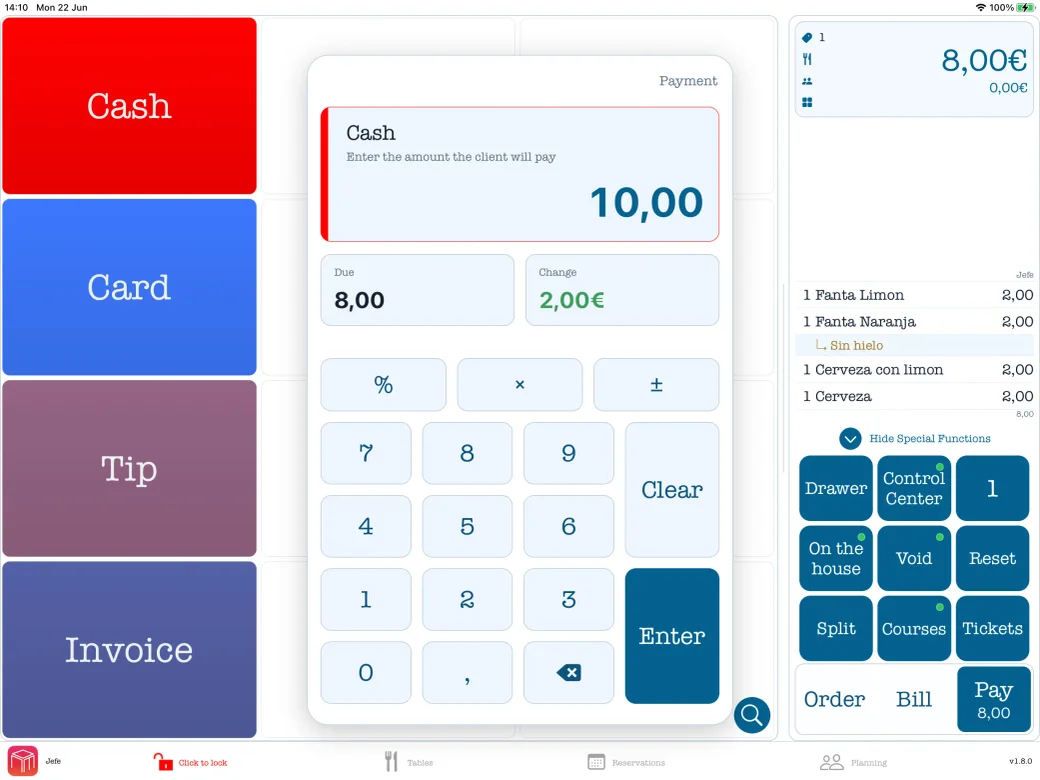
Built for real service, WaiterOne helps you take orders, manage tables, print tickets, process payments, follow reservations, organize staff, and keep your business running smoothly from one central iPad.
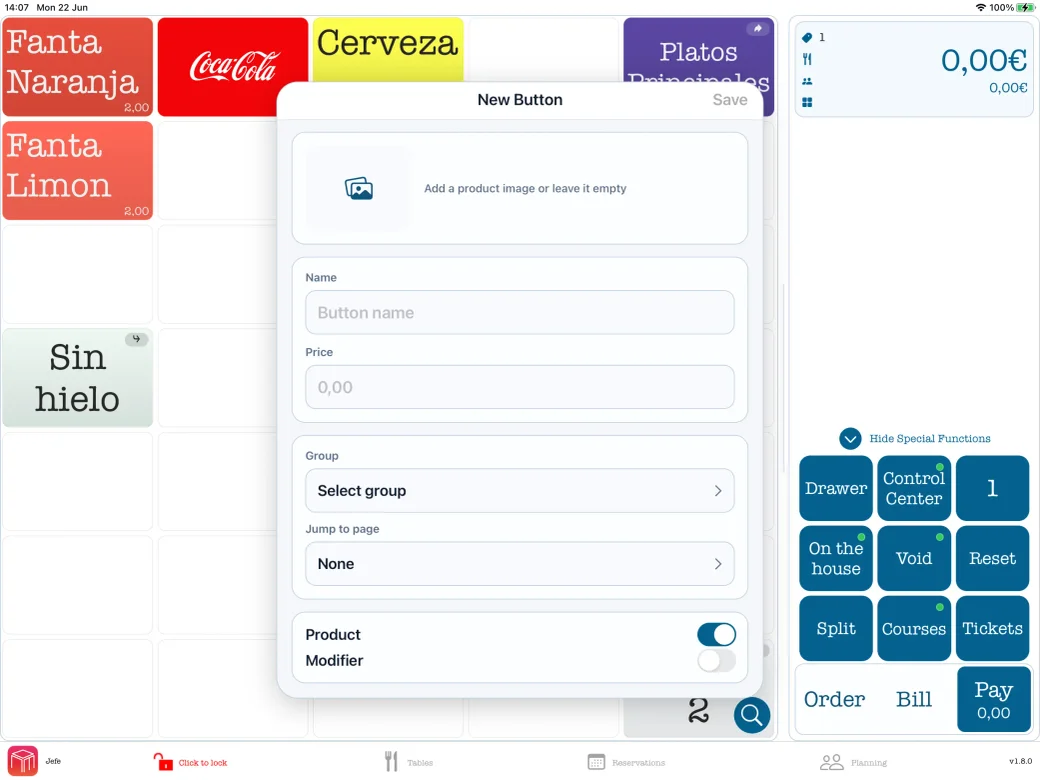
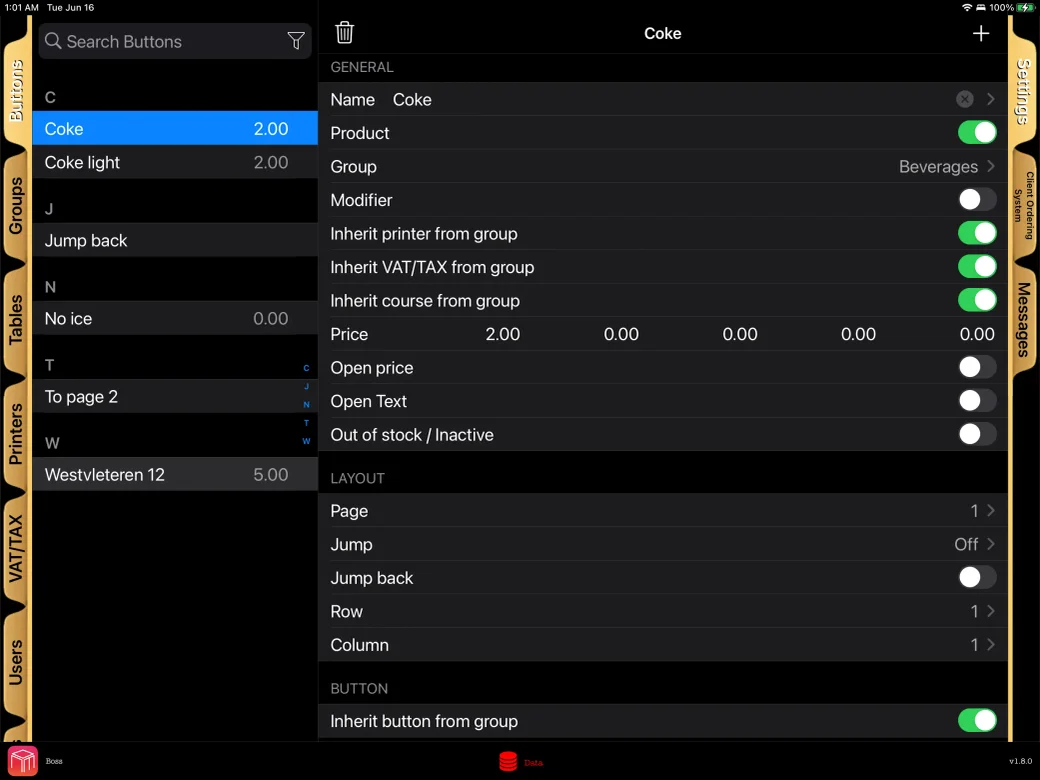
WaiterOne for iPad is the heart of the system. It manages your products, tables, printers, payments, reports, remote devices, kitchen screens, customer displays, reservations, and cloud connections. It is designed for speed during busy service, with clear screens, fast ordering, and reliable offline-first workflows.
Use WaiterOne Remote on iPhone or iPod touch to take orders directly at the table. Orders are sent to the main POS and can be printed in the kitchen or bar, helping your team work faster and reduce mistakes.
WaiterOne KDS turns an iPad or iPhone into a kitchen display system. Chefs and bartenders can follow orders on screen, organize preparation, and reduce paper ticket handling.
WaiterOne Kiosk adds self-service ordering for customers. It supports add-ons, tips, calories, localized payment messages, and a modern ordering flow for venues that want faster counter or self-service experiences.
Customer Display and Digital Signage options let you show order information, totals, and customer-facing content on additional screens.
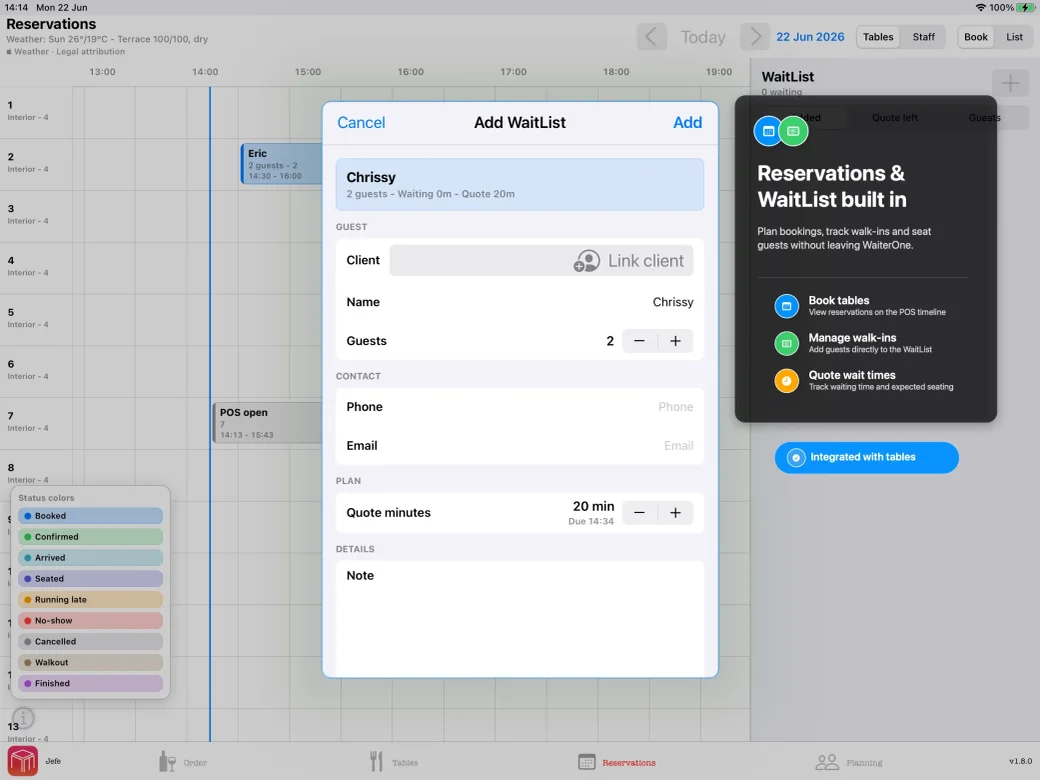
Reservations and planning tools help you manage bookings, table reservations, upcoming reservations, staffing context, and forecast information, so your team can prepare better before service starts.
Attendance management helps track clock-in and clock-out, breaks, manager corrections, audit history, and attendance reports.
WaiterOne supports a wide range of receipt and kitchen printers, including Epson, Star Micronics, Citizen, AirPrint-compatible printers, and many printers using Epson-compatible ESC/POS modes. Print receipts, kitchen tickets, bar tickets, reports, and fiscal documents depending on your setup.
At the end of the day, WaiterOne can generate useful reports for sales, payments, discounts, users, fiscal data, attendance, and operational totals. Reports can be printed, exported, or sent by email when an internet connection is available.
WaiterOne also supports many professional workflows, including:
- Table plans and table moves
- Split bills and multiple payment types
- Tips and configurable tip suggestions
- Product import and export with CSV files
- Price levels and automatic price rules
- Barcode and Socket Mobile scanner support
- Kitchen and bar ticket routing
- AirPrint and POS printer reports
- Remote ordering and communication recovery
- Fiscal workflows for supported countries
- Payment provider integrations such as SumUp, Zettle, Stripe, TWINT, FlatPay, CM, Pin Vandaag, and more depending on country and configuration
Because WaiterOne runs on iPad, you do not need a traditional PC server for daily operation. The system is built to stay practical, fast, and reliable during service, even when the internet connection is limited.
WaiterOne is made for hospitality teams that need a powerful POS without unnecessary complexity: quick to learn, flexible to configure, and strong enough for serious restaurant and bar operations.
WaiterOne can scale from a single iPad at a small bar to a connected setup with remote ordering devices, kitchen screens, customer displays, kiosks, scanners, multiple printers, and cloud reporting. You choose only the tools you need, while the POS stays focused on fast service, clear information, and dependable operation.
Whether you run a small cafe, a busy bar, a restaurant terrace, a food truck, an event setup, or a multi-device hospitality workflow, WaiterOne gives you the tools to serve faster, stay organized, and keep control of your business.
What’s new
Version 1.8.26 · Nov 3, 2026
Added
- Use a Bixolon BCD-3000 attached to an SRP-Q300 over Bluetooth to show items, totals, payments and change, with a shared welcome title.
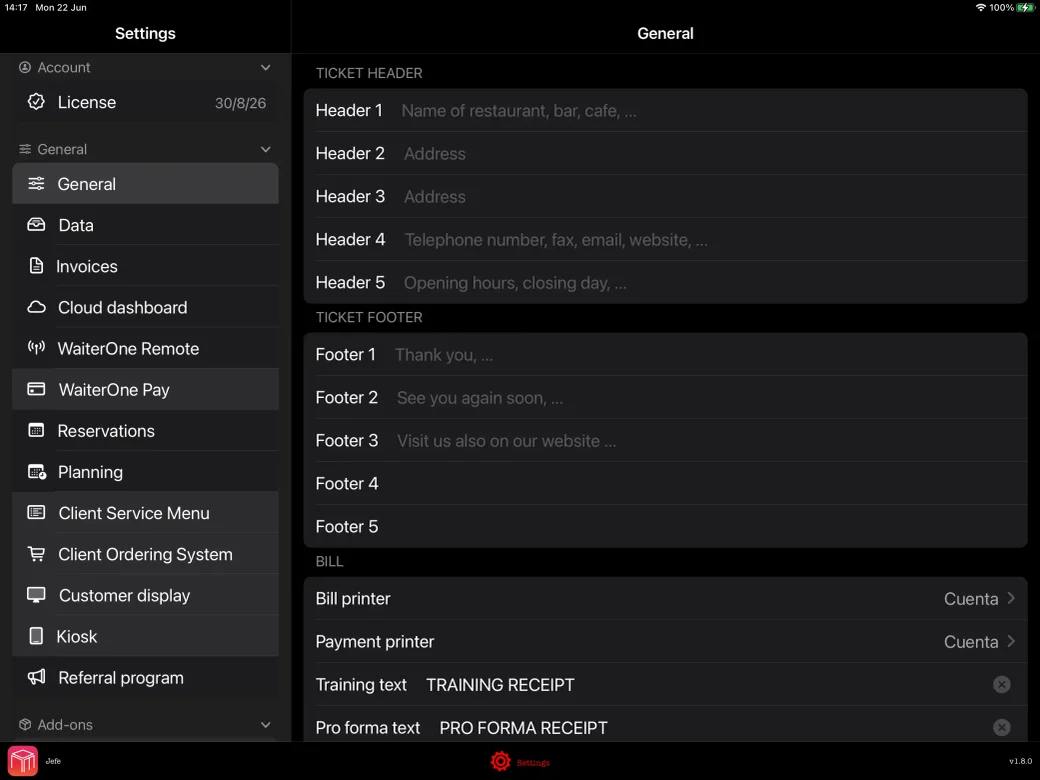
- Configure two logos per printer from Photos or Files, preview the result, adjust the size and darkness, and print images stored on the iPad with ESC/POS, Epson ePOS SDK, Star Raster, StarPRNT and Bixolon printers.
- Upload logos directly to compatible ESC/POS, Epson ePOS SDK, StarPRNT and Bixolon printers and verify them with a test print. Star Raster supports images stored on the iPad.
- Move selected products to another table, including one bottle from a larger quantity, by dragging a table or using Move in Tables / Clients. Existing destination orders are preserved.
Changed
- Customer Display settings now have separate Epson and Bixolon sections with smaller logos and a shared welcome title.
- Bixolon printer search now gives general connection guidance when no printer is found, without referring to a specific printer model or connection type.
- Printer Host controls now have more space between the erase, search, and test-print icons, with larger search and test-print tap areas for easier use.
- Splitting a bill now moves one product per tap by default. Select multiple enables batch actions, with a light tint and checkmarks showing the selected rows.
Fixed
- Fixed a startup issue that could leave bottom tab bar items missing or unresponsive.
- Corrected the next-course button and kitchen ticket translations so they clearly signal that the kitchen can start preparing the next course.
- Epson and Bixolon customer displays now show the amount due when opening payment selection or tapping Pay.
- Saved welcome titles now appear on Epson and Bixolon line displays when the POS returns to its idle state.
- Removed an extra blank line before general bill headers so a logo in Header 1 starts higher on the bill.
- Logos stored with the Bixolon utility now print correctly in ticket headers and footers.
- Split subtotals now refresh immediately, and active move controls have clearer, readable labels.
App privacy
What WaiterOne SL declares on the App Store about how this app handles data.
-
Data not collected
The developer does not collect any data from this app.
Privacy practices may vary, for example with the features you use or your age.
Information
- Seller
- WaiterOne SL
- Category
- Business
- Version
- 1.8.26
- Updated
- Nov 3, 2026
- Released
- Apr 11, 2011
- Size
- 190.6 MB
- Requires
- iOS 16.6 or later
- Age rating
- 4+
- Price
- Free
- Languages
- English, Arabic, Croatian, Czech, Danish, Dutch, Finnish, French, German, Greek, Hungarian, Italian + 15 more
- Copyright
- © 2010-2026 WaiterOne SL
You might also like
-
 SalesVu POS for iPadBusiness
-
 Datio Point Of Sale RetailCash Register built for Retail
-
 Rezku Restaurant POS SystemRestaurant & Bar Point of Sale
-
 Shopcaisse - Cash registerCash Register
-
 Mobi POS - Kitchen DisplayPoint of Sale Kitchen Display
-
 OrdersTrackerNext generation pos system
-
 LineSkip POSBusiness
-
 Aldelo Express - Point of SaleRestaurant & Bar Cloud POS
-
 Datio Point Of Sale RestaurantSaved Orders and Pay at Table
-
 Datio Quick Serve RestaurantFor Counter Order Restaurant