Wake - Record & Earn
Film everyday tasks for robots
Designed for iPhone, iPod touch
Free
- Age rating17+
- CategoryPhoto & Video
- DeveloperWake
- LanguagesEnglish+ 23 more
- Size45.9 MB
Links to the official App Store page
Download.org hosts no file of Wake - Record & Earn. The button opens its official App Store page, published by Wake. Listing last checked on Nov 25, 2026.
Screenshots


About
Film everyday tasks from your point of view to help robots learn real-world skills. You earn money for approved footage on paid tasks. In eligible countries, you can withdraw once your balance reaches $30 USD.
Wear your iPhone on a head strap, record your hands doing the work a task describes, and submit the video for review. Robotics teams train on the video they approve.
How it works
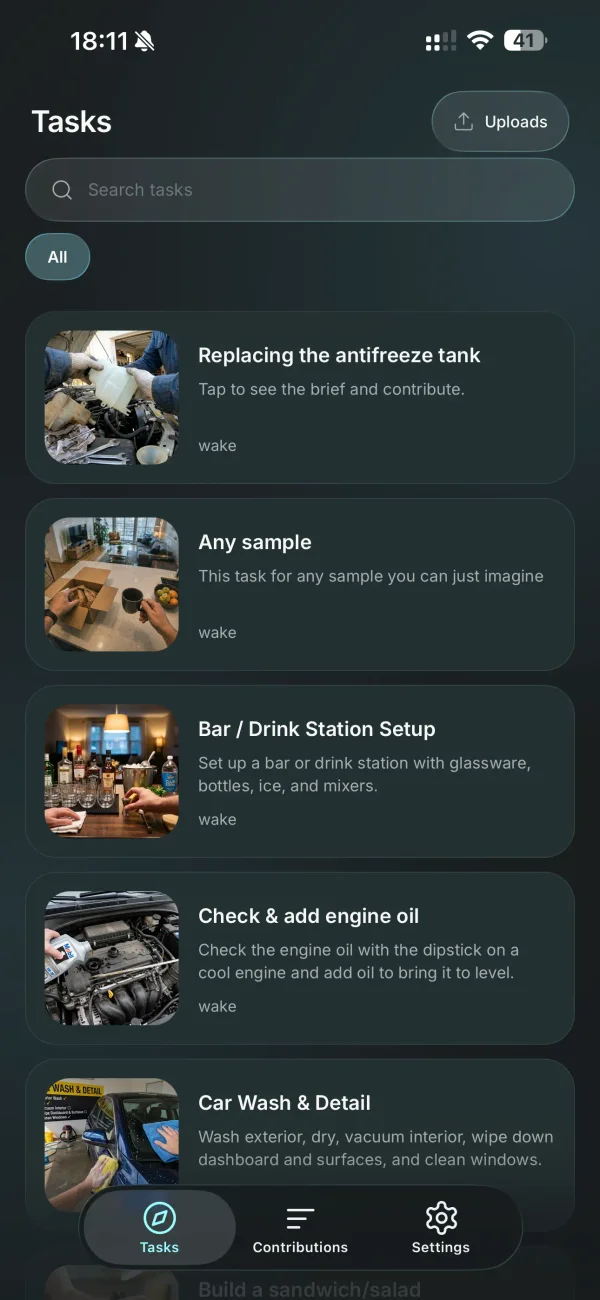
• Browse tasks. Each one shows what to record and the video it needs, and where set, the hours needed, the hourly rate and the countries it's open in.
• Sign the recording consent before your first recording, and again whenever it changes.
• Set up in three quick steps: a light check, how to wear your phone, and how to start, either a tap-and-lift countdown or hands-free once the camera sees both hands.
• Record. Voice prompts tell you when your hands leave the frame or when to turn your phone sideways.
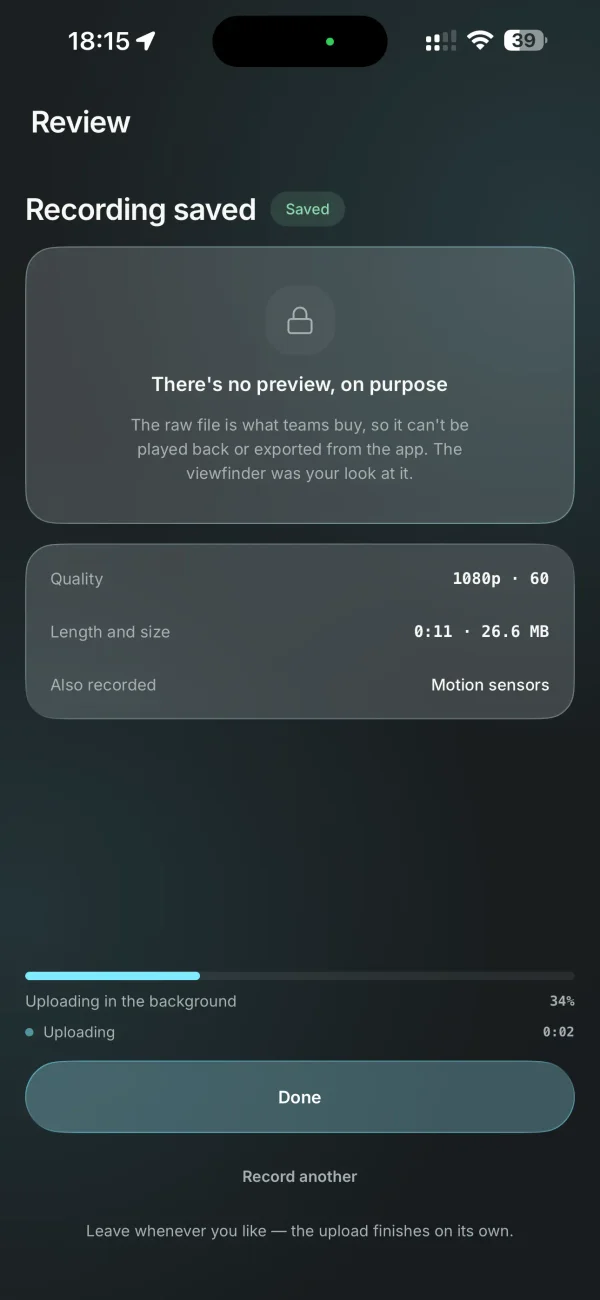
• Upload. Uploads keep going after you leave the camera and finish in the background when iOS allows. Pause, resume or cancel them any time.
• Get reviewed. The issuer reviews your video. If a clip needs changes, you see why, like too dark or blurry, and can record it again.
Rates and progress
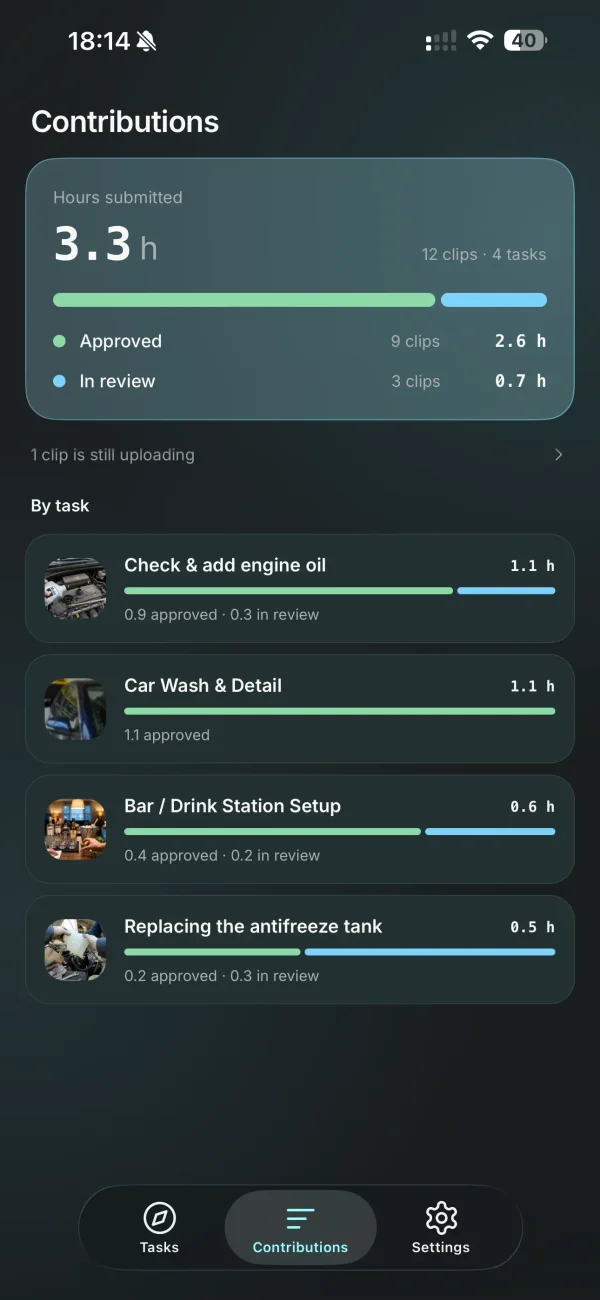
Rates differ between tasks and can depend on your country, and only approved video is paid. The Contributions tab tracks your hours submitted, approved, in review and needing changes.
Recording with your iPhone
• Choose lens, resolution (720p up to 4K, depending on your iPhone), frame rate and flashlight.
• Video is recorded with sound, and motion sensor data is saved with every video.
• Optionally save on-device hand tracking. On iPhone models with LiDAR, it can also record how far away each hand is.
• Free space is checked before you start, and you can dim the screen while recording.
• Lens smudge check on iOS 26 and later.
• Keep Wake open while recording: locking the screen or leaving the app ends the recording.
Action cameras
Pair a GoPro HERO9 to HERO13 Black, HERO11 Black Mini or MAX 2, or an Insta360 GO Ultra, over Bluetooth and the camera's Wi-Fi.
• Start recording from your phone with a live preview.
• See battery level and free card space.
• Copy clips to your phone and upload them. Originals stay on the camera.
• Pair several cameras and manage them in Settings.
More
• Practice task and guided tour: nothing is recorded or sent. Replay them any time from Settings.
• Offline: see your last synced tasks, record without a connection and upload later.
• Location is requested once per recording, only while you use the app. It's required only for tasks limited to certain countries; otherwise you can record without it.
• Sign in with email, Google or Apple.
• 24 languages, with a light, dark or automatic theme.
Your data
By signing the recording consent, you irrevocably assign Wake all rights to the video and sensor data you record, including your face, hands and voice. Wake uses it to train AI and robots and may license or sell it to other companies.
You can delete your account in Settings. After 90 days the account is anonymized: unapproved submissions are deleted, and approved clips are kept without your name.
Requirements
• 18 or older.
• An iPhone and a head strap (sold separately).
• Wake and individual tasks are not available in every country or region.
About Wake
Wake is a robotics training-data company that turns raw egocentric and robot footage into rights-cleared, training-ready episodes for robotics foundation-model labs and humanoid OEMs.
Terms: https://wake.inc/terms/
Privacy: https://wake.inc/privacy/
Contributor Agreement: https://wake.inc/contributor-agreement/
Biometric Data Policy: https://wake.inc/biometric-policy/
What’s new
Version 0.25.0 · Nov 23, 2026
- Watch a task's example videos right on the task page.
- Contributions are grouped by day, with totals for your whole account.
- Bug fixes and stability improvements.
App privacy
What Wake declares on the App Store about how this app handles data.
-
Data linked to you
May be collected and linked to your identity.
- Location
- Contact info
- User content
- Identifiers
- Diagnostics
- Other data
Privacy practices may vary, for example with the features you use or your age.
Information
- Seller
- Wake, Incorporated
- Category
- Photo & Video
- Version
- 0.25.0
- Updated
- Nov 23, 2026
- Released
- Nov 5, 2026
- Size
- 45.9 MB
- Requires
- iOS 15.1 or later
- Age rating
- 17+
- Price
- Free
- Languages
- English, Arabic, Armenian, Azerbaijani, Belarusian, French, Georgian, German, Hindi, Indonesian, Kazakh, Kyrgyz + 12 more
- Copyright
- © 2026 Wake, Incorporated
You might also like
-
 CollectDataMedia Capture for AI Training
-
 ZenO DataFirst-person data for robotics
-
 DiCapEgocentric capture for robots
-
 Visym CollectorOn-Demand Datasets for AI
-
 BeautyCircle: Beauty CommunityBeauty camera, filters & tips
-
 GenV - AI Video GeneratorAI Video with Grok & Veo
-
 YouTube Create: Video editorOfficial YouTube Video Maker
-
 Blow Up: Go Viral With AIAI video ideas & analysis
-
 AI Video Generator - Vimo AIImage to Video Maker, AI Dance
-
 101cam - Film & Digital CameraAnalog for the Digital Age