
- Age rating4+
- CategoryHealth & Fitness
- DeveloperRandom Hit
- Size27.6 MB
Links to the official App Store page
Download.org hosts no file of WakeWake. The button opens its official App Store page, published by Random Hit. Listing last checked on Nov 20, 2026.
Screenshots

About
Most alarms ask you to make a decision the moment you're least able to make it. WakeWake doesn't. It keeps ringing until you've done something that proves you're actually awake.
HOW IT WORKS
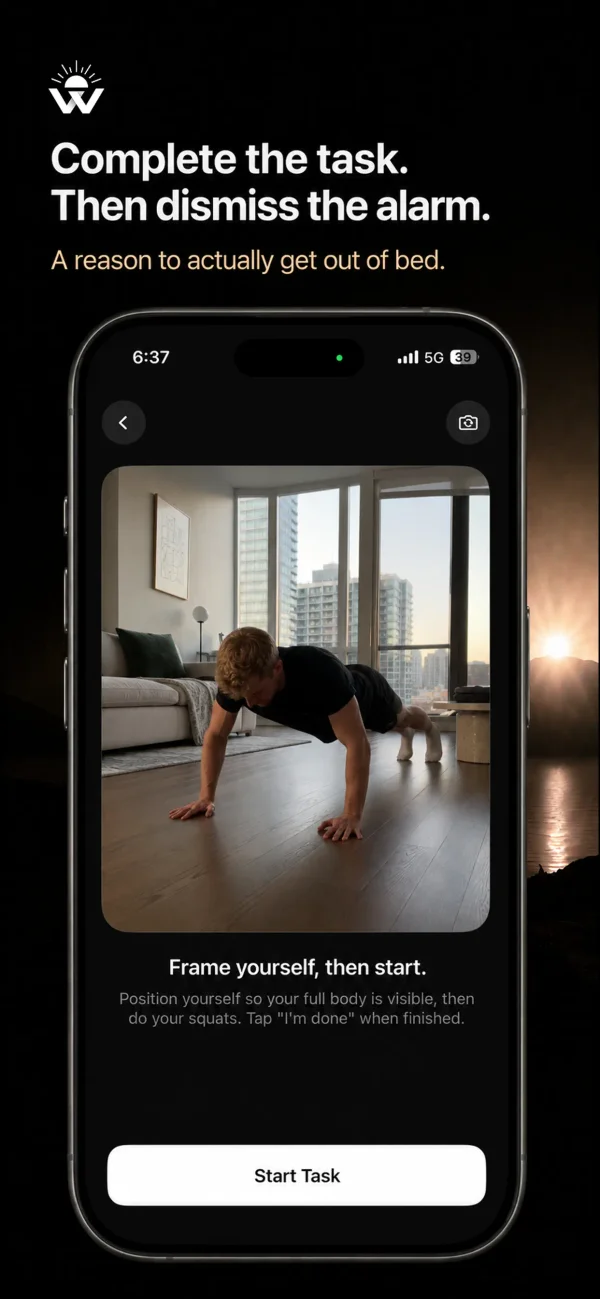
Pick a Wake Task when you set your alarm. In the morning, the alarm won't stop until you finish it. No snooze button, no swipe to dismiss, no bargaining with yourself at 6am.
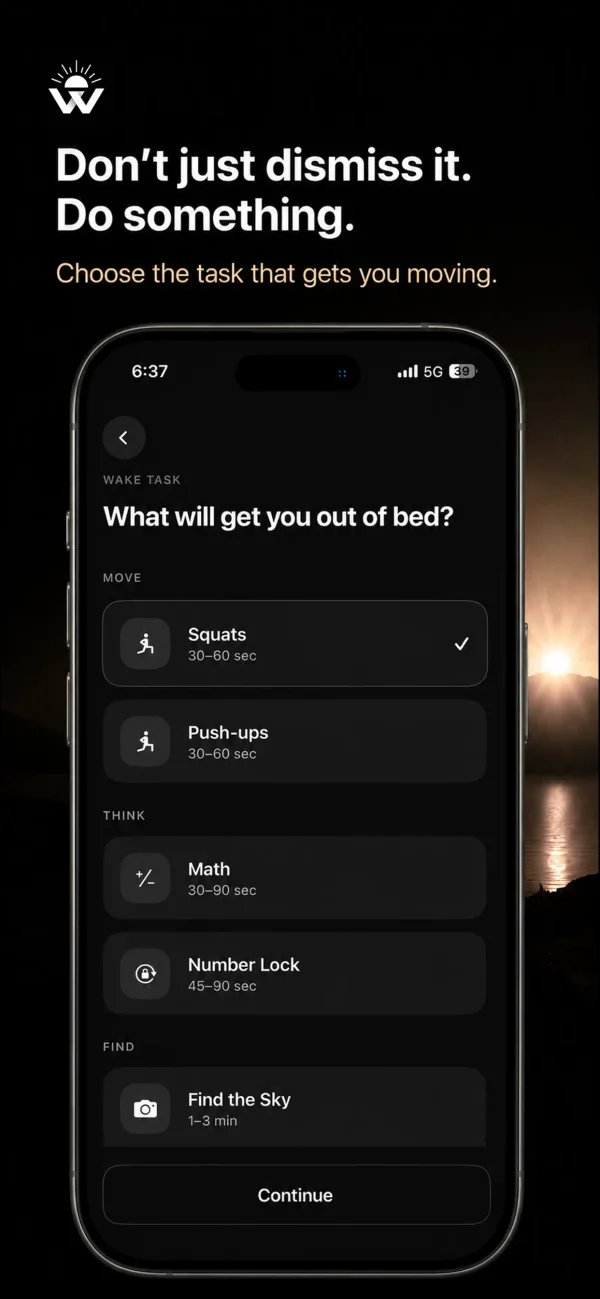
SIX WAYS TO PROVE YOU'RE UP
• Squats — get moving before your brain talks you out of it
• Push-ups — same idea, more commitment
• Find the Sky — get to a window and show WakeWake real daylight
• Make the Bed — the one task that's still done an hour later
• Math — solve problems that need genuine attention
• Number Lock — spin a combination you can't fumble half-asleep
Squats, push-ups, sky and bed are checked visually. Math and Number Lock need no camera at all, so there's always a task that works in the dark or in a shared room.
BUILT ON APPLE'S ALARM SYSTEM
WakeWake uses AlarmKit, so your alarm behaves like the real thing: it sounds through Silent mode and Focus, appears full-screen on the Lock Screen, and shows up in the Dynamic Island. This isn't a notification pretending to be an alarm.
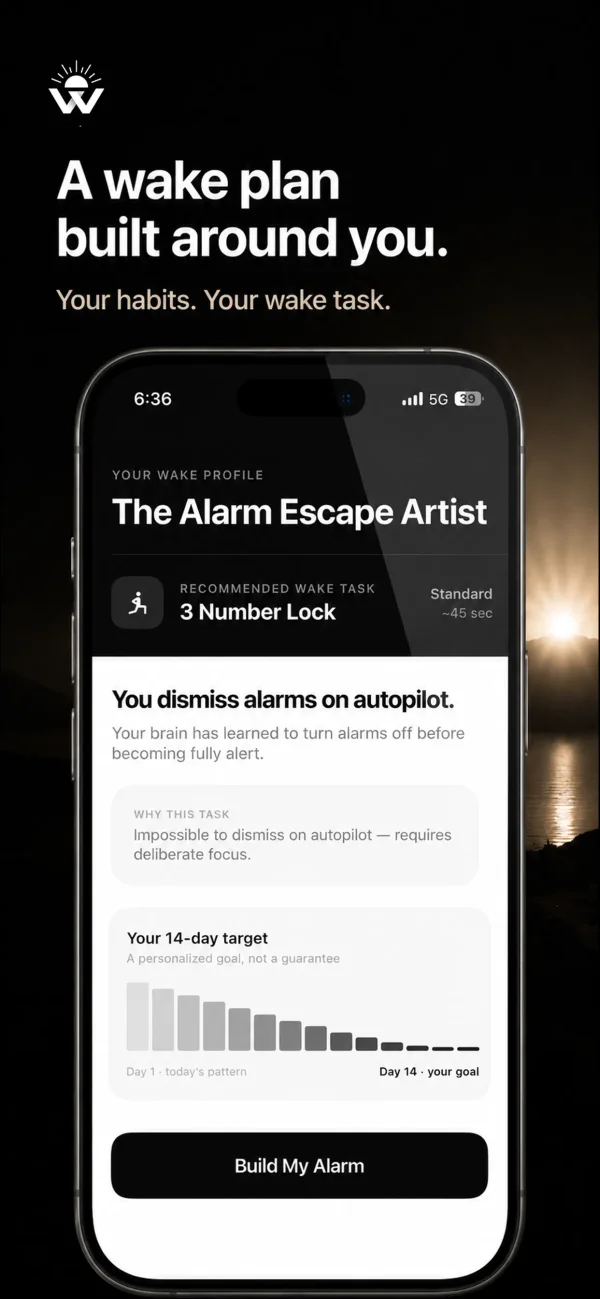
YOUR WAKE PROFILE
A short set of questions at the start works out how you actually sleep — and which task is likely to work for you rather than which one sounds impressive. You can change it whenever you like.
MORNINGS THAT ADD UP
Track your streak, see how your wake-ups genuinely trend over time, and keep a history of the mornings you finished. Numbers are only ever shown once there's real data behind them.
SET AS MANY ALARMS AS YOU NEED
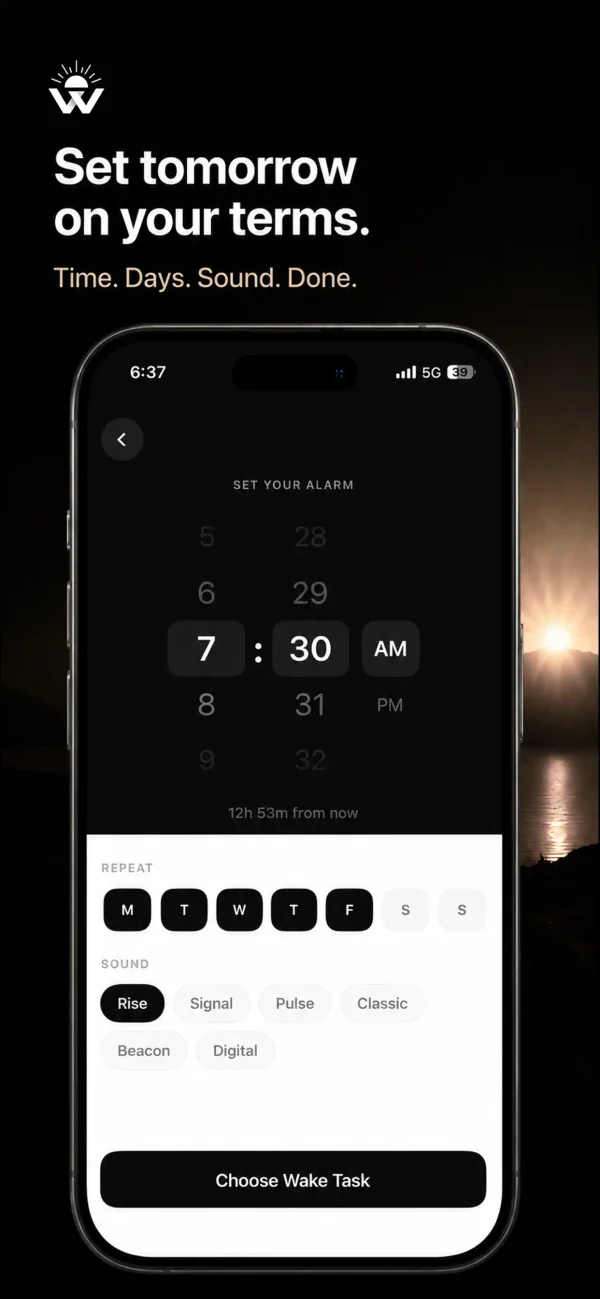
Different mornings need different things. Every alarm gets its own time, days, sound, task and difficulty — Light, Standard or Strong.
SUBSCRIPTION
WakeWake Premium unlocks alarm creation and every Wake Task.
• Yearly — $24.99 per year, with a 3-day free trial for new subscribers
• Monthly — $7.99 per month
Payment is charged to your Apple account at confirmation of purchase, or when the free trial ends. Your subscription renews automatically at the same price unless you cancel at least 24 hours before the end of the current period. Manage or cancel any time in your Apple account settings. Deleting the app does not cancel a subscription.
Terms of Use: https://wakewake.randomhit.site/terms/
Privacy Policy: https://wakewake.randomhit.site/privacy/
A NOTE ON THE CAMERA
Camera-based tasks send a few frames to our server for one-time verification and are processed in memory — never stored, by us or anyone else. You can skip the camera entirely by choosing Math or Number Lock.
WakeWake is an alarm and habit app. It is not a medical device and does not diagnose or treat any condition.
What’s new
Version 1.1.0 · Sep 15, 2026
Bug fixes and performance improvements. We've also updated our Privacy Policy.
App privacy
What Random Hit declares on the App Store about how this app handles data.
-
Data used to track you
May be used to track you across apps and websites owned by other companies.
- Purchases
- Identifiers
- Usage data
-
Data linked to you
May be collected and linked to your identity.
- Purchases
- Contact info
- Identifiers
- Usage data
- Other data
-
Data not linked to you
May be collected but is not linked to your identity.
- Purchases
- User content
- Usage data
- Diagnostics
Privacy practices may vary, for example with the features you use or your age.
Information
- Seller
- Random Hit LLP
- Category
- Health & Fitness
- Version
- 1.1.0
- Updated
- Sep 15, 2026
- Released
- Sep 14, 2026
- Size
- 27.6 MB
- Requires
- iOS 26.0 or later
- Age rating
- 4+
- Price
- Free
- In-app purchases
- Yes
- Copyright
- © 2026 Random Hit LLP
You might also like
-
 Lean Health TimerEinfacher Timer für Health
-
 Domain: Exercise App BlockerWorkout to Earn Screen Time
-
 AsanaHealth & Fitness
-
 Curfew: Loud Alarm ClockWake Up Missions, No Snooze
-
 AdKanCompete For Less Screentime
-
 Gym Friend - Realtime TrainerCustom workouts and coaching.
-
 Push Up to Scroll & UnblockBlock Apps, Earn Screen Time
-
 Push Up App Blocker Sweat LockLock apps until you exercise
-
 Pusher: App BlockerPushups instead of scrolling
-
 GrowTall: Height Increase AIGet taller: diet & exercises