
- Age rating4+
- CategoryProductivity
- DeveloperTapForce
- LanguagesEnglish+ 3 more
- Size25.8 MB
Links to the official App Store page
Download.org hosts no file of Walkthru: Renovation Helper. The button opens its official App Store page, published by TapForce. Listing last checked on Nov 25, 2026.
Screenshots

About
Organise your home renovation and catch costly misunderstandings early on. Record your Walkthru and the app turns what you say into a checklist you can share with your contractors.
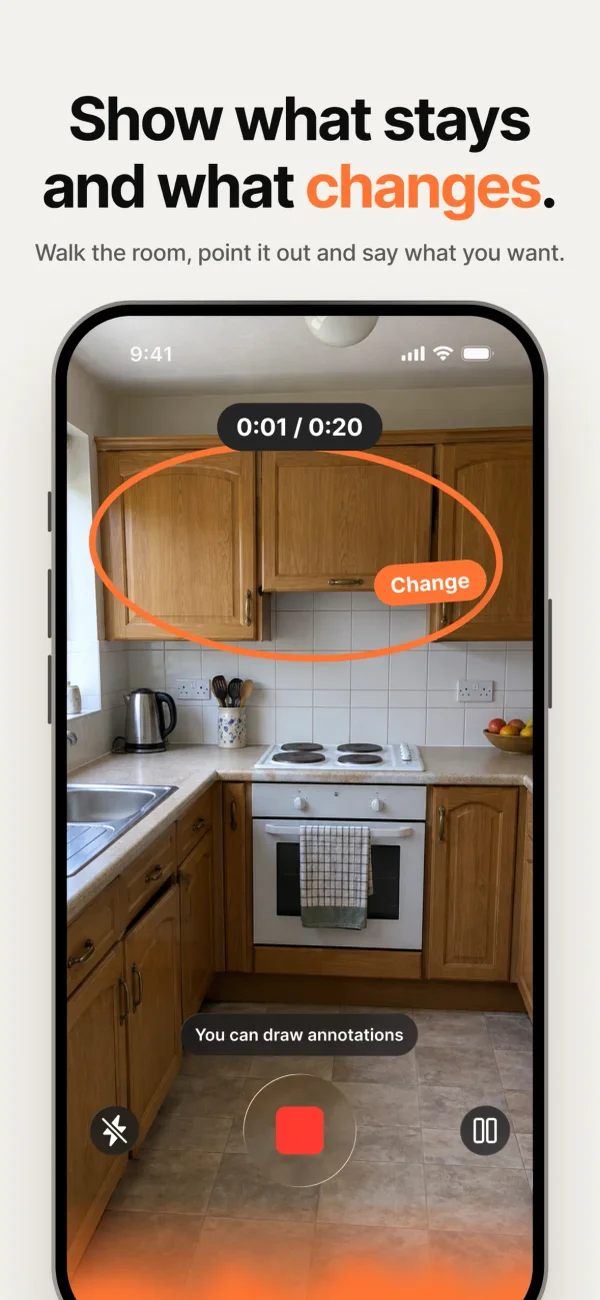
Show what stays and what changes.
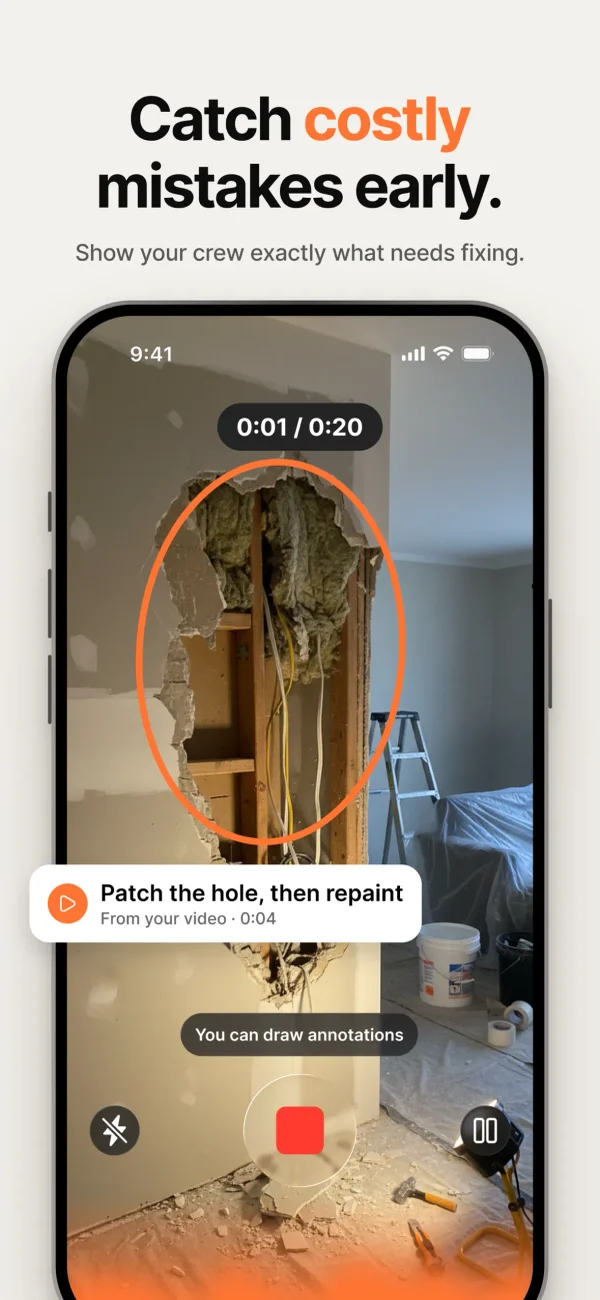
Walk through your home with your phone. Point out what you want to keep, say what needs changing and mark up the live video to show exactly where. If you’re working from a blueprint, use the walkthrough to show how those plans apply to the room in front of you.
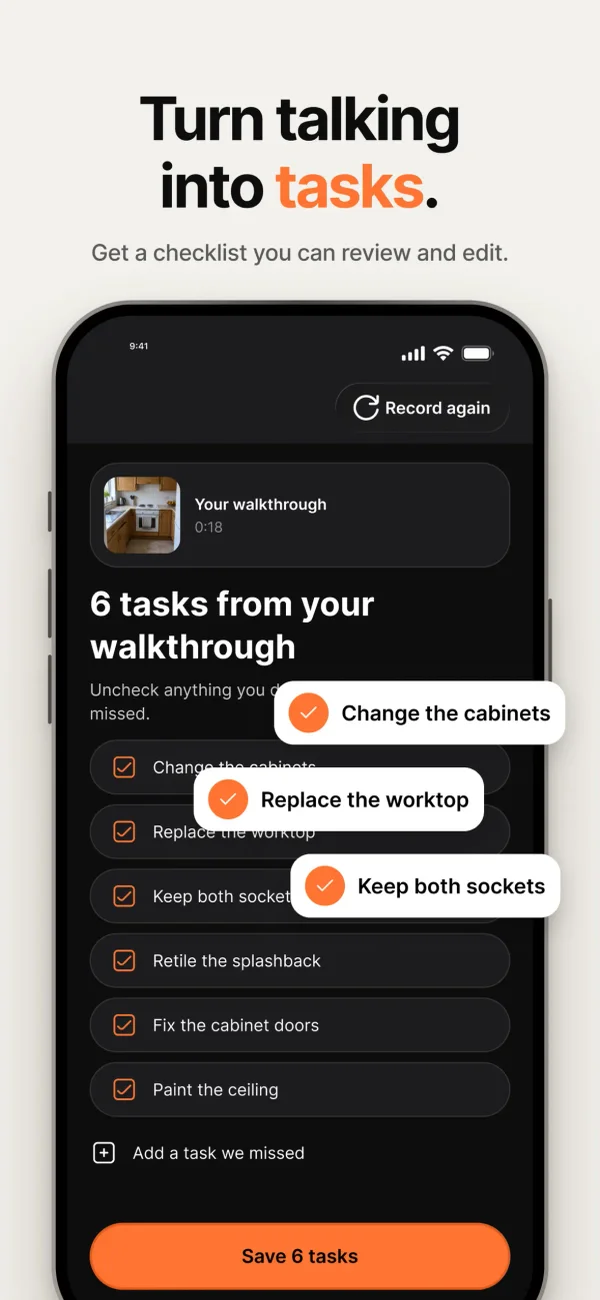
Turn your walkthrough into tasks.
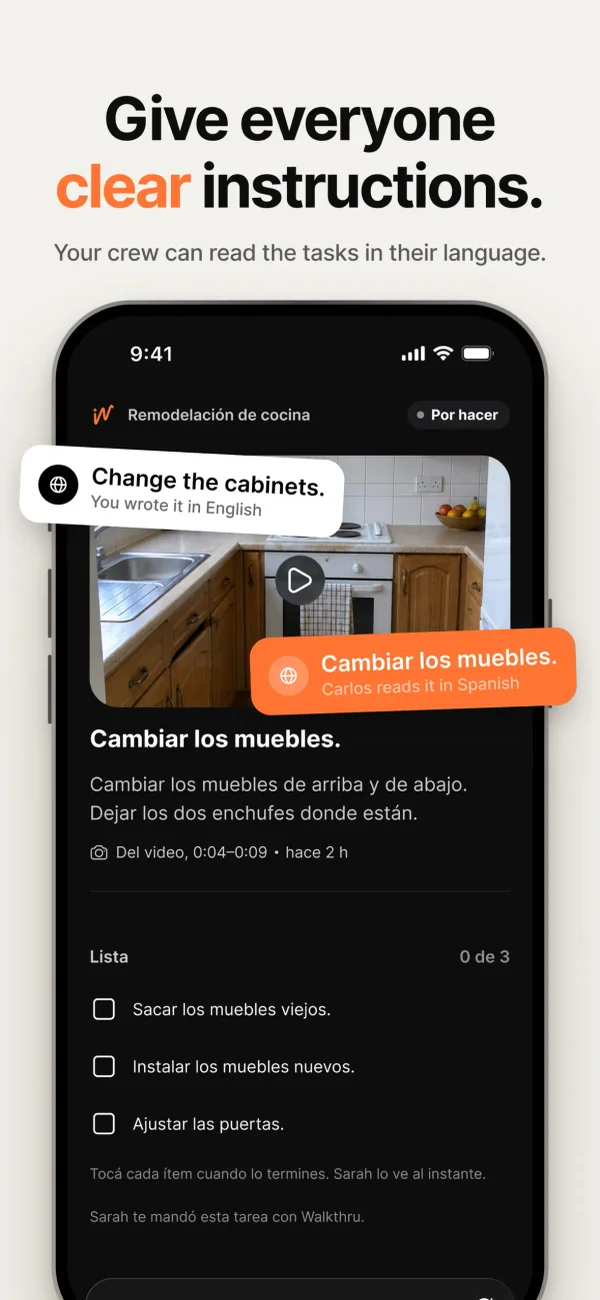
Walkthru creates a task list you can review and edit. Each task links back to the original clip, so your crew can see exactly what you meant. Use it to brief the team at the start of a building project or create a punch list of fixes after a final inspection.
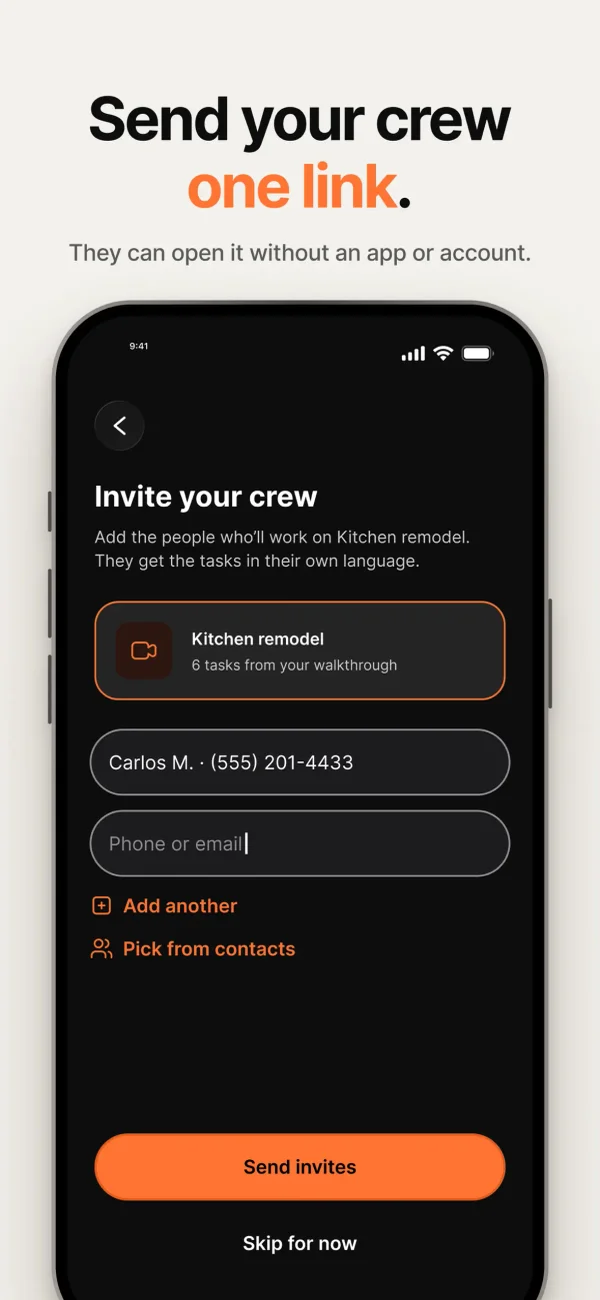
Share one link with your crew.
Send your contractors a link they can open in their browser without downloading the app or creating an account. Tasks and replies are automatically translated so everyone can read the instructions in their own language.
Follow construction updates in one place.
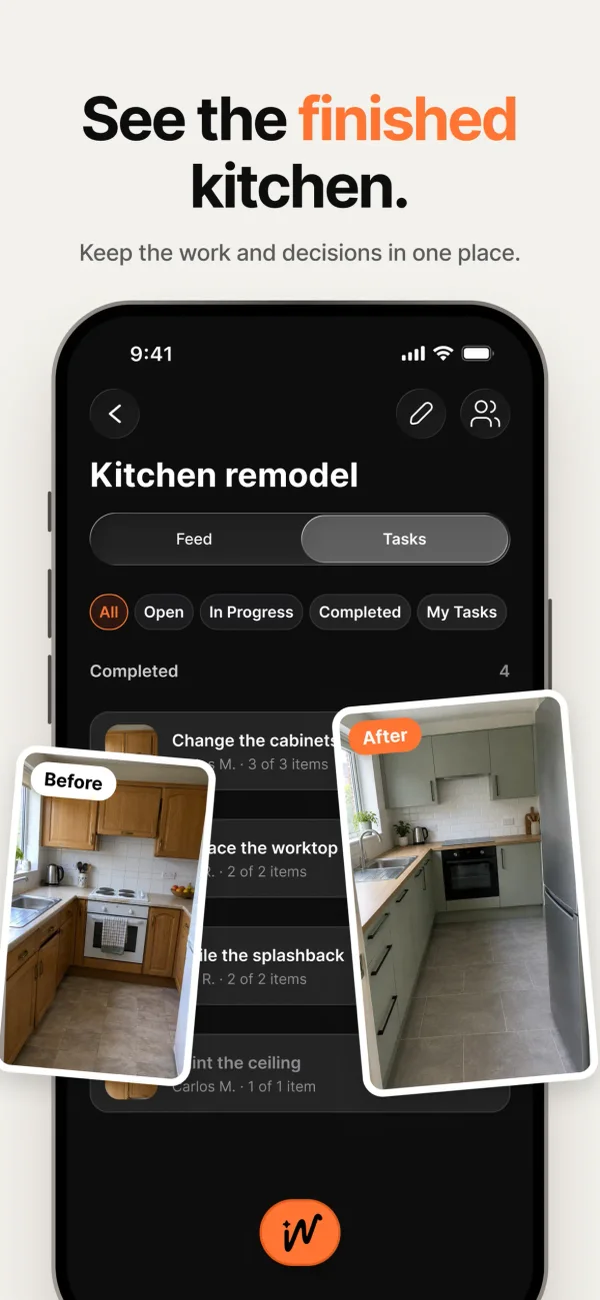
See which tasks are open, in progress or done. Your crew can tick off work as it happens, so you can check what’s finished and see what still needs attention.
Walkthru is built for homeowners and general contractors managing an active renovation, from a kitchen or bathroom refit to a whole-home project.
Download it free and record your first Walkthru.
What’s new
Version 1.0.8 · Nov 24, 2026
What's new in 1.0.8
• Go straight from email to recording: tapping a button in a Walkthru email now opens the app ready to record your next walkthrough, instead of the home screen.
• Clearer camera and microphone prompts: if camera or microphone access is off, Walkthru tells you which one and takes you to Settings to turn it on, so you never start a recording that can't capture anything.
App privacy
What TapForce declares on the App Store about how this app handles data.
-
Data used to track you
May be used to track you across apps and websites owned by other companies.
- Diagnostics
-
Data linked to you
May be collected and linked to your identity.
- Location
- Contact info
- User content
- Identifiers
- Usage data
- Diagnostics
-
Data not linked to you
May be collected but is not linked to your identity.
- Diagnostics
Privacy practices may vary, for example with the features you use or your age.
Information
- Seller
- TapForce, LLC
- Category
- Productivity
- Version
- 1.0.8
- Updated
- Nov 24, 2026
- Released
- Aug 6, 2026
- Size
- 25.8 MB
- Requires
- iOS 26.0 or later
- Age rating
- 4+
- Price
- Free
- Languages
- English, Greek, Spanish, Ukrainian
- Copyright
- © Tapforce 2026
You might also like
-
 VoiceQuill: AI Voice NotesSpeech to Text & Summary
-
 DAD - Home ManagementTrack. Maintain. Protect.
-
 Demotek: Demolition EstimatingTakeoffs, Estimating & Crews
-
 Dialnote: AI Note TakerTranscribe Meetings & Lectures
-
 Tavallio: AI AssistantYour personal AI assistant
-
 Symbri EmployeeProductivity
-
 BimbitBuild Together in Real Time
-
 our.family: Family OrganizerNothing falls through.
-
 UltraNotes – AI NotesProductivity
-
 AI Emaily - Unified AI InboxYour inbox runs itself quietly