WallStage: Visualize Your Art
Display Your Artwork in Room
Designed for iPhone
Free · In-app purchases
- Age rating4+
- CategoryPhoto & Video
- DeveloperDreamer Apps
- LanguagesEnglish
- Size70.1 MB
Links to the official App Store page
Download.org hosts no file of WallStage: Visualize Your Art. The button opens its official App Store page, published by Dreamer Apps. Listing last checked on Nov 17, 2026.
Screenshots


About
You've spent hours, maybe weeks, on a piece. Showing it off shouldn't take another afternoon in Photoshop. WallStage puts your artwork on real walls, at its real size, with the room's own perspective, light and shadow. Make a mockup in minutes and post it straight to Etsy or Instagram.
SEE IT TRUE TO SCALE
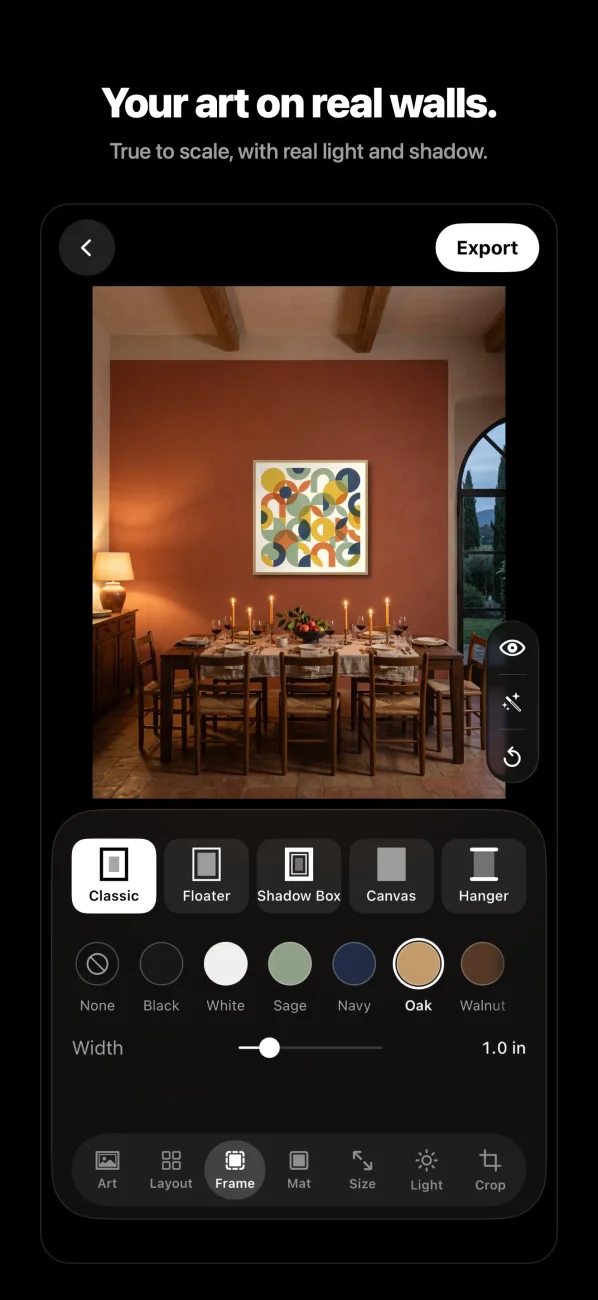
Set your print size in inches or centimeters and WallStage hangs it exactly that big. A 16×20 looks like a 16×20 above the sofa, not a guess. WallStage even suggests a size that suits the wall and the furniture below it.
80 ROOMS, OR YOUR OWN
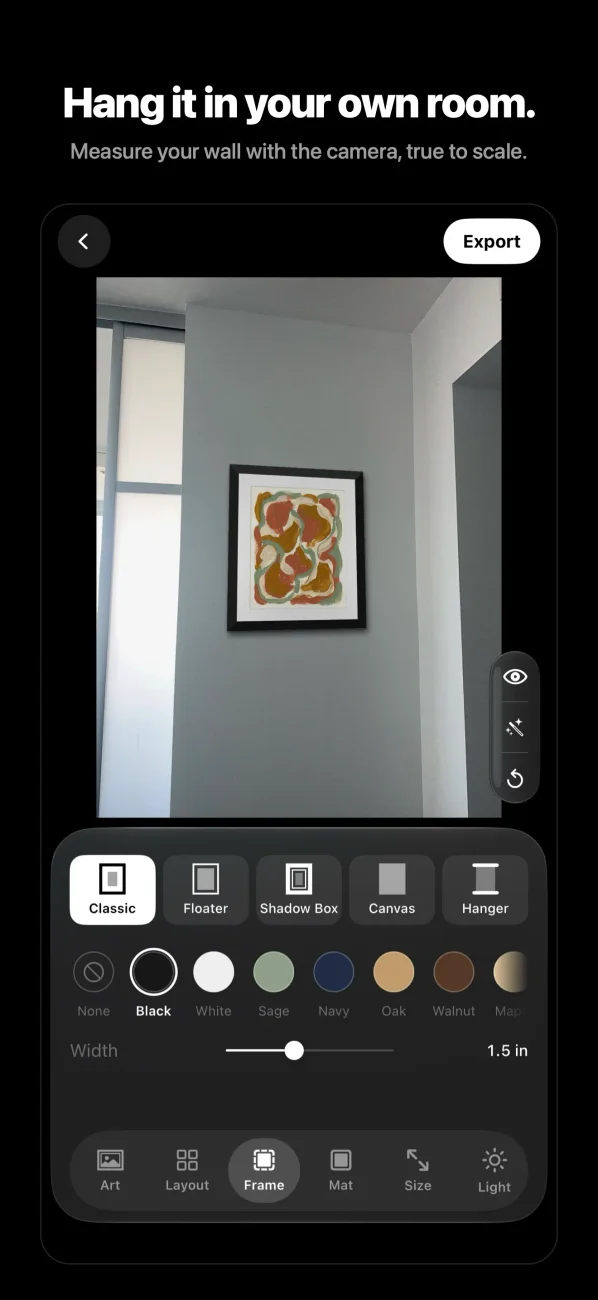
Start with 80 photorealistic rooms across 10 categories: living rooms, bedrooms, kitchens, nurseries, studios, beach houses, rooms with a view and more. Or photograph your own wall and measure it with your camera, so collectors can see the piece in a real home.
PLACE IT BY HAND
Drag and pinch your art on the wall. It snaps to the center, to the furniture and to sensible hanging heights, and steers clear of windows and doors in the built-in rooms.
FRAME IT LIKE THE REAL THING
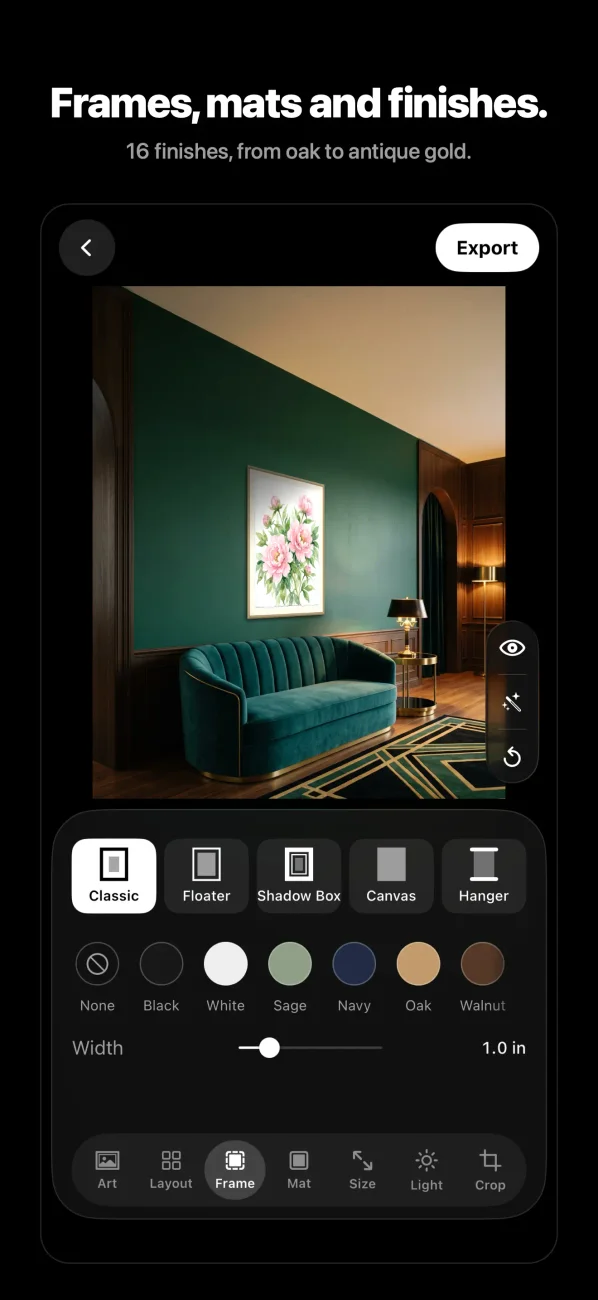
Classic frames, floaters, shadow boxes, gallery-wrapped canvas and poster hangers in 16 finishes, from matte black and natural oak to antique gold. Add mats in 9 colors, with double and bottom-weighted options.
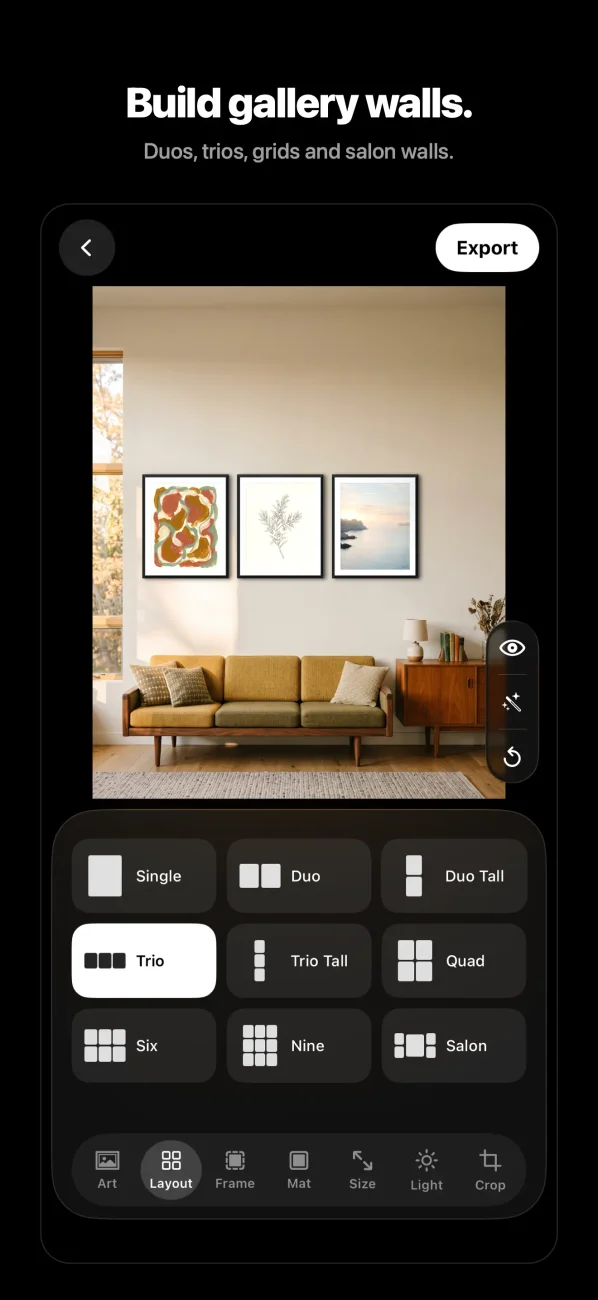
BUILD GALLERY WALLS
Duos, trios, grids of four, six or nine, and salon walls. Choose which piece hangs where.
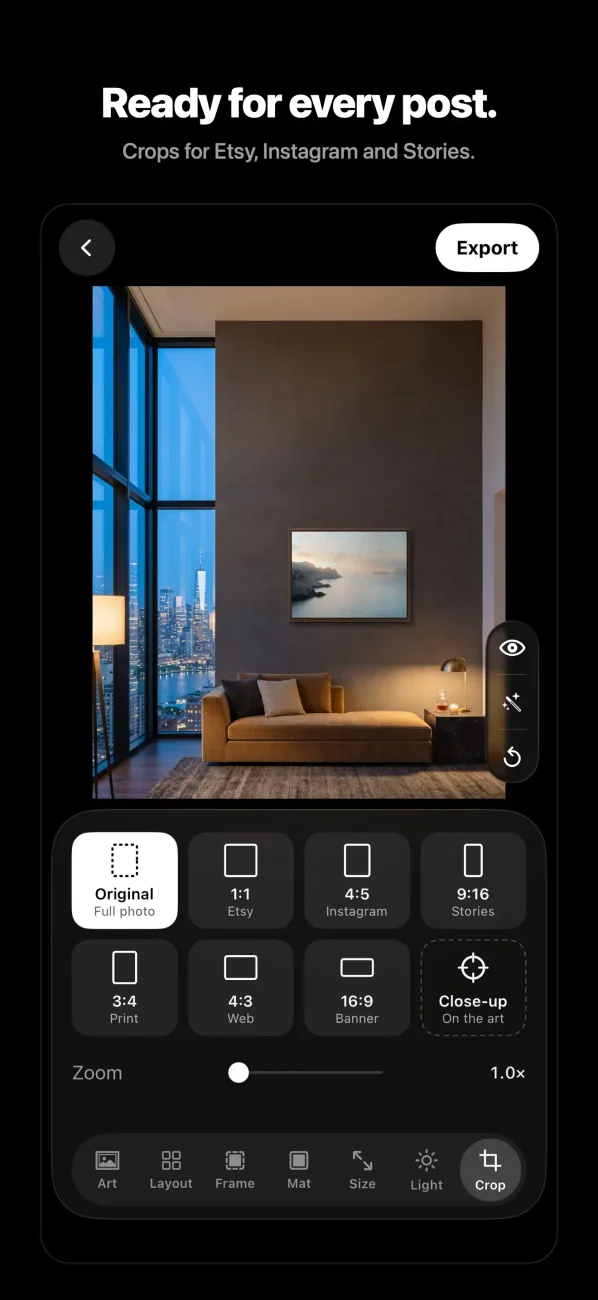
READY FOR EVERY POST
Crop for Etsy, Instagram, Stories, print, web and banners, or zoom in for a close-up on the art. Export full-resolution images.
KEEP EVERY MOCKUP
Every mockup you save or share is kept in Mockups, ready to reopen, change, duplicate or share again.
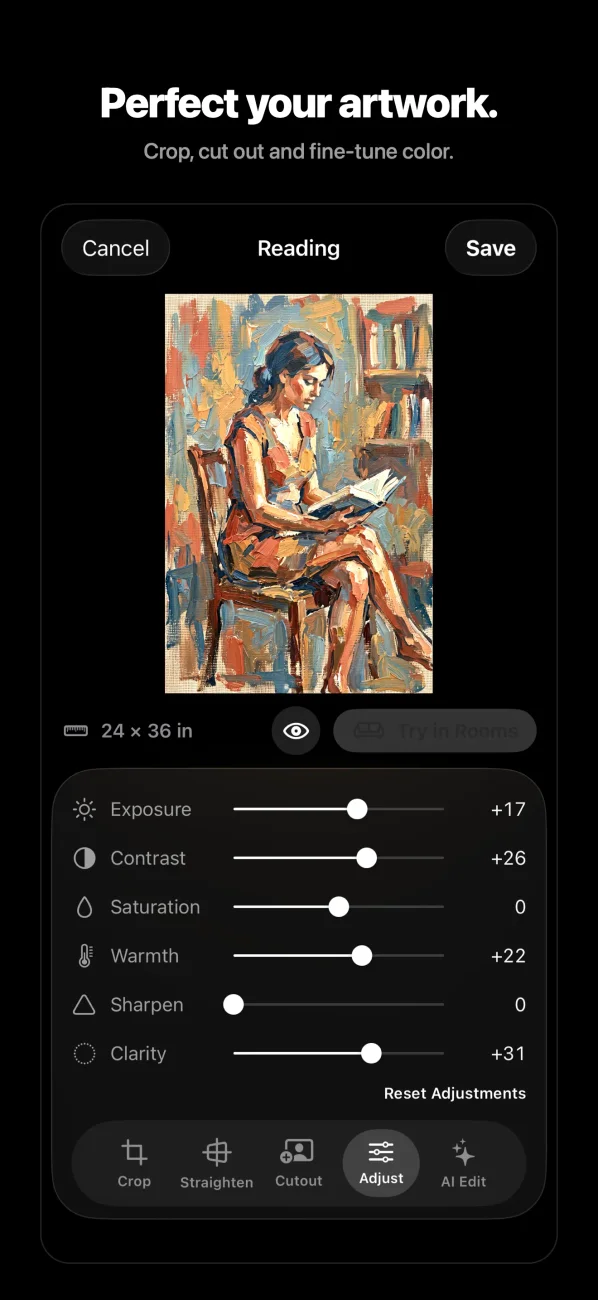
PERFECT YOUR ARTWORK FIRST
Photographed your painting at an angle? Straighten it. Crop it, remove the background from sculptures and objects, and fine-tune exposure, contrast, saturation, warmth, sharpness and clarity.
AI WHEN YOU WANT IT
• Generate new rooms in any style you can describe, with a clear wall saved for your art
• Restyle a room — new paint, new furniture, new light — without touching your art
• Generate new artwork, or fix glare, edges and colors on your own photos with a sentence
• Compare every AI edit with your original before you keep it. AI edits are saved as new pieces, so your original is never changed.
ARTISTS AND SELLERS USE WALLSTAGE TO
• Create Etsy and print-shop listings that stop the scroll
• Help collectors picture the piece in their own home
• Plan a gallery wall before a single nail goes in
• Keep every listing consistent and professional
FREE AND PRO
Try WallStage free with the sample artwork and one piece of your own (exports carry a watermark).
WallStage Pro unlocks all of your own art and rooms, every room, frame, mat and gallery layout, full-resolution exports with no watermark, and the AI tools. Choose weekly (with a 3-day free trial), monthly or yearly.
Payment is charged to your Apple ID when you confirm. Subscriptions renew automatically unless cancelled at least 24 hours before the end of the current period. Manage or cancel anytime in your Apple ID settings.
You've done the hard work. Give your art the stage.
Questions? support@wallstage.app
Terms: https://www.wallstage.app/terms
Privacy: https://www.wallstage.app/privacy
What’s new
Version 2.0.1 · Oct 26, 2026
• Mockups: every mockup you save or share is kept in the new Mockups tab, ready to reopen, change, duplicate or share again
• 20 new rooms, from a vermilion Savannah parlor to a Patagonia lounge — now 80 in all
• AI shows each step as it works, so you always know where your room or edit is
• A quick welcome tour for new artists
• Fixes and polish
App privacy
What Dreamer Apps declares on the App Store about how this app handles data.
-
Data used to track you
May be used to track you across apps and websites owned by other companies.
- Purchases
- Identifiers
- Usage data
-
Data linked to you
May be collected and linked to your identity.
- Purchases
- Location
- User content
- Identifiers
- Usage data
Privacy practices may vary, for example with the features you use or your age.
Information
- Seller
- Dreamer Apps LLC
- Category
- Photo & Video
- Version
- 2.0.1
- Updated
- Oct 26, 2026
- Released
- Feb 12, 2026
- Size
- 70.1 MB
- Requires
- iOS 18.0 or later
- Age rating
- 4+
- Price
- Free
- In-app purchases
- Yes
- Languages
- English
- Copyright
- © 2026 Dreamer Apps LLC
You might also like
-
 Artmock - Mockup CreatorWall Art & Poster Previews
-
 360Artwork: Art Mockup on WallPainting Preview, Frame & Room
-
 AI Wall Art – Art & AR PreviewBrowse, transform & print art
-
 ArtVision: Art Room DesignArt room design preview
-
 Art Staging & Mockup - FrameQ#1 Wall Art Visualizer in Room
-
 InsituArtRoom: Art MockupVisualize, Showcase & Sell Art
-
 Artmywall - Show Art on WallsDisplaying artwork in interior
-
 Artwork Preview App - ArtboxArtist Portfolio Art Showcase
-
 WallPictureApp: Visualize itWall Mockup • Art • Photo • AR
-
 Artrooms: Art Mockup & StagingWall Art Preview & Visualizer