Watch Faces: Gallery
Wallpapers & Photo Face Packs
Designed for iPhone, iPad
Free · In-app purchases
- Age rating4+
- CategoryLifestyle
- DeveloperGrima Hdez
- LanguagesEnglish+ 32 more
- Size188.6 MB
Links to the official App Store page
Download.org hosts no file of Watch Faces: Gallery. The button opens its official App Store page, published by Grima Hdez. Listing last checked on Nov 23, 2026.
Screenshots
About
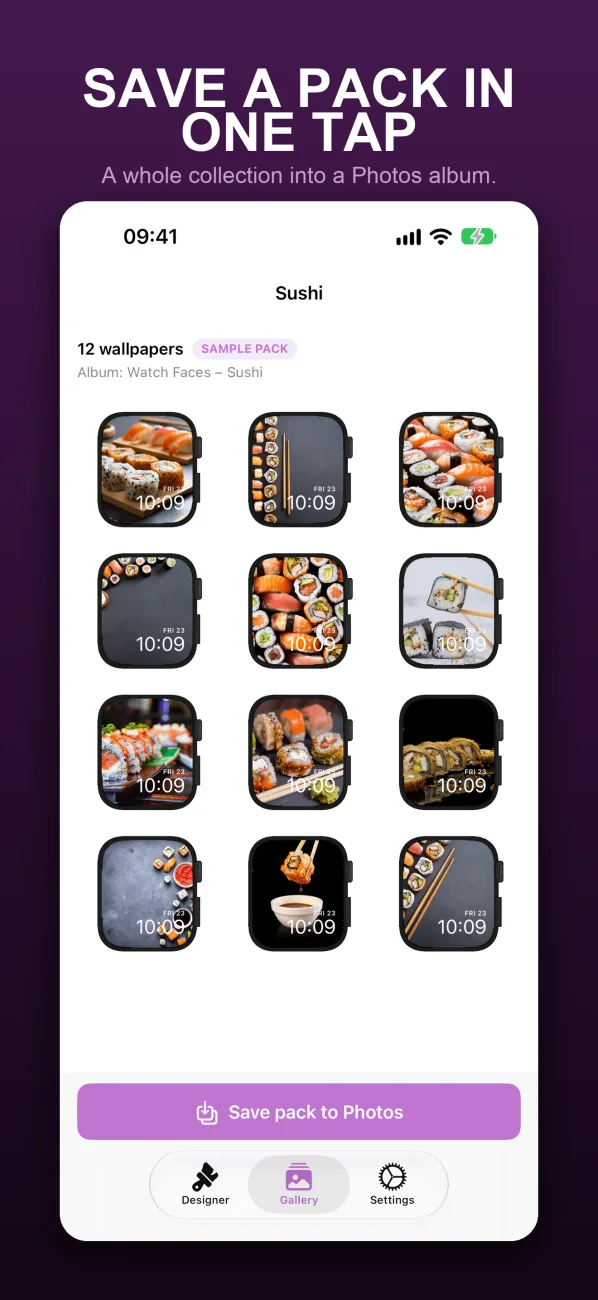
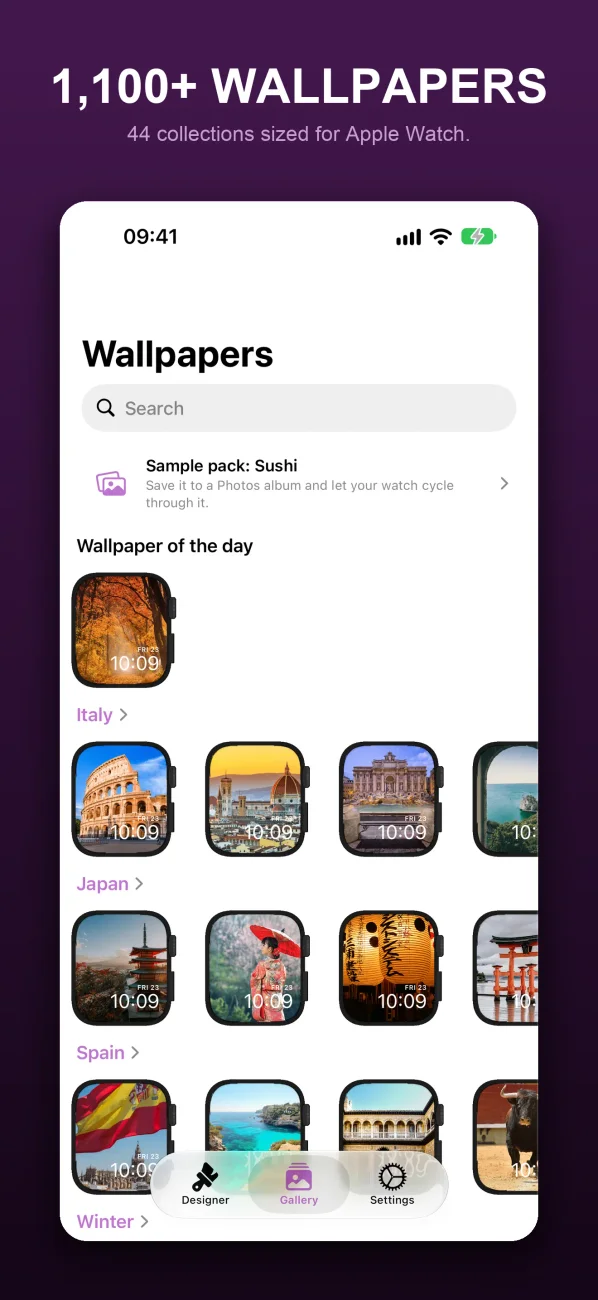
1,100+ wallpapers sized for Apple Watch. Save a whole collection to Photos in one tap, and the Photos face on your watch cycles through it every time you raise your wrist.
HOW IT WORKS
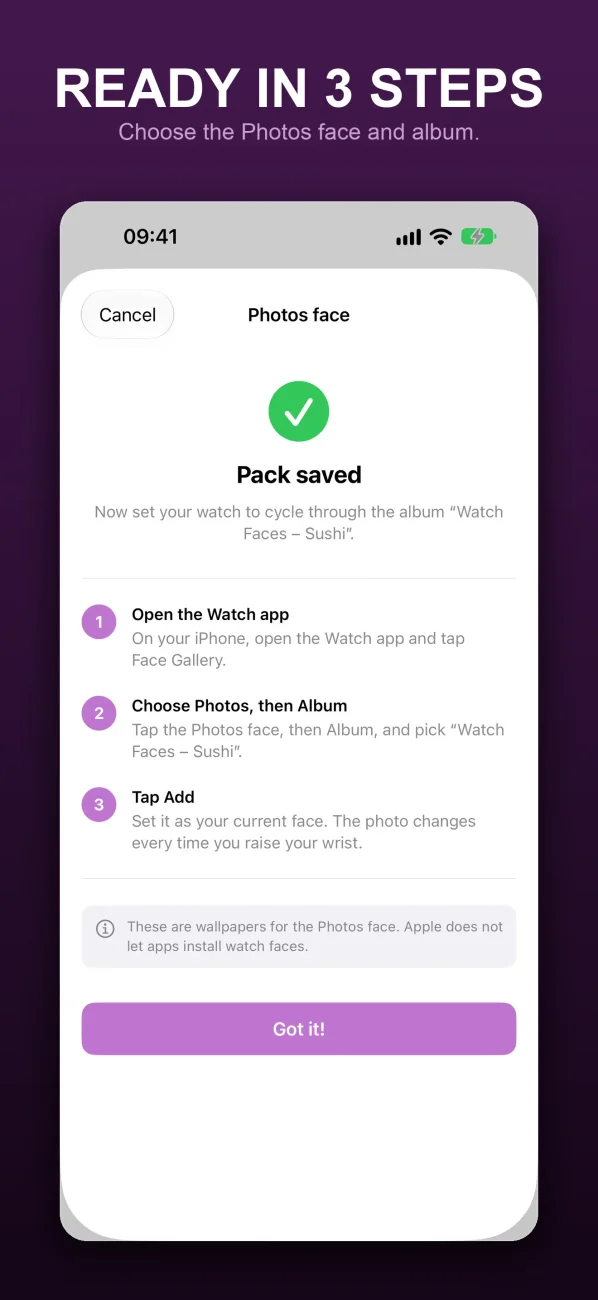
1. Pick a collection and tap Save pack to Photos.
2. On your iPhone open the Watch app, choose the Photos face and pick the album.
3. Tap Add. The photo changes whenever you raise your wrist.
WHAT'S INSIDE
- 1,100+ wallpapers in 44 collections: countries, food, planets, cats, seasons and more
- Save a whole collection to a Photos album in one tap
- A sample pack for everyone, and any pack unlocked for 24 hours
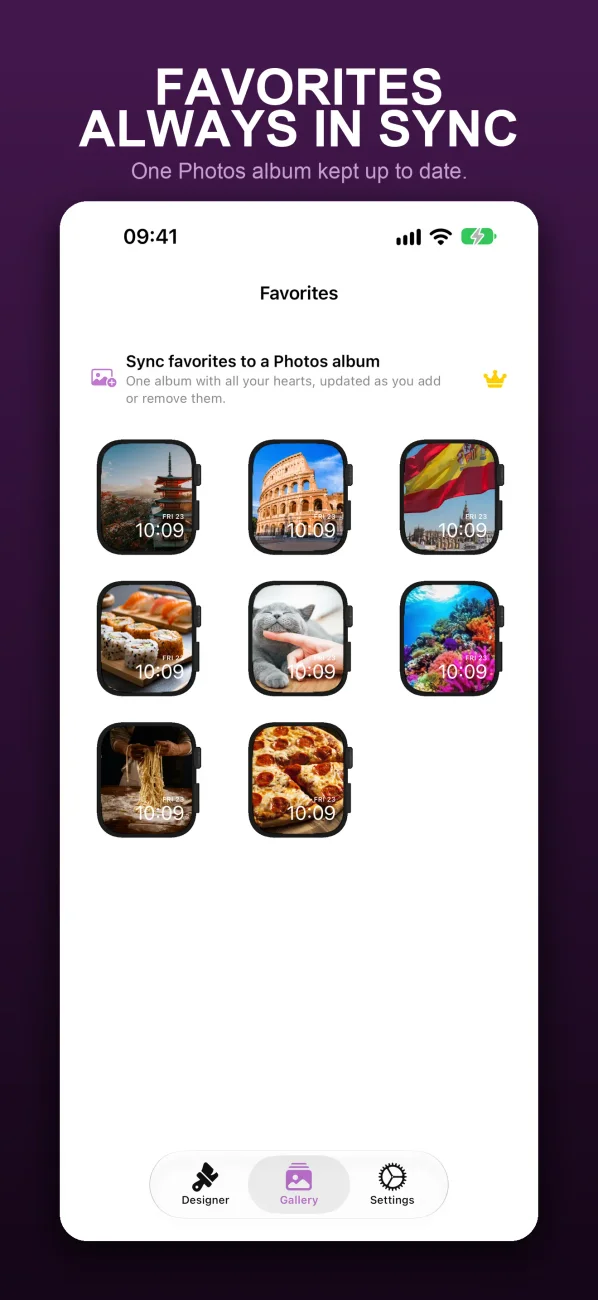
- Favorites album in sync with Photos (Pro)
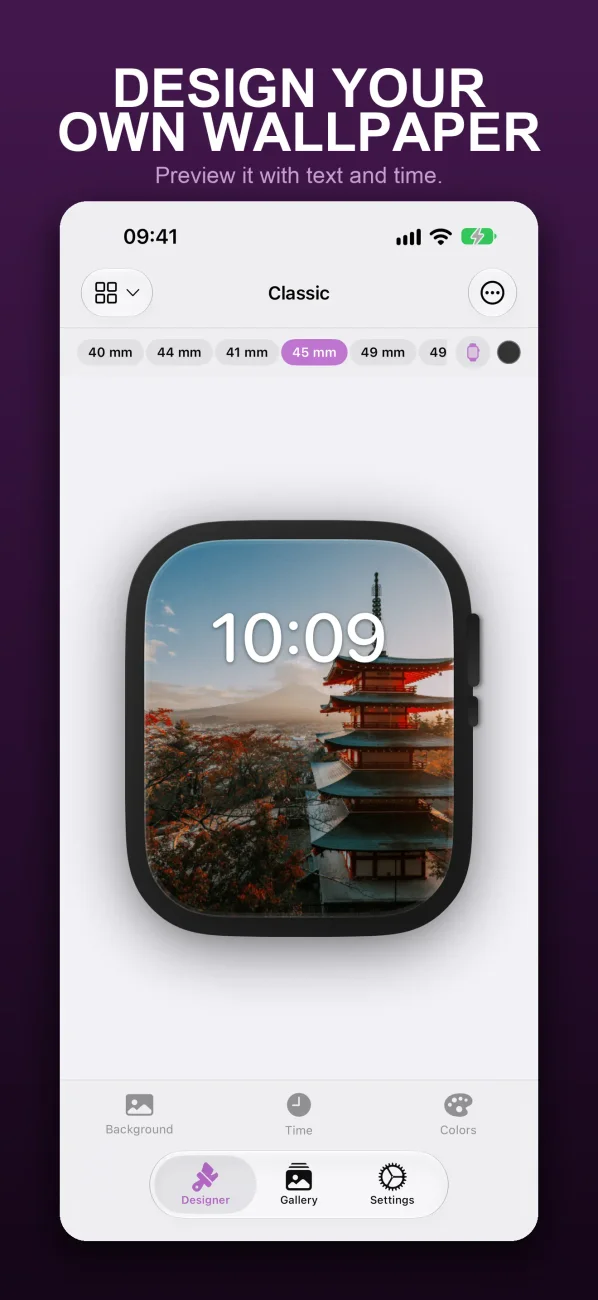
- Designer: compose your own wallpaper and preview it with text and time
These are wallpapers for the Photos watch face, not installable third-party watch faces: Apple does not let apps install those.
PREMIUM SUBSCRIPTION
Watch Faces Premium removes ads and the monthly export limit. Plans: Weekly, Monthly, or Yearly. Payment charged to your Apple ID at confirmation. Subscription auto-renews unless canceled at least 24 hours before the current period ends. Manage subscriptions in Apple ID account settings.
COMMON QUESTIONS
Are these real watch faces, or wallpapers?
They are images. watchOS only runs Apple's own faces — no app can add a new kind — so what you get is a background: you save a design to Photos and set it behind the Photos face on the watch.
How do I actually get one onto the watch?
Save the design to Photos, put it in an album, then on the iPhone open the Watch app, pick the Photos face and point it at that album. About a minute the first time, seconds after that.
Terms of Use: https://masaapps360.com/watchfaces/terms/
Privacy Policy: https://masaapps360.com/watchfaces/privacy/
What’s new
Version 1.7.0 · Nov 20, 2026
• Save a whole collection to a Photos album in one tap, then let the Photos face on your watch cycle through it, with a 3-step guide.
• A sample pack for everyone, and any pack can be unlocked for 24 hours.
• Favorites album kept in sync in Photos (Pro).
• The app now opens straight on the gallery.
• Designer: compose your own wallpaper with a text and time preview.
App privacy
What Grima Hdez declares on the App Store about how this app handles data.
-
Data used to track you
May be used to track you across apps and websites owned by other companies.
- Identifiers
- Usage data
-
Data not linked to you
May be collected but is not linked to your identity.
- Identifiers
- Usage data
Privacy practices may vary, for example with the features you use or your age.
Information
- Seller
- Grima Hdez
- Category
- Lifestyle
- Version
- 1.7.0
- Updated
- Nov 20, 2026
- Released
- Nov 27, 2023
- Size
- 188.6 MB
- Requires
- iOS 16.6 or later
- Age rating
- 4+
- Price
- Free
- In-app purchases
- Yes
- Languages
- English, Arabic, Catalan, Croatian, Czech, Danish, Dutch, Finnish, French, German, Greek, Hebrew + 21 more
- Copyright
- © Grima Hdez
You might also like
-
 Watch Faces Gallery PlusYour Watch Face Stylist
-
 Watch Faces Gallery WidgetsLive Ultra Wallpapers iwatch
-
 Watch Faces: Gallery+Smart iWatch Wallpaper AI Art
-
 Ultra Watch Faces - Gallery AIWallpapers & Backgrounds Facer
-
 Watch Faces & iWatch GalleryWatch 6 & 7, Face, Collection
-
 Watch Faces & Studio Faces #1Watch Faces - Faces Maker #1
-
 Classic Watch FacesCustom Changing Watch Faces
-
 Watch Faces Gallery – WidgetLuxury iWatch Face Album
-
 Watch Faces Wallpaper ThemesWatch Faces Custom Smart Clock
-
 Live Watch Faces Gallery AppMoving Wallpaper Collection HD