
Water Tracker for Dummies
Simple water routine tracker
Designed for iPhone, iPad
$0.99
- Age rating4+
- CategoryHealth & Fitness
- DeveloperRobert Corbin
- LanguagesEnglish
- Size5.0 MB
Links to the official App Store page
Download.org hosts no file of Water Tracker for Dummies. The button opens its official App Store page, published by Robert Corbin. Listing last checked on Nov 18, 2026.
Screenshots

About
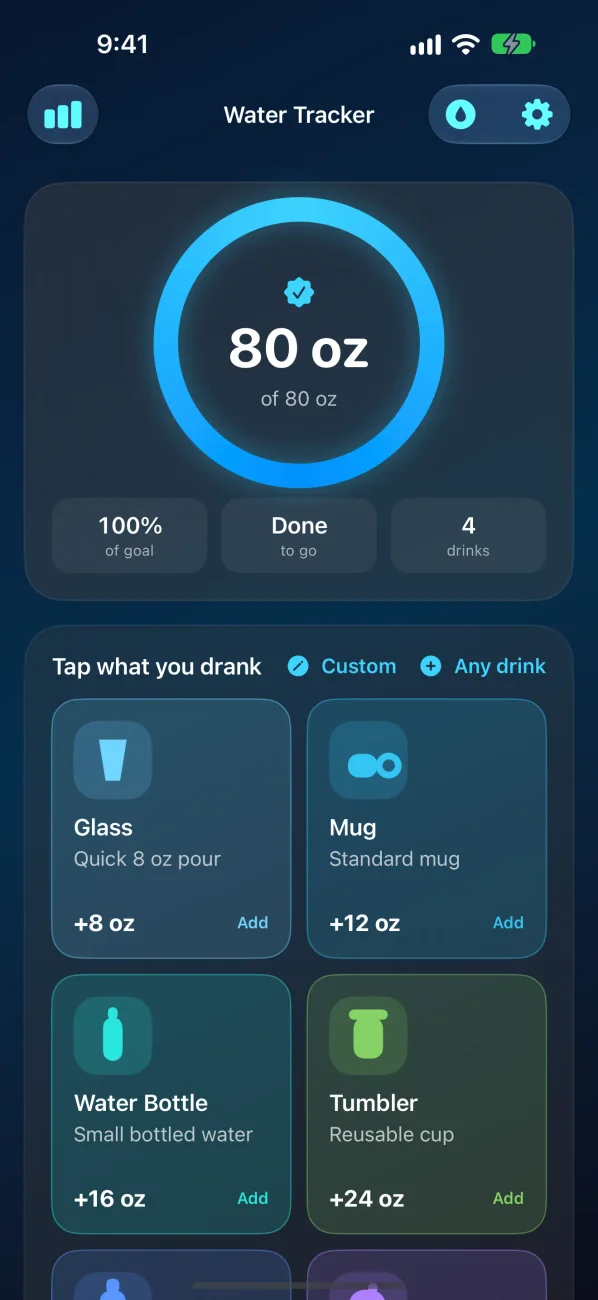
Water Tracker for Dummies is a fast, offline water tracker for iPhone and iPad. Tap a drink, refill a named bottle, or tell Siri, and watch today's ring fill up.
NEW IN 2.0: LOG WITHOUT OPENING THE APP
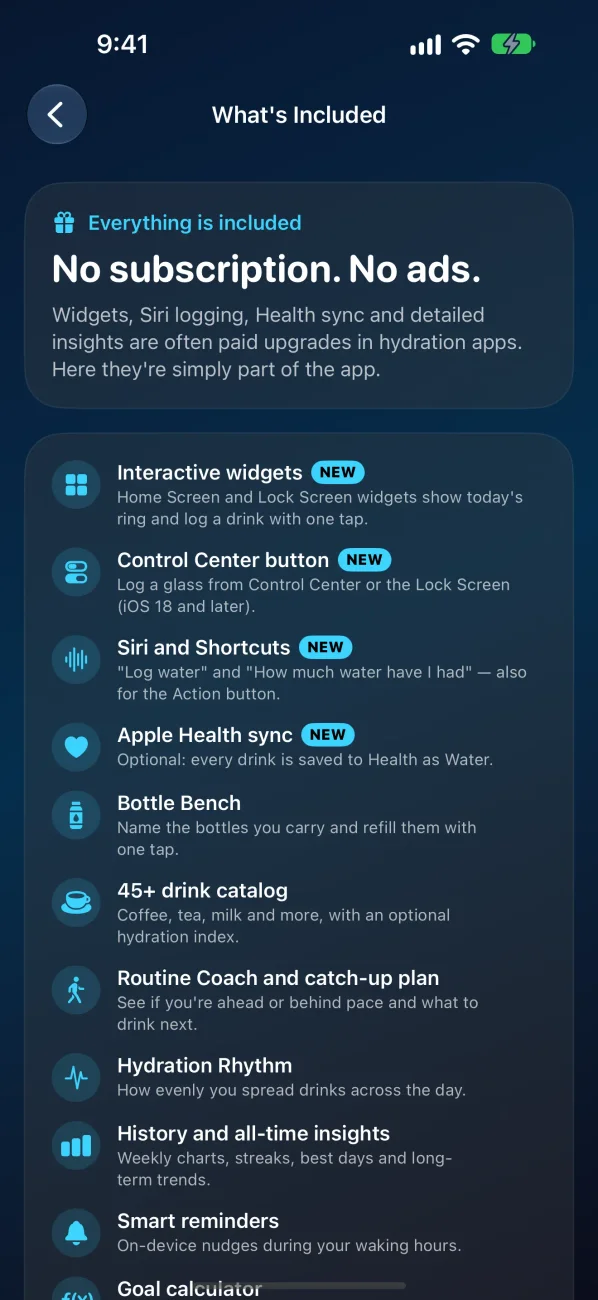
• Interactive Home Screen widgets show today's progress ring and log a drink with one tap.
• Lock Screen widgets keep your progress in view.
• A Control Center button logs a glass from anywhere (iOS 18 and later).
• Siri and Shortcuts: "Log water in Water Tracker for Dummies" or "How much water have I had in Water Tracker for Dummies". Add it to the Action button for one press logging.
• Optional Apple Health sync saves each drink to Health as Water. It is off by default and never reads your Health data.
EVERYTHING INCLUDED
One purchase, no subscription and no ads. Widgets, Siri, Health sync and detailed insights are often paid upgrades in hydration apps; here they are part of the app.
LOG ANY WAY YOU LIKE
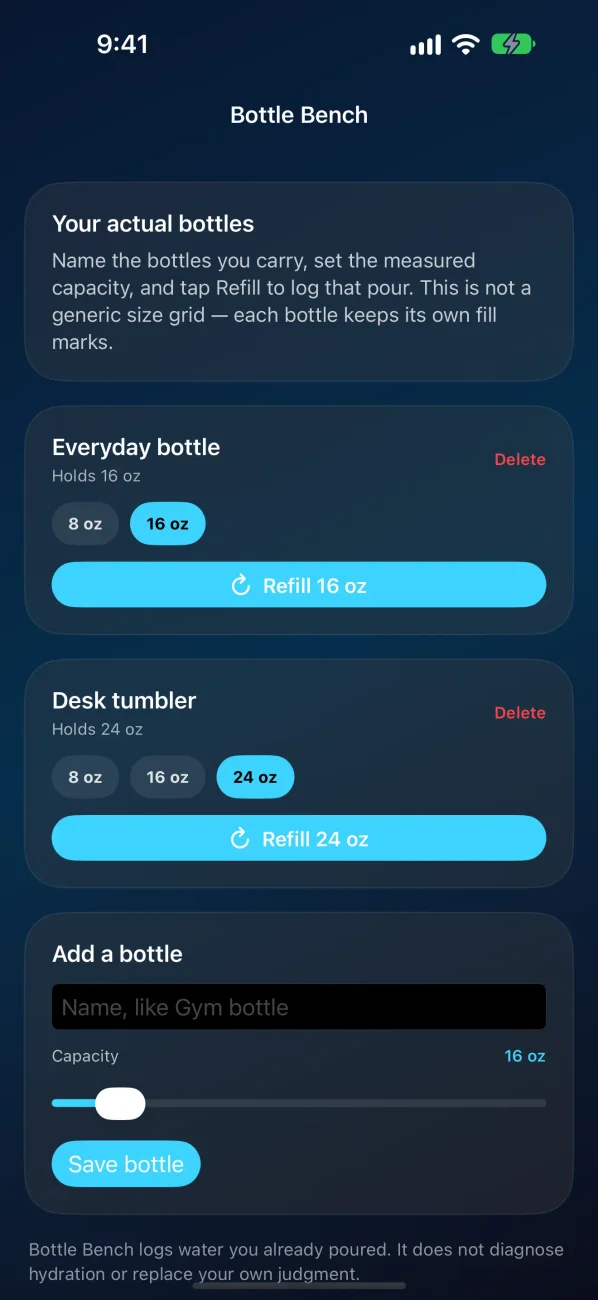
Tap a glass, mug, bottle or tumbler, enter a custom amount, pick from a catalog of 45+ drinks, or refill a named bottle from Bottle Bench. Fix a missed day with past-day entry. Undo any drink.
STAY ON PACE
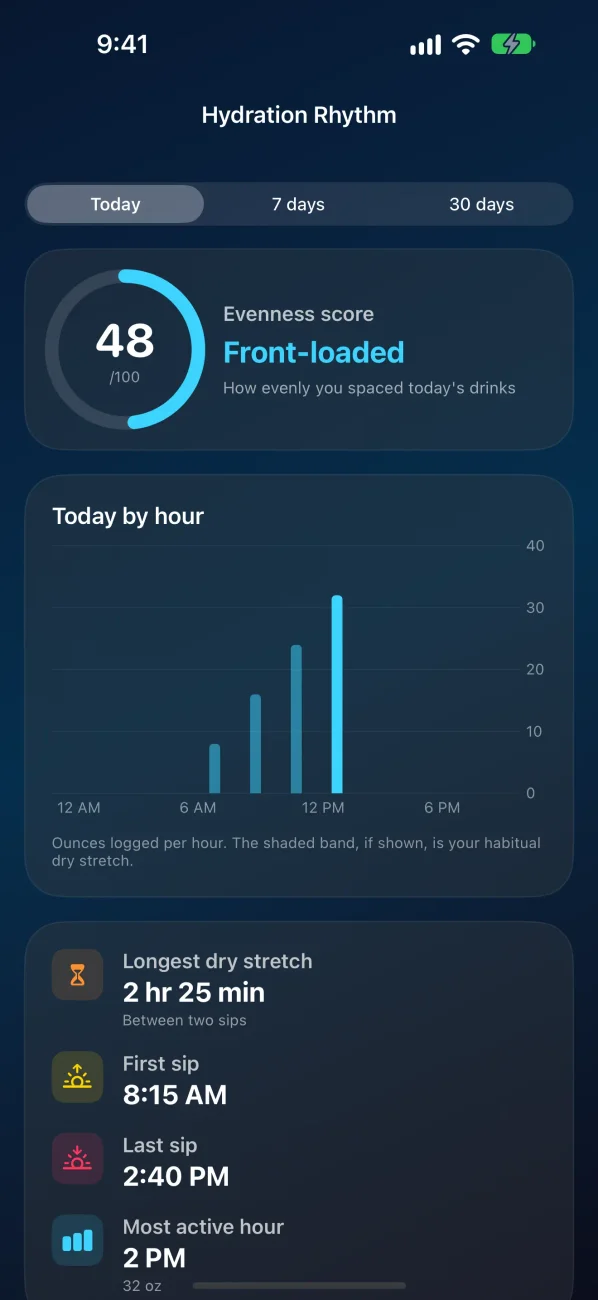
Routine Coach shows whether you're ahead or behind an even pace, and the catch-up plan suggests what to drink next. Hydration Rhythm shows how evenly you spread drinks across the day. On-device reminders nudge you during your waking hours.
SEE YOUR HABITS
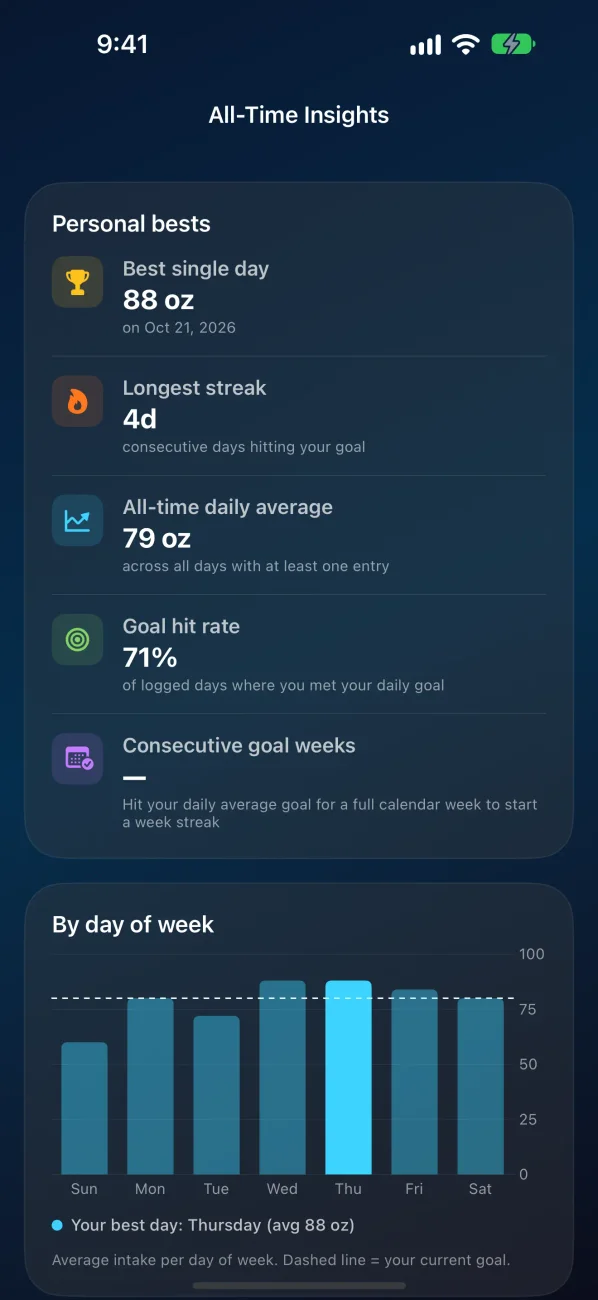
Weekly history, goal days, streaks, best days and all-time insights. A goal calculator uses your weight, activity and climate and shows its sources. An optional hydration index weights coffee, milk and other drinks by how much fluid they provide.
YOUR UNITS, YOUR DATA
Show everything in ounces, milliliters or cups. Export and import your history any time. No account, no analytics, no cloud: records stay on your device unless you export them or turn on Apple Health sync.
Water Tracker for Dummies provides general wellness information only. It does not diagnose, treat or monitor any condition and does not replace guidance from a qualified professional.
What’s new
Version 2.0 · Nov 2, 2026
Water Tracker for Dummies 2.0 is the biggest update yet.
• Interactive widgets: Home Screen widgets show today's ring and log a drink with one tap, without opening the app. Lock Screen widgets show your progress at a glance.
• Control Center button: log a glass from Control Center or the Lock Screen (iOS 18 and later).
• Siri and Shortcuts: "Log water in Water Tracker for Dummies" or "How much water have I had". Works with the Action button too.
• Apple Health: optional, off by default. Drinks you log are saved to Health as Water.
• A new Today ring right at the top, with your drink buttons just below it.
• Everything included: a new page in Settings lists every feature. No subscription, nothing to unlock.
• Fixes: drink sizes, the catch-up plan, the weekly average and day details now follow your chosen unit (oz, mL or cups).
App privacy
What Robert Corbin declares on the App Store about how this app handles data.
-
Data not collected
The developer does not collect any data from this app.
Privacy practices may vary, for example with the features you use or your age.
Information
- Seller
- Robert Corbin
- Category
- Health & Fitness
- Version
- 2.0
- Updated
- Nov 2, 2026
- Released
- Apr 21, 2026
- Size
- 5.0 MB
- Requires
- iOS 17.0 or later
- Age rating
- 4+
- Price
- $0.99
- Languages
- English
- Copyright
- © 2026 Shadowfetch
You might also like
-
 CutCompanionHealth & Fitness
-
 YourFuelFitAI Diet Coach
-
 MediTrackPLUSPill Reminders & Medicine Log
-
 Dozi - Your Bedtime CompanionSounds, thoughts & routines
-
 FitKor: Gym & Macro Trackerstrength, calorie, workout
-
 Contour Cycling DiaryPrivate Ride Log · No Ads
-
 Repline: Workout TrackerNo subscription. Just lift.
-
 AparmitaHimalayan Sound & Meditation
-
 Gymini: Quick WorkoutsOffline 2, 5 & 10 minute sets
-
 Every Rep Counts - Gym logGym log & smart progression