Watermark Stamp Camera
Photo stamp date time location
Designed for iPhone, iPad
Free · In-app purchases
- Age rating4+
- CategoryPhoto & Video
- Developer开棋 姜
- LanguagesEnglish+ 3 more
- Size16.9 MB
Links to the official App Store page
Download.org hosts no file of Watermark Stamp Camera. The button opens its official App Store page, published by 开棋 姜. Listing last checked on Nov 17, 2026.
Screenshots
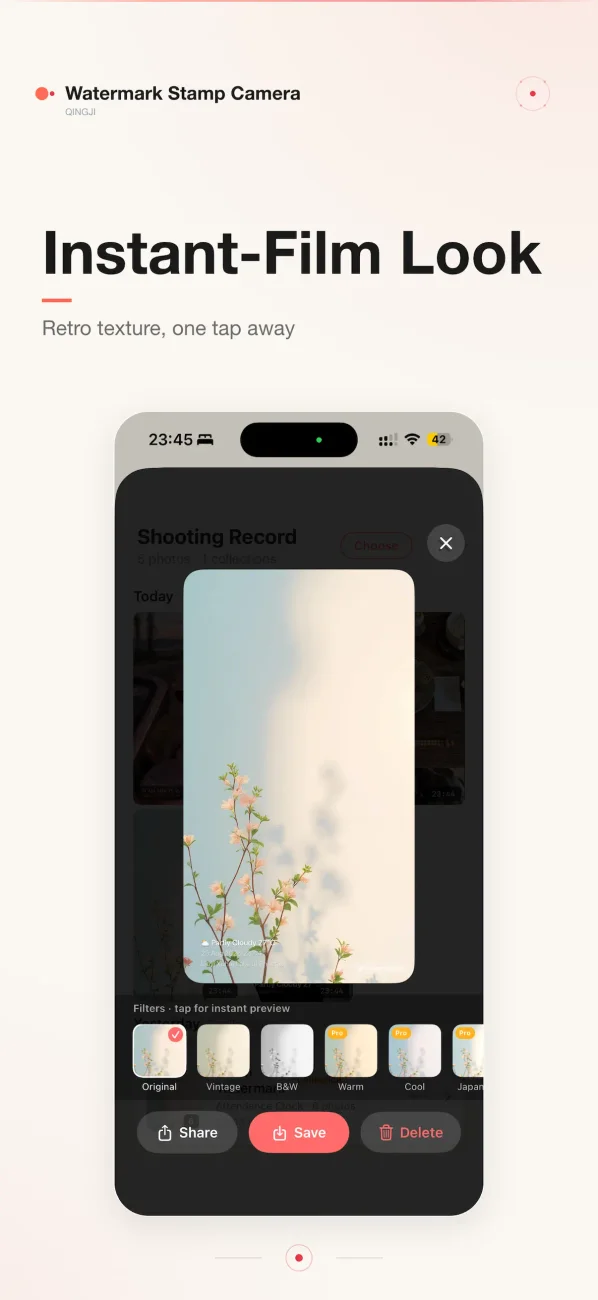

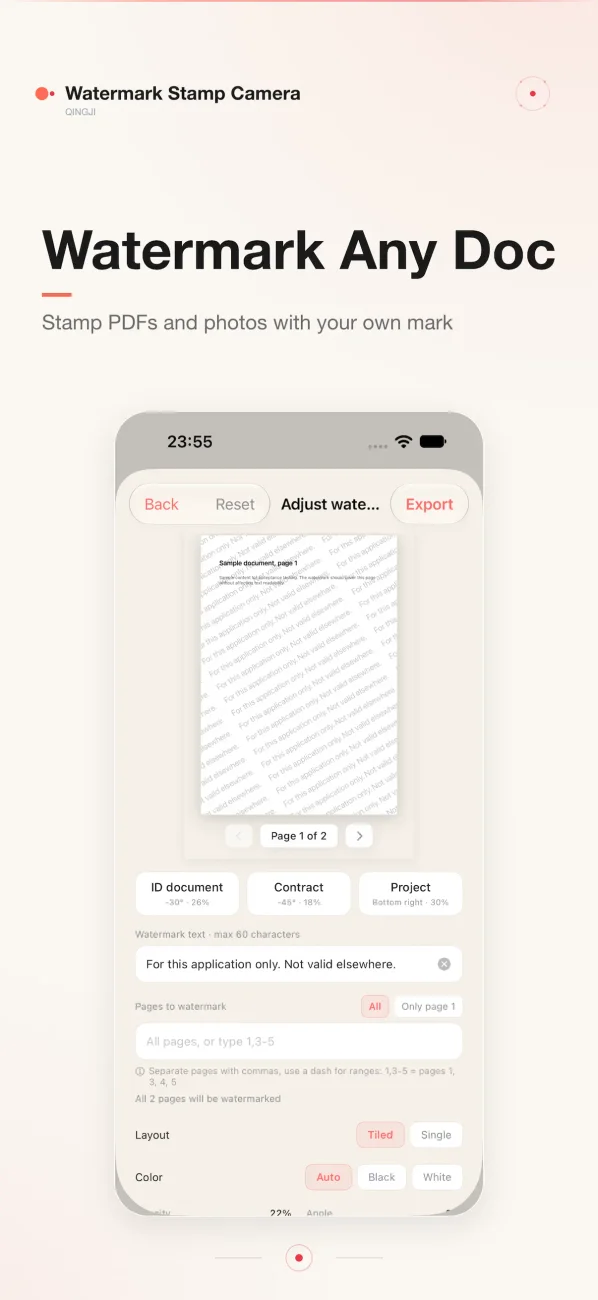
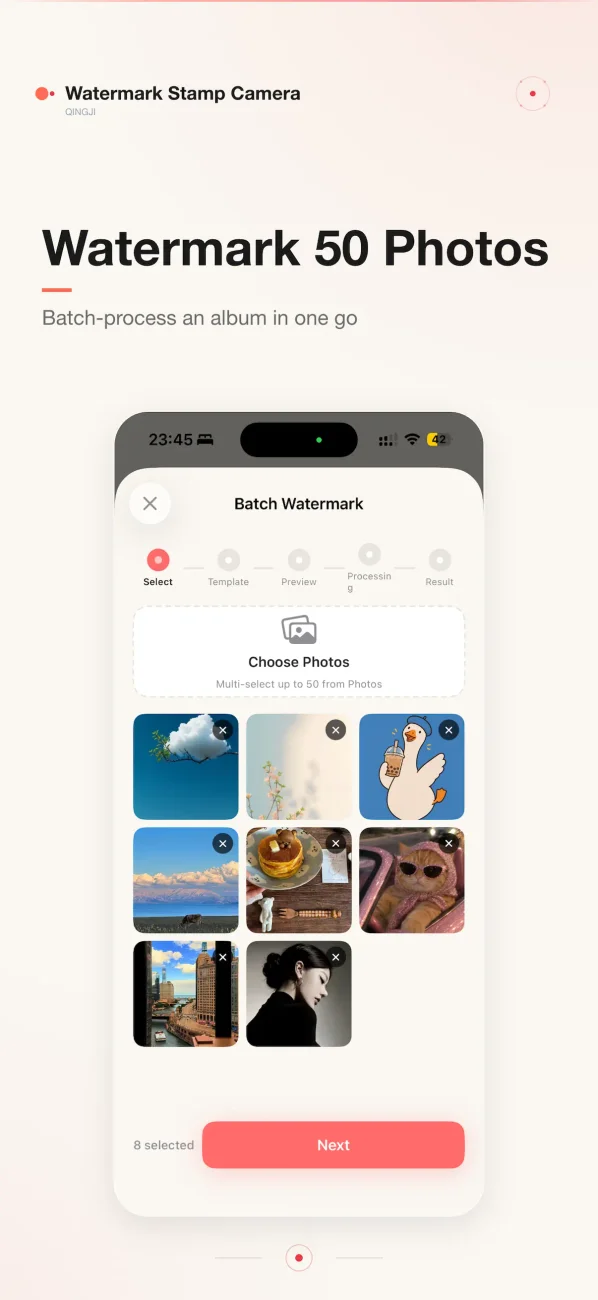
About
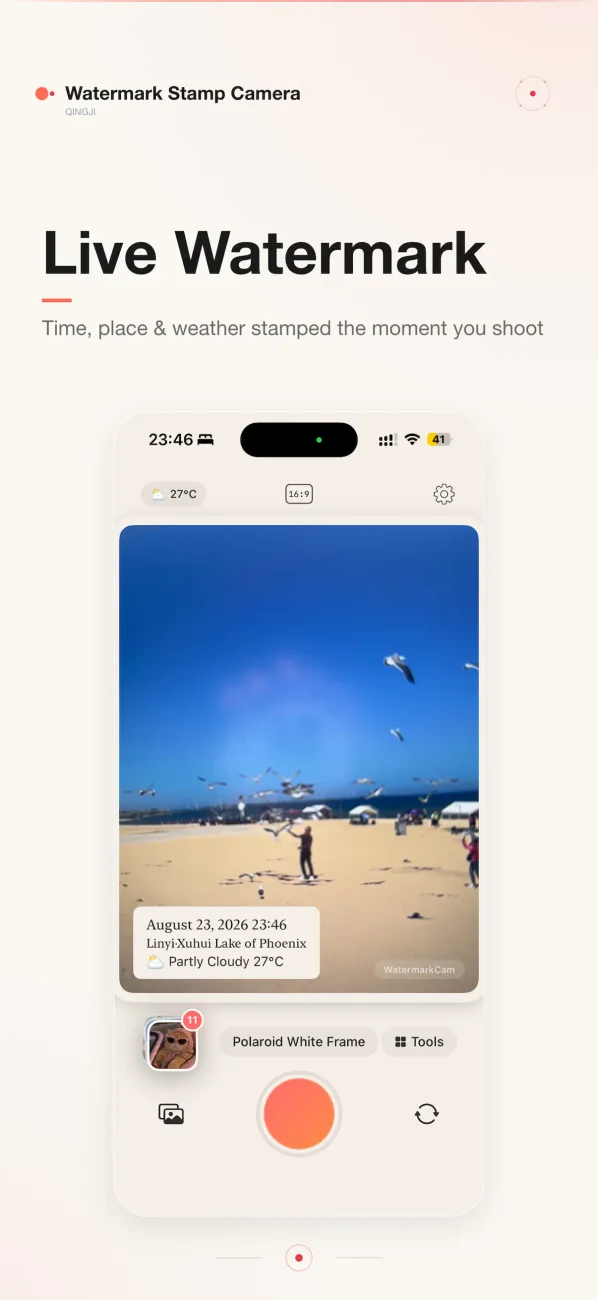
Watermark Stamp Camera stamps date, time, location, altitude and weather onto every photo — just shoot and go.
Who it's for
- Travelers who want every photo tagged with GPS and time
- Site inspectors and field workers: photos that already prove where and when
- Anyone stamping contracts, certificates or reports in one pass
- Parents tracking a baby's growth, month by month
- Foodies, fitness trackers, anyone who wants photos organized with metadata
- Not for PS-level photo retouching
What you can do
1. One-tap watermarked photos
Press the shutter — date, time, place and weather are stamped in real time. No post-editing.
2. Site inspection & field proof
GPS coordinates, altitude and timestamp embedded in the photo — no handwritten logs.
3. Custom stamp engine
Type text to generate a Chinese-style round seal. 6 styles: official, company, date, inspection, personal, fun. Adjust color, size, rotation and position.
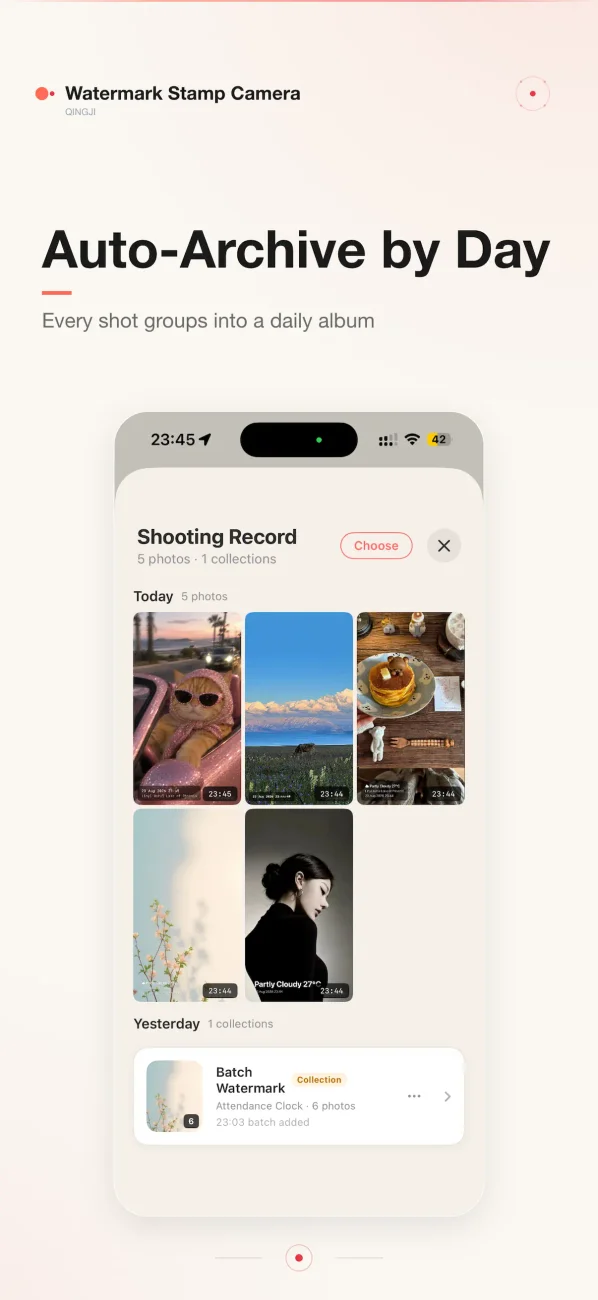
4. Batch watermark (Pro)
Select up to 50 photos from your camera roll and stamp them all at once.
5. Templates for every scene
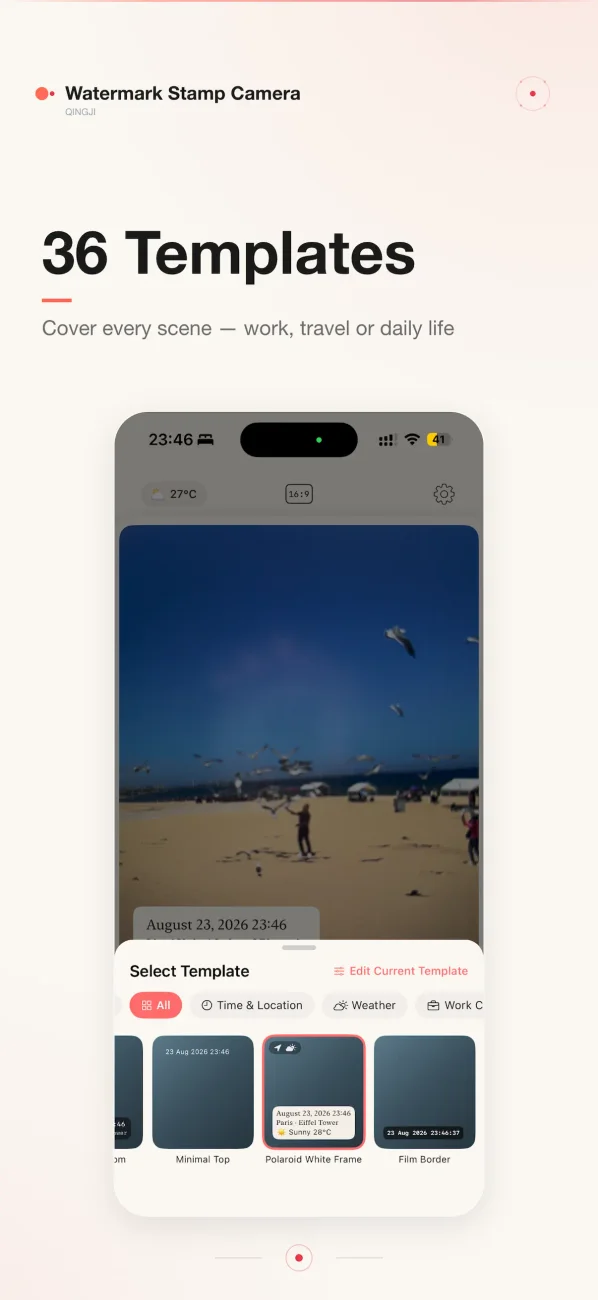
36 scene templates (6 free + 30 Pro): travel, food, fitness, family, work check-in, weather, festivals, quotes. Swipe in the viewfinder to switch templates; create your own and reuse anytime.
6. Document watermark (Pro)
Import a PDF or photos and stamp the whole document in one pass. Choose the pages, then adjust position, angle, size and color with a live preview. Export images at their original ratio — no letterbox — or merge into one PDF, then save to your album. Keep the original and the text stays searchable.
7. Video watermark (Pro)
Pick a video from your library (the app does not record). Your photo watermark is composited onto the frames and exported to your album. See the original file size and an estimated output size before exporting; no fixed duration limit. Switch or edit templates and check the overlay in the preview. Keep the app open while longer clips export.
Why Watermark Stamp Camera is different
Most watermark apps just overlay text. This one generates real-looking Chinese round seals for inspection reports and daily proof, and watermarks PDFs up to 300 pages with page ranges and tiled or single stamps. The UI is Polaroid-inspired cream paper, not a cold tech interface. Everything runs on your device — no upload, no account.
Privacy first
Photos never leave your device. No servers, no tracking, no sign-up.
FAQ
Q: Can I watermark photos I already took?
A: Yes. Batch Watermark (Pro) handles up to 50 photos from your camera roll.
Q: Can I watermark PDF documents?
A: Yes. Document watermark (Pro) imports PDFs up to 300 pages plus photos, stamps only chosen pages, and keeps the original text searchable.
Q: Can I watermark a video?
A: Yes. Video watermark (Pro) picks an existing clip - it does not record. No fixed duration limit, and an estimated output size appears before exporting. Keep the app open for longer clips.
Q: Does it work offline?
A: Date, location and stamps work fully offline. Weather needs an internet connection.
Q: Is weather available in my country?
A: WeatherKit covers most regions; if unavailable, the option hides automatically.
Q: Can I create my own templates?
A: Yes. Adjust layout and fields, save as your template and reuse anytime.
Q: Is this a subscription?
A: No. One-time purchase, lifetime Pro access, Family Sharing supported.
Privacy Policy: https://qingji.shxlab.com/watermark/privacy/
Terms of Use: https://qingji.shxlab.com/watermark/terms/
What’s new
Version 1.4.0 · Nov 8, 2026
New
· Video watermark (Pro): pick a video from your library, add the same watermark you use on photos, and save the result to your album
· Choose a location: pick a nearby place or a spot on the map and use it as the watermark location
Fixes
· The template list now opens at your current template; manually switching categories returns to the top
App privacy
What 开棋 姜 declares on the App Store about how this app handles data.
-
Data not linked to you
May be collected but is not linked to your identity.
- Location
- Usage data
Privacy practices may vary, for example with the features you use or your age.
Information
- Seller
- 开棋 姜
- Category
- Photo & Video
- Version
- 1.4.0
- Updated
- Nov 8, 2026
- Released
- Sep 8, 2026
- Size
- 16.9 MB
- Requires
- iOS 17.0 or later
- Age rating
- 4+
- Price
- Free
- In-app purchases
- Yes
- Languages
- English, Japanese, Simplified Chinese, Traditional Chinese
- Copyright
- © @2026 Shangxi
You might also like
-
 匿答水印相机Photo & Video
-
 Moment Stamp: Photo TimestampAdd Dates, Places & Notes
-
 Mivibe - Presets & EditorPhoto & Video
-
 云鑫水印相机Photo & Video
-
 NostaLens - Vintage CameraPhoto Filters & Analog Effects
-
 GPS水印相机-今日时间地点拍照打卡Photo & Video
-
 Camera Roll Cleaner: SwoofSwipe Delete Photos & Sort
-
 自由水印相机-可修改时间地点Photo & Video
-
 水印相机-时间地点和工作水印,工作拍照记录打卡Photo & Video
-
 GeoProof: GPS Work CameraTimestamp & Location Proof