
- Age rating4+
- CategoryUtilities
- DeveloperWattWächter
- LanguagesEnglish
- Size30.0 MB
Links to the official App Store page
Download.org hosts no file of WattWächter. The button opens its official App Store page, published by WattWächter. Listing last checked on Nov 23, 2026.
Screenshots

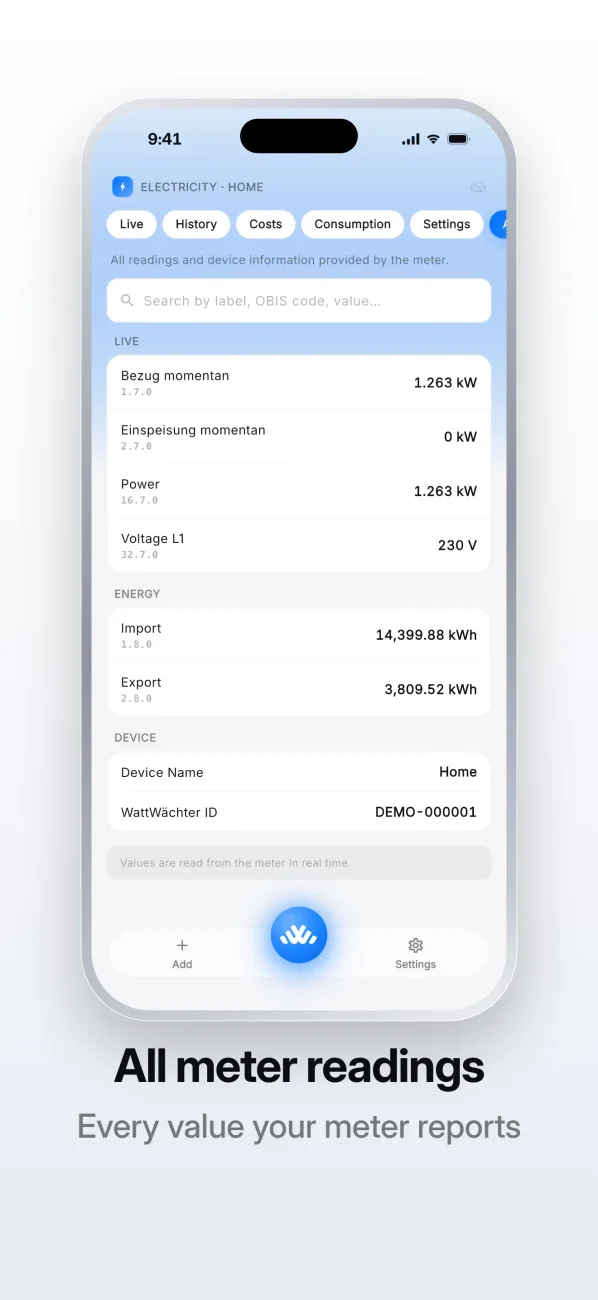
About
The WattWächter app is used to set up and operate WattWächter devices: WattWächter Plus for reading digital electricity meters and WattWächter Gas/Water for gas meters.
With the app, WattWächter devices can be configured, connected to the local Wi-Fi network, and used to follow your consumption — live, over time, and in euros. Communication takes place locally via Bluetooth and the home network.
Note:
This app works exclusively in combination with a WattWächter hardware device (WattWächter Plus or WattWächter Gas/Water).
Features at a glance:
- Setup of WattWächter devices via Bluetooth — choose electricity or gas first, then the app guides you through mounting and setup
- Connection of the device to the local Wi-Fi network
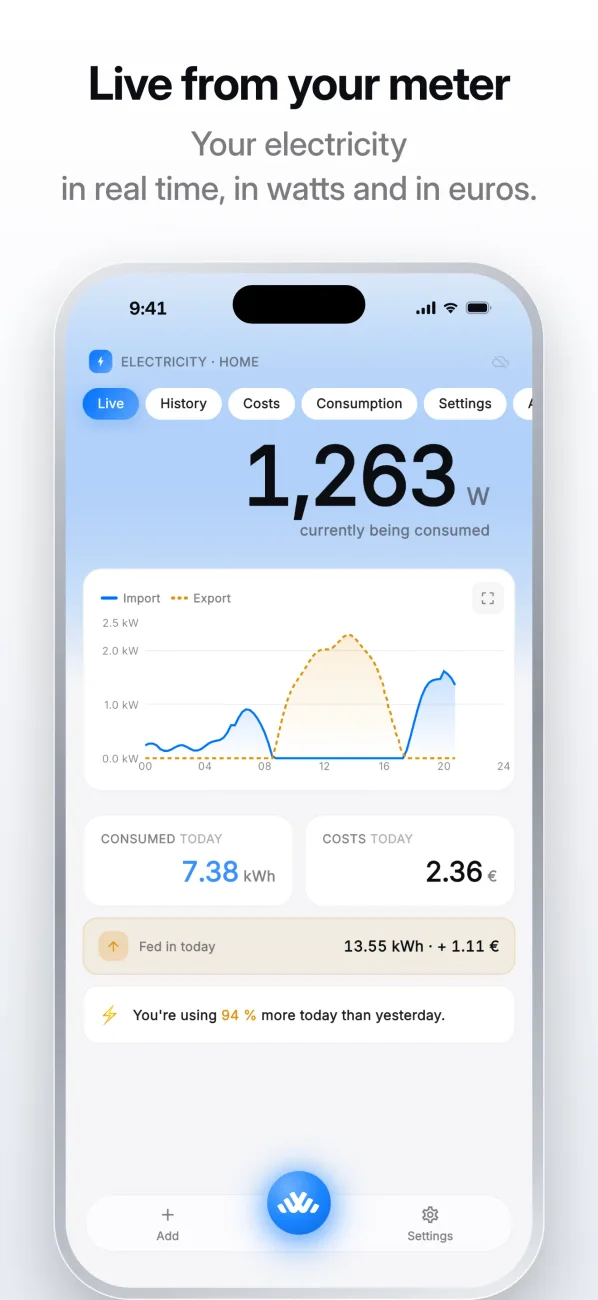
- Live view of current power draw and feed-in
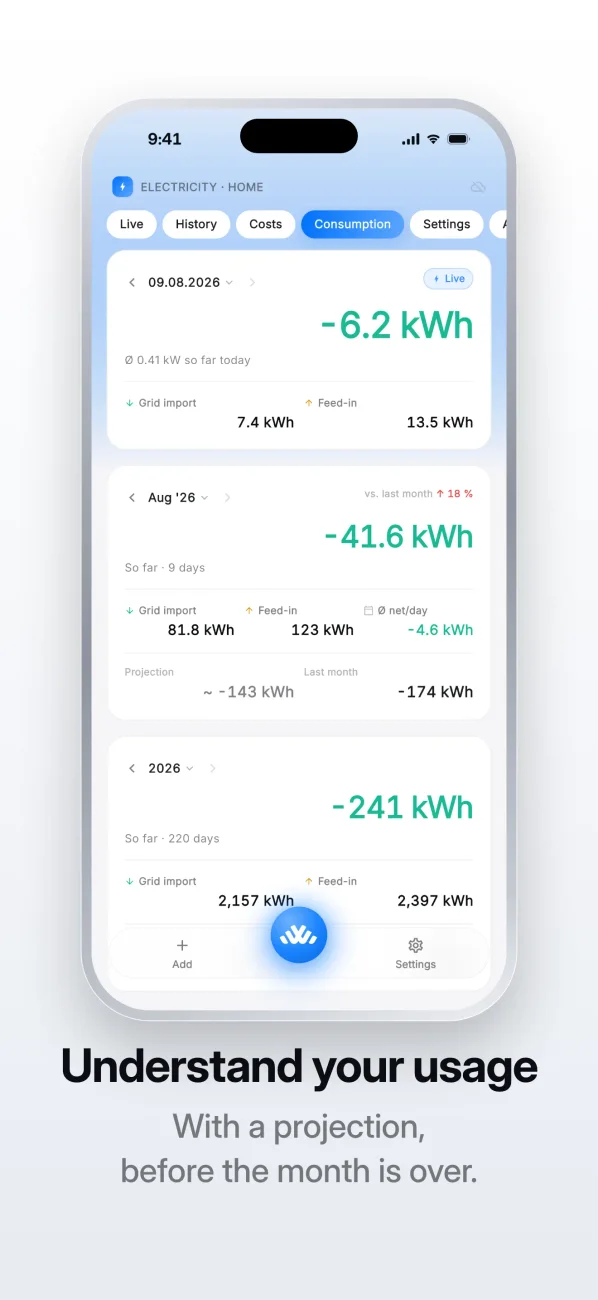
- Electricity: consumption in kWh for today, the current month and the current year
- Gas: consumption in m³ and converted to kWh; enter the meter reading as a correction or after a meter exchange
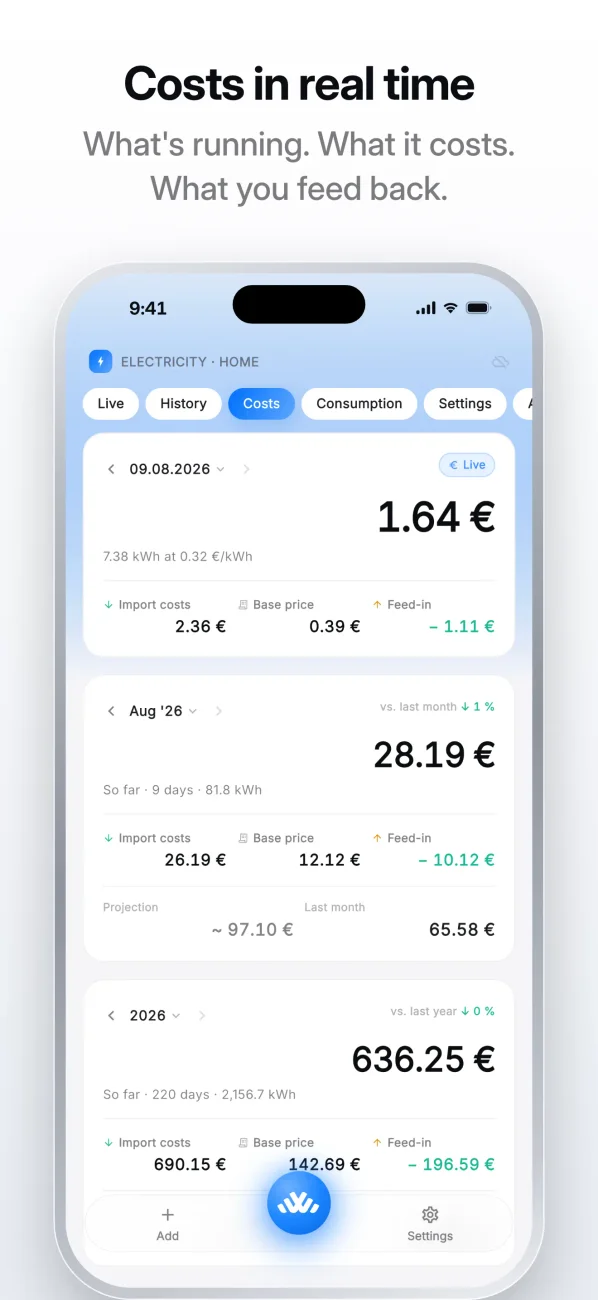
- Costs based on your own tariff: energy price, base fee and feed-in compensation — for electricity and gas
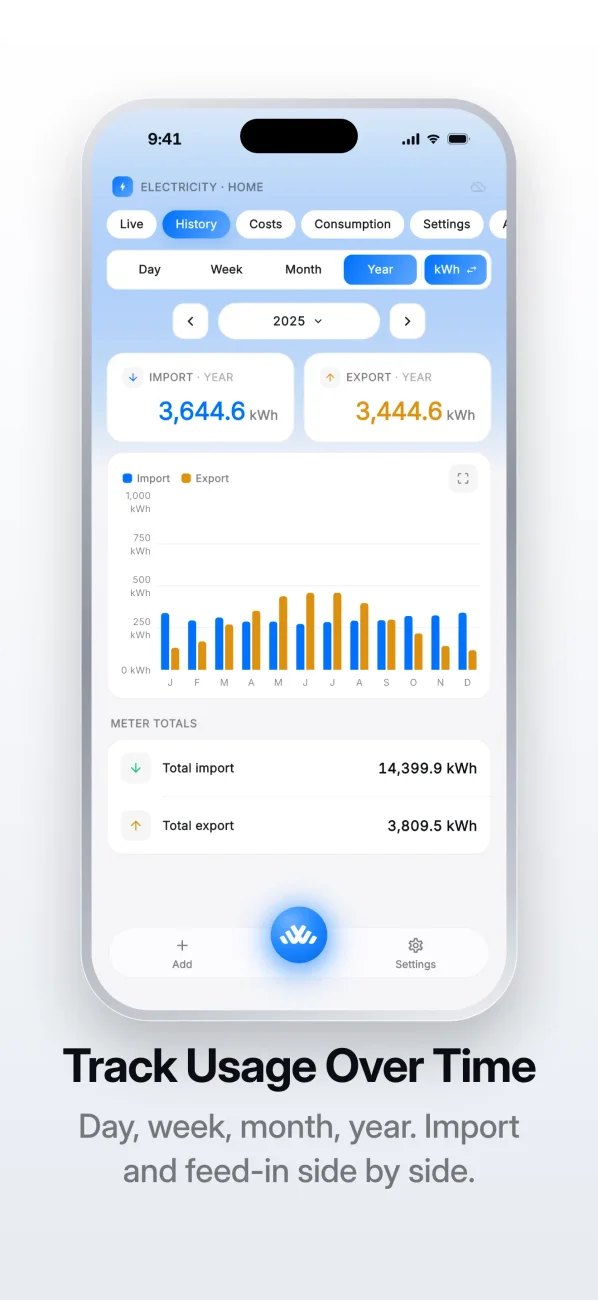
- History for day, week, month and year — swipe between periods, open any chart full screen and zoom in
- For iPhone and iPad, portrait and landscape — with a layout of its own on iPad rather than an enlarged phone view
- Several meters in one app, switch between them at any time
- Status and diagnostic information, with a hint when the device's power supply is too weak
- Export of diagnostic data to support customer service
- Guided tour with demo meters, so the app can be explored before the device arrives
- Available in German, English, Spanish, French, Italian and Dutch, in light and dark mode
The app processes measurement and device data locally. Optionally, data can be synced to the cloud for remote access; an account is only required for that. The account can be deleted directly in the app at any time.
https://www.apple.com/legal/internet-services/itunes/dev/stdeula/
What’s new
Version 2.2.1 · Nov 21, 2026
Version 2.2.1 fixes issues in the history and better protects your credentials.
History
- If the WattWächter was offline for a while, for example because the Wi-Fi is switched off at night, the day chart no longer shows a tall spike afterwards. The app spreads the consumption evenly over the gap and marks it as "Offline (Ø)"
- Days without any connection show a hint instead of 0.00 kWh
- Meter readings, daily values and costs are up to date when you return to the app, also across midnight
- The day chart in the live view keeps loading while the app is open
- The full-screen chart keeps its axis labels, and the scale follows the zoom
Security
- Sign-in and the devices' API tokens are now kept in the Keychain
- You stay signed in longer: a new sign-in now lasts 12 months instead of 4
- After moving to a new iPhone, the app points out devices whose API token needs to be entered again
Also
- Support form: find your meter by searching
- Smaller fixes when adding devices and for the power supply hint
App privacy
What WattWächter declares on the App Store about how this app handles data.
-
Data not linked to you
May be collected but is not linked to your identity.
- Diagnostics
Privacy practices may vary, for example with the features you use or your age.
Information
- Seller
- SmartCircuits GmbH
- Category
- Utilities
- Version
- 2.2.1
- Updated
- Nov 21, 2026
- Released
- Jan 18, 2026
- Size
- 30.0 MB
- Requires
- iOS 15.0 or later
- Age rating
- 4+
- Languages
- English
- Copyright
- © SmartCircuits GmbH
You might also like
-
 EDL21 Control - Meter PINEasy power meter unlock
-
 energieleser (prv. stromleser)Track energy & save costs
-
 Meter Flashy ThingElectricity meters PIN-Code
-
 smartnetzUtilities
-
 Tasmotrol: Tasmota & ShellyLocal smart home, no cloud
-
 sHomeCentralAccess devices easily/directly
-
 ZählerfreundeUtilities
-
 IOmeter PlusUtilities
-
 IOmeterUtilities
-
 Moe - Modulare EnergieUtilities