- Age rating4+
- CategoryMusic
- DeveloperSnorkel Audio, Inh. Michael Kaisser
- Size10.1 MB
Links to the official App Store page
Download.org hosts no file of Wave Collider. The button opens its official App Store page, published by Snorkel Audio, Inh. Michael Kaisser. Listing last checked on Nov 20, 2026.
Screenshots

About
A sonic playground where two waveforms collide to create the unexpected.
PLEASE READ BEFORE BUYING
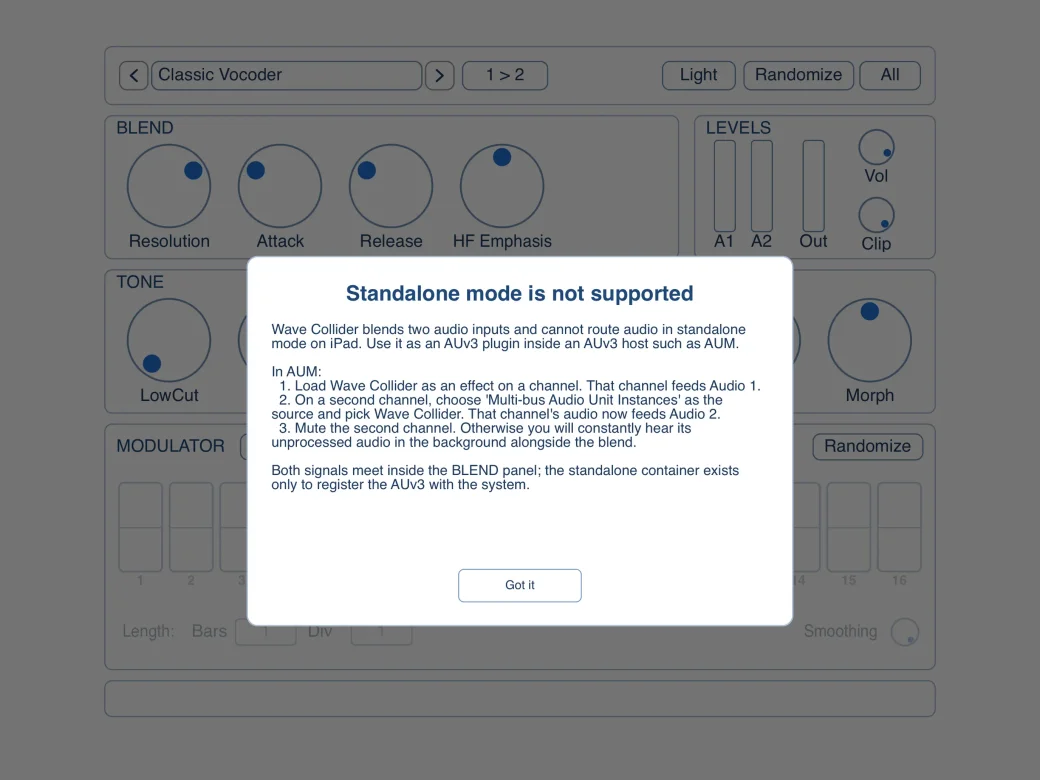
Wave Collider is an AUv3 effect that combines two audio signals into one. To use it on iPad you need an AUv3 host that supports multi-bus routing, such as AUM. It cannot run as a standalone instrument, and single-input hosts will only feed it one of the two signals it needs. Full setup recipe is further down this page.
WHAT IT IS
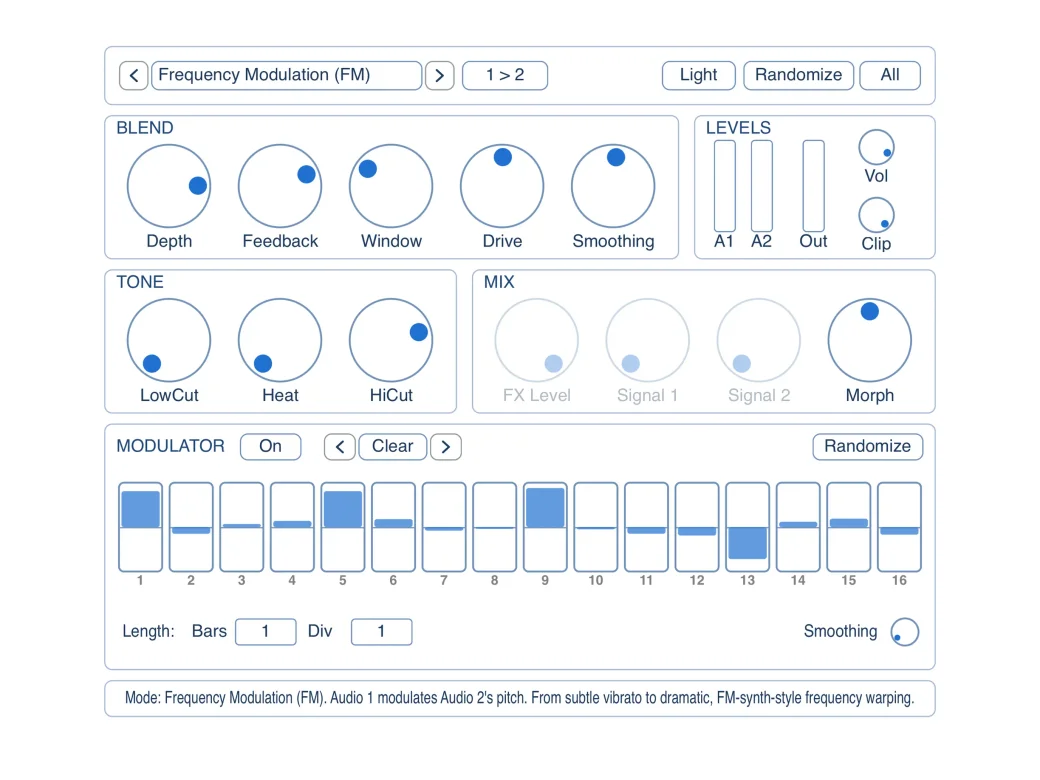
A sonic playground where two waveforms collide to create the unexpected. 22 blend modes, from classic vocoders to bin-interleaved spectral chaos, driven by a 16-step modulator. Built for sound designers, producers, and musicians who like turning two ordinary sources into something strange, beautiful, or both.
WHAT IT DOES
Wave Collider takes two audio sources and runs them through one of 25 blend modes:
* Spectral: Classic Vocoder, FFT Vocoder, Distorted Vocoder, Frequency Splice, Spectral Gate, Phase Swap, Bin Interleave
* Modulation: Frequency Modulation, Amplitude Modulation, Ring Modulation
* Dynamics: Sidechain Duck, Amplitude Follow
* Stochastic: Probabilistic
* Time: Scrub
* Math: Min, Max, Subtract, Absolute Difference, Divide, Sign Multiply, XOR
* Granular: Rain, Hail, Cloud
Additional features:
* Use the 16-step modulator to sweep the blend in time with the host.
* Three Randomize options make exploration fast
* Use the Morph dial to crossfade between Audio 1, the FX result, and Audio 2.
* Every parameter is fully automatable from the host.
WHAT IT SOUNDS LIKE
Wave Collider can be glitchy, trippy, and aggressive. It can also be smooth and musical. The same plugin that produces brutal ring-mod overtones can produce a gentle vocoded pad two dials later. Many modes are extreme by design, and the Soft-Clip Ceiling acts both as a safety net and as a tone-shaping saturator.
SETUP IN AUM
1. Load Wave Collider as an effect on the first channel. That channel feeds Audio 1.
2. On a second channel, choose 'Multi-bus Audio Unit Instances' as the source and pick Wave Collider. That second channel feeds Audio 2.
3. Mute the second channel. Otherwise its unprocessed audio plays in the background alongside the blend.
Without this routing, Wave Collider only receives one signal and most blend modes will sound silent or dry. The standalone app on the App Store exists only to register the AUv3 with iOS and shows the same routing instructions on launch.
REQUIREMENTS
* iPad with iOS 14 or later
* An AUv3 host that supports two audio inputs, e.g. AUM
What’s new
Version 1.1.0 · Jul 24, 2026
Version 1.1 brings you three new granular blend modes: Rain, Hail and Cloud!
App privacy
What Snorkel Audio, Inh. Michael Kaisser declares on the App Store about how this app handles data.
-
Data not collected
The developer does not collect any data from this app.
Privacy practices may vary, for example with the features you use or your age.
Information
- Seller
- Snorkel Audio, Inh. Michael Kaisser
- Category
- Music
- Version
- 1.1.0
- Updated
- Jul 24, 2026
- Released
- Apr 30, 2026
- Size
- 10.1 MB
- Requires
- iOS 15.0 or later
- Age rating
- 4+
- Price
- $3.99
- Copyright
- © 2026 Snorkel Audio
You might also like
-
 bitcrustSID-style polyphonic synth
-
 MelthavenNote-triggered phase shifter
-
 Kombinat4Multi-Band Distortion Plugin
-
 Traverse Lo-Fi Tape EffectLo-fi tape delay AUv3 plugin
-
 Raven SynthDual-oscillator drawable synth
-
 Celestine Granular FXLive-buffer granular AUv3
-
 RetroLab - Vintage FXMusic
-
 BLEASS Spectral ResonatorColour Your Frequencies
-
 Strange - Chaos Distortionchaos waveshaping distortion
-
 FALSE MEMORYAudio Disintegration Effect