WaveTone Studio
Audio & Ringtone Editor
Designed for iPhone, iPad
Free · In-app purchases
- Age rating4+
- CategoryUtilities
- DeveloperKurenz Music GbR
- LanguagesEnglish+ 17 more
- Size4.4 MB
Links to the official App Store page
Download.org hosts no file of WaveTone Studio. The button opens its official App Store page, published by Kurenz Music GbR. Listing last checked on Nov 15, 2026.
Screenshots


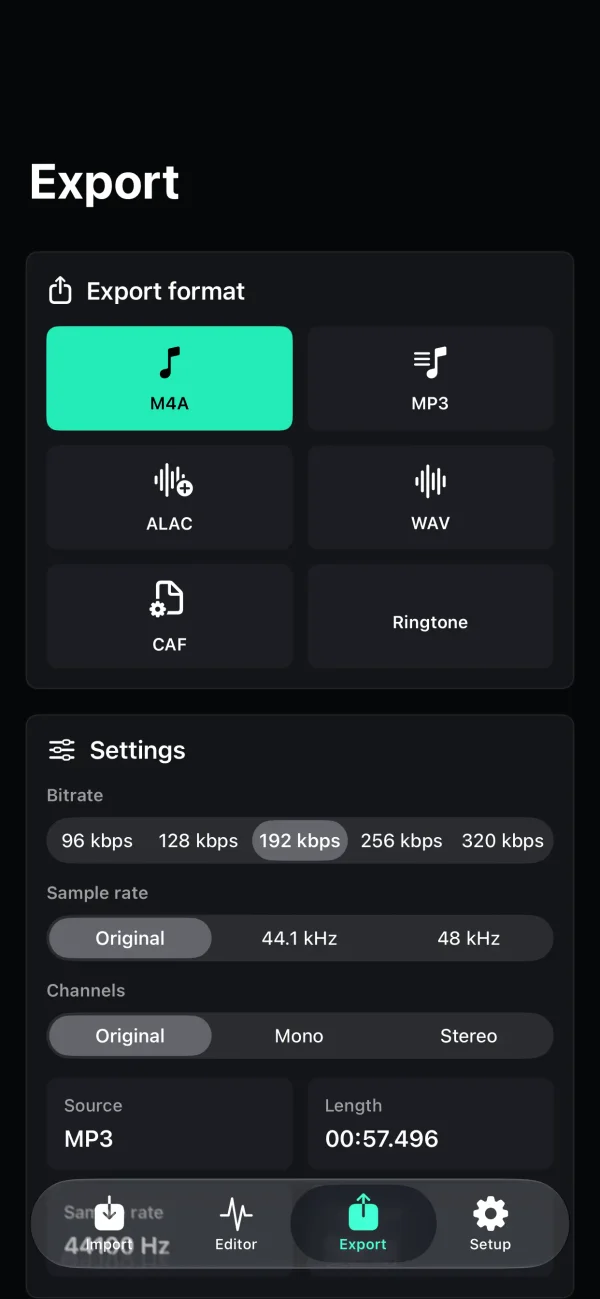
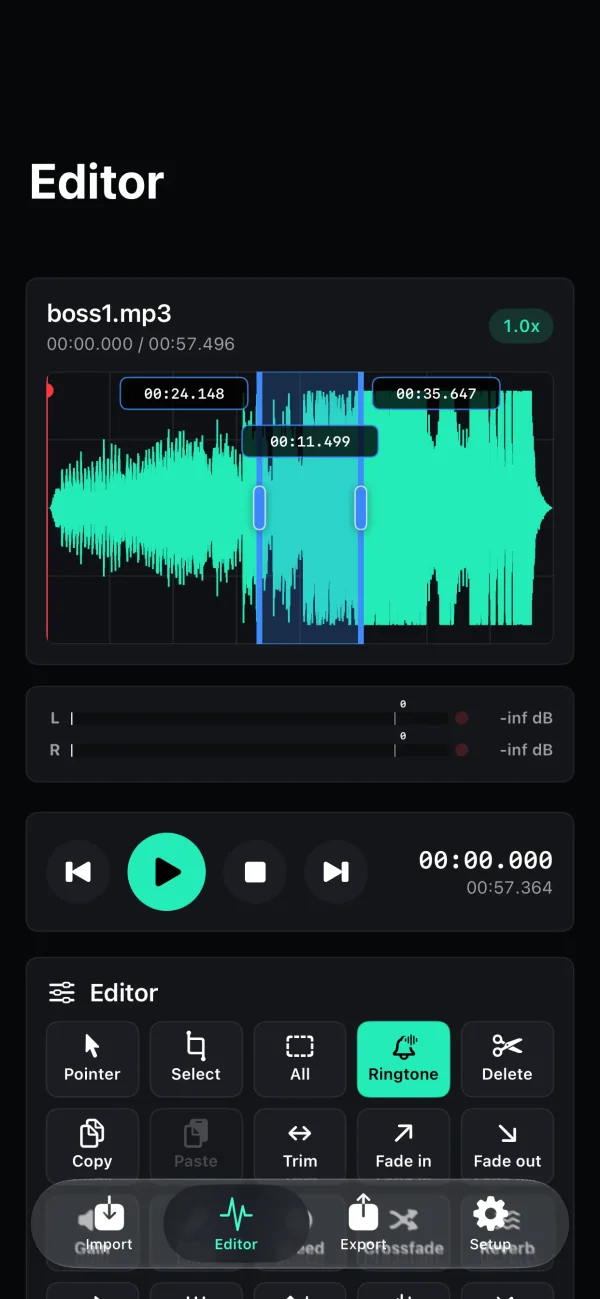
About
WaveTone Studio is a powerful mobile audio studio for iPhone and iPad. Import audio and video files, record directly with the microphone, edit waveforms precisely, and export results for music, clips, podcasts, ringtones, or quick audio ideas.
Import MP3, WAV, M4A/AAC, AIFF, CAF, OGG, OGA, and Opus. You can also select compatible MOV, MP4, and M4V videos from Files or Photos. WaveTone Studio automatically extracts the audio track and loads it into the editor.
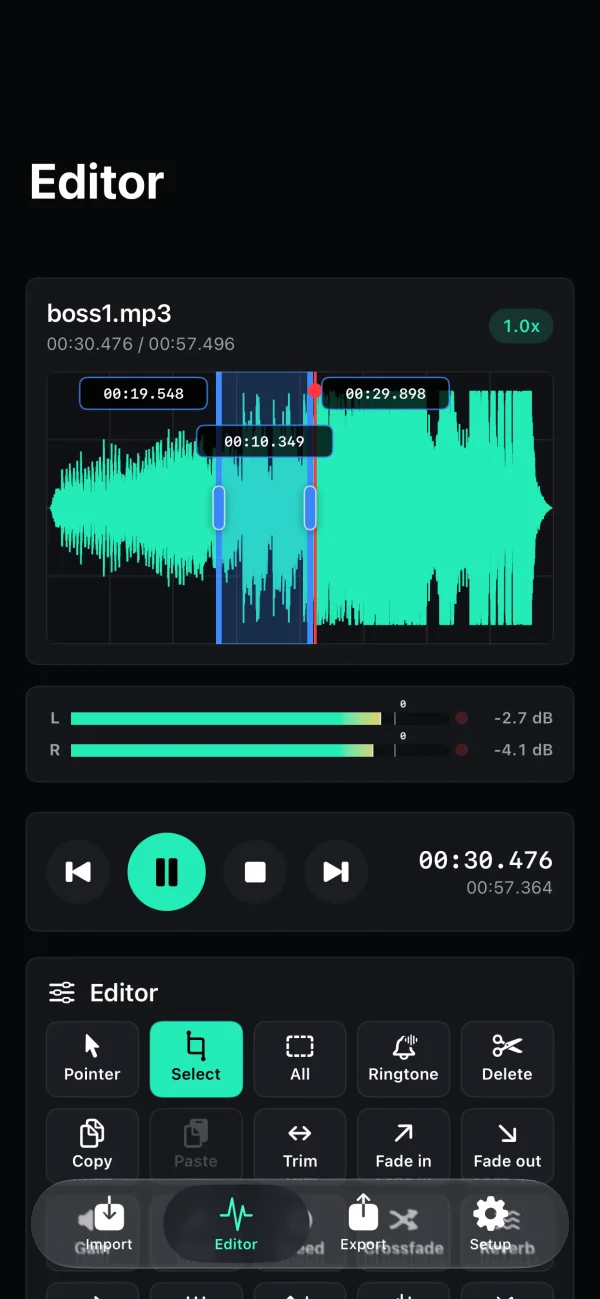
Your audio is displayed as a clear waveform with zooming, scrolling, and a playhead. Pinch-to-zoom stays centered between your fingers. Place the playhead anywhere and start playback from that exact position. Selections show their start, end, and duration directly in the waveform, and both selection handles can be dragged for precise adjustment. A compact mini waveform remains visible while you scroll through the editor.
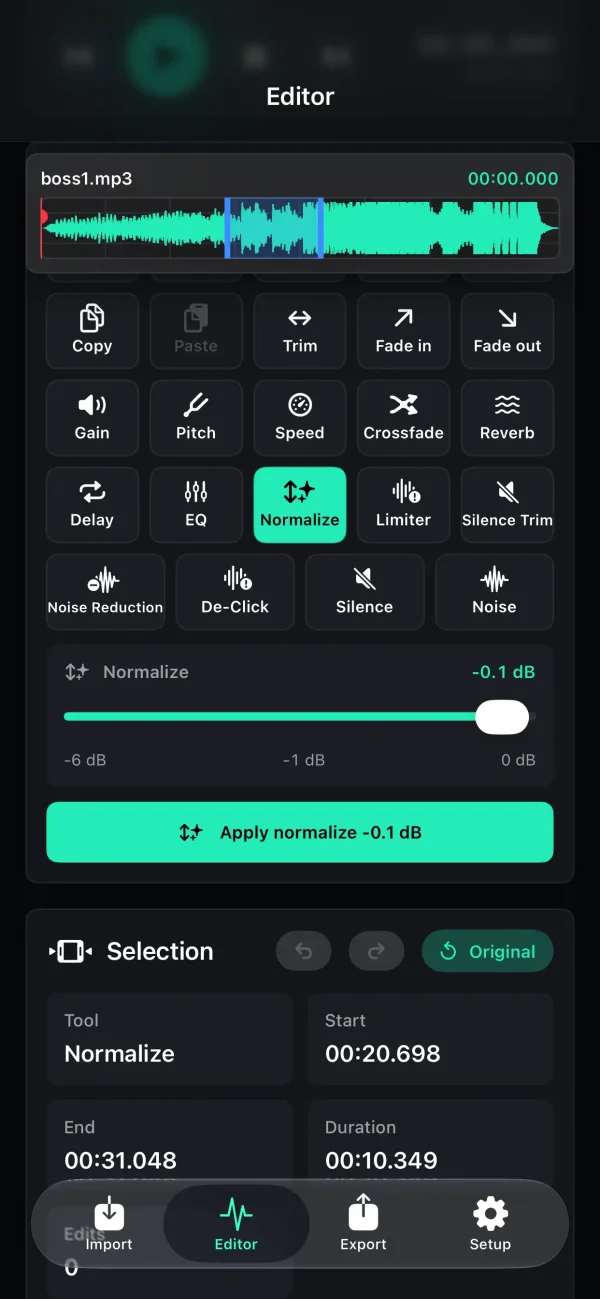
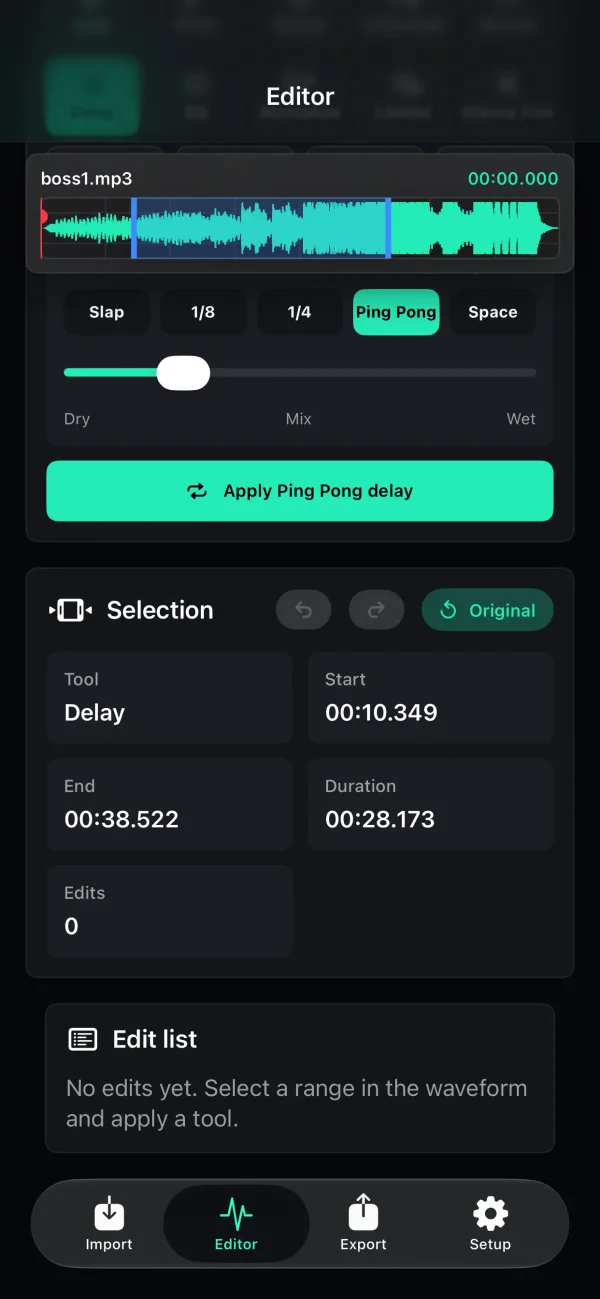
Select ranges, select all, delete, trim, copy, paste, fade in or out, and adjust gain. VU meters with clipping indicators help you monitor levels. Silence Trim, Noise Reduction, and De-Click help clean up unwanted passages. Creative and technical tools include Pitch, Speed, Crossfade, EQ, Reverb, Delay, Normalize, Limiter, and generators for silence and noise.
Export in common audio formats with options for bitrate, sample rate, and channels. Ringtone ranges can be selected, moved, previewed, and exported directly in the editor. Share or save finished files through the iOS share sheet.
WaveTone Studio is made for musicians, content creators, podcasters, DJs, editors, and anyone who wants to edit audio quickly and precisely on a mobile device.
Free features:
- Audio and video import
- Audio extraction from videos
- OGG, OGA, and Opus import
- Microphone recording
- Waveform with zoom, scrolling, and position-accurate playback
- Draggable selection handles with time labels
- Delete, copy, paste, trim, fades, and gain
- Standard export
- Ringtone export up to 10 seconds
Included with Pro:
- MP3, WAV, CAF, and ALAC export
- Ringtone export up to 30 seconds
- Pitch, Speed, and Crossfade
- Reverb, Delay, and EQ with presets
- Normalize and Limiter
- Silence Trim, Noise Reduction, and De-Click
- Insert silence and generate noise
What’s new
Version 1.4 · Sep 29, 2026
- Draggable start and end markers directly in the waveform
- Start, end, and selection duration shown at a glance
- Precise pinch-to-zoom centered between your fingers
- Playback starts from the selected position
- Improved MP3, OGG, OGA, and Opus imports
- Redesigned equalizer controls
- Additional stability improvements
App privacy
What Kurenz Music GbR declares on the App Store about how this app handles data.
-
Data not collected
The developer does not collect any data from this app.
Privacy practices may vary, for example with the features you use or your age.
Information
- Seller
- Kurenz Music GbR
- Category
- Utilities
- Version
- 1.4
- Updated
- Sep 29, 2026
- Released
- Jul 9, 2026
- Size
- 4.4 MB
- Requires
- iOS 18.0 or later
- Age rating
- 4+
- Price
- Free
- In-app purchases
- Yes
- Languages
- English, Arabic, Dutch, French, German, Hindi, Indonesian, Italian, Japanese, Korean, Polish, Portuguese + 6 more
- Copyright
- © Copyright 2026 - Kurenz Music
You might also like
-
 音频剪辑 – 手机铃声制作&mp3多格式音乐剪辑音乐创作提取Utilities
-
 FNam FFT Spectrogram AnalyzerUtilities
-
 AudioCutUtilities
-
 Denoiser: Audio Noise RemoverAI Voice & Video Cleaner
-
 Audio Studio: Sound&MP3 EditorTrim, Cut, Merge & Fade Music
-
 Sound Enhancer - Audio EditorLouder Volume Amplifier Music
-
 Kora - Komari Server MonitorVPS metrics, charts & widgets
-
 SoundSpice: Audio EnhancerPodcast & voice noise cleaner
-
 音频编辑Utilities
-
 GamingReminderFPS/TPS Tactical Reminders