
- Age rating4+
- CategoryHealth & Fitness
- DeveloperMartin Tae
- LanguagesKorean+ 10 more
- Size46.8 MB
Links to the official App Store page
Download.org hosts no file of Waylapse. The button opens its official App Store page, published by Martin Tae. Listing last checked on Nov 22, 2026.
Screenshots



About
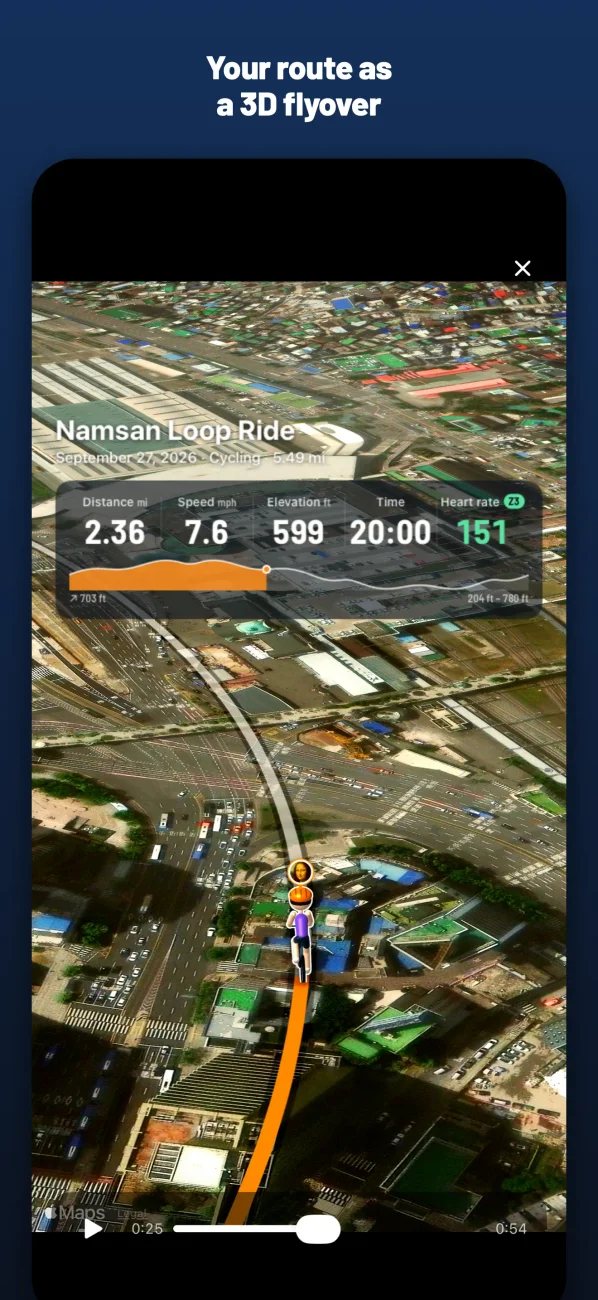
Waylapse turns your running, cycling and walking records into flyover videos over satellite 3D terrain.
No server, no account. Import a workout, pick a style, make the video.
■ Import
• Workouts recorded on Apple Watch or iPhone (Health app)
• GPX, TCX and FIT files — open exports from Garmin, Wahoo, COROS, Strava and others via the Files app or the share sheet
• Garmin Connect account sync (optional)
■ 3D camera
• Follow — a drone view that tracks your direction of travel
• Orbit — slowly circles your current position
• Overview — looks down on the whole route
• Automatic intro and outro; satellite, satellite+labels, standard and dark 3D maps
■ Show yourself on the map
• Dot, sport icon or heading arrow
• Profile photo badge — pick from Photos or take one now, with a circular crop editor
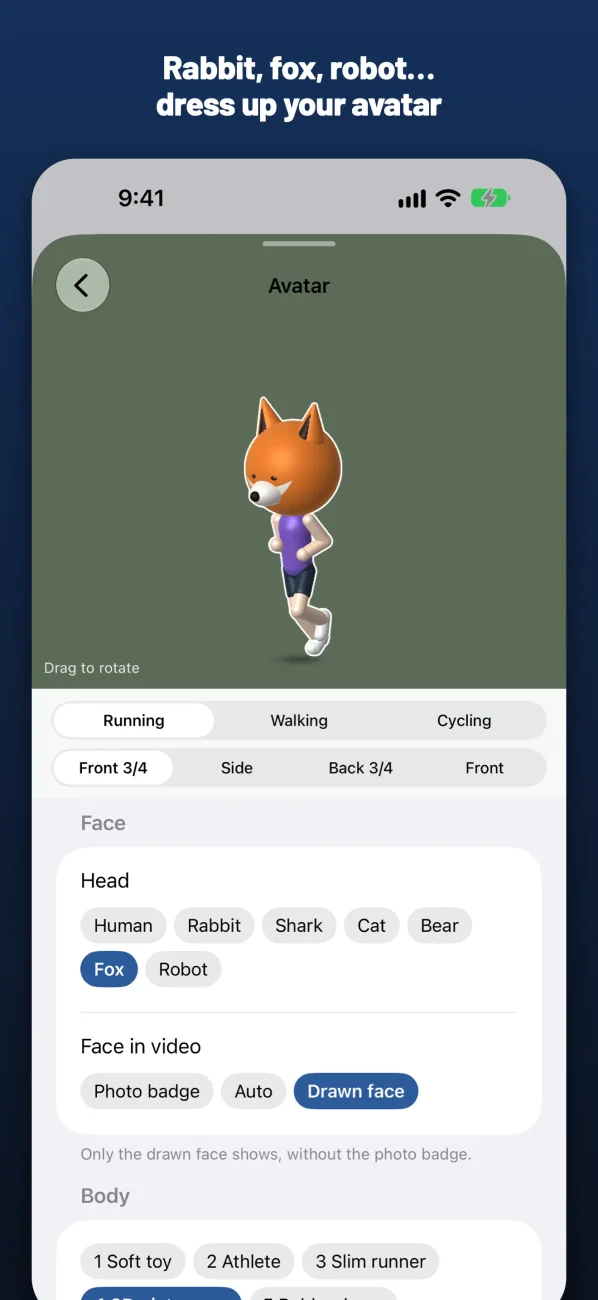
• Your avatar — a 3D or 2D character that runs, walks or pedals, with a different motion for each sport
■ On-video stats
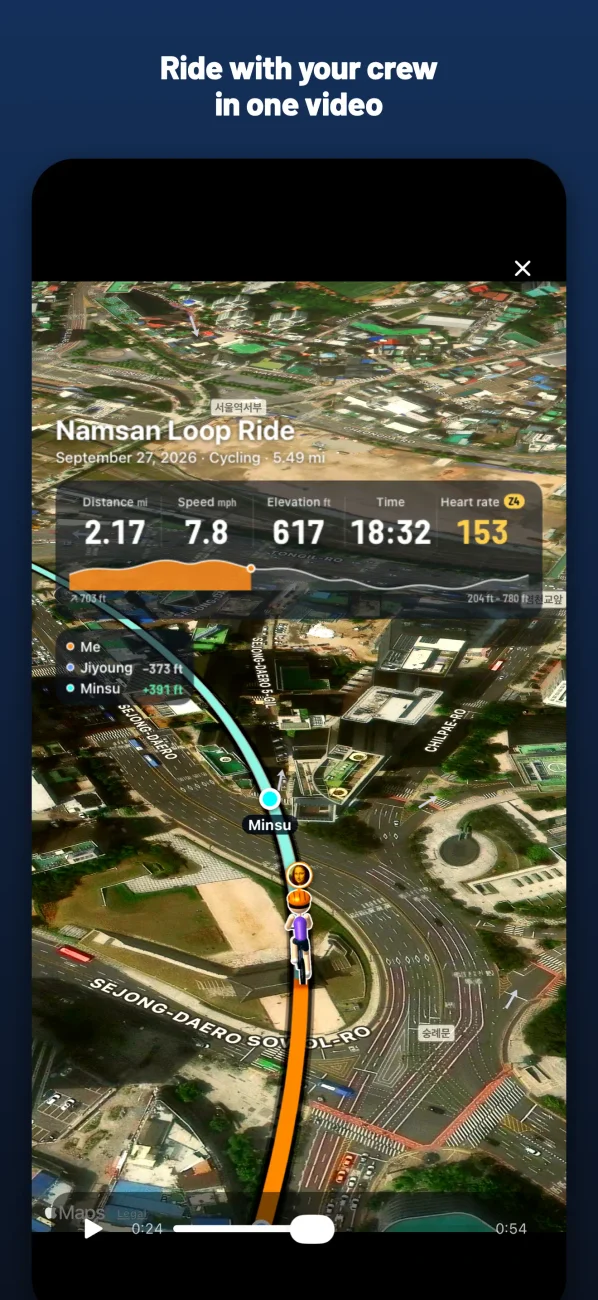
• Title and date, distance, speed or pace, elevation, elapsed time, heart rate, elevation profile with progress
• Three layout presets — the default top stack stays clear of Reels and Shorts UI
• Toggle each item, choose the route colour (including custom colours)
• Background music — bundled tracks or your own files
■ Length and output
• Compress the ride to any speed-up (60× by default) or set a fixed length
• Portrait 9:16, landscape 16:9, square 1:1, feed 4:5; 720p/1080p; 24/30/60 fps
• Save to Photos or send straight to the share sheet
■ Your data stays on your device
Everything is processed on your iPhone or iPad. Health data and routes never leave the device. There are no ads.
Maps and 3D terrain are provided by Apple Maps.
■ New in 1.10 — 3D avatar and decorations
• Your 3D avatar runs, walks and rides on the map. Body shape, limb length, hairstyle, headwear, colours and a natural-proportion body
• Character heads (rabbit, shark, cat, bear, fox, robot), sunglasses and cheek paint; face as photo badge, drawn face or Auto
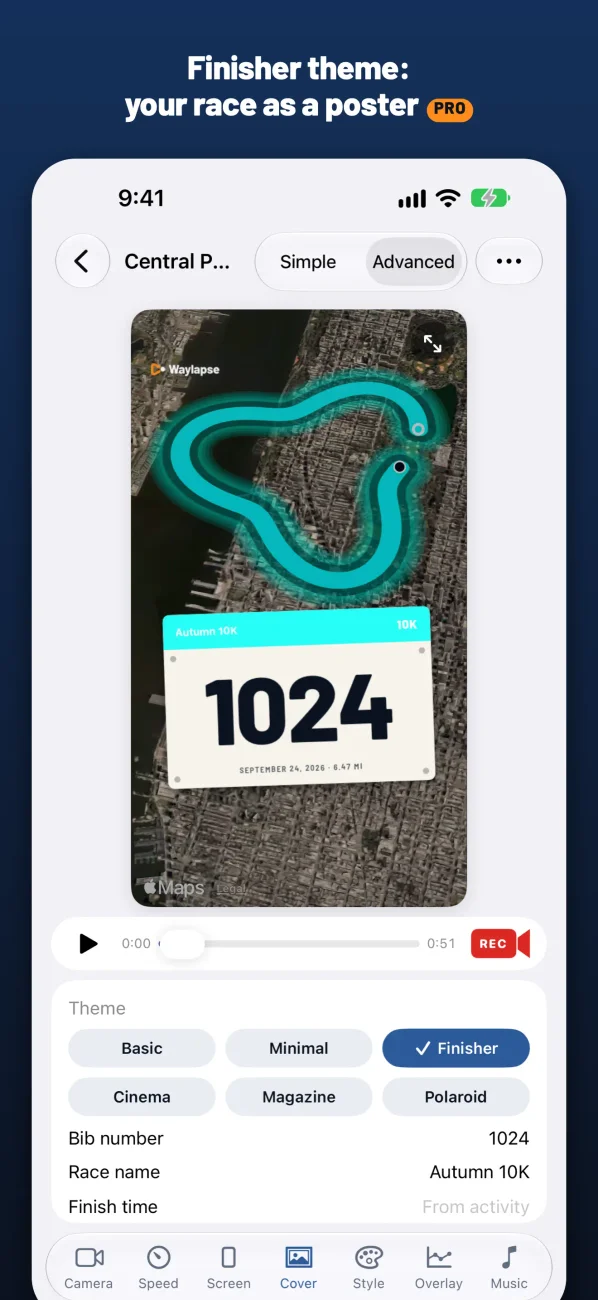
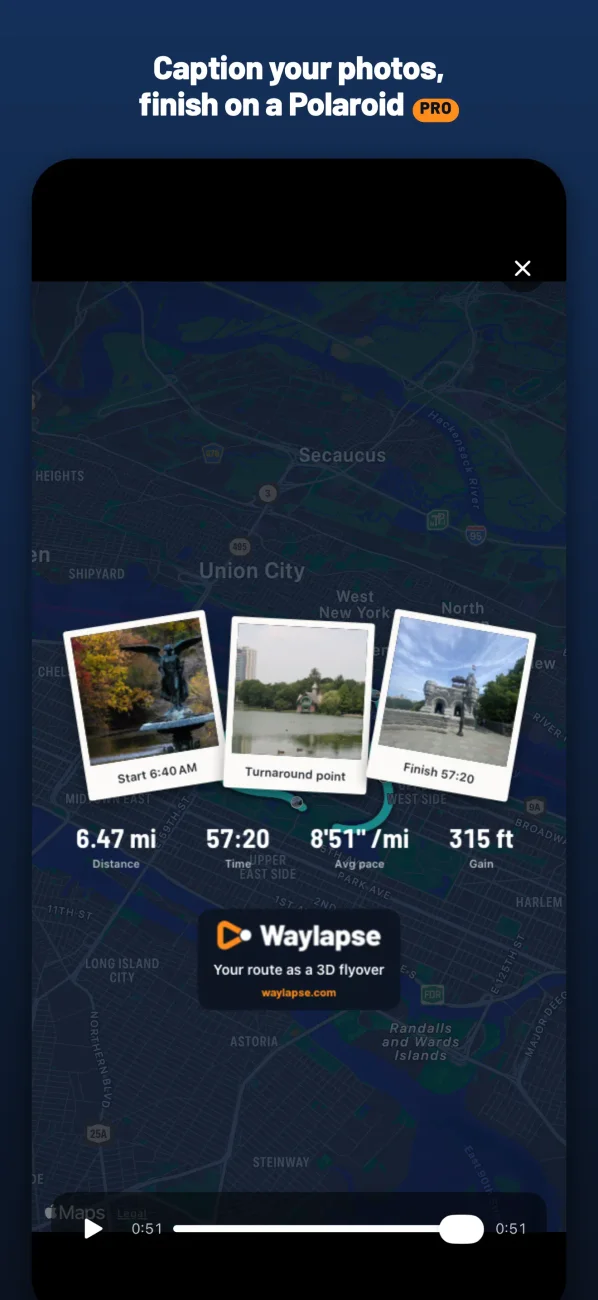
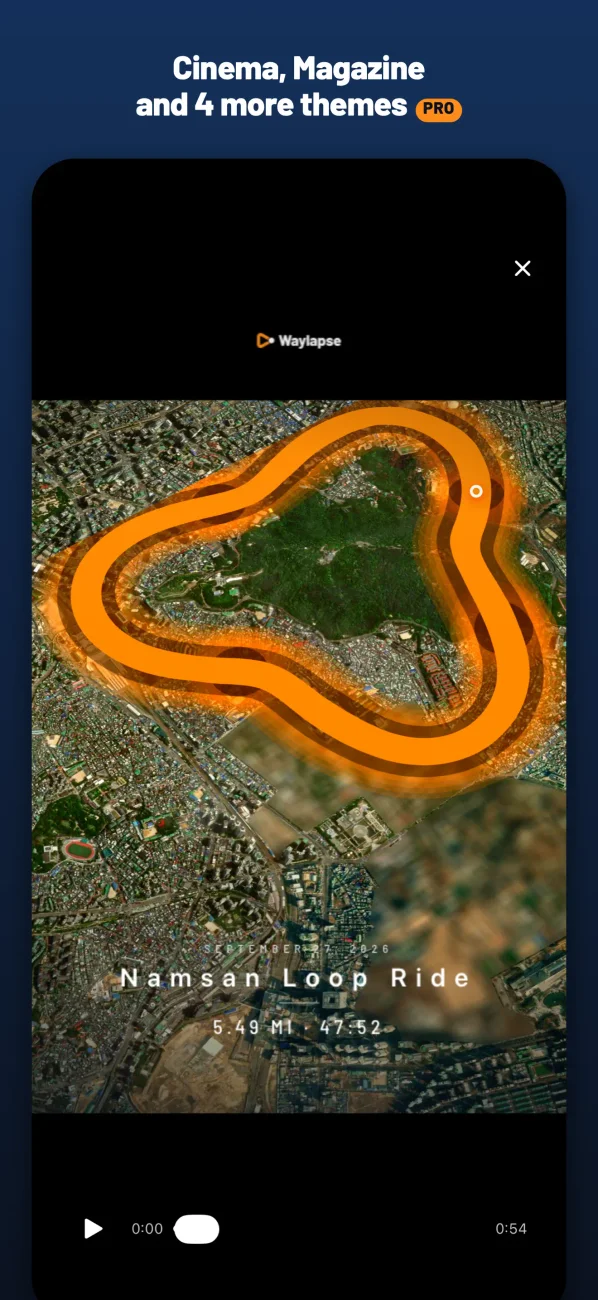
• Seven intro & outro themes: Basic, Minimal, Year, Finisher (bib, race name, finish time), Cinema, Magazine and Polaroid
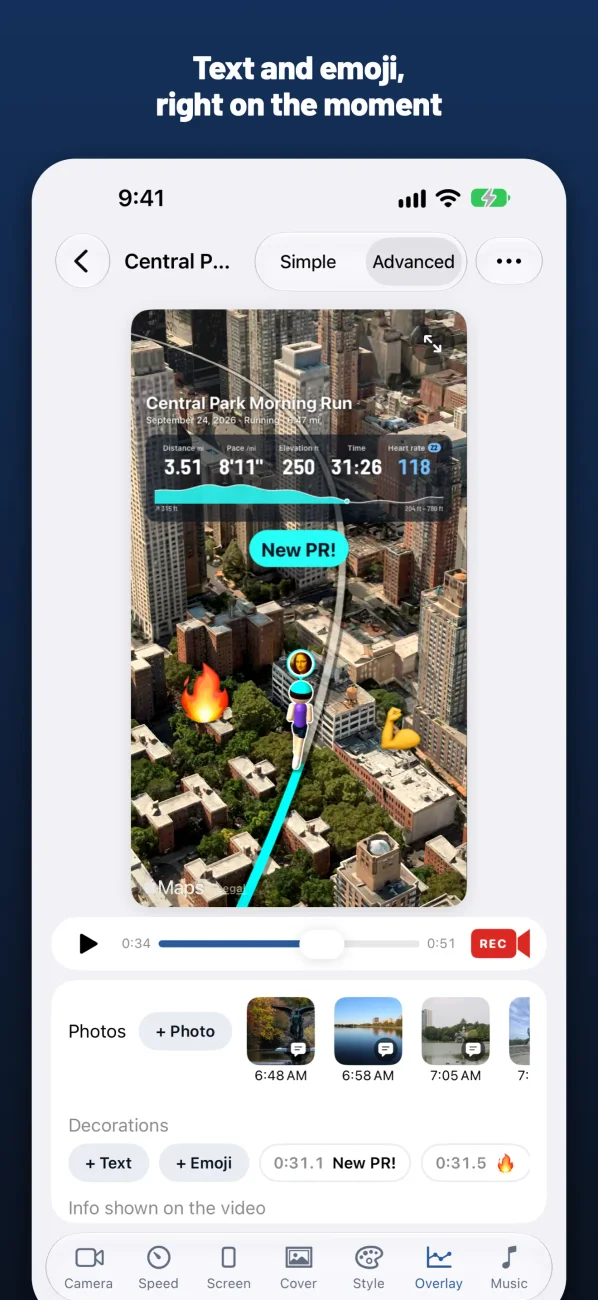
• Decorations: text and emoji at any moment (3 s by default, 0.5–10 s), with style, size and position
• Photo captions and photo cards on the beat
■ Editing and sharing
• Simple editor: pick where you'll post and a look; every tool is still in Advanced
• iPad, map colours, photos on the route, Instagram Stories sharing, new workout alerts
• Privacy zone, trim, skip stops, km/mi, local time zone, automatic names
• Heart-rate zones, cadence, highlights, outro summary with km splits
• Multisport (triathlon, brick) and Crew; caption copy, cover image, stat sticker
■ Free and Pro
• Free: 3D videos in 720p, trim and Hide home, Basic, Minimal and Year themes, 1 text and 2 emoji per video, 3 photos with captions
• Pro: Your video, no branding · 4 intro & outro themes · Unlimited text & emoji · 30 photos on your route · 1080p · 60fps · up to 10 min
• Pro monthly or yearly (yearly with a 7-day free trial) and Pro Lifetime. HD for one video: the first one is on us, then buy HD once
• Try Pro items in the preview first, or make the video without them
Available in 10 languages. The language in videos can be set separately.
Terms of Use (EULA): https://www.apple.com/legal/internet-services/itunes/dev/stdeula/
Privacy Policy: https://waylapse.com/privacy.html
What’s new
Version 1.11.2 · Nov 17, 2026
• Tidier menus: import everything from the + button in one sheet, and Settings is now five clear groups
• In the editor, pick-one options and on/off switches now look different, and resolution and frame rate moved to the Make Video screen
• Preview Pro map colors and looks for free; you choose when you make the video
• The 3D avatar now pedals the bike forward
• Garmin Connect: tapping a workout without a GPS route now tells you why it can’t be imported
App privacy
What Martin Tae declares on the App Store about how this app handles data.
-
Data not linked to you
May be collected but is not linked to your identity.
- Location
- Identifiers
- Usage data
- Diagnostics
Privacy practices may vary, for example with the features you use or your age.
Information
- Seller
- Martin Tae
- Category
- Health & Fitness
- Version
- 1.11.2
- Updated
- Nov 17, 2026
- Released
- Sep 27, 2026
- Size
- 46.8 MB
- Requires
- iOS 17.0 or later
- Age rating
- 4+
- In-app purchases
- Yes
- Languages
- Korean, Kupia, German, Spanish, English, Italian, Japanese, Simplified Chinese, Traditional Chinese, Portuguese, French
- Copyright
- © 2026 Waylapse
You might also like
-
 VoyagrK3D Replays of Every Adventure
-
 KuaFu: Workout Video DashFIT Overlay & GPX HUD
-
 Urja: Daily ReadinessRecovery, energy & blood work
-
 Newborn Log: Baby TrackerFeeding, diapers & growth log
-
 State - Performance SystemTrain. Recover. Fuel. Repeat.
-
 VentureCam: 3D Workout ReplaysCinematic Editor Save Memories
-
 ResetRun - Light Run TrackerData import and export options
-
 Pulsta-Strava Image&VideoCreate Strava Photos & Videos
-
 LifeCare RadarAI Powered Life Care Radar
-
 unfold — Workout Replay in 3DThen and now on the same route