
Waypointer - GPS Compass
Waypoint Navigation and Radar
Designed for iPhone, iPad
Free · In-app purchases
- Age rating4+
- CategoryNavigation
- DeveloperMadrasHOT
- LanguagesEnglish
- Size8.0 MB
Links to the official App Store page
Download.org hosts no file of Waypointer - GPS Compass. The button opens its official App Store page, published by MadrasHOT. Listing last checked on Nov 17, 2026.
Screenshots

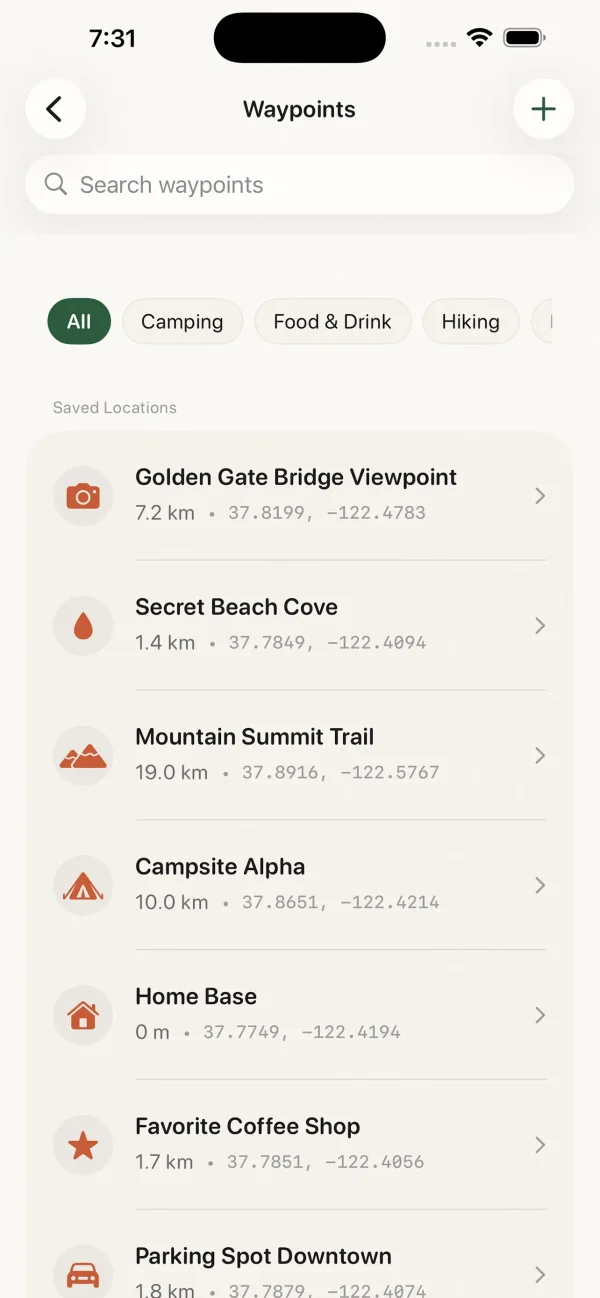
About
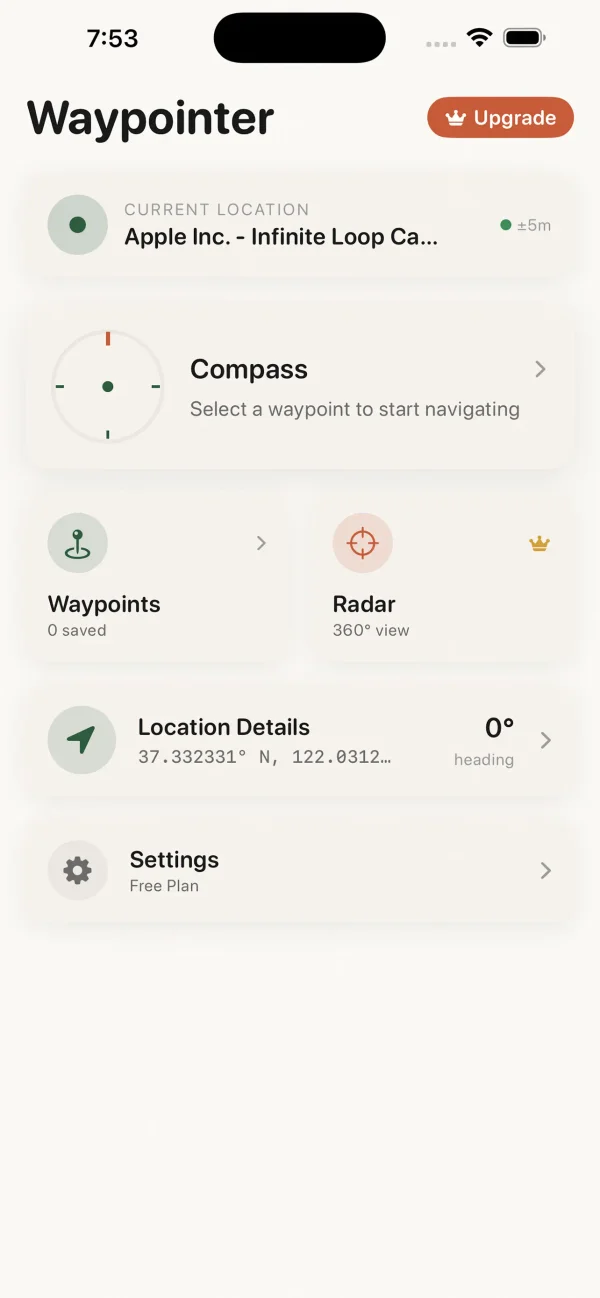
Waypointer is your reliable compass and waypoint navigation companion. Save any location and navigate back to it using a precision compass that works completely offline.
Whether you are hiking in the wilderness, trying to find your parked car, marking a camping spot, or saving a favorite fishing location, Waypointer guides you there with clear directional arrows and distance information.
KEY FEATURES
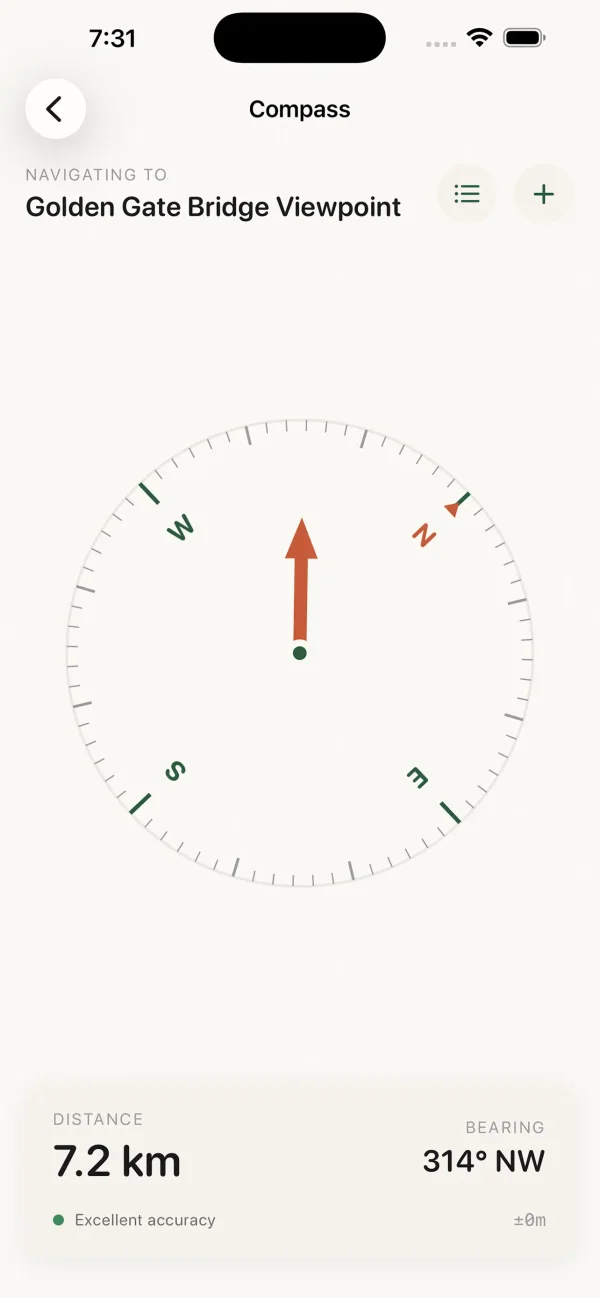
Precision Compass
- True north and magnetic north readings
- Real-time heading display with degree accuracy
- Smooth compass animation that responds instantly to movement
- Works without internet connection
Waypoint Management
- Save unlimited locations as waypoints with Premium
- Add custom names and icons to each waypoint
- Organize waypoints into categories
- Import and export waypoints for backup and sharing
Directional Navigation
- Large directional arrow points toward your destination
- Live distance updates as you move
- Bearing information in degrees and cardinal directions
- Simple interface that is easy to read while moving
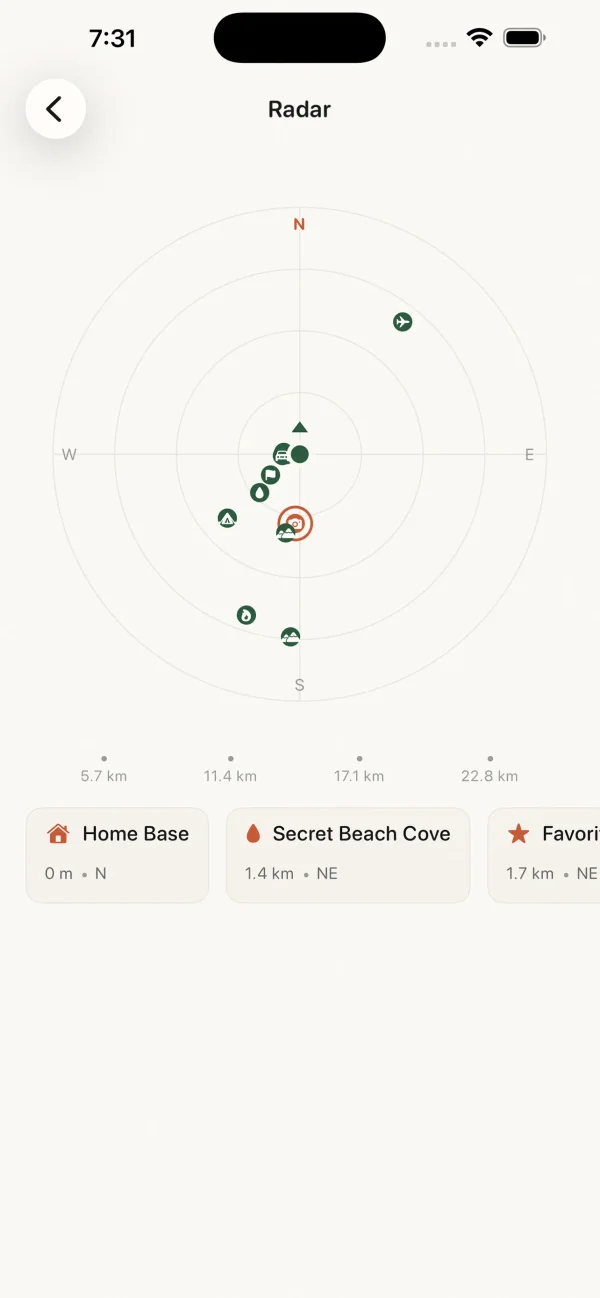
Radar View (Premium)
- See all waypoints around you on an interactive radar display
- Quickly identify the closest locations
- Visual representation of waypoint positions relative to your heading
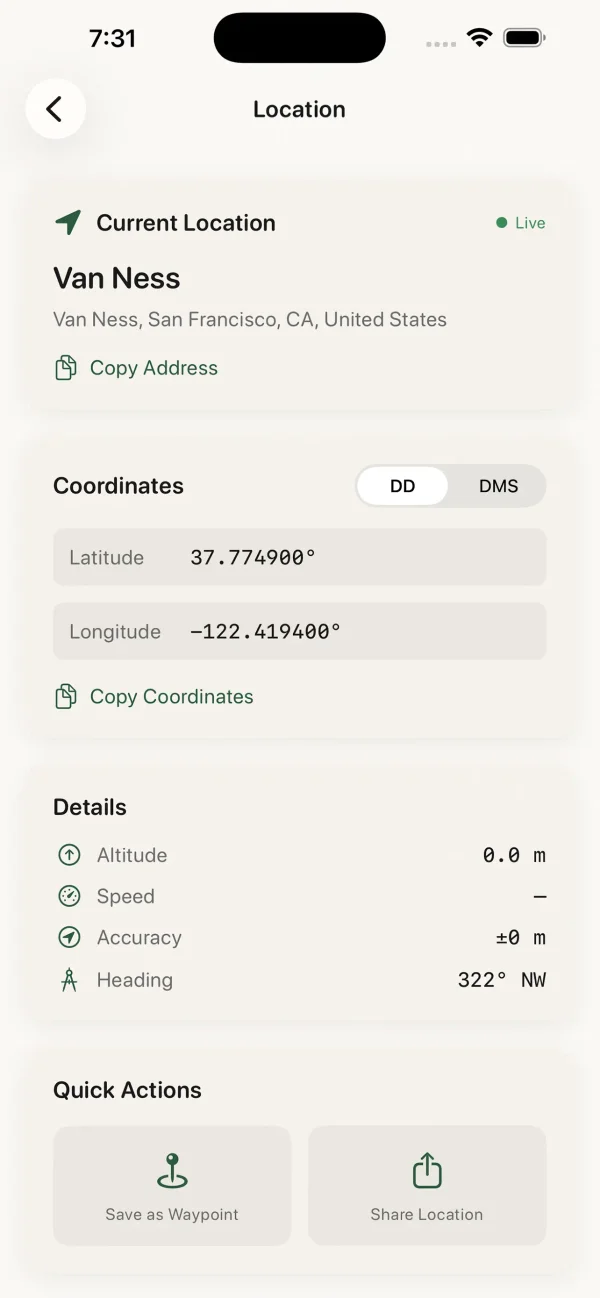
Location Details
- View your current coordinates in multiple formats
- Decimal degrees and degrees minutes seconds display
- Copy coordinates to share with others
- Reverse geocoding shows your current address
PERFECT FOR
Outdoor Adventures
- Mark trailheads and return points while hiking
- Save camping spots and water sources
- Navigate back to your vehicle after exploring
- Mark hunting stands and fishing spots
Everyday Use
- Never forget where you parked your car
- Save meeting points and event locations
- Mark points of interest while traveling
- Create a personal location database
Professional Use
- Survey and fieldwork location marking
- Site documentation with coordinates
- Location data export in standard formats
WHY CHOOSE WAYPOINTER
Simple and Focused
Unlike complex mapping apps, Waypointer does one thing exceptionally well. Point you toward your saved locations with a clear, easy-to-read compass interface.
Works Offline
No cell signal required. Once you save a waypoint, you can navigate to it anywhere using only your phone sensors and GPS.
Battery Efficient
Optimized to use minimal battery while providing accurate navigation guidance.
Privacy Focused
Your location data stays on your device. We do not track or store your waypoints on external servers.
SUBSCRIPTION OPTIONS
Free Version
- Save up to 5 waypoints
- Full compass functionality
- Basic navigation features
Premium Subscription
- Unlimited waypoints
- Radar view
- Custom waypoint icons
- Category organization
- Export and import functionality
- Priority support
Premium is available as weekly, monthly, or yearly subscription. Payment will be charged to your Apple ID account at confirmation of purchase. Subscription automatically renews unless canceled at least 24 hours before the end of the current period. You can manage and cancel subscriptions in your Account Settings on the App Store.
Terms of Service: https://www.apple.com/legal/internet-services/itunes/dev/stdeula/
Download Waypointer today and never lose your way again.
What’s new
Version 1.0.1 · May 6, 2026
Rename Waypoints
-You can now quickly rename any saved waypoint directly from the waypoints list — just swipe right and tap Rename.
App privacy
What MadrasHOT declares on the App Store about how this app handles data.
-
Data used to track you
May be used to track you across apps and websites owned by other companies.
- Usage data
-
Data linked to you
May be collected and linked to your identity.
- Location
- Identifiers
- Usage data
- Diagnostics
-
Data not linked to you
May be collected but is not linked to your identity.
- Location
Privacy practices may vary, for example with the features you use or your age.
Information
- Seller
- Madras Automation Concepts Private Limited
- Category
- Navigation
- Version
- 1.0.1
- Updated
- May 6, 2026
- Released
- Dec 3, 2025
- Size
- 8.0 MB
- Requires
- iOS 16.0 or later
- Age rating
- 4+
- Price
- Free
- In-app purchases
- Yes
- Languages
- English
- Copyright
- © MadrasHOT
You might also like
-
 Waypoint CompassPoints to Your Destination
-
 ArrowToWaypointNavigation
-
 Waypoint: Outdoor NavigationFind Your Way Back Offline
-
 GPS Waypoint: Geocaching LogMyGPSWaypoints: Offroad GPX
-
 Waypoint GPSTravel
-
 Offline GPS NavigationMaps & Driving Directions
-
 Compass 55. Map & GPS kit.Land, air, marine navigator
-
 GPS & Maps: Location TrackerFind Coordinates, Compass, POI
-
 SpyglassAR Compass, GPS & Offline Maps
-
 My GPS Coordinates °Find your current location.