- Age rating4+
- CategoryWeather
- DeveloperBeau Fink
- LanguagesEnglish
- Size4.3 MB
Links to the official App Store page
Download.org hosts no file of Weather Bridge. The button opens its official App Store page, published by Beau Fink. Listing last checked on Nov 19, 2026.
Screenshots



About
Stop guessing what 72°F means in Celsius.
Weather Bridge is the weather app for anyone who lives between two temperature scales. Maybe you've moved to a new country, you travel a lot, or you just think in both Celsius and Fahrenheit. Weather Bridge shows both at once, so there's no mental math.
WHY WEATHER BRIDGE?
Most weather apps make you choose between Celsius and Fahrenheit. If you grew up with one and live with the other, that's not enough. Weather Bridge puts both scales on the same bridge, so the weather always makes sense at a glance. It also tells you what the forecast means for your day.
PLAN YOUR DAY
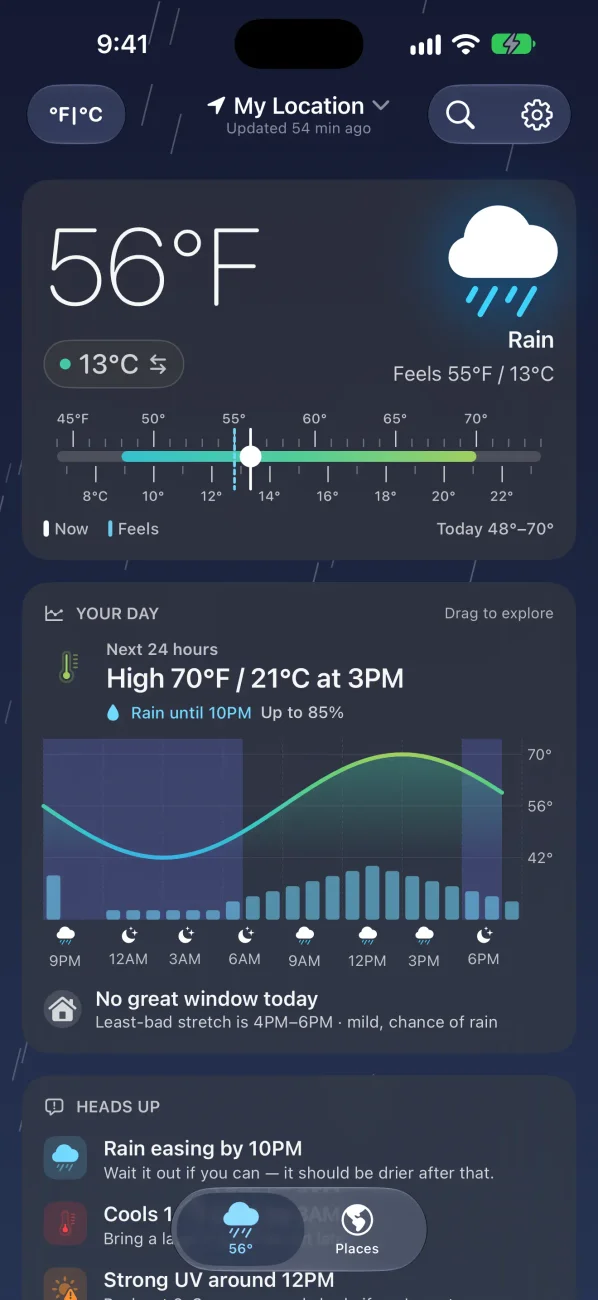
• Dual Temperature Display: Celsius and Fahrenheit side by side, everywhere in the app
• Today's Timeline: An hourly chart of temperature and rain, plus the best time to be outside
• What to Wear: Outfit and gear suggestions based on how it will feel, not just the number
• Heads-Up: Plain-language alerts for incoming rain, temperature swings, strong wind and high UV
• Today in a Sentence: A short summary of the day, generated privately on your device with Apple Intelligence
SEE WHAT'S COMING
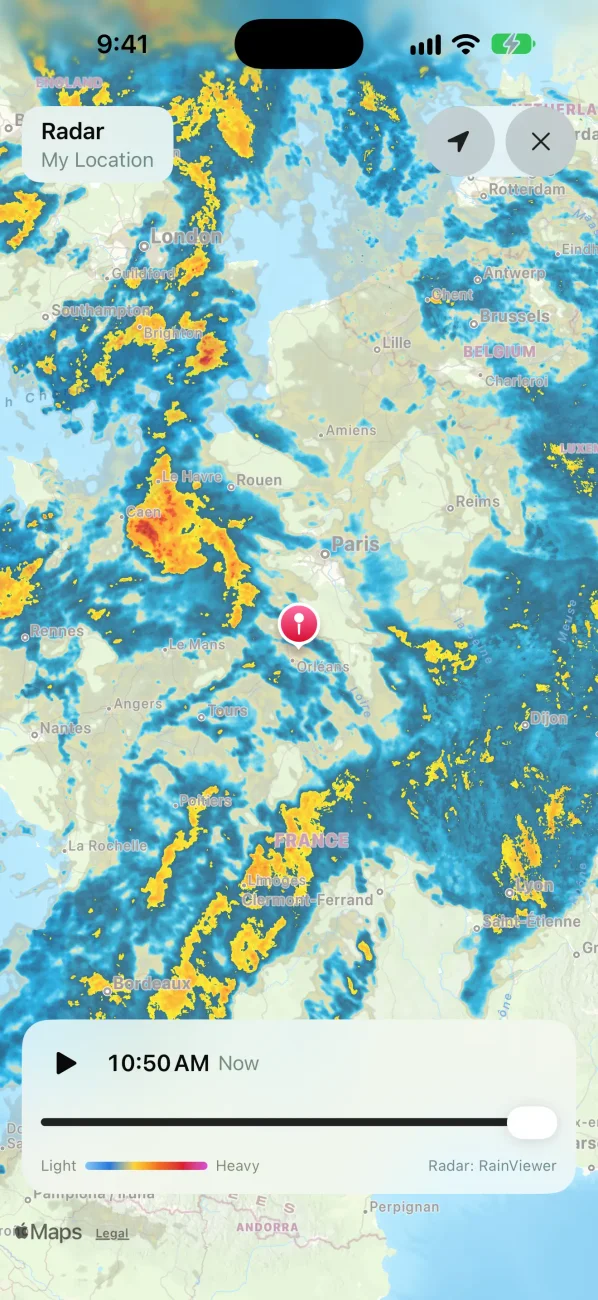
• Live Radar: Animated rain and snow from the past two hours on an interactive map
• 10-Day Outlook: Highs, lows, hourly rain charts for every day, and the best day for outdoor plans
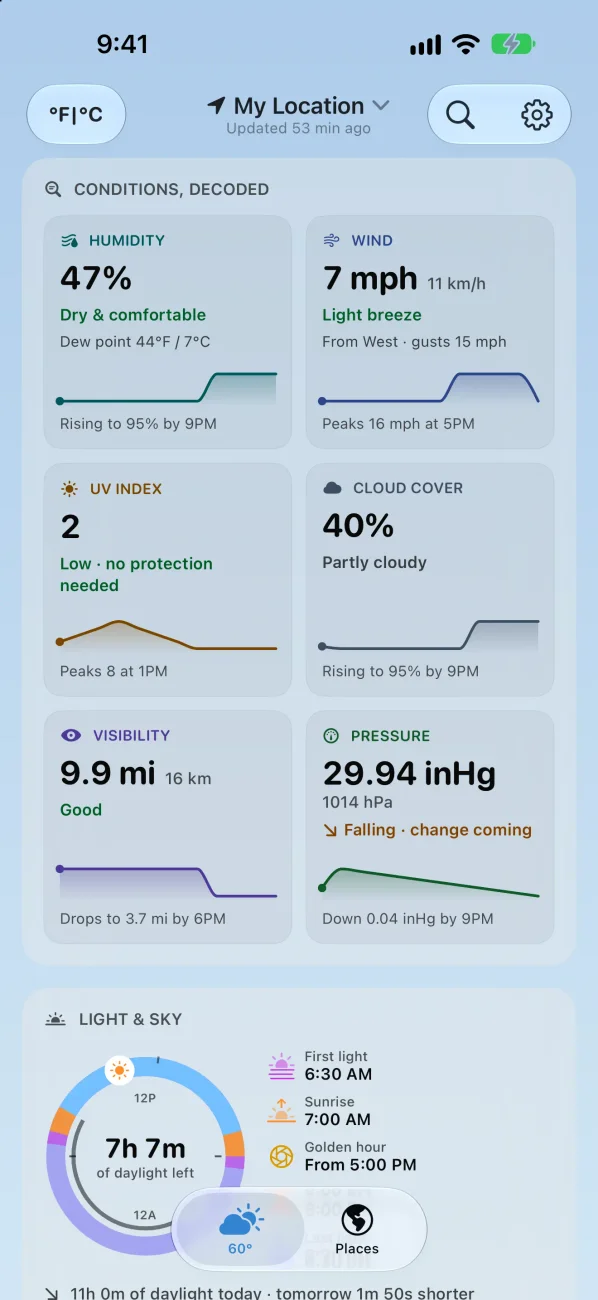
• Conditions, Decoded: Humidity, wind, UV, pressure and visibility, explained in plain terms
• Sun & Moon: Daylight, golden hour and moon phase
MAKE IT YOURS
• Show, hide and reorder every section of your forecast
• Save locations around the world, with weather cards you can customize
• Choose which scale comes first, plus Light, Dark or automatic appearance
• Alternate app icons on iPhone and iPad
• Built for iPhone, iPad and Mac
PERFECT FOR
• Travelers moving between countries
• Expats and immigrants getting used to a new temperature scale
• International students and professionals
• Scientists and researchers who work in both unit systems
• Anyone tired of Googling "what is 30°C in Fahrenheit"
Download Weather Bridge and see the weather the way your brain actually works: in both scales, every time.
Today in a Sentence requires a device that supports Apple Intelligence, running iOS 26 or macOS 26 or later.
What’s new
Version 2.1.0 · Nov 17, 2026
What's New in WeatherBridge 2.1
Live Precipitation Radar
• A new radar card shows rain and snow from the past two hours as an animated loop
• Open the full interactive map to play, pause, or scrub the timeline, and recenter on your location with one tap
Make It Yours
• Show, hide, and reorder forecast sections and condition tiles
• Choose what appears on your saved place cards, with a live preview as you edit
• Pick a new app icon in Settings (iPhone and iPad)
Smarter Forecasts
• Hourly precipitation charts now cover the full 10-day outlook. Tap any day to see its details
• The 24-hour timeline shows temperature trends and when rain will start and stop. Drag across it to see "feels like" temperatures
• The weekly outlook now opens on tomorrow
• Repeated readings are gone, so each screen is easier to scan
Improvements & Fixes
• On Mac and iPad, forecast columns are now evenly balanced in wide layouts
• On Mac, location search results no longer get cut off
• A loading view now appears while your location and forecast load
• Sun-protection tips no longer appear at night unless sunrise is close
• Better text and button contrast, especially in Dark Mode
WeatherBridge now requires iOS 18 or macOS 15 or later.
App privacy
What Beau Fink declares on the App Store about how this app handles data.
-
Data not collected
The developer does not collect any data from this app.
Privacy practices may vary, for example with the features you use or your age.
Information
- Seller
- Beau Fink
- Category
- Weather
- Version
- 2.1.0
- Updated
- Nov 17, 2026
- Released
- Feb 18, 2026
- Size
- 4.3 MB
- Requires
- iOS 18.0 or later
- Age rating
- 4+
- Price
- Free
- Languages
- English
- Copyright
- © 2026 CLT Labs
You might also like
-
 WearAdvisorOutfits for changing weather
-
 Earthz: Live PlanetLive Weather & Earth Events
-
 ClearWeather ForecastSimple Weather & Forecasts
-
 Outfitcast: Weather OutfitsWhat to wear for every plan
-
 nibeSunrise, sunset, & golden hour
-
 Weather Signal: Outdoor SafetyAir, Fire & Weather Decisions
-
 SkyCast Weather RadarForecasts, Rain & Alerts
-
 LifeCast: Weather for YouHourly Feels-Like, Pollen & UV
-
 Dual Temp - WeatherCelsius & Fahrenheit Together
-
 Felsius – Celsius & FahrenheitCelsius & Fahrenheit weather