- Age rating4+
- CategoryWeather
- DeveloperDaryl Gialolo
- LanguagesEnglish
- Size17.6 MB
Links to the official App Store page
Download.org hosts no file of Weather Studio Widgets. The button opens its official App Store page, published by Daryl Gialolo. Listing last checked on Nov 15, 2026.
Screenshots
About
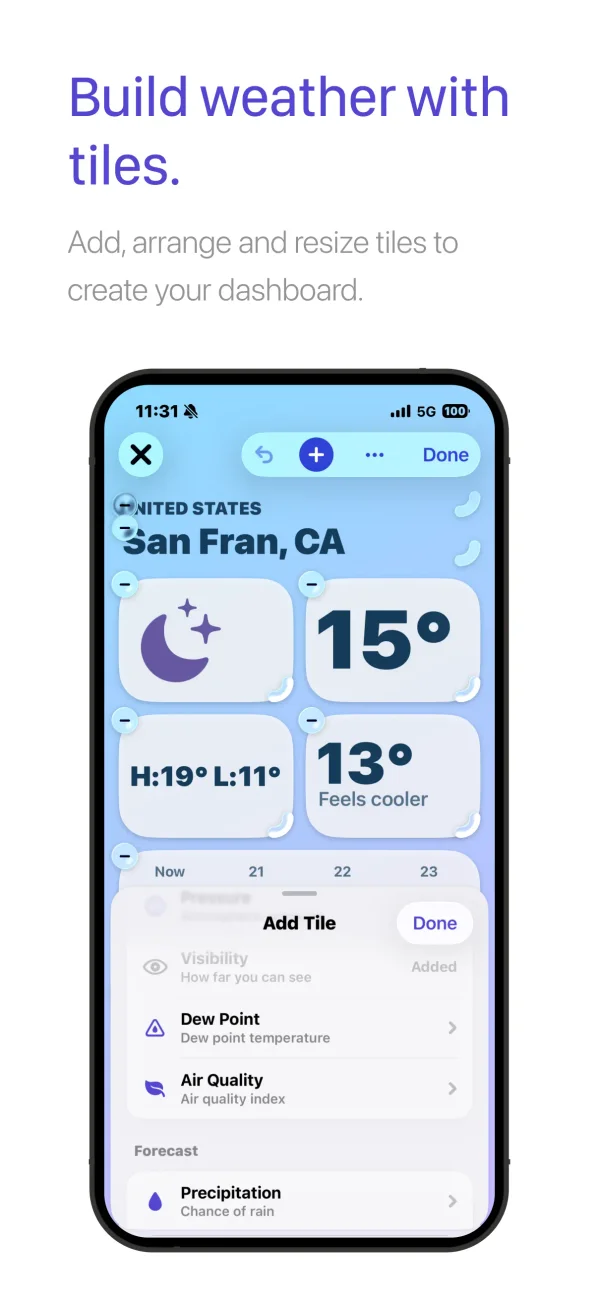
Build weather with tiles.
Weather Studio gives you control over what weather information you see, where it appears, and how it looks.
Create your dashboard by adding weather tiles, then arrange and resize them to fit the information you need.
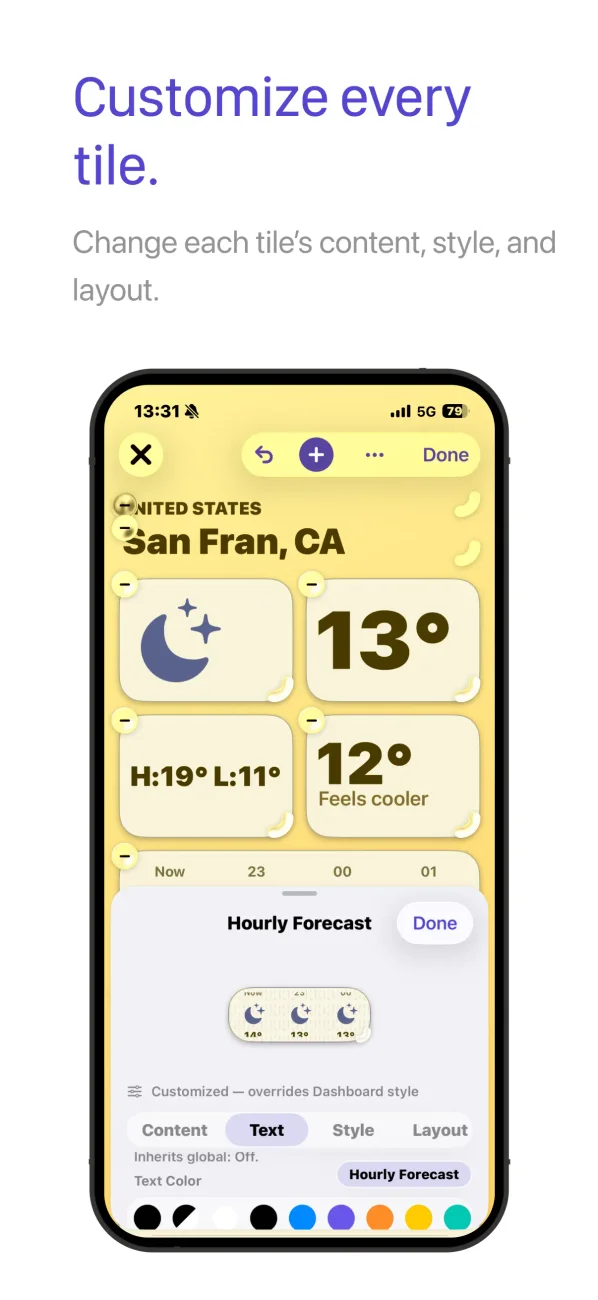
Customize every tile
Choose the content, style, and layout of individual tiles. Build a simple dashboard for quick weather checks or combine more tiles for a detailed view.
Display weather information such as temperature, hourly and daily forecasts, humidity, wind, precipitation, and more.
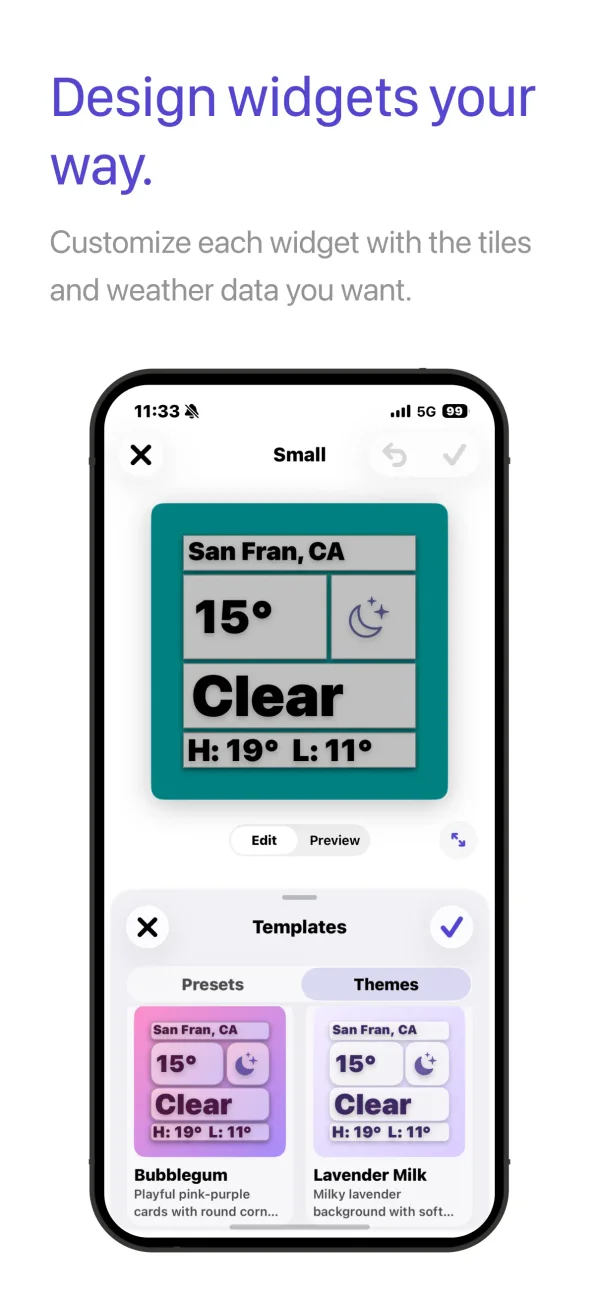
Design widgets your way
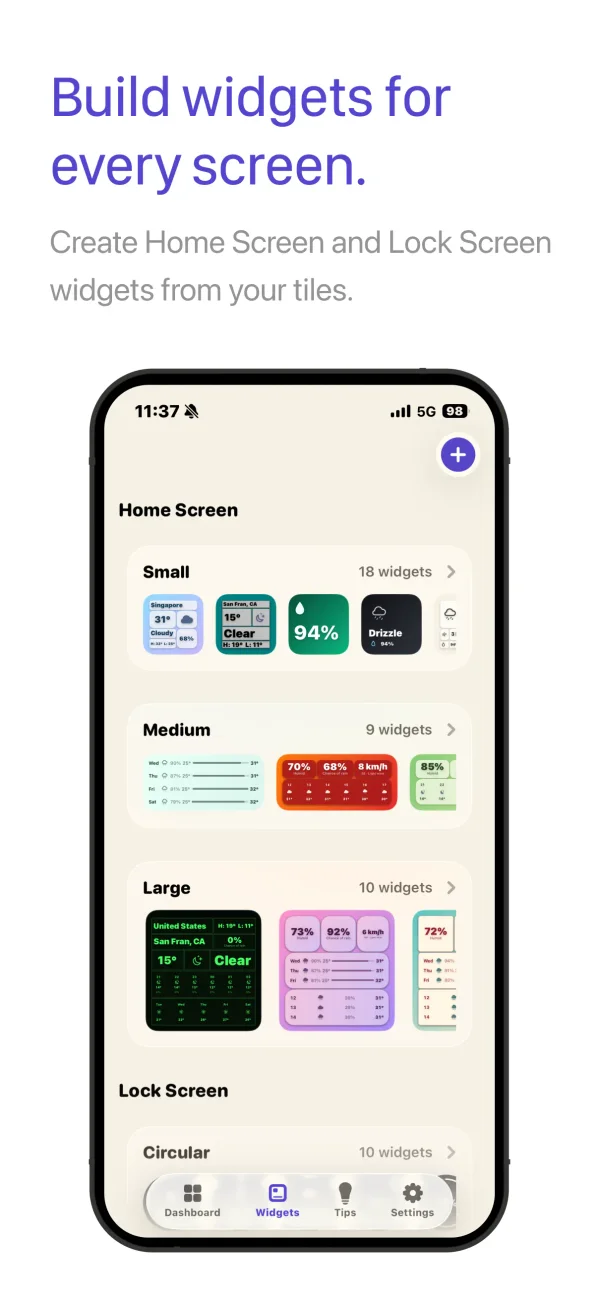
Build Home Screen and Lock Screen widgets using the same tile-based system.
Choose the weather data you want, arrange your tiles, and customize the appearance of each widget.
Weather Studio supports multiple widget formats, including Home Screen and Lock Screen layouts.
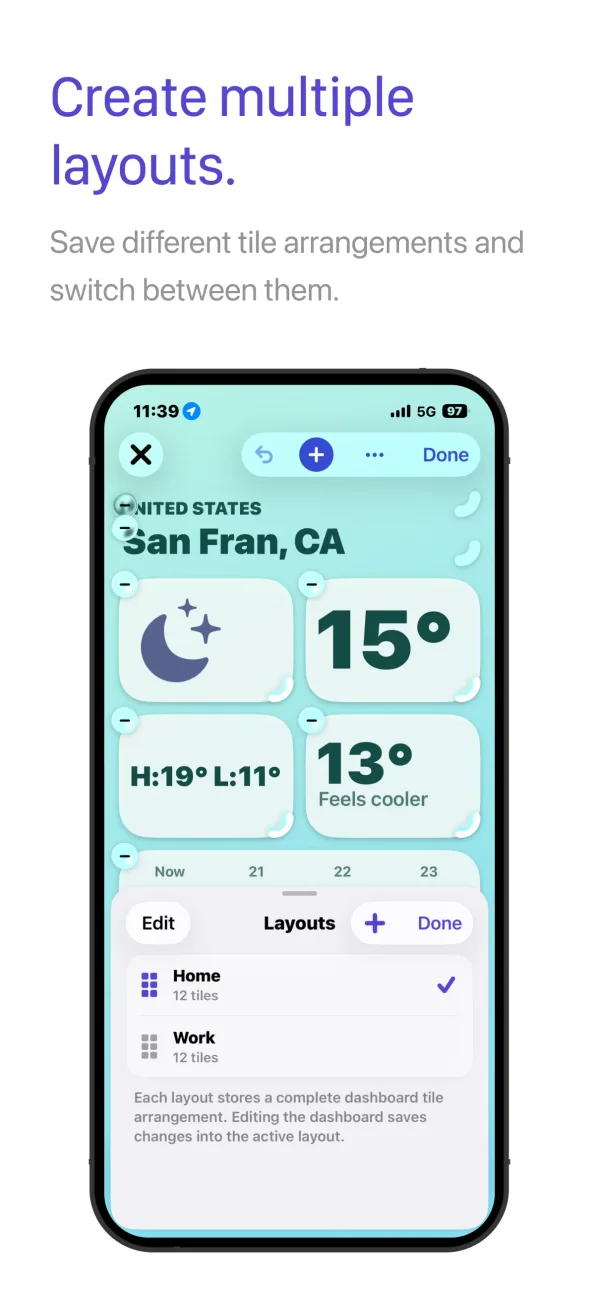
Create multiple layouts
Save different dashboard tile arrangements and switch between them whenever you need a different setup.
With Weather Studio, your dashboard and widgets are built around the weather information that matters to you.
Privacy Policy: https://penguinworksco.work/weather-studio/privacy-policy
Support: https://penguinworksco.work/weather-studio/support
What’s new
Version 1.1.0 · Oct 13, 2026
Weather Studio 1.1.0 is a large update focused on widgets, themes, and customization.
APPLE WATCH
• Weather complications for Apple Watch, with Circular, Rectangular, Inline, and Corner layouts.
WIDGETS
• A redesigned widget editor with a categorized preset library, including 1–4 tile layouts and simple metric-based presets.
• Preview and pick Home Screen and Lock Screen widget presets, with Undo and Placement Layout guides while editing.
• Choose a Location right from the widget editor, with saved-city search.
• A new Forecast Summary tile, plus precipitation chance in hourly and daily forecasts.
• Forecast layouts (Automatic, Horizontal, Vertical) that adapt to available space.
• Home Screen widgets display in two columns on compact widths.
• Widgets follow your theme: new widgets start from the Essentials Default theme, and your chosen theme applies to Home Screen widgets.
DASHBOARD
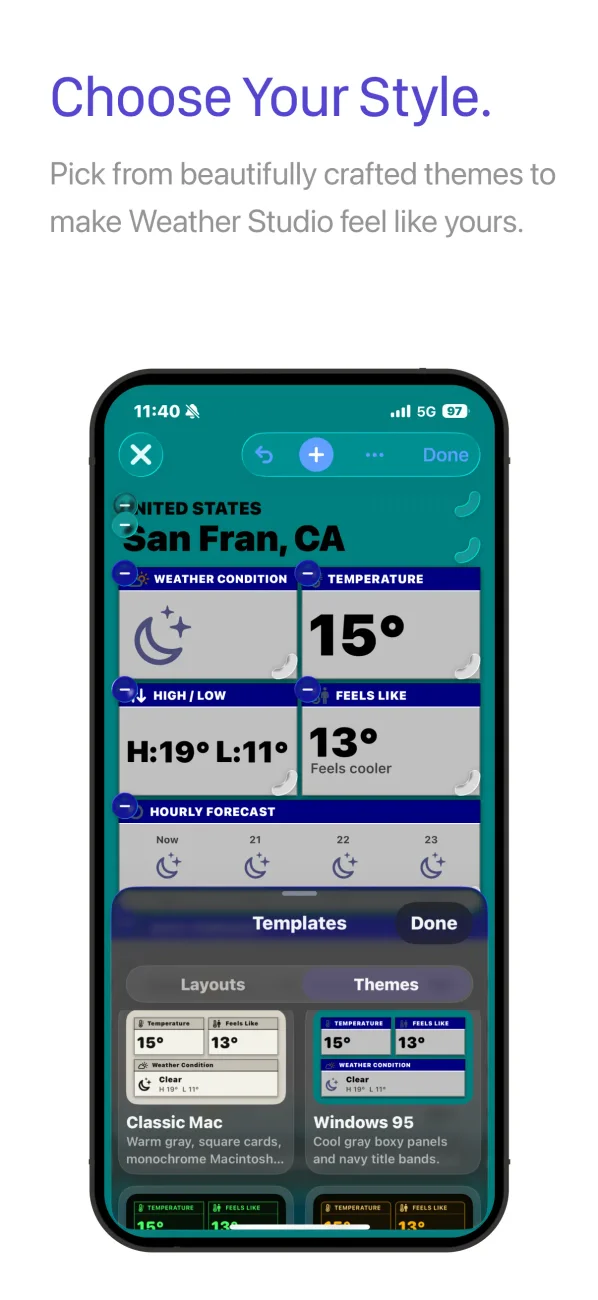
• 57 built-in themes with coordinated weather icons, plus Monochrome/Multicolor icon color customization with per-theme palettes.
• Native Liquid Glass tiles with Translucent styling, and Dynamic tile backgrounds with light/dark colors and opacity.
• More Info shown by default on supported tiles, with independent main-value and description text styles.
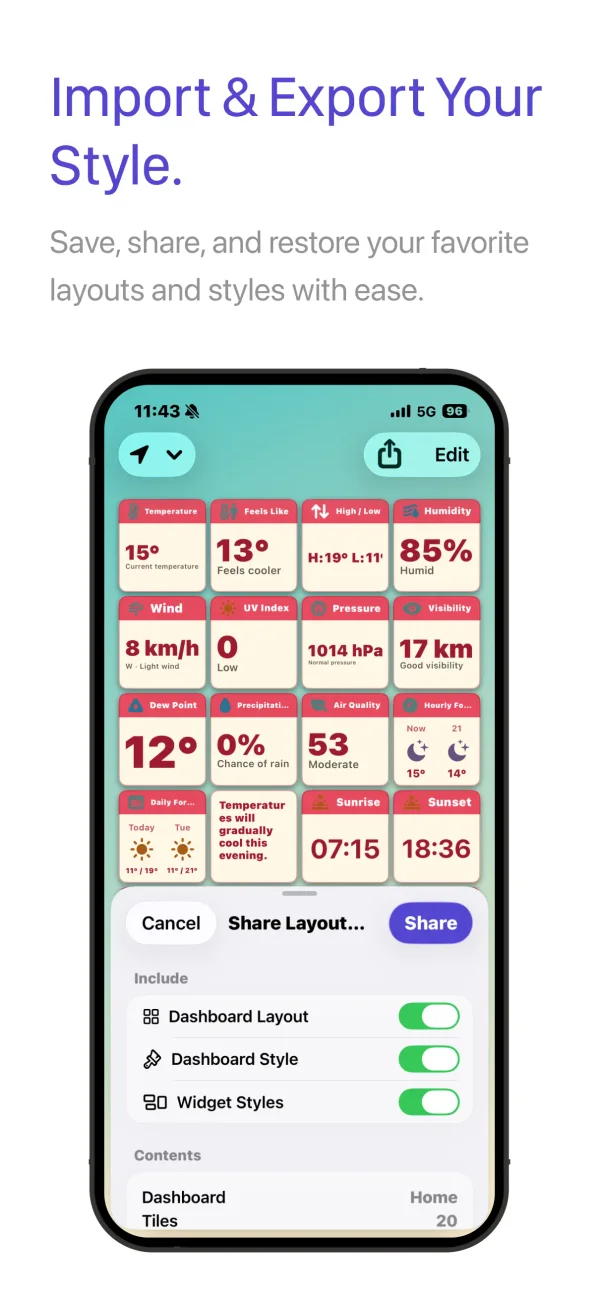
• Import and export dashboard layouts, styles, and widget styles.
• A new Settings tab with a Liquid Glass action grid, and an Open in Maps action in the footer.
• Smoother tile resizing, location swiping, and weather tile loading animations.
ONBOARDING
• A redesigned first-launch experience with animated weather tiles and rotating themes, plus a quick "Continue with Default" theme choice.
IPHONE DUO & LARGE SCREENS
• Layout fixes for iPhone Duo and a two-column split layout on iPad.
App privacy
What Daryl Gialolo declares on the App Store about how this app handles data.
-
Data not collected
The developer does not collect any data from this app.
Privacy practices may vary, for example with the features you use or your age.
Information
- Seller
- Daryl Gialolo
- Category
- Weather
- Version
- 1.1.0
- Updated
- Oct 13, 2026
- Released
- Sep 4, 2026
- Size
- 17.6 MB
- Requires
- iOS 26.0 or later
- Age rating
- 4+
- Price
- Free
- Languages
- English
- Copyright
- © 2026 PenguinWorksCo
You might also like
-
 Skyla Weather AppWeather
-
 Terra Forecast: Weather WidgetUV, rain & feels-like advice
-
 Wettergram: Weather & TravelRain radar & best time to go
-
 Tendlets WeatherYour forecast, with a friend
-
 Chirpy Weather: Talk to SkyYour weather, read aloud by AI
-
 Mudroom: What to Wear WeatherOutfit, rain alerts & commute
-
 Rainy CheckHeads-up on Rainy days
-
 MeteAir: Weather ForecastAir Quality, Pollen & Maps
-
 RoutineWeatherWeather alerts for routine
-
 OctoWeatherHyper-local forecasts for you.