
- Age rating4+
- CategoryWeather
- DeveloperSanghyeon Park
- LanguagesKorean+ 9 more
- Size9.5 MB
Links to the official App Store page
Download.org hosts no file of WeatherWay. The button opens its official App Store page, published by Sanghyeon Park. Listing last checked on Nov 14, 2026.
Screenshots


About
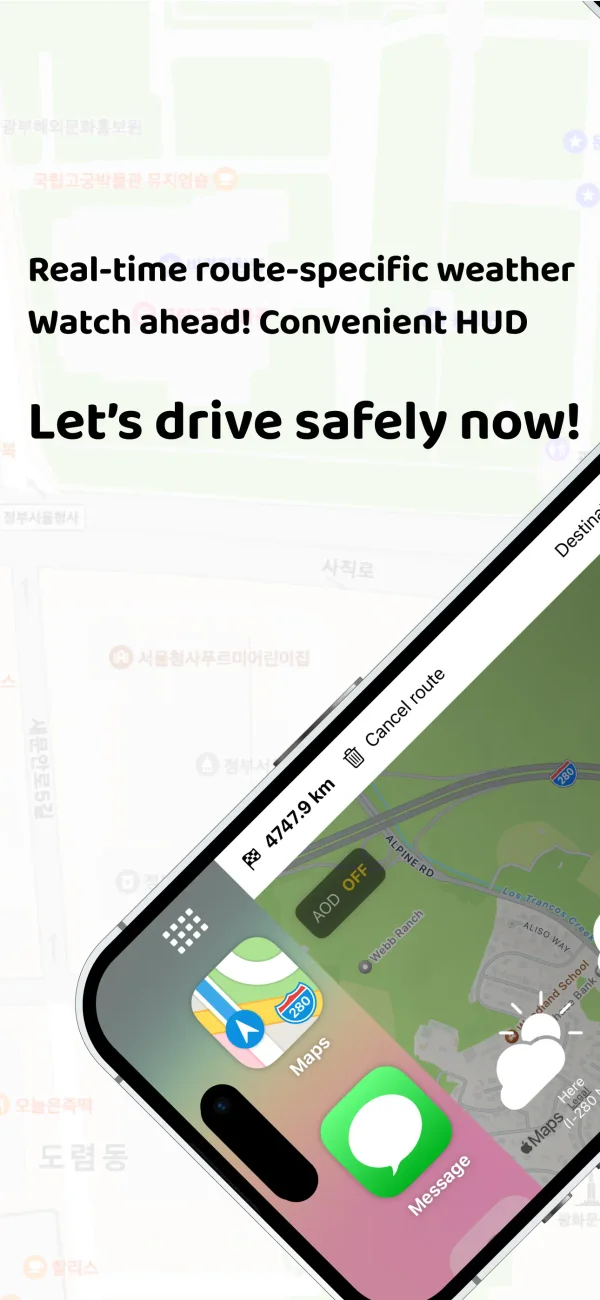
WeatherWay is an app that provides guidance on the ever-changing weather along your driving route.
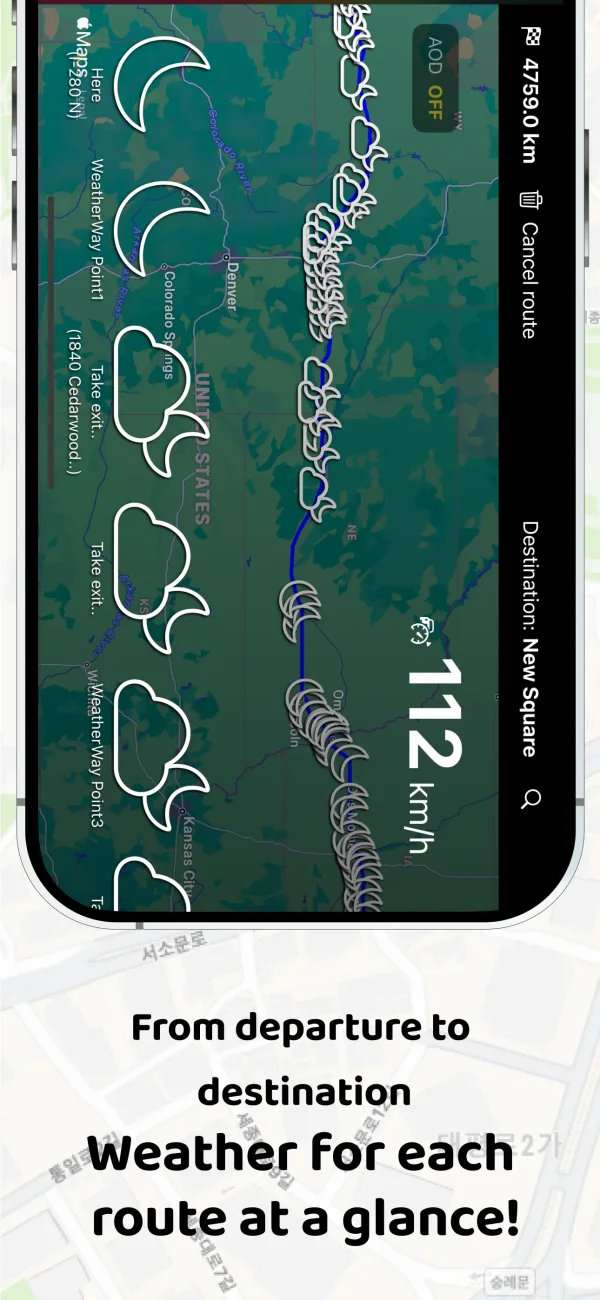
Once you set your departure point and destination, you will be notified of the weather at your current location, at each junction along the driving route, and every 10km.
Drive safely in preparation for real-time and locally changing weather!
How do I use it?
- Current location weather
- Information on the weather in the area you are currently located in.
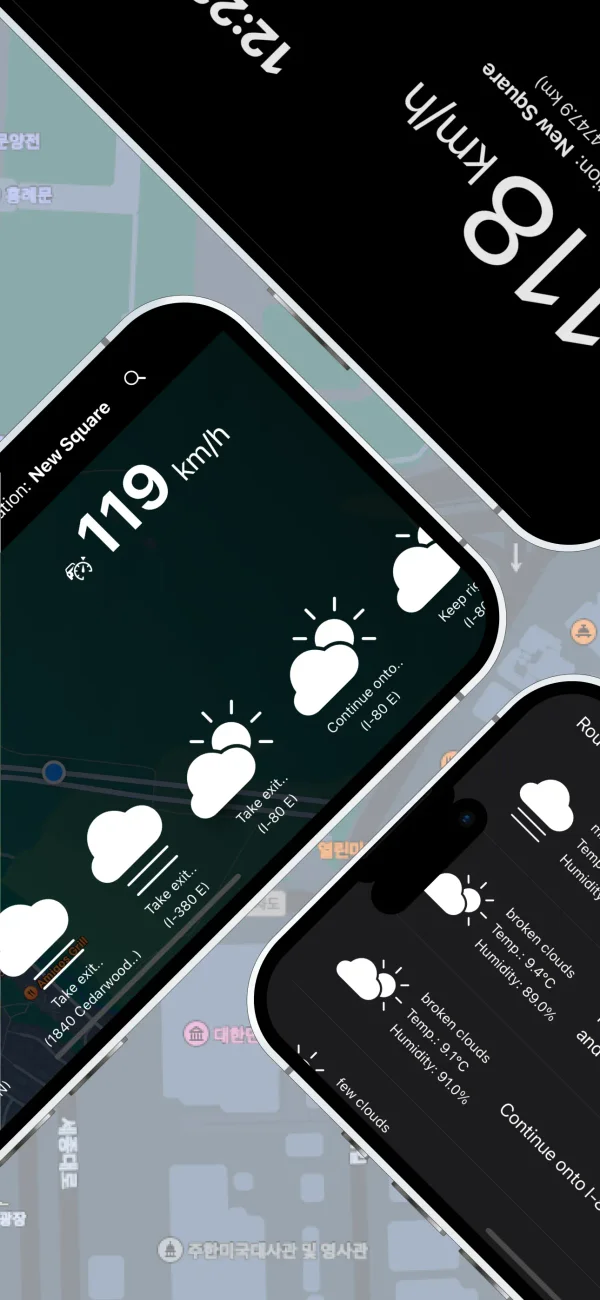
- Junction Weather
- Provides weather information for junctions on the driving route.
- 10 km weather
- If there is no junction on the driving route, we will notify you of the weather at that point every 10km.
- Points every 10 km are marked with the name “WearherWay Point”.
- Detailed weather information
- Click on the weather icon above the map to see detailed weather information.
- Provides weather conditions, temperature, humidity and area name information for the area.
- HUD (Head Up Display)
- You can turn on the HUD by pressing and holding the speedometer in the upper right corner of the app.
- If you place your phone under the windshield of your vehicle with WeatherWay HUD,
You can check WeatherWay's weather information while driving without distracting your eyes.
Shortcut to navigation app
- You can run the app by clicking the app icon in the app shortcut.
- If you set the destination and run the app, the navigation app will automatically set the destination.
The above features can be used through a subscription (annual/monthly) to the “WeatherWay Pro” version.
In the free version, if you set a destination,
1. The route to the destination and
2. Favorite link with destination automatically set,
3. We will also notify you of the weather at your departure/destination location in real time.
Available for iPad and iPhone.
- The same functions as the iPhone can be used on the iPad on a wider screen.
EULA: https://www.apple.com/legal/internet-services/itunes/dev/stdeula/
What’s new
Version 1.0.6 · Apr 8, 2024
Some typos in the app have been corrected.
App privacy
What Sanghyeon Park declares on the App Store about how this app handles data.
-
Data not collected
The developer does not collect any data from this app.
Privacy practices may vary, for example with the features you use or your age.
Information
- Seller
- Sanghyeon Park
- Category
- Weather
- Version
- 1.0.6
- Updated
- Apr 8, 2024
- Released
- Apr 8, 2024
- Size
- 9.5 MB
- Requires
- iOS 16.0 or later
- Age rating
- 4+
- In-app purchases
- Yes
- Languages
- Korean, German, Spanish, Arabic, English, Italian, Japanese, Simplified Chinese, Traditional Chinese, French
- Copyright
- © EIFER
You might also like
-
 WeatherTracking: PWSStation History & Widget
-
 iWeather++Near-Term Forecasts
-
 CelsaireTemperature, Refined
-
 ClearCast Weather NowWeather without the noise
-
 WeatherlaneYour day, on a single lane
-
 Zenith WeatherUnderstand the weather
-
 Andrew's WeatherNorthern Michigan Weather App
-
 Tonga Weather ForecastAccurate weather of Tonga
-
 Tulu's SocksWeather
-
 WeatherStation°FReal-Time Weather Updates