
Wedding Vision AI
Transform your venue
Designed for iPhone, iPad
Free · In-app purchases
- Age rating17+
- CategoryPhoto & Video
- DeveloperDigital X Prairie LLC
- LanguagesEnglish
- Size55.3 MB
Links to the official App Store page
Download.org hosts no file of Wedding Vision AI. The button opens its official App Store page, published by Digital X Prairie LLC. Listing last checked on Nov 14, 2026.
Screenshots
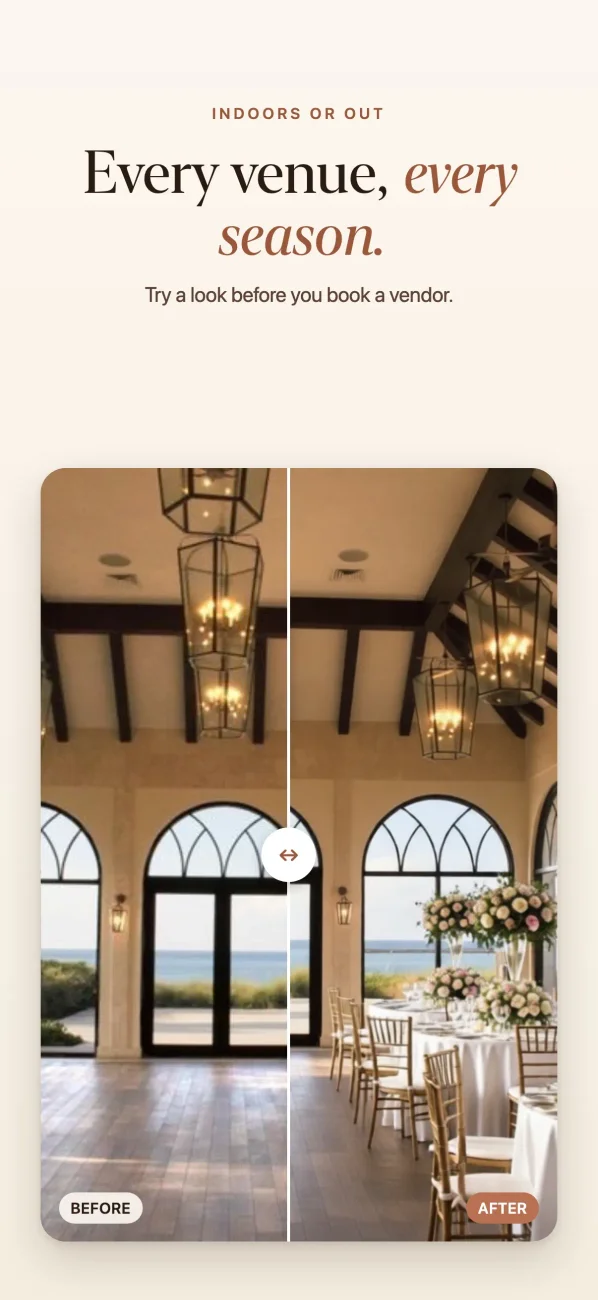

About
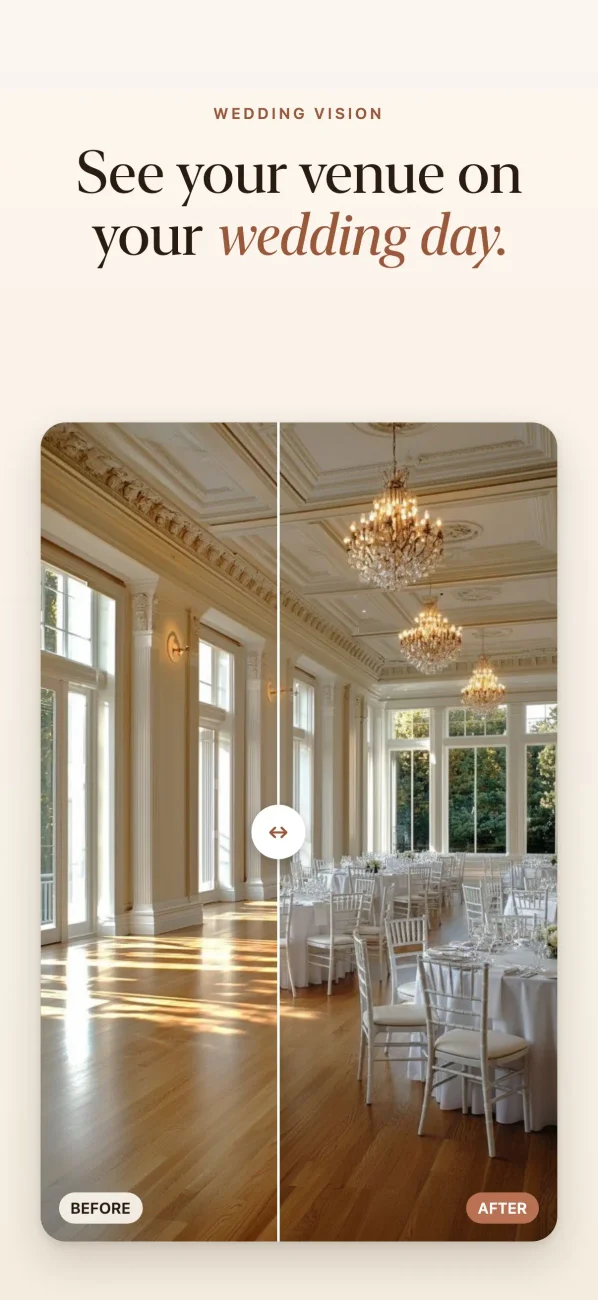
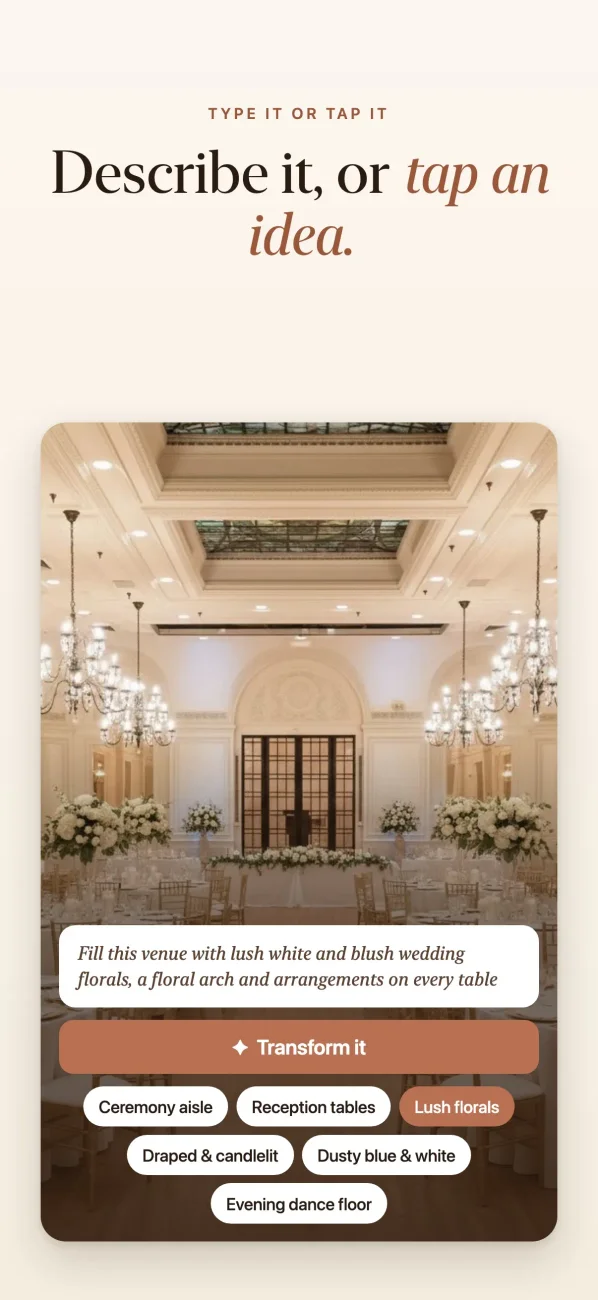
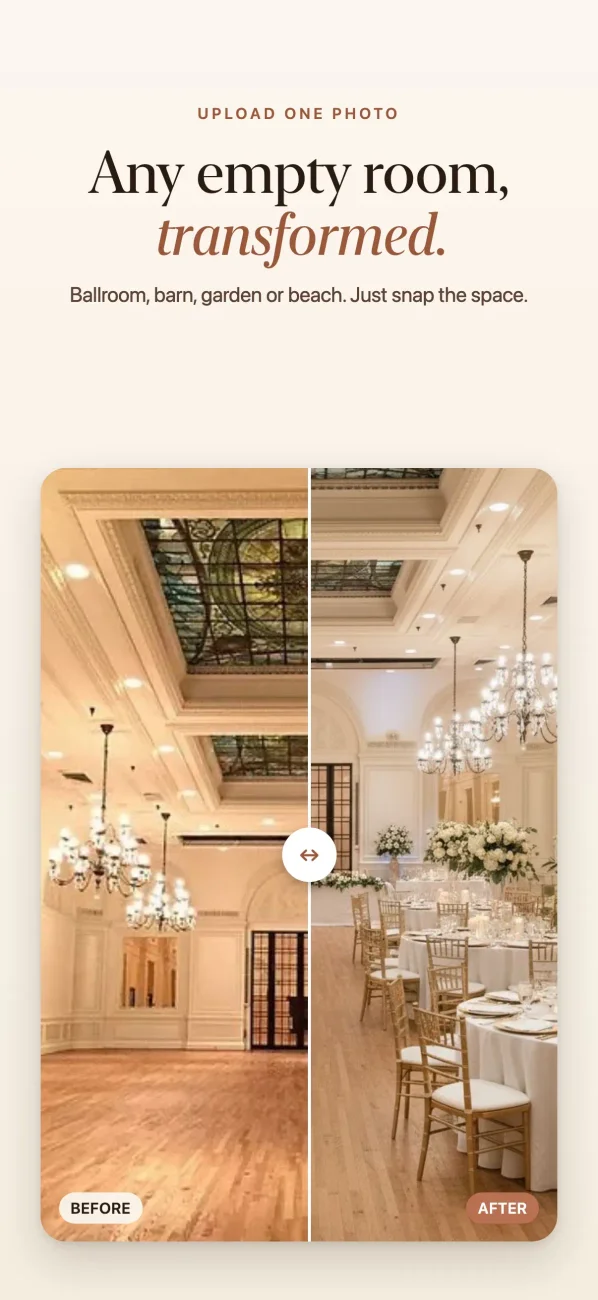
Wedding Vision shows you what your venue could look like on your wedding day. You upload a photo of your venue, and you describe the look you want or tap a suggested idea. The app then creates a new image of your venue with the flowers, decor, lighting and table settings you asked for.
You can try it for free.
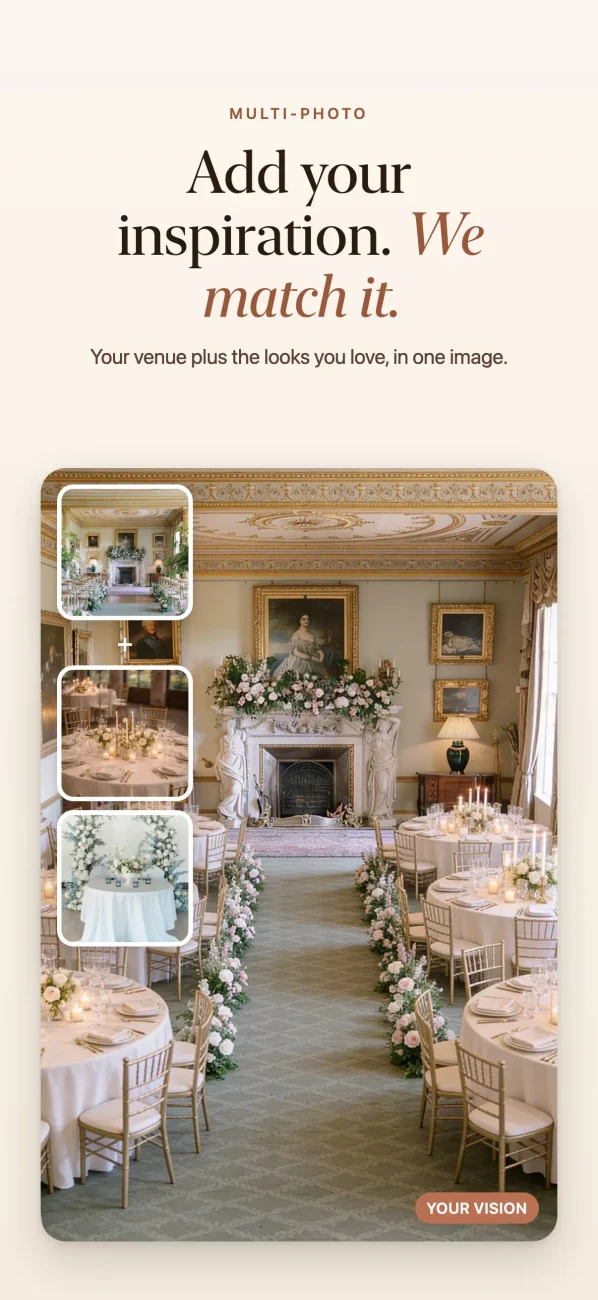
USE YOUR VENUE AND YOUR INSPIRATION PHOTOS TOGETHER
You can add up to three inspiration photos next to your venue photo, e.g., a centerpiece you saved, a color palette or a ceremony arch. The app uses their colors, flowers and decor in an image of your own venue. You can also give specific directions, e.g., "use the flowers from image 2 on the tables in image 1."
COMPARE FLOWERS AND CENTERPIECES ON YOUR OWN VENUE
If you can't decide between peonies and roses, you can create both versions of your venue and look at them side by side before you choose a florist. Each new image usually takes less than a minute.
TRY DRESS STYLES AND COLORS
You can upload a photo of yourself to see different dress styles, or you can try bridesmaid dress colors before you order.
MORE THINGS YOU CAN DO
• Transform a photo of any venue, indoors or outdoors
• Try flowers, decor and color schemes
• Try different table settings, linens and lighting
• Start from suggested ideas, e.g., a ceremony aisle, reception tables or an evening dance floor
• Touch up your photos after the wedding
• Save your images to your photo library and share them with your planner, vendors and family
SUBSCRIPTIONS AND PURCHASES
Wedding Vision offers weekly, monthly and annual subscriptions that renew automatically, and it also offers one-time purchases. Payment is charged to your Apple Account when you confirm the purchase. A subscription renews automatically unless you cancel it at least 24 hours before the end of the current period. You can manage or cancel a subscription at any time in Settings > Apple Account > Subscriptions. You don't get a refund for the unused part of a subscription period.
PRIVACY AND TERMS
Privacy Policy: https://wedding-vision.github.io/privacy-policy/
Terms of Use: https://www.apple.com/legal/internet-services/itunes/dev/stdeula/
What’s new
Version 1.17 · Oct 26, 2026
Updated image model
App privacy
What Digital X Prairie LLC declares on the App Store about how this app handles data.
-
Data not collected
The developer does not collect any data from this app.
Privacy practices may vary, for example with the features you use or your age.
Information
- Seller
- Digital X Prairie LLC
- Category
- Photo & Video
- Version
- 1.17
- Updated
- Oct 26, 2026
- Released
- Sep 4, 2025
- Size
- 55.3 MB
- Requires
- iOS 17.6 or later
- Age rating
- 17+
- Price
- Free
- In-app purchases
- Yes
- Languages
- English
- Copyright
- © Digital X Prairie LLC
You might also like
-
 Party Cam: Disposable CameraWedding & event guest album
-
 Once - Disposable Camera EventGuest camera for your event
-
 Scene Disposable Camera EventsWedding & party guest photos
-
 Moodboard - Photo Video LayoutMoodboard & Vision Board Maker
-
 Pocketbooth Photo BoothEvent, Wedding & Party Camera
-
 Quick Slideshow Maker + MusicSlide show maker with music
-
 Zazzle: Custom Gifts & CardsPick a design. Make it yours.
-
 Hair Changer Editor AI FiltersEdit Hairstyle Color + Style
-
 Empose: Aesthetic PosesYour Style. Your Best Angle.
-
 POV – Disposable Camera EventsGuest photos: wedding & party