
Weekly Planner & To Do: DoIt!
Daily Agenda & Life Organizer
Designed for iPhone, iPad, Mac, iPod touch
Free · In-app purchases
- Age rating4+
- CategoryLifestyle
- DeveloperFarid Fakhnavar
- LanguagesEnglish+ 13 more
- Size73.7 MB
Links to the official App Store page
Download.org hosts no file of Weekly Planner & To Do: DoIt!. The button opens its official App Store page, published by Farid Fakhnavar. Listing last checked on Nov 8, 2026.
Screenshots


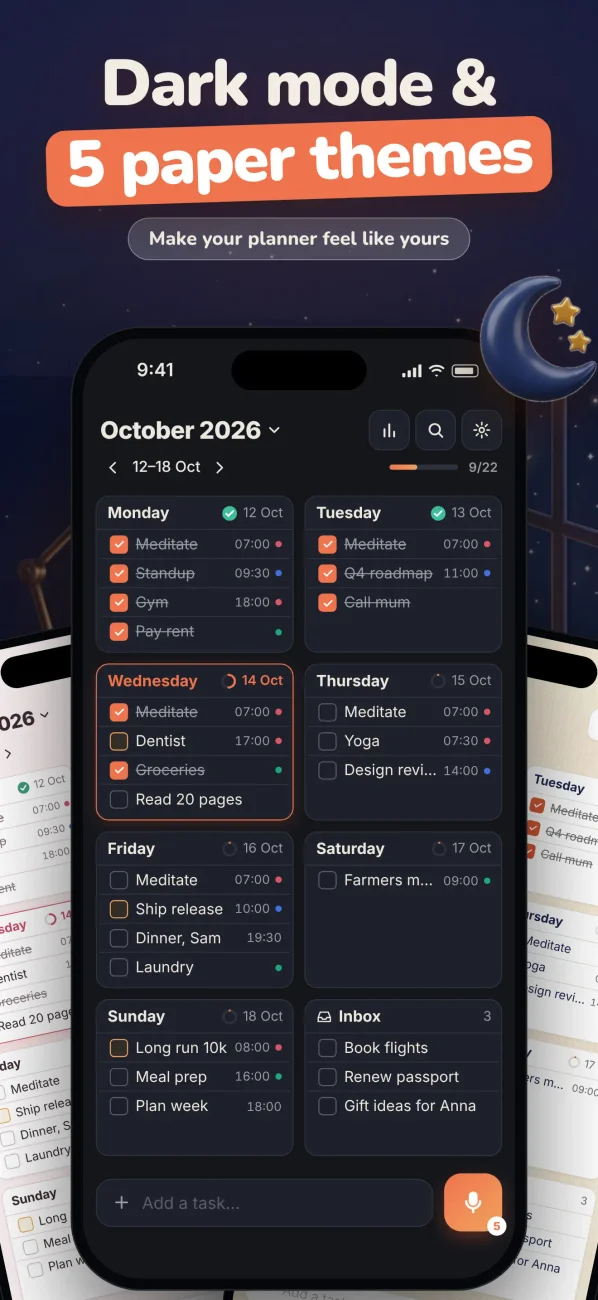
About
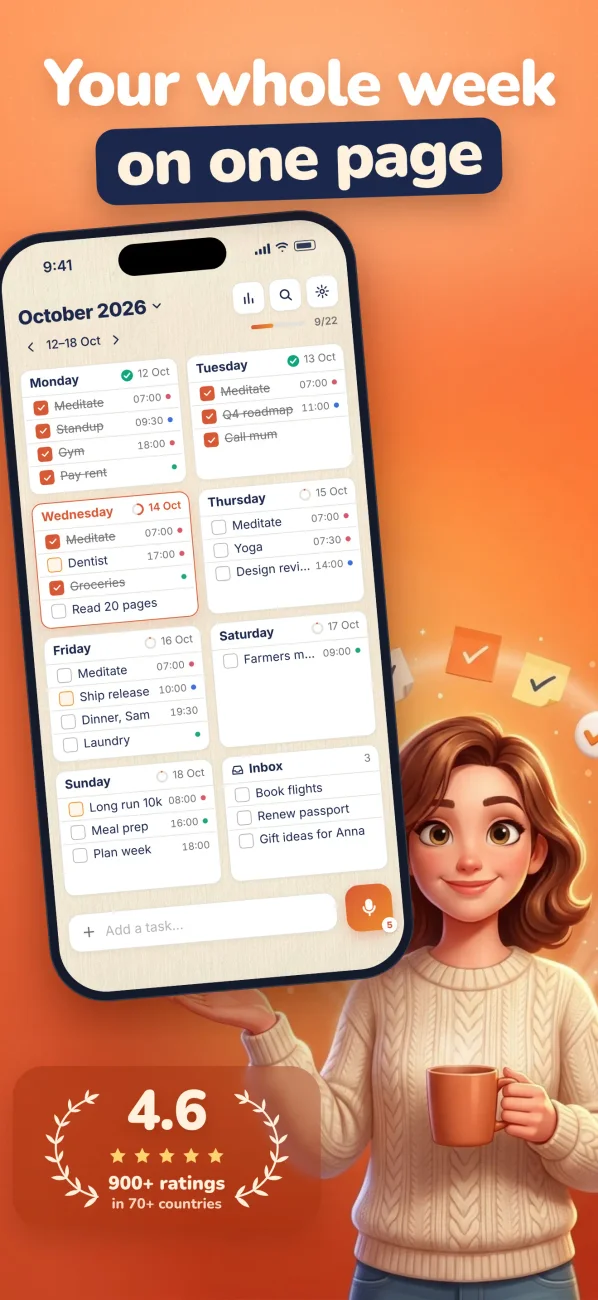
Your whole week on one page, like a paper planner — with a voice that understands you.
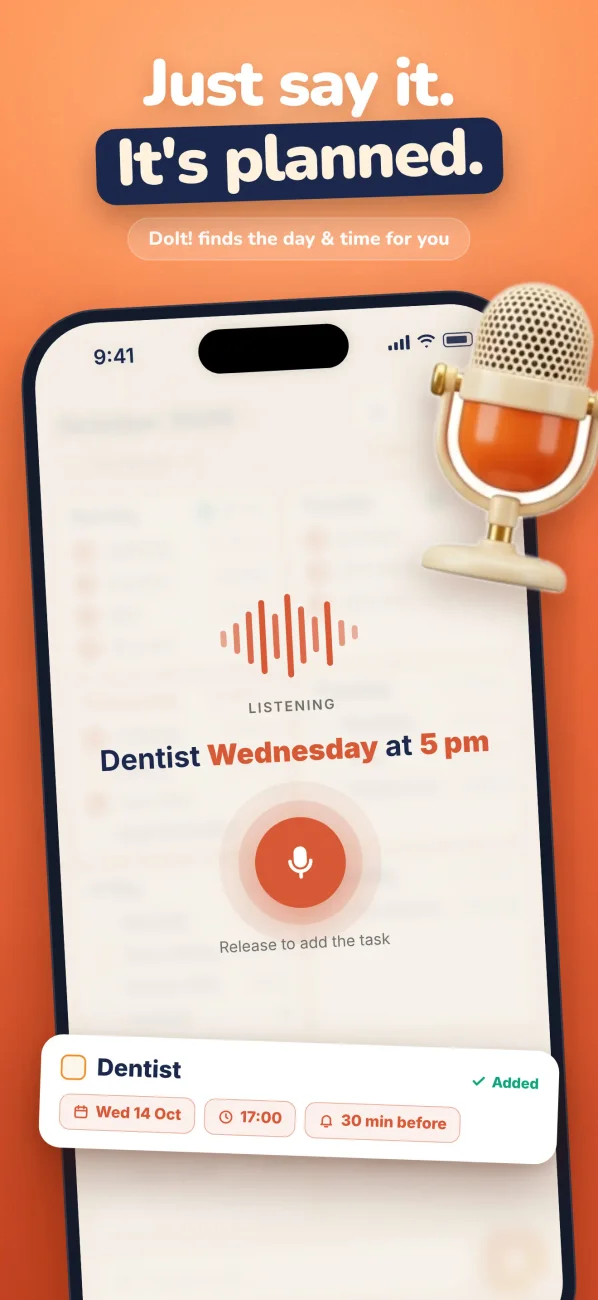
DoIt! shows seven days side by side so you always see what's coming. Type a task, or hold the mic and say "Dentist Friday 5 pm" — DoIt! understands the day and time and puts it where it belongs. Tick things off, drag them to another day, and watch your week come together.
PLAN THE WEEK
• Seven-day week view plus an Inbox for ideas without a date
• Day view with manual ordering, sorting by time, priority or status
• Month overview with open and completed counts
• Drag & drop tasks between days, move or copy a whole day
• Search everything you ever wrote
• Roll unfinished tasks over to today (optional)
CAPTURE FAST
• Quick add with natural language: "Call mom tomorrow 10:30"
• Hold-to-talk voice capture in 14 languages
• Share text from any app and DoIt! turns it into tasks — on device
REVIEW & PLAN EVERY WEEK
• Weekly review with your completion rate, streak and best day
• Plan your week in two minutes: give every waiting task a day with one tap
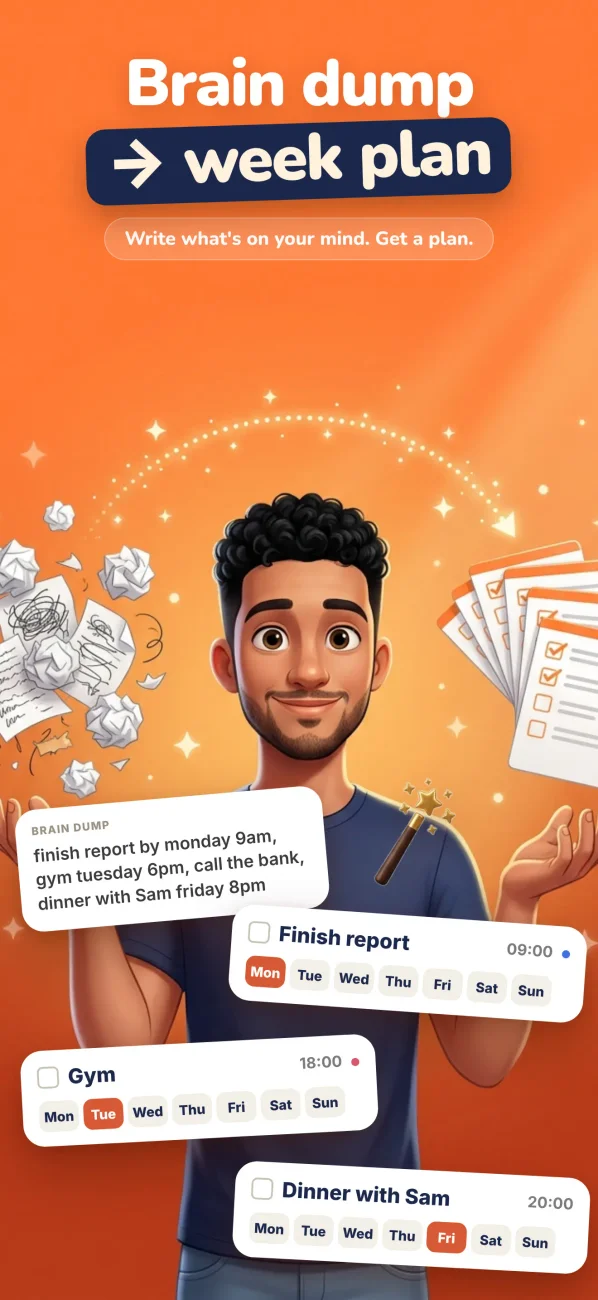
• Brain dump: write what's on your mind, DoIt! turns it into tasks and spreads them over your week
STAY ON TRACK
• Reminders before each task, per task or by default
• Repeating tasks: daily, weekdays, weekly, monthly, custom days
• Subtasks and checklists inside any task
• Tags with colors to organize work, home, health…
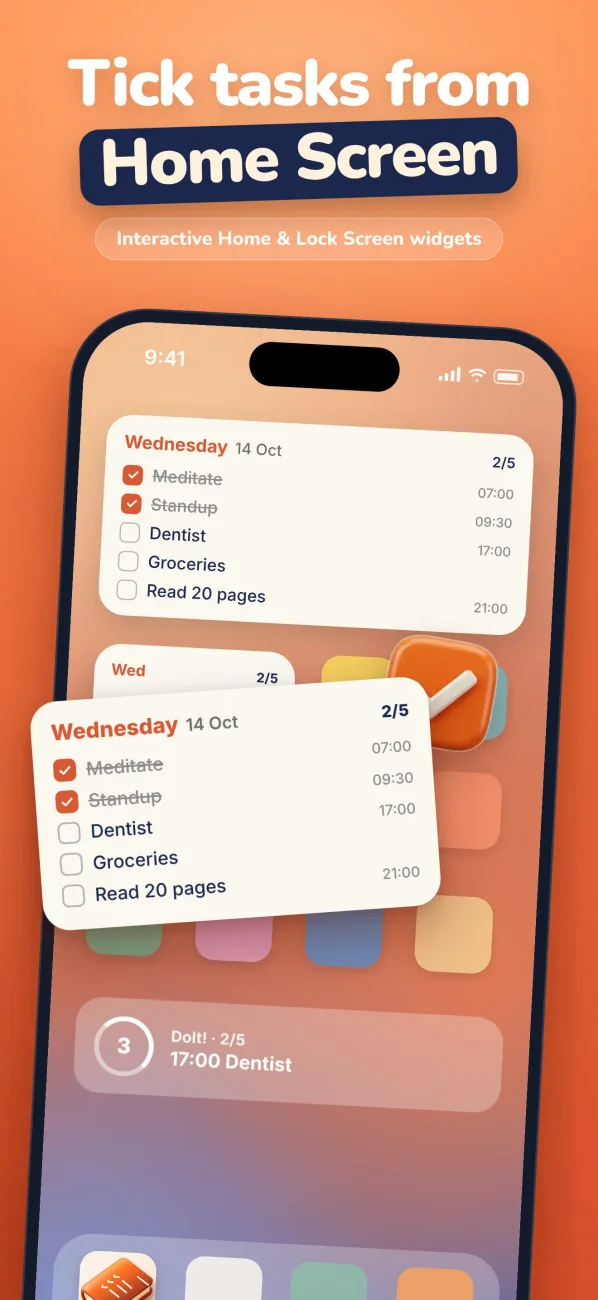
• Interactive Home Screen and Lock Screen widgets — tick tasks without opening the app
• Export a task to your calendar, share a task or a whole day
MAKE IT YOURS
• Five paper themes: Classic, Minimal, Craft, Rose and Midnight (dark)
• Handwriting and rounded fonts
• 12/24-hour clock, Monday or Sunday week start
• Rich text: bold, italic, underline, colors
PRIVATE BY DESIGN
Everything is stored and processed on your device — no account, no cloud AI, no tracking of your tasks. DoIt! works fully offline.
DOIT! PRO
Free includes unlimited typed tasks, reminders, priorities, search, month view, dark mode and five voice captures a week, no account and no cloud. Pro unlocks unlimited voice capture, repeating tasks, subtasks, unlimited tags, themes & fonts, rich text and calendar export. Choose monthly, yearly (with a free trial) or pay once for lifetime.
Made by one independent developer. Questions or ideas? Write from Settings — every email gets an answer.
SUBSCRIPTION
• Payment is charged to your Apple ID account at confirmation of purchase.
• Subscriptions renew automatically unless canceled at least 24 hours before the end of the current period.
• Manage or cancel anytime in your App Store account settings.
• Any unused portion of a free trial is forfeited when you purchase a subscription.
Terms of Use: https://mammoth-tent-dda.notion.site/Terms-of-Use-and-Privacy-And-Policy-Weekly-Planner-653e4651dc5c4a6c8124d2c24ecde154
Privacy Policy: https://mammoth-tent-dda.notion.site/Terms-of-Use-and-Privacy-And-Policy-Weekly-Planner-653e4651dc5c4a6c8124d2c24ecde154
What’s new
Version 3.0.0 · Oct 20, 2026
DoIt! 3.0 is a complete rebuild — everything you asked for, and your tasks are exactly where you left them.
• Repeating tasks and subtasks
• Tags with colors
• Inbox for tasks without a date, month overview and search
• Drag tasks between days, copy or move a whole day
• Per-task reminders and an optional roll-over of unfinished tasks
• Five themes including dark mode, plus new fonts
• Natural-language quick add with live preview: "Gym tomorrow 7am"
• Weekly review, streaks and a two-minute weekly planning ritual
• Tick tasks right from the Home Screen widget
• Swipe to complete or move to tomorrow
• Faster start, works fully offline
• Ticking tasks, times and priorities are now free for everyone
App privacy
What Farid Fakhnavar declares on the App Store about how this app handles data.
-
Data not collected
The developer does not collect any data from this app.
Privacy practices may vary, for example with the features you use or your age.
Information
- Seller
- Farid Fakhnavar
- Category
- Lifestyle
- Version
- 3.0.0
- Updated
- Oct 20, 2026
- Released
- Mar 14, 2024
- Size
- 73.7 MB
- Requires
- iOS 14.0 or later
- Age rating
- 4+
- Price
- Free
- In-app purchases
- Yes
- Languages
- English, Arabic, Dutch, French, German, Italian, Japanese, Korean, Polish, Portuguese, Russian, Simplified Chinese + 2 more
- Copyright
- © Farid Fakhnavar
You might also like
-
 Pomodoro Timer : Study & WorkTomato Time Tracker
-
 Affirmations Positive QuotesMindway stop overthinking
-
 Manifest AI: Bye Broke BrainRenew Your Brain In Seconds
-
 Home Remedies for Hair CareYour personal haircare tracker
-
 Roast AI: Texting assistantRoast App, Roast GPT
-
 Ovulio Baby: Ovulation TrackerFertility & Period Calculator
-
 Babio: Baby Photo Editor PicsMonthly Pictures & Milestones
-
 Clock Pocket:standby widgetColorful Digit Clock,Watch
-
 PetNoter: Pet Health TrackerCat & Dog Care, Vet Reminders
-
 PocketPal: Daily AffirmationsYour Daily Dose of Positivity