
Weigh Easy - Weight Tracker
Private trend, goal & photos
Designed for iPhone, iPad
In-app purchases
- Age rating4+
- CategoryHealth & Fitness
- DeveloperMatthew Strickland
- LanguagesEnglish
- Size5.4 MB
Links to the official App Store page
Download.org hosts no file of Weigh Easy - Weight Tracker. The button opens its official App Store page, published by Matthew Strickland. Listing last checked on Nov 23, 2026.
Screenshots



About
Weigh Easy is a calm, private place for your weight, on iPhone and iPad. Type it in, and see where it’s really heading, without the noise of day-to-day swings.
YOUR WEIGHT, IN PLAIN WORDS
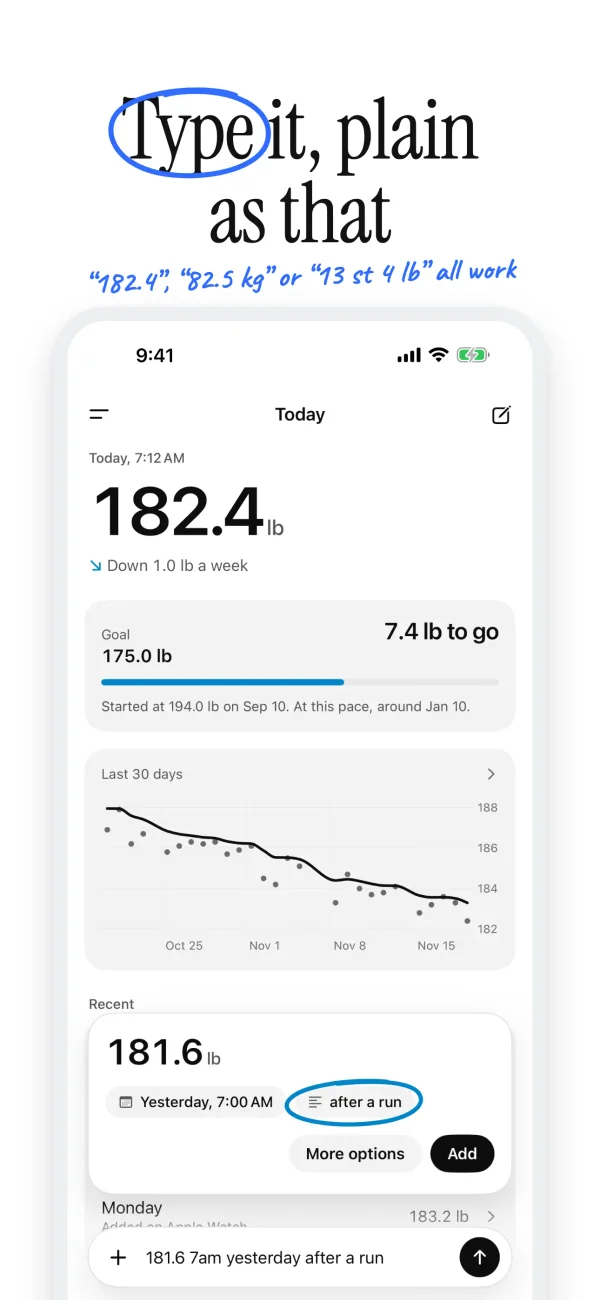
Today shows your latest weigh-in, the trend in words (“Down 1.2 lb a week”), and how far you are from your goal. Add a weigh-in by typing it: “182.4”, “82.5 kg”, or “13 st 4 lb yesterday after a run”.
A TREND YOU CAN TRUST
The trend line smooths out water and food swings. Several weigh-ins on one day count as their average, days you skip are skipped rather than guessed, and a long break never draws a line through months with no data. See 30 days, 90 days, a year or everything, with your lowest, highest and average.
GOALS WITHOUT PRESSURE
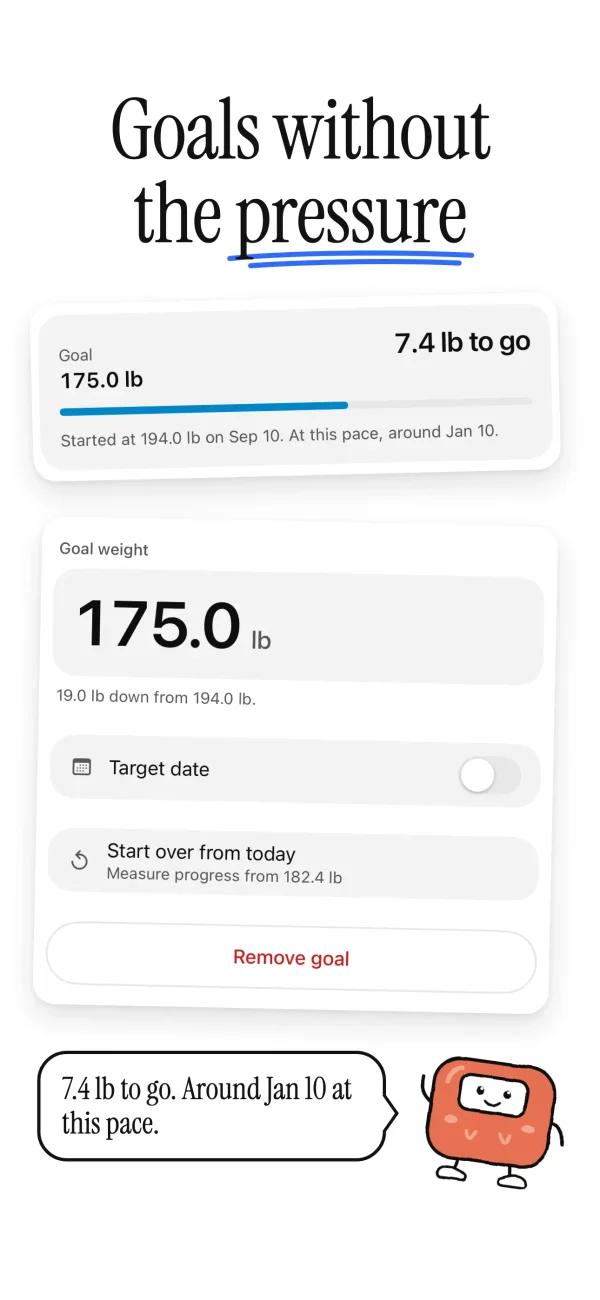
Set a goal weight, with a date if you like. Weigh Easy shows how much is left, how far you’ve come, and roughly when you’d get there at your current pace.
POUNDS, KILOGRAMS OR STONES
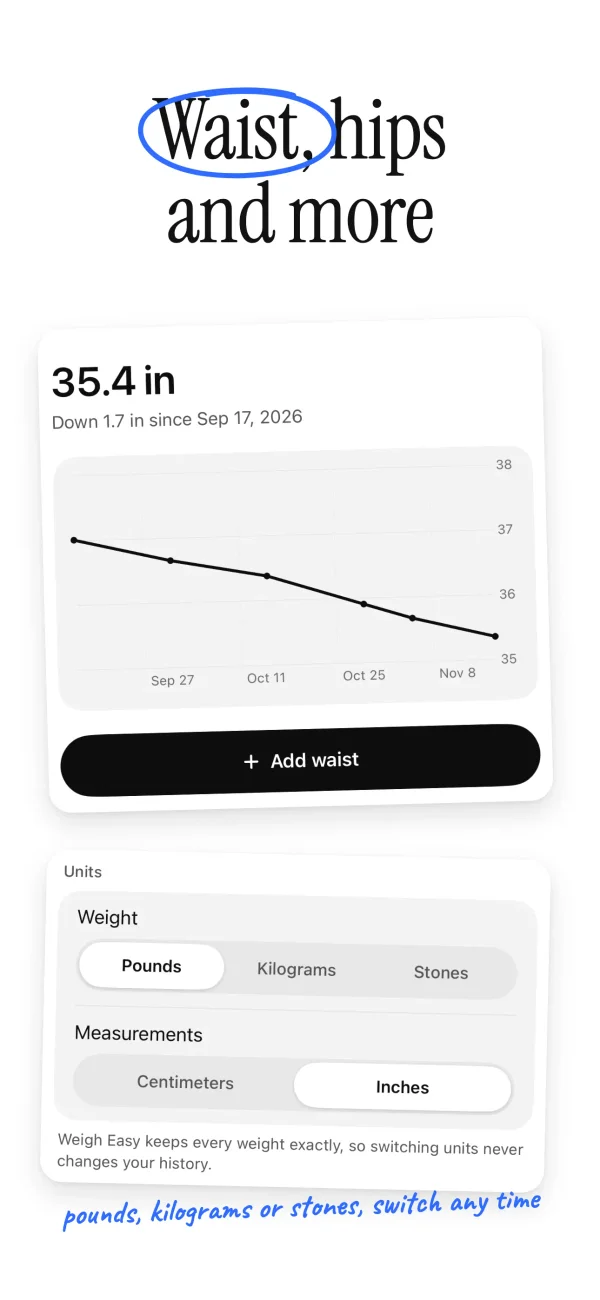
Switch any time. Every weight is kept exactly, so switching units never changes your history, and stones read as stones and pounds.
PRIVATE PROGRESS PHOTOS
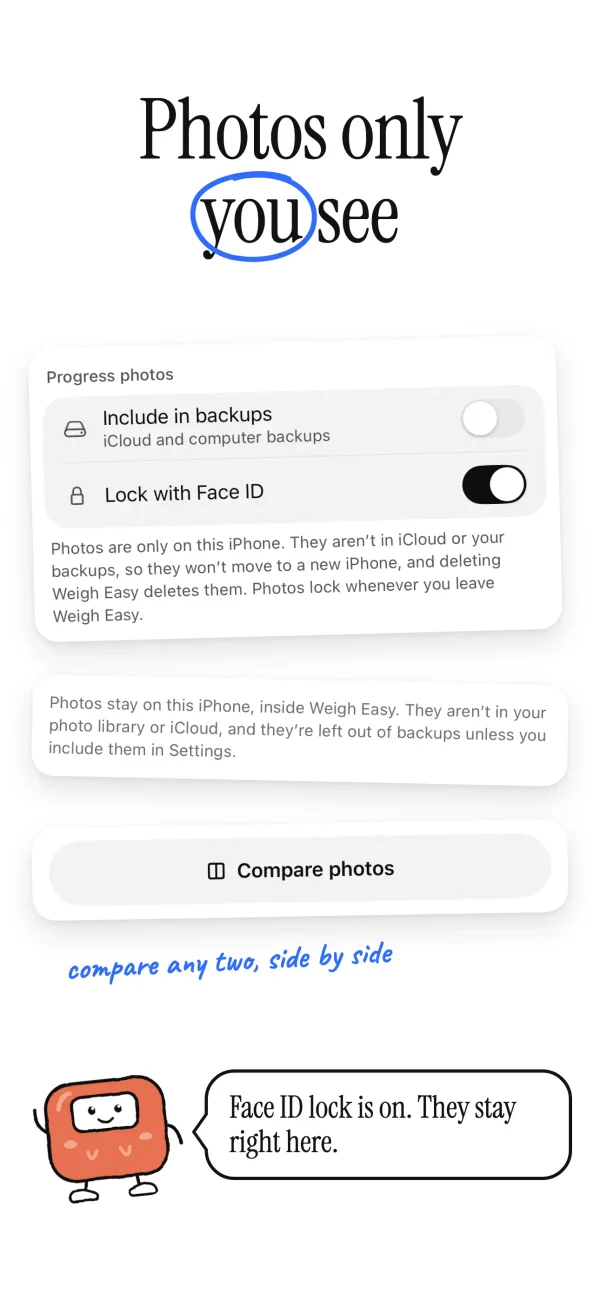
Take or add progress photos and compare any two side by side. They stay inside Weigh Easy on your iPhone or iPad: not in your photo library, not in iCloud, and left out of backups unless you choose to include them. Lock them with Face ID or Touch ID if you like.
ROOMY ON IPAD
On iPad, Today sits beside your history with a bigger chart and the month in numbers, History opens each weigh-in beside the list with the weeks around it, and progress photos compare side by side at full size, with the trend between them. Split View, Stage Manager, every orientation and keyboard shortcuts too.
APPLE HEALTH
Link Apple Health to save your weigh-ins there as Weight, and to bring in weigh-ins from your smart scale or other apps. Only your weight is read or saved, and only if you turn it on.
SIRI AND SHORTCUTS
Say “Log my weight in Weigh Easy” and give Siri the reading, with no need to open the app. Add the same action to a shortcut that runs after you step off your scale, or ask Siri to show your trend.
APPLE WATCH AND WIDGETS
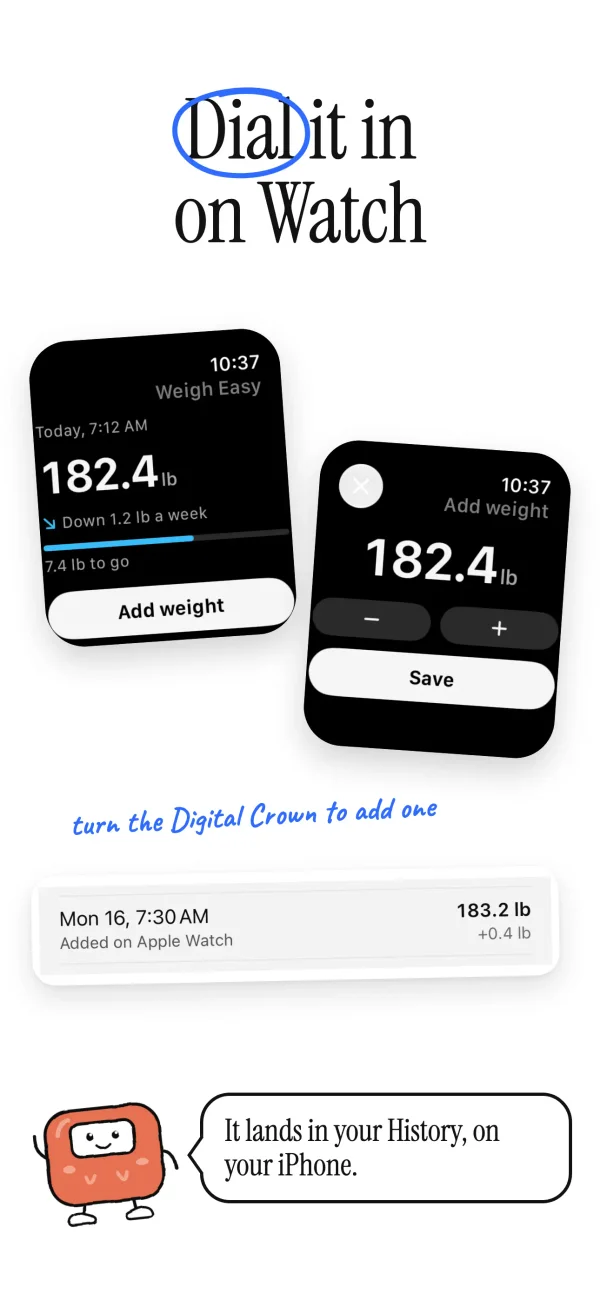
Add a weigh-in from your wrist by turning the Digital Crown. Widgets show your latest weight, trend and goal at a glance, on the Lock Screen too.
MORE
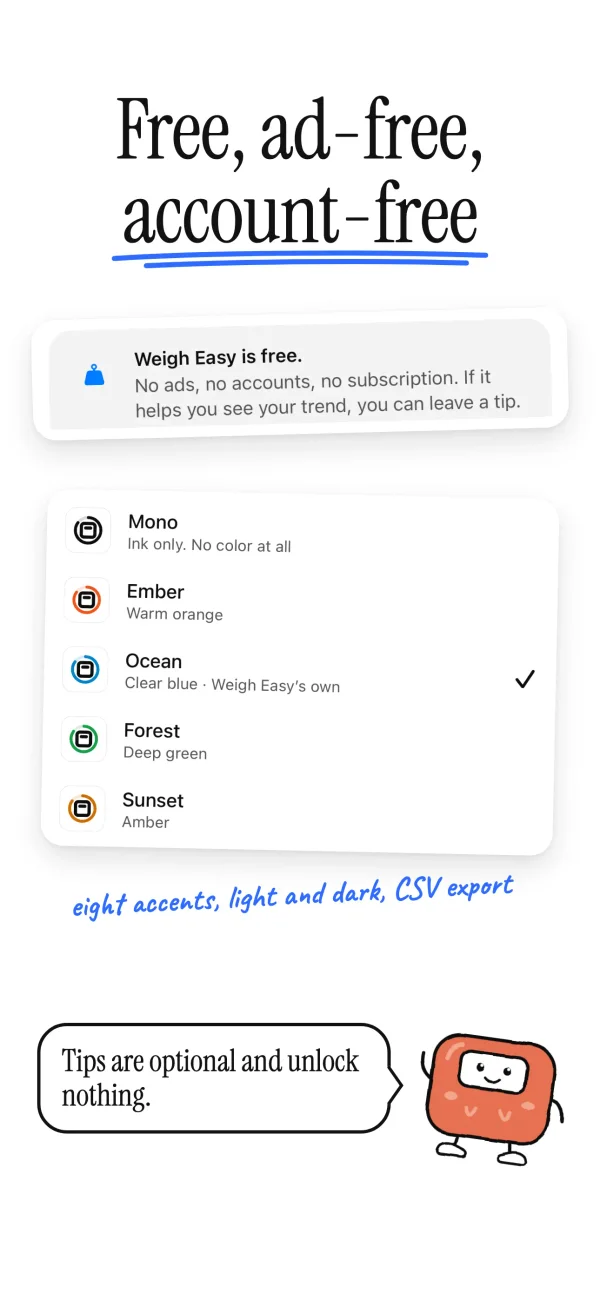
Body measurements (waist, hips, chest and more), CSV export of everything, light and dark looks with eight accents.
YOUR DATA STAYS ON YOUR DEVICE
Nothing here needs an account, and the app carries no ads. Weigh-ins, photos and measurements stay put on your device. To help fix problems, Weigh Easy sends anonymous diagnostics, such as crash reports and which screens you open. They never include your weights, goals, measurements, photos, notes or anything from Apple Health, and nothing identifies you. Switch them off whenever you like in Settings › Privacy.
A FEATHER, IF YOU LIKE
Weigh Easy is free and has nothing to unlock. If it helps you see your trend, you can leave a one-time tip in Settings: a Feather, a Pebble, a Stone or a Boulder. Each tip is handled by the App Store and leaves the app exactly as it was.
Weigh Easy keeps the numbers you give it and draws them as a chart. For questions about your weight or health, ask a doctor, not a chart.
What’s new
Version 1.6 · Nov 20, 2026
• Now on iPad, with Today beside your history, History beside the weigh-in you pick (the trend that day and the weeks around it), Measurements beside each one's chart, and progress photos compared side by side at full size, with the trend between them
• Split View, Stage Manager and every orientation on iPad, plus keyboard shortcuts: ⌘N for a new weigh-in, ⌘S to save it
• iPhone Duo, unfolded: History, Measurements and Photos now open the weigh-in, the measurement or Compare beside the list
• Photo lock and privacy wording now name your device, Face ID or Touch ID
App privacy
What Matthew Strickland declares on the App Store about how this app handles data.
-
Data not linked to you
May be collected but is not linked to your identity.
- Usage data
- Diagnostics
Privacy practices may vary, for example with the features you use or your age.
Information
- Seller
- Matthew Strickland
- Category
- Health & Fitness
- Version
- 1.6
- Updated
- Nov 20, 2026
- Released
- Feb 23, 2026
- Size
- 5.4 MB
- Requires
- iOS 17.0 or later
- Age rating
- 4+
- In-app purchases
- Yes
- Languages
- English
- Copyright
- © 2026 Idle Fusion LLC
You might also like
-
 Body Timeline: Track your bodyCapture your transformation
-
 CragMate Bouldering & ClimbingTracker & logbook, gym & crag
-
 Moxie WeighBest friend for healthy weight
-
 Weight Easy: GLP-1 TrackerSide Effects, Meals & AI Coach
-
 Blooming Log: Baby MilestonePrivate & Simple Growth Log
-
 CompareMyselfVisual Progress Tracker
-
 Cicolator: Calorie CounterPortion Meals & Log Your Food
-
 Insightful WeightHealthKit Weight Trends
-
 Check My PlateTrack Macros Easy & Right
-
 Steps: Daily MotionPedometer & Walking Routes