
Welcome VPN: VLESS Proxy
Fast V2Ray Shadowsocks client
Designed for iPhone, iPad
Free
- Age rating17+
- CategoryUtilities
- DeveloperWELCOME TECH LLP
- LanguagesEnglish+ 4 more
- Size126.1 MB
Links to the official App Store page
Download.org hosts no file of Welcome VPN: VLESS Proxy. The button opens its official App Store page, published by WELCOME TECH LLP. Listing last checked on Nov 23, 2026.
Screenshots
About
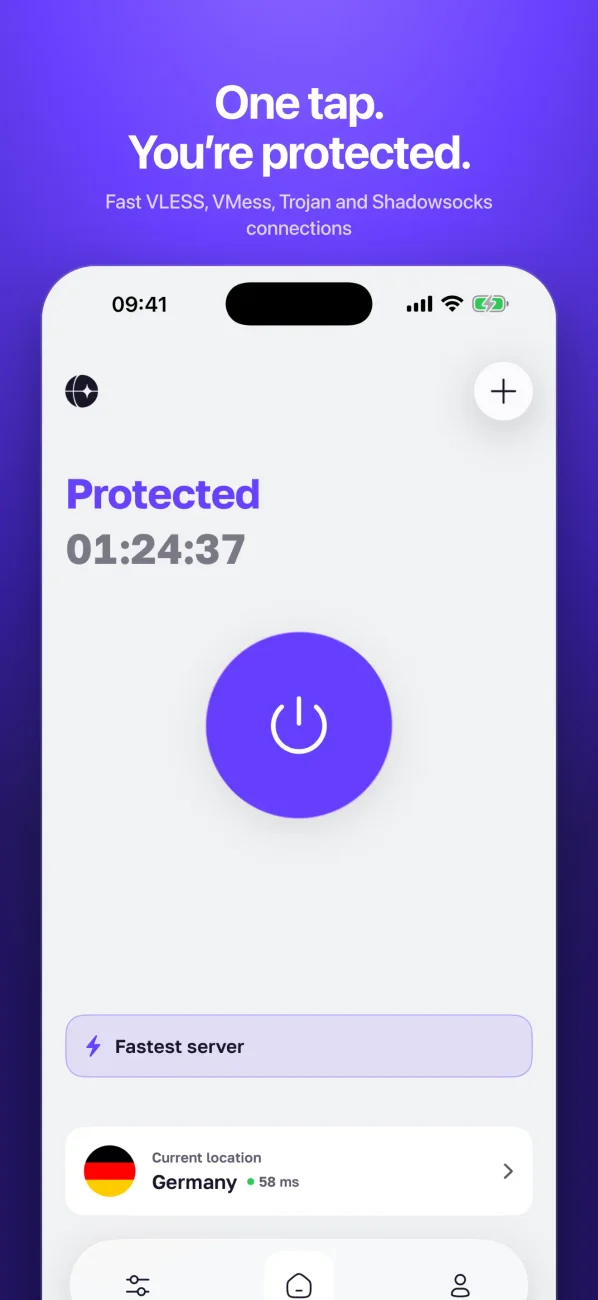
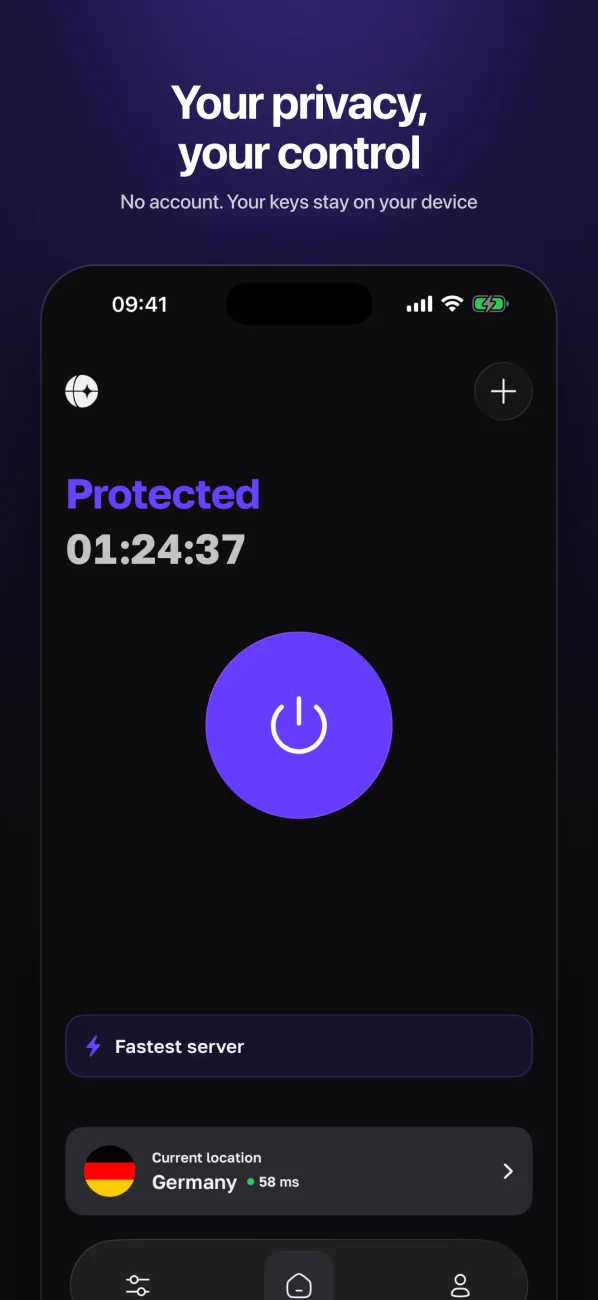
WelcomeVPN is a VLESS, VMess, Trojan and Shadowsocks client built on Xray. Paste your key or a subscription link and connect with one tap. No account needed.
Built on Apple's secure Network Extension framework, WelcomeVPN keeps your traffic encrypted on public Wi-Fi, hotels, airports and cafés, so your data stays yours.
WHY WELCOMEVPN
• One-tap connect — no complicated setup
• No account required — nothing to sign up for
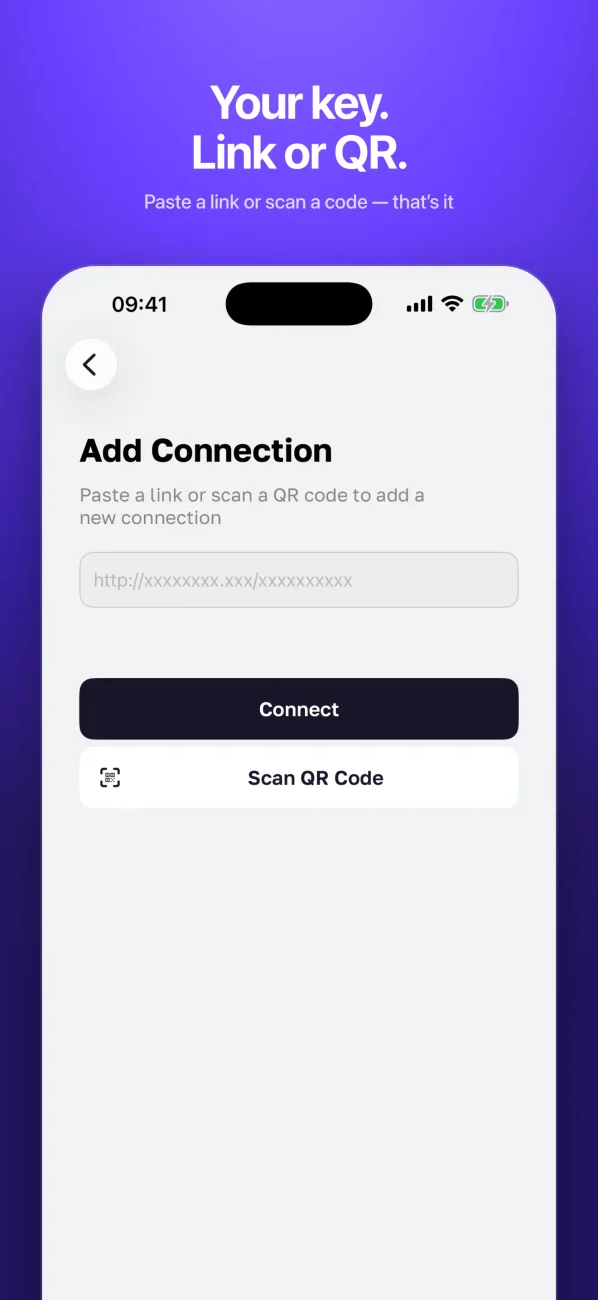
• Bring your own config — paste a link or scan a QR code
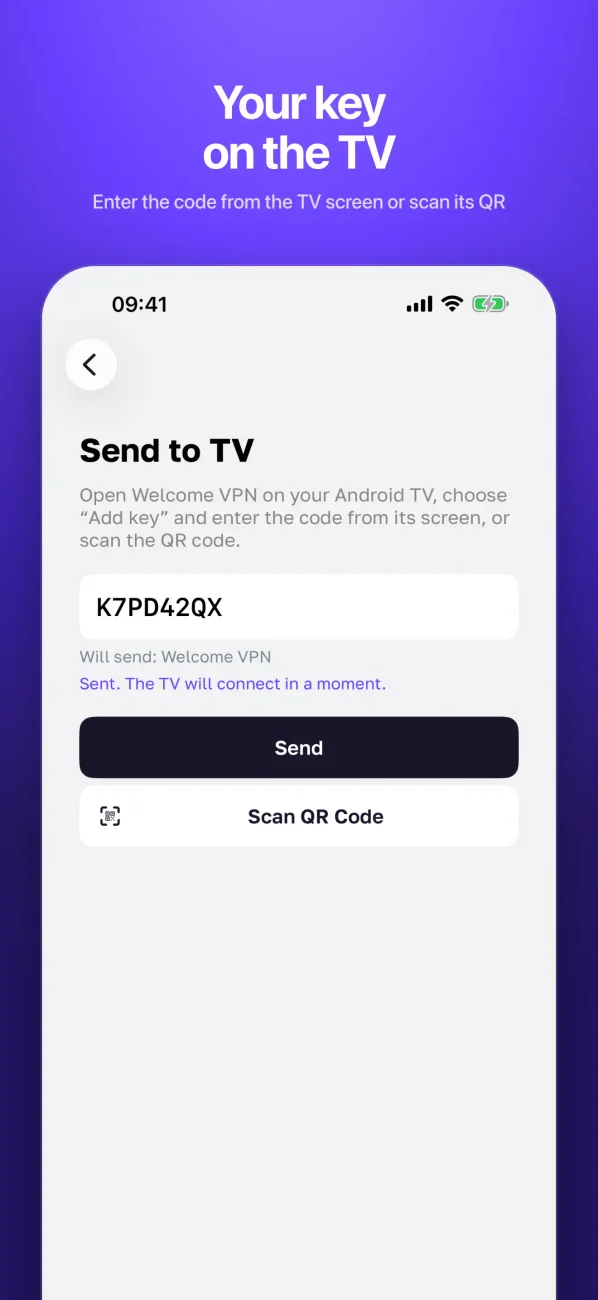
• Send your key to the TV — no typing with the remote
• Lightning-fast modern protocols for smooth streaming and browsing
• Clean, simple design in 5 languages
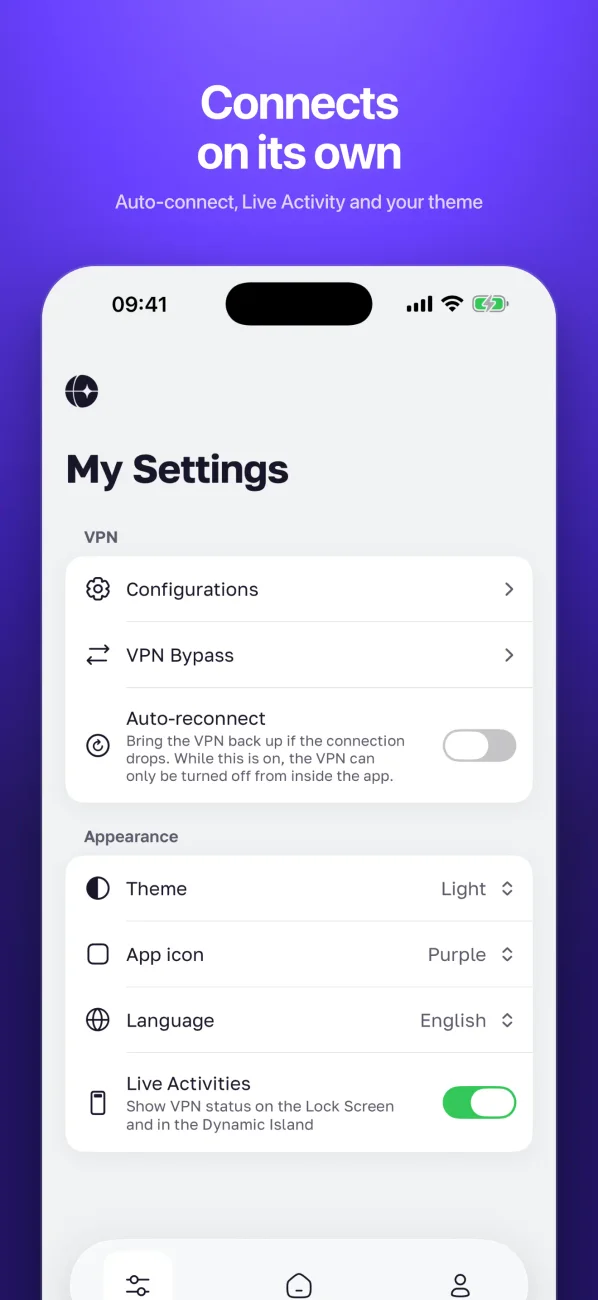
• Large text and VoiceOver: the interface follows your iOS accessibility settings
SUPPORTED PROTOCOLS
VLESS, VMess, Trojan, Shadowsocks and SOCKS — connect to virtually any modern server or subscription link.
SERVERS & SUBSCRIPTION LINKS
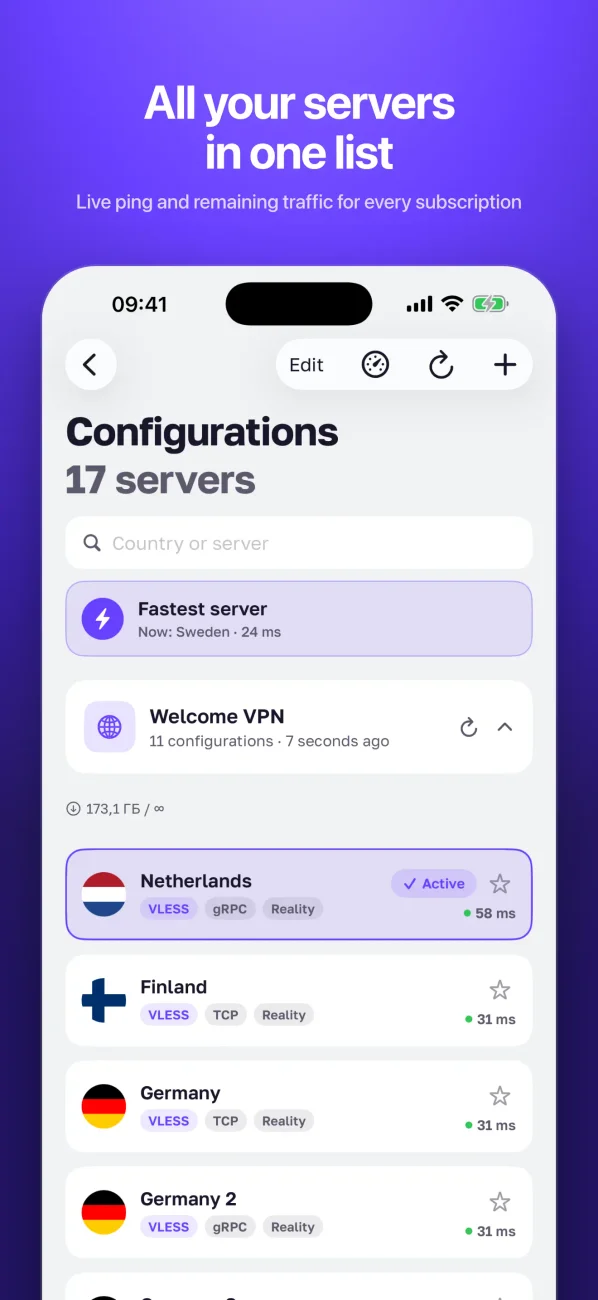
• Import a subscription link and get all its servers at once
• See remaining traffic and expiry at a glance
• Refresh servers in one tap to always stay up to date
• Switch between locations with clear country flags
• Keep multiple keys and switch any time
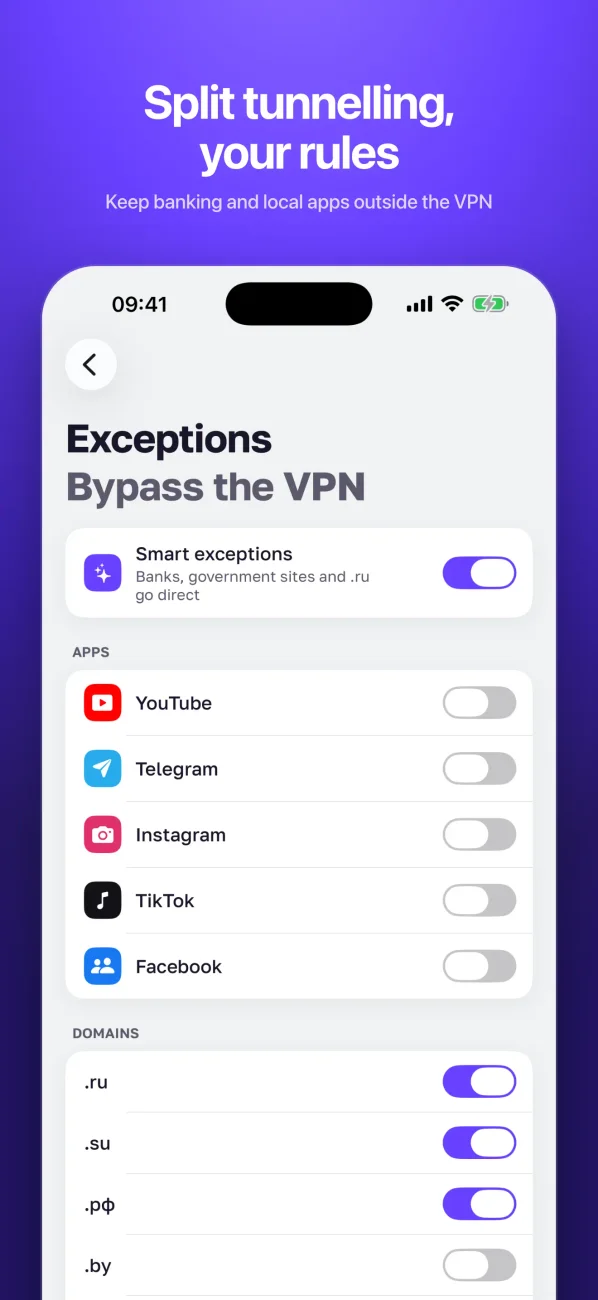
SPLIT TUNNELLING (EXCEPTIONS)
Choose what goes through the VPN and what doesn't. Exclude specific domains or popular services so local apps and sites keep working at full speed while everything else stays protected.
SEND YOUR KEY TO THE TV
Using Welcome VPN on your smart TV? Open Settings → “Send to TV” on your iPhone and enter the short code from the TV screen, or scan its QR code. Your key or whole subscription arrives on the TV in seconds — no typing long links with the remote.
PRIVATE BY DESIGN
Your traffic is encrypted between your device and your server. You decide which server to trust — WelcomeVPN is the client that connects you.
GET CONNECTED IN SECONDS
1. Open WelcomeVPN
2. Paste your VPN link or scan a QR code
3. You're protected
WelcomeVPN is a VPN client. To connect you need a compatible VPN configuration or subscription link from a provider you trust.
Questions? Contact us at contact@welcomevpn.net
What’s new
Version 1.4.12 · Oct 5, 2026
What's new in 1.4.12:
• The app launches again on Apple Silicon Macs with earlier versions of macOS
• Bug fixes and stability improvements
App privacy
What WELCOME TECH LLP declares on the App Store about how this app handles data.
-
Data not linked to you
May be collected but is not linked to your identity.
- Identifiers
- Usage data
- Diagnostics
Privacy practices may vary, for example with the features you use or your age.
Information
- Seller
- WELCOME TECH LLP
- Category
- Utilities
- Version
- 1.4.12
- Updated
- Oct 5, 2026
- Released
- Jun 25, 2026
- Size
- 126.1 MB
- Requires
- iOS 17.0 or later
- Age rating
- 17+
- Price
- Free
- Languages
- English, French, German, Russian, Spanish
- Copyright
- © 2026 WelcomeTech
You might also like
-
 BearLine VPNAnonymous & private, no email
-
 SkyGuard VPNFast Secure VPN Proxy
-
 WindVPNUtilities
-
 VPN Private & FastSafe,Unlimited, Secure
-
 VPN -Super Rocket buck Hitf3 wind whale ify fusvob fkey
-
 VPN - Fast VPN Super windproxy master ify airplane
-
 GustVPNUtilities
-
 Web Guard ProModern Network Solutions
-
 Private & Unlimited VPNSafe, Secure & Fast
-
 Private VPN +.Secure, Safe, Unlimited, Fast