
WeTimes - Shared Calendar
Plan together, stay connected
Designed for iPhone, iPad, iPod touch
Free · In-app purchases
- Age rating17+
- CategoryProductivity
- DeveloperJinyong Kim
- LanguagesEnglish+ 1 more
- Size96.5 MB
Links to the official App Store page
Download.org hosts no file of WeTimes - Shared Calendar. The button opens its official App Store page, published by Jinyong Kim. Listing last checked on Nov 23, 2026.
Screenshots
About
“When are we meeting?”
“Do we have plans that day?”
Keep your plans together in WeTimes.
Share a calendar with your partner, family or friends, and give each plan a place for the details and conversation that go with it.
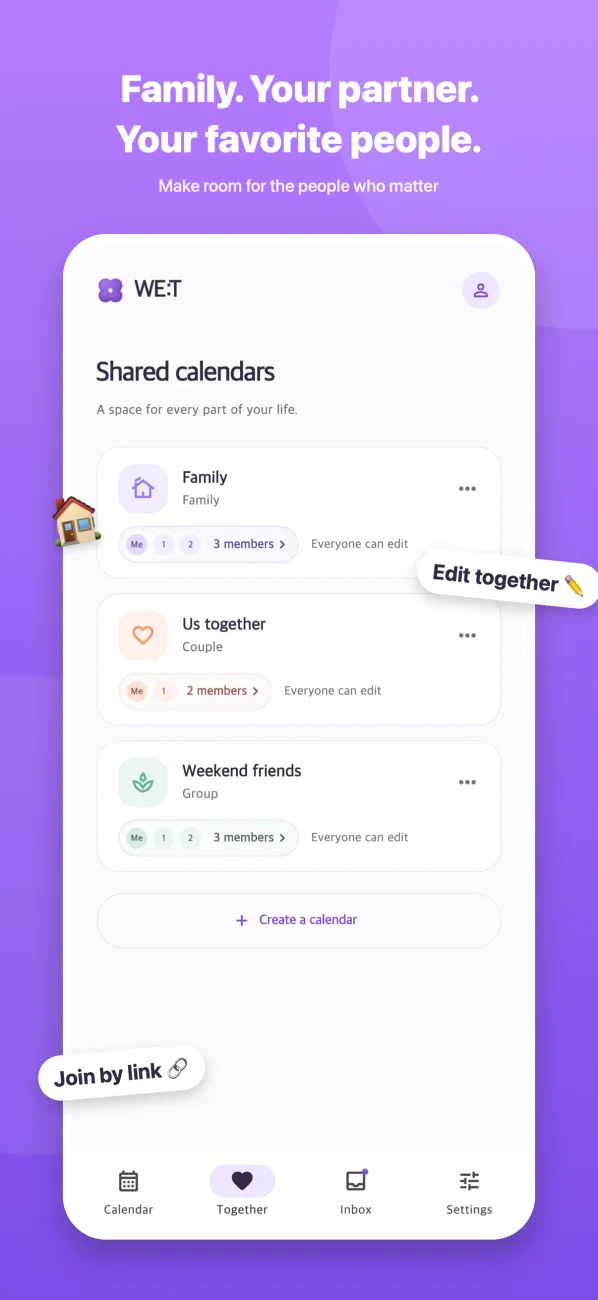
■ A calendar for each part of your life
Keep date nights, family events and group plans in separate calendars. Invite people with a link or code, then choose which calendars you want to see together.
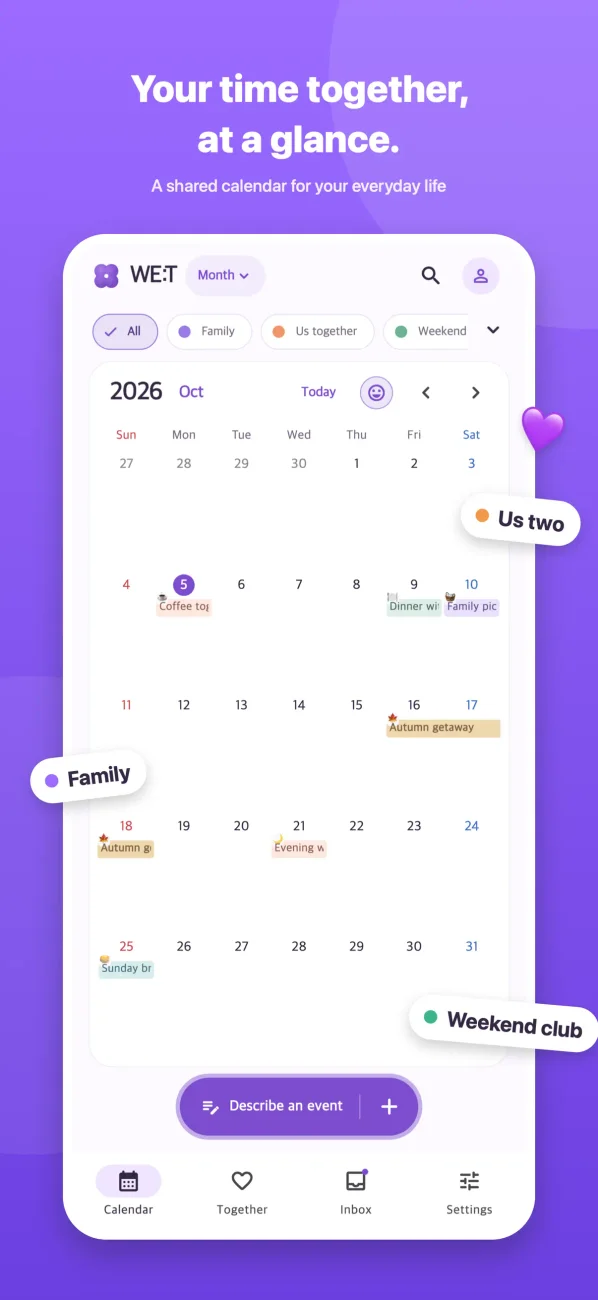
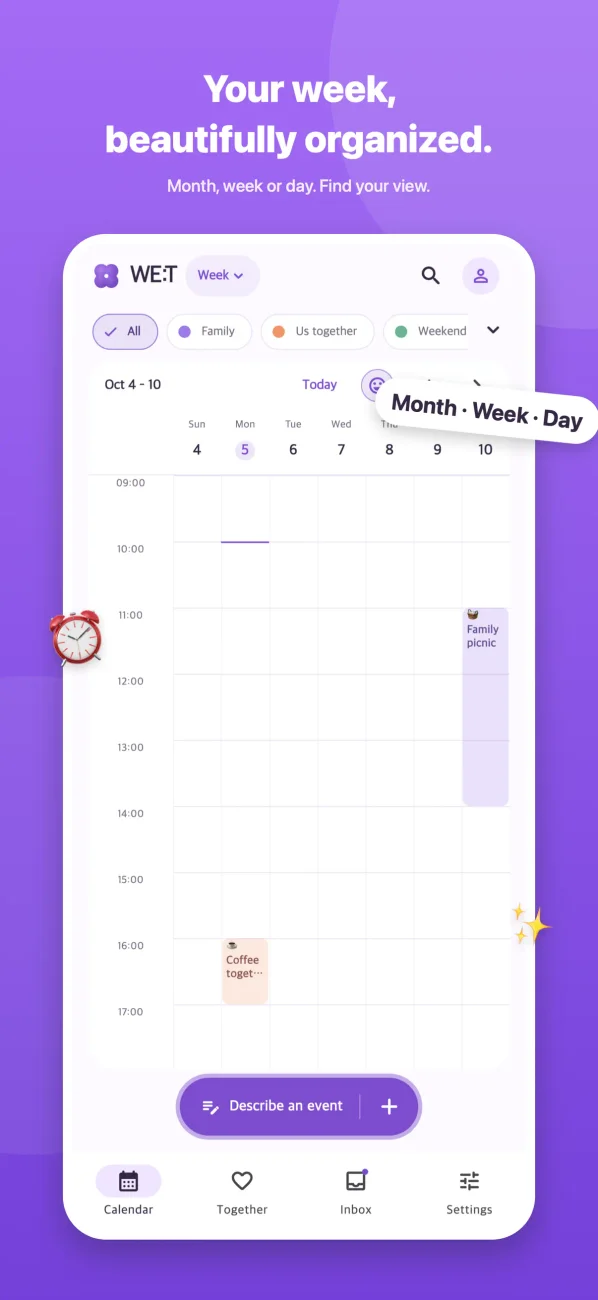
■ Your month, week or day
Switch views to see the days ahead. Give events their own colors, add trips that span several days, and set up repeating plans. Choose reminders to help you get ready before an event starts.
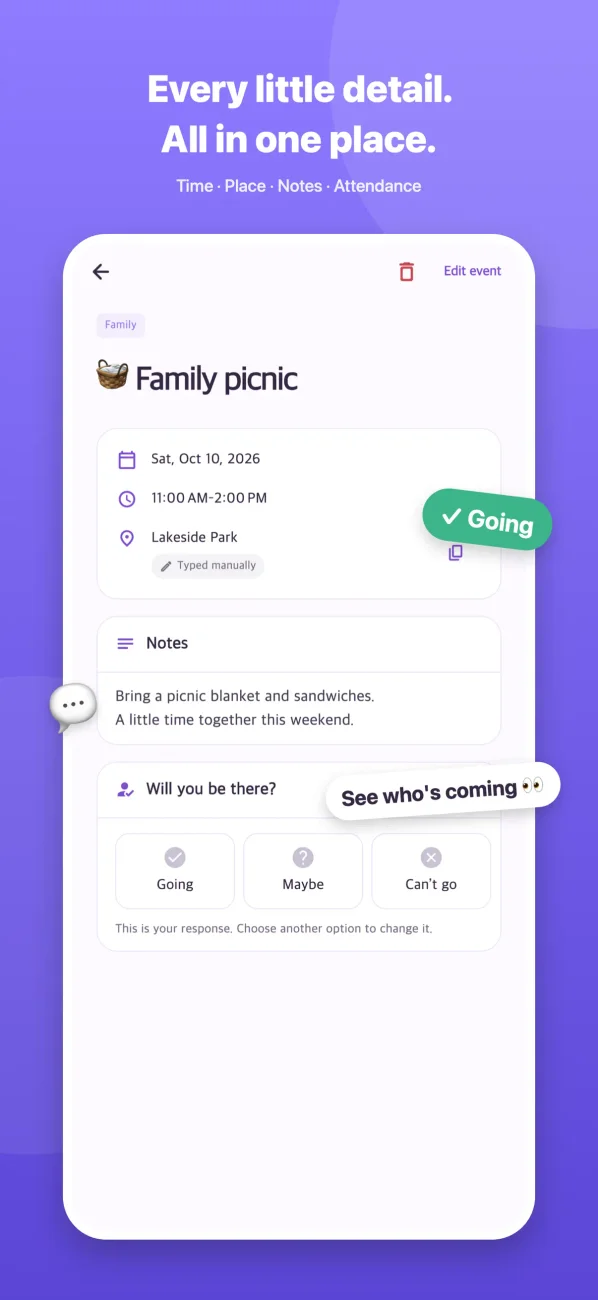
■ The details belong with the plan
Add a place and notes, talk in the comments, check attendance, and catch up on event changes. Spend less time scrolling through chats to find the details of your next get-together.
■ Type a sentence. Review your event.
Try “Dinner tomorrow at 7 pm.” WeTimes picks out dates and times to prepare an event draft. Check it, make any changes, and save when you are ready. Sentence entry supports English and Korean.
■ Choose who can edit
Let everyone edit, or have the calendar owner choose who can make changes. You can also transfer ownership when someone else takes over organizing.
■ Keep files with your events
Attach photos, documents, audio and video to the relevant event. Keep meeting materials and travel documents alongside the plans they belong to.
■ More room when you need it
Start with basic calendar sharing and choose a paid plan if you need more. Depending on your plan, you can remove ads, attach files, search for places, and view them on a map. Max includes shared storage in addition to personal storage.
Some features require a paid plan. Features, file size limits, storage allowances and retention periods vary by plan.
Shared storage uses the calendar owner's Max allowance; having more than one Max member in a calendar does not increase that allowance.
An internet connection is required for sign-in and shared data synchronization.
Support: nimbleclear@gmail.com
Privacy policy: https://nimbleclear.com/wetimes-privacy.html
Terms of use: https://nimbleclear.com/wetimes-terms.html
What’s new
Version 1.0.3 · Nov 20, 2026
• Reply to comments, and get notified when someone replies to yours.
• You can now turn off comment notifications.
• Busy days in the month view show a +N badge.
• Fixed some iPhone photos failing to save as a profile picture.
• Smoother scrolling, and fixes for the keyboard and bottom sheets overlapping.
App privacy
What Jinyong Kim declares on the App Store about how this app handles data.
-
Data linked to you
May be collected and linked to your identity.
- Purchases
- Location
- Contact info
- User content
- Identifiers
- Usage data
- Other data
-
Data not linked to you
May be collected but is not linked to your identity.
- Diagnostics
Privacy practices may vary, for example with the features you use or your age.
Information
- Seller
- Jinyong Kim
- Category
- Productivity
- Version
- 1.0.3
- Updated
- Nov 20, 2026
- Released
- Nov 6, 2026
- Size
- 96.5 MB
- Requires
- iOS 15.0 or later
- Age rating
- 17+
- Price
- Free
- In-app purchases
- Yes
- Languages
- English, Korean
- Copyright
- © 2026 님블클리어(NimbleClear)
You might also like
-
 Minoli: ADHD Planner & FocusBrain Dump & Task Breakdown
-
 Cloud GroupwareProductivity
-
 TimeFilerProductivity
-
 HiringProductivity
-
 FlatUp! - Manage shared livingCalendar, shopping list, kitty
-
 OurFlat: Household & ChoresGroceries, Bills & Calendar
-
 Shift Calendar - Work ScheduleShift Work Calendar
-
 Daily Schedule Planner - MyDayTo Do List, Widget, Calendar
-
 O3: Study With FriendsMade by O3 Study Cafe
-
 Shift Work Calendar: SceduNurse schedule & Shift tracker