
WhatChanged – Folder Compare
File compare & diff checker
Designed for iPhone, iPad, Mac
$9.99
- Age rating4+
- CategoryUtilities
- DeveloperIri You
- LanguagesEnglish+ 22 more
- Size30.6 MB
Links to the official App Store page
Download.org hosts no file of WhatChanged – Folder Compare. The button opens its official App Store page, published by Iri You. Listing last checked on Nov 19, 2026.
Screenshots

About
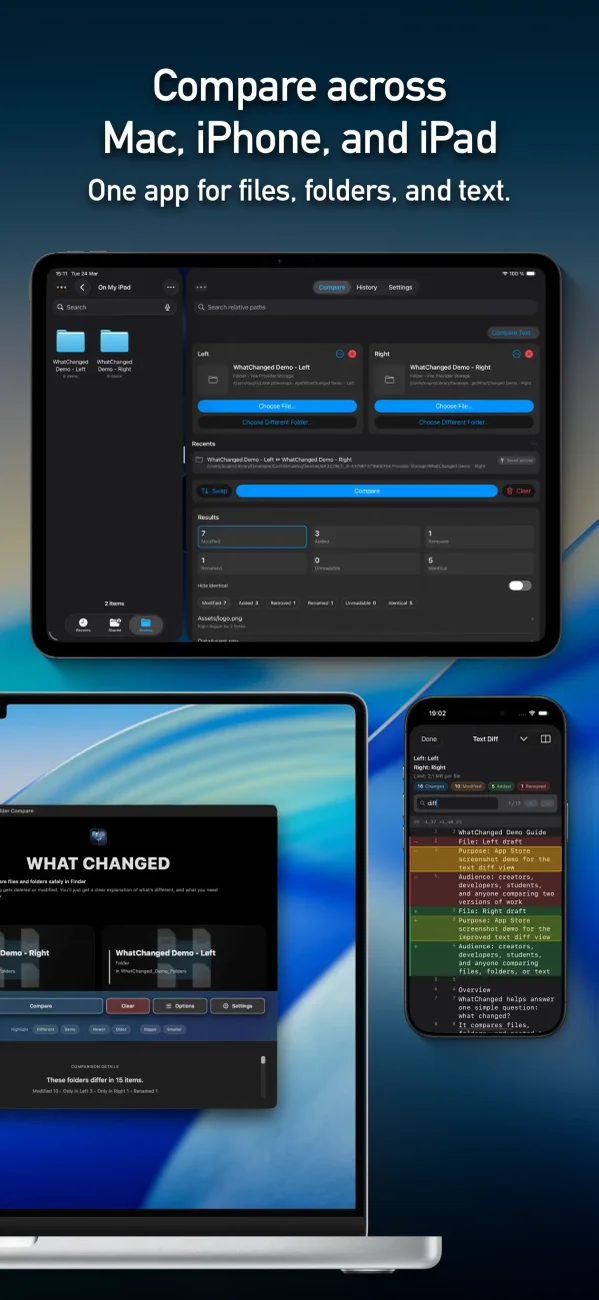
WhatChanged is a file and folder comparison app built to answer one practical question: what changed between these two copies?
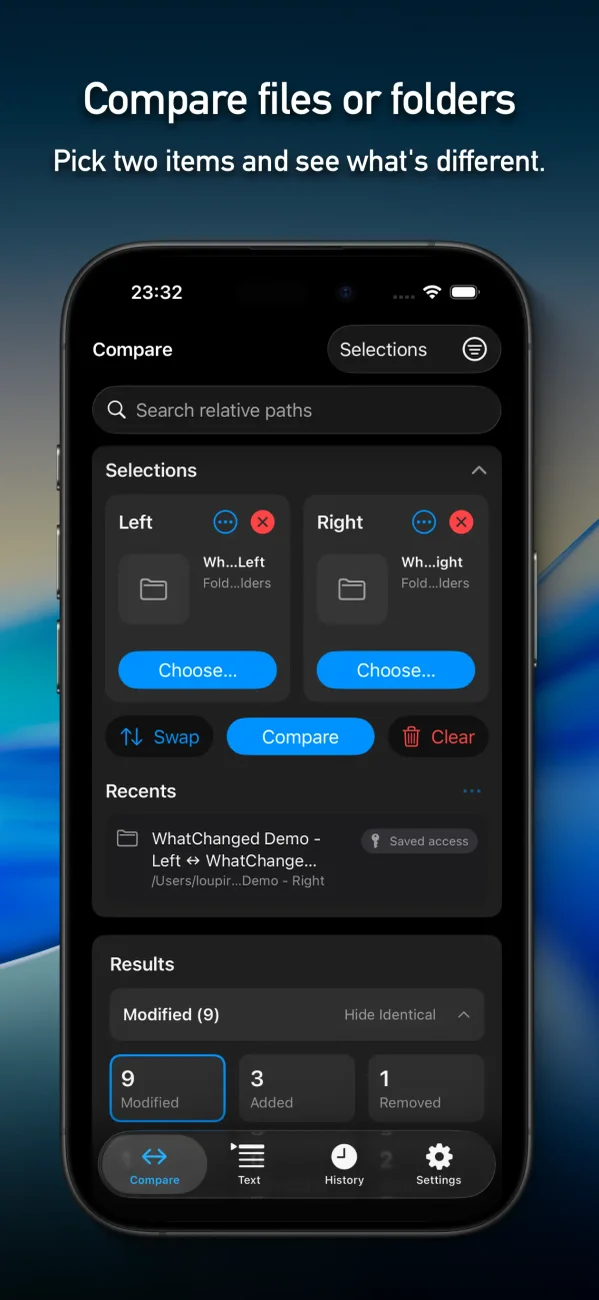
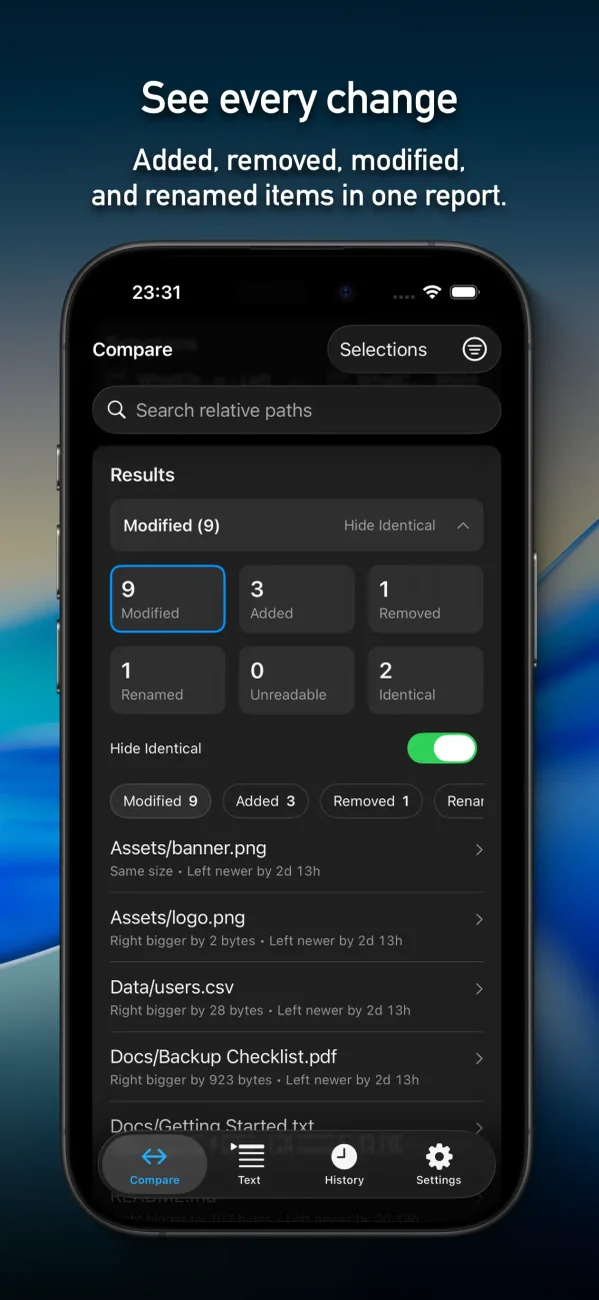
Compare two files or two folders on iPhone, iPad, and Mac and get a clear summary of added, removed, modified, renamed, and identical items. Use optional SHA-256 verification when metadata alone is not enough.
On iPhone and iPad, start inside the app or send exactly two files from Files straight to WhatChanged. It is useful for backups, exports, cloud-drive copies, builds, and any “did this transfer match?” check.
◼ File and folder comparison
• Compare two files or two folders as Left and Right
• Review added, removed, modified, renamed, and identical items
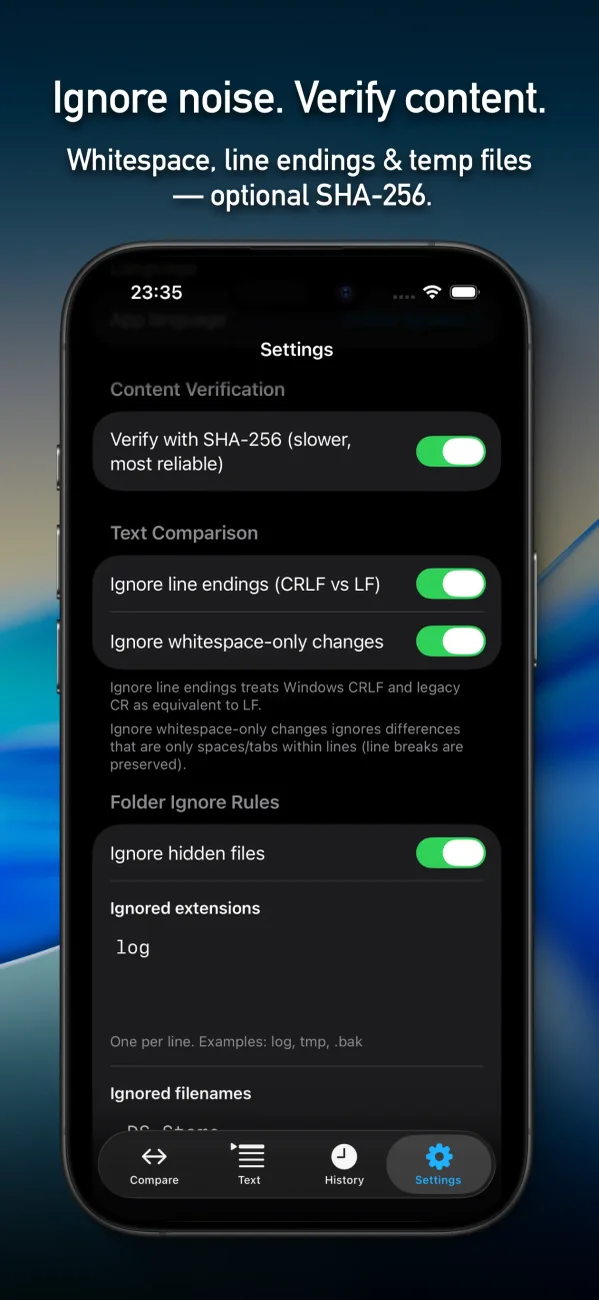
• Use smart ignore rules for hidden items, extensions, names, and patterns
• Ignore line-ending or whitespace-only changes when appropriate
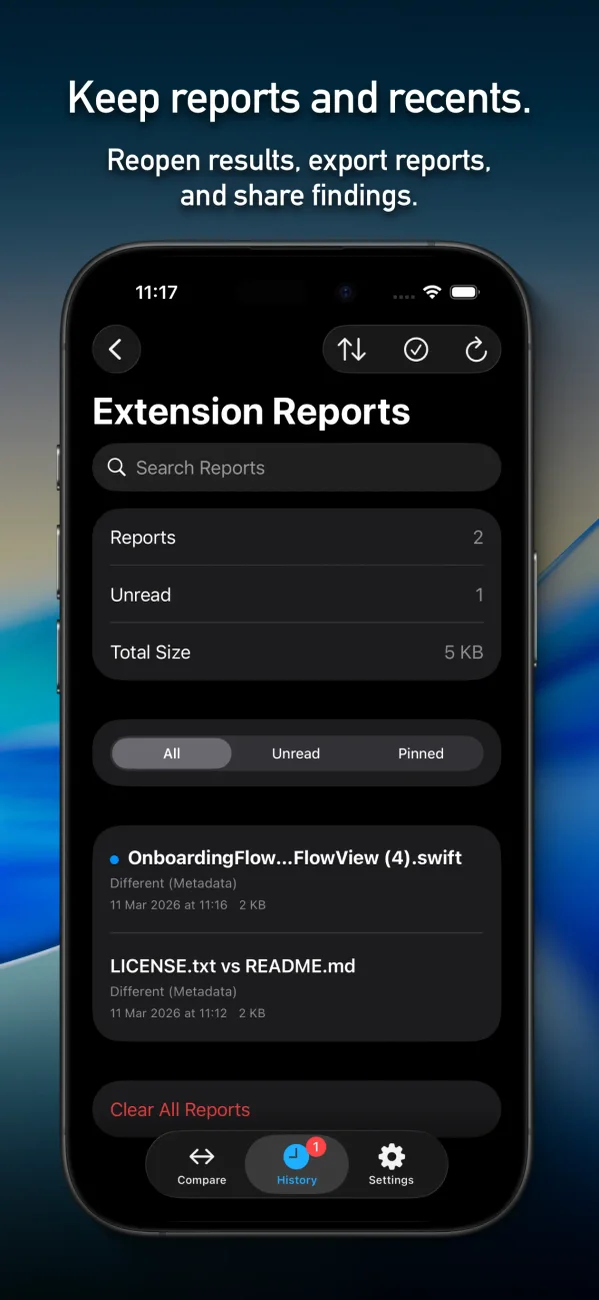
• Preview supported files, keep recent comparisons, and export or share reports
• Verify content with optional SHA-256 and cached re-checks
• Use the app in 25 languages, with an optional in-app language override
◼ From the share sheet
In Files, or another app that can share files, select exactly two files.
Tap Share → WhatChanged.
The comparison opens automatically.
Tip:
The extension is intended for file-to-file comparison. To compare folders, open the main app.
◼ Safe Merge
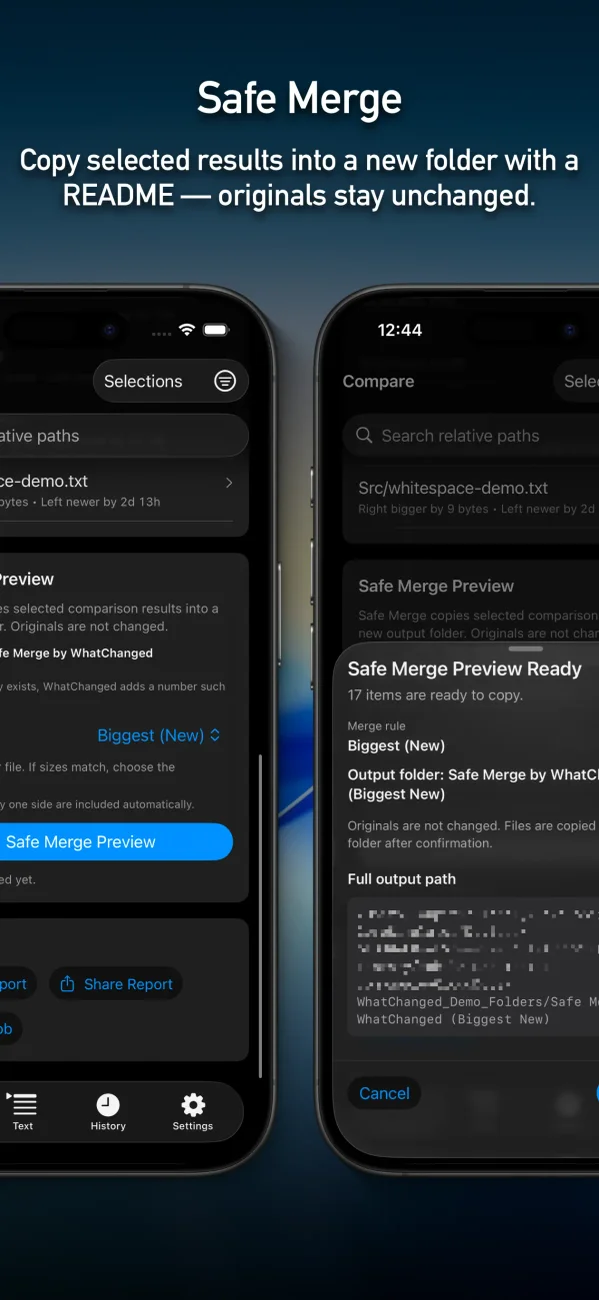
Run a folder comparison, open Safe Merge, and choose a main rule: Newest, Oldest, Smallest (New), Smallest (Old), Biggest (New), or Biggest (Old).
The Safe Merge Assistant shows selected items, recommendations, conflicts, blocking issues, output details, and safety checks before anything is copied.
For individual output paths, you can keep the main Merge Rule or choose Left or Right. Recommended continues to show what the main rule would choose, while Selected shows what will actually be copied. The “+ Custom” indicator appears whenever exceptions are active.
WhatChanged recalculates the plan and verifies it again before copying. Custom merges use a clearly named output folder, such as “Safe Merge by WhatChanged (Newest + Custom).”
Successful merges include a generated README describing the compared folders, main rule, custom selections, copied items, output paths, counts, and safety notes.
◼ Quick text checks
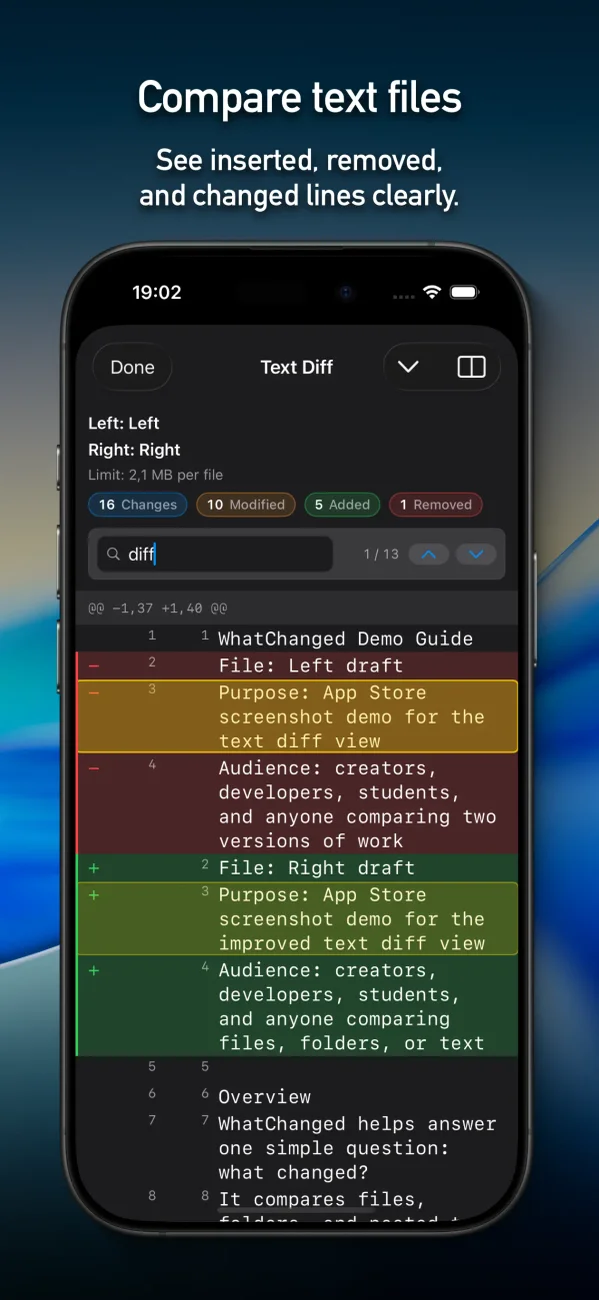
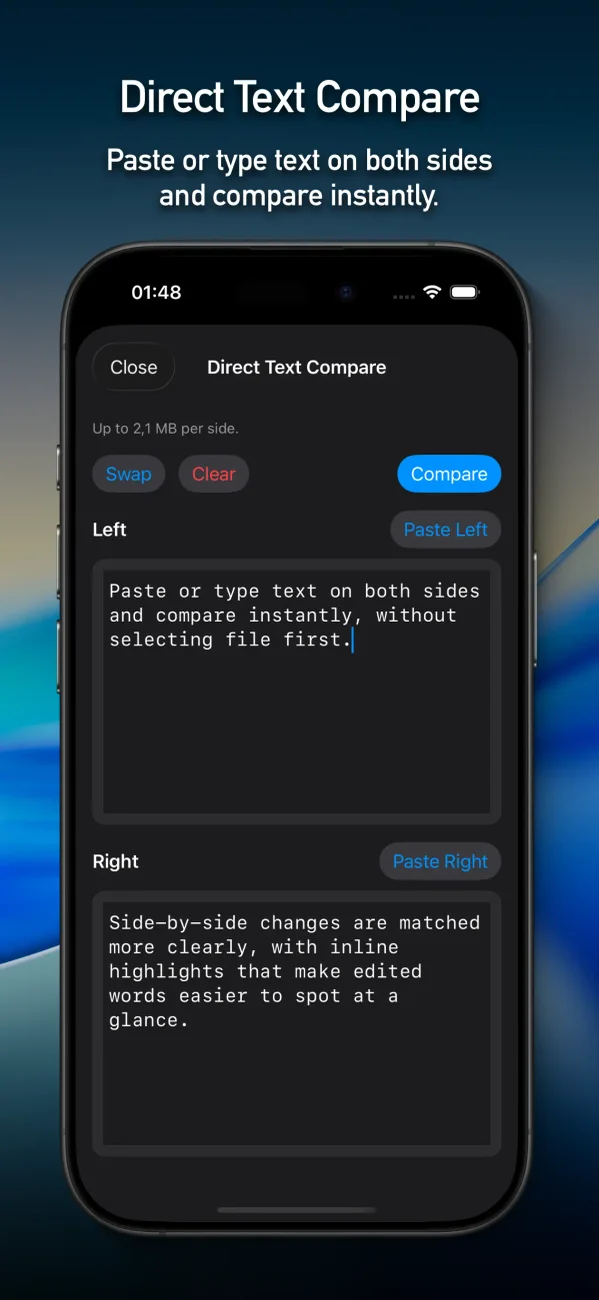
Use Direct Text Compare, supported text files, or folder-pair text results for convenient text checks.
Copy a unified-diff-style result, search with Find in Diff, move between matches, highlight rows, and review Diff Summary counts.
These text tools are included for quick comparison inside a file-and-folder utility. WhatChanged is not designed as a full drafting workspace.
◼ Looking for a dedicated text workspace?
DiffDraft is designed specifically for comparing text versions and composing a clean final draft in a row-aware workspace. Source rows, draft rows, manual rows, and intentional gaps stay visually aligned, helping long reviews remain stable and trustworthy while you cherry-pick, edit, and continue later.
View DiffDraft on the App Store:
https://apps.apple.com/us/app/diffdraft/id6779625050
◼ Safe by design
WhatChanged does not modify or delete your originals.
Comparisons are read-only. Safe Merge writes only to a new output folder after you confirm the merge and every required safety check passes.
◼ Official website
Product information, support, privacy details, and terms are available here:
https://hazybyte.studio/whatchanged/
Requires iOS 16.6 or later.
Terms of Use:
https://hazybyte.studio/whatchanged/terms-of-use/
What’s new
Version 1.80.0 · Sep 1, 2026
What’s New in Version 1.80.0:
Custom Safe Merge on iPhone and iPad
Safe Merge now gives you direct control over individual choices on iPhone and iPad.
Reviewable conflicts open in the detailed Assistant, where you can inspect each output path and choose Left, Right, or Merge Rule with a compact adaptive control. Recommended still shows what the main rule would choose, while Selected shows what will actually be copied. A new “+ Custom” indicator shows when exceptions are active.
WhatChanged recalculates the custom plan and safety checks as you make choices. Merge Now becomes available only when the exact custom plan is ready, and the app rebuilds and verifies it again before copying.
Custom merges use a clearly named output folder, such as “Safe Merge by WhatChanged (Newest + Custom).” The completion summary and generated README record the main rule, custom selections, chosen sides, output paths, and safety notes.
The Assistant adapts across iPhone, iPad, Split View, Dynamic Type, long translations, and right-to-left layouts, while hard safety blockers remain fail-closed.
Meet DiffDraft
WhatChanged now includes a compact DiffDraft recommendation when Direct Text Compare is empty, plus a permanent entry in Settings. Both open a dedicated introduction page that explains the difference between the apps and shows how DiffDraft supports deeper text comparison and drafting.
The introduction highlights DiffDraft’s Source Shelf, pinned Compose Draft, sessions, snapshots, clean plain-text export, and row-aware workflow. Source rows, draft rows, manual rows, and intentional gaps stay visually aligned while you compare several text versions and compose one final draft. From there, you can open DiffDraft’s official App Store page.
Original folders remain unchanged. Files are copied only into a new output folder after you confirm the merge and all safety checks pass.
App privacy
What Iri You declares on the App Store about how this app handles data.
-
Data not collected
The developer does not collect any data from this app.
Privacy practices may vary, for example with the features you use or your age.
Information
- Seller
- Iri You
- Category
- Utilities
- Version
- 1.80.0
- Updated
- Sep 1, 2026
- Released
- Feb 20, 2026
- Size
- 30.6 MB
- Requires
- iOS 16.6 or later
- Age rating
- 4+
- Price
- $9.99
- Languages
- English, Arabic, Czech, Danish, Dutch, Finnish, French, German, Hebrew, Hindi, Italian, Japanese + 11 more
- Copyright
- © 2026 HazyByte Studio
You might also like
-
 Offline AI BrowserYour Private AI Web Browser
-
 TouchFileEdit File Metadata & EXIF
-
 CodeChefCode Convert Pro
-
 GenderwaveVoice Gender AI Analysis
-
 FileSortAuto File Organizer Smart Tidy
-
 EXIF ExtractReveal. Rename. Reorganize.
-
 PatchwordCompare files and directories
-
 DupeSiftFind duplicate files locally
-
 Space Saver - Duplicate FinderFind and delete duplicates
-
 Duplicate Storage Cleaner AIDisk Cleanup & Photo Remover