
WhatChord MIDI
Real-time chord recognition
Designed for iPhone, iPad, iPod touch
Free
- Age rating4+
- CategoryMusic
- DeveloperAaron Bull Schaefer
- LanguagesEnglish
- Size23.9 MB
Links to the official App Store page
Download.org hosts no file of WhatChord MIDI. The button opens its official App Store page, published by Aaron Bull Schaefer. Listing last checked on Nov 17, 2026.
Screenshots


About
Identify chords from live MIDI or manual note entry, follow the key as you play, then explore the harmony behind them.
Stop guessing what chord you're playing.
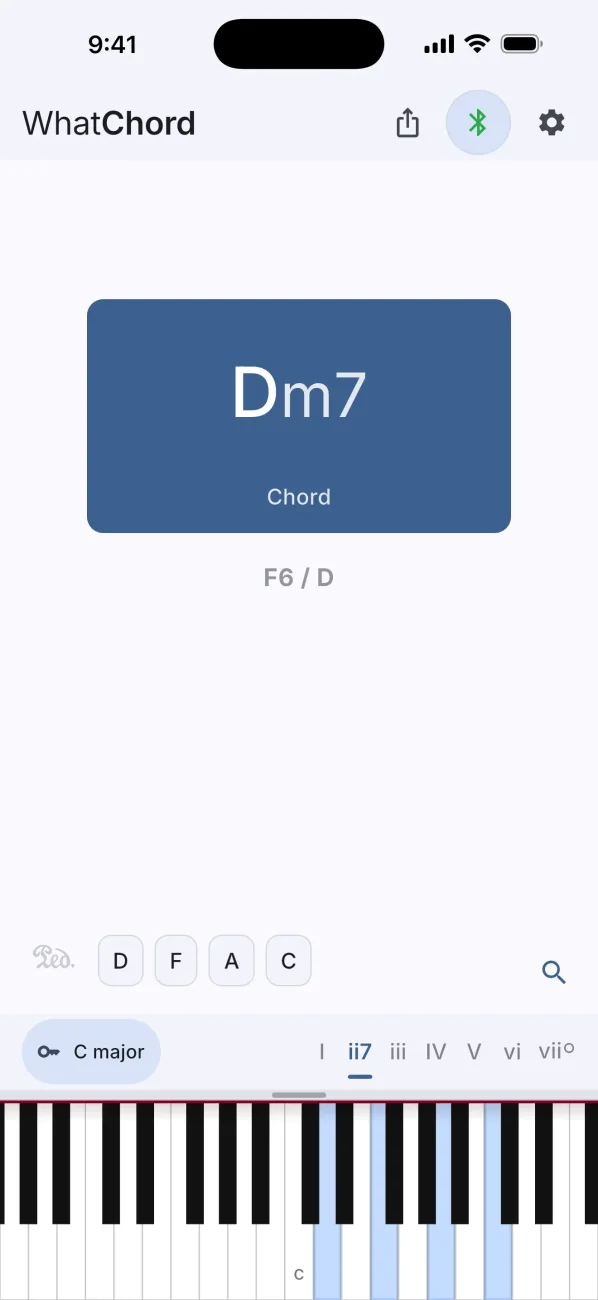
WhatChord gives musicians fast, musically informed chord names and live key context. Connect a Bluetooth or USB MIDI keyboard for instant feedback, or use the lookup pad to enter notes from any instrument, sheet music, or recording. Auto key detection listens to your recent live chords, shows confidence, and waits when the evidence is ambiguous. Explore Chords and Explore Scales let you build and hear chords, browse a wide range of scales, inspect keyboard patterns, and understand diatonic harmony.
Play it. Explore it. Learn it.
WhatChord goes beyond simple note matching. Its musically informed analysis considers inversions, extensions, slash chords, altered tones, key context, and conventional naming practices so chord names appear the way musicians expect to see them. When you're comping with a bassist, Ensemble mode names rootless voicings as the chords they imply and marks the implied root on the keyboard.
FEATURES
- Real-time chord recognition
Chord names update immediately as you play.
- Automatic key detection
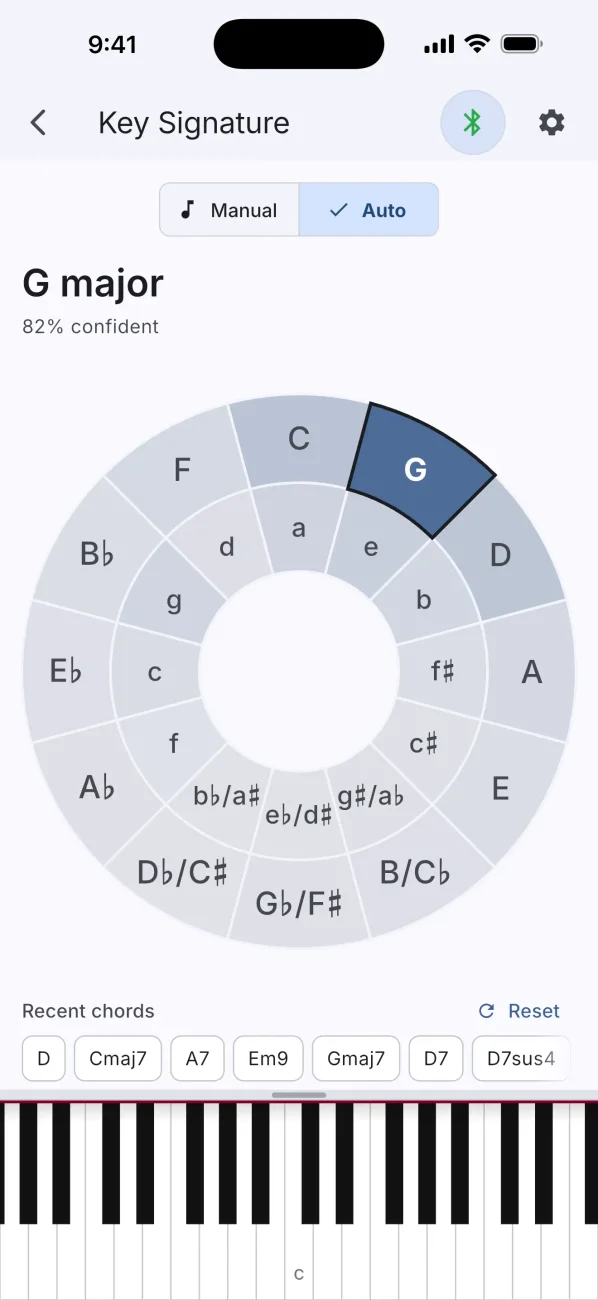
Auto mode estimates the current key from recent live chords, shows confidence across major and minor keys, and can keep the app's key context following your playing.
- Manual chord lookup
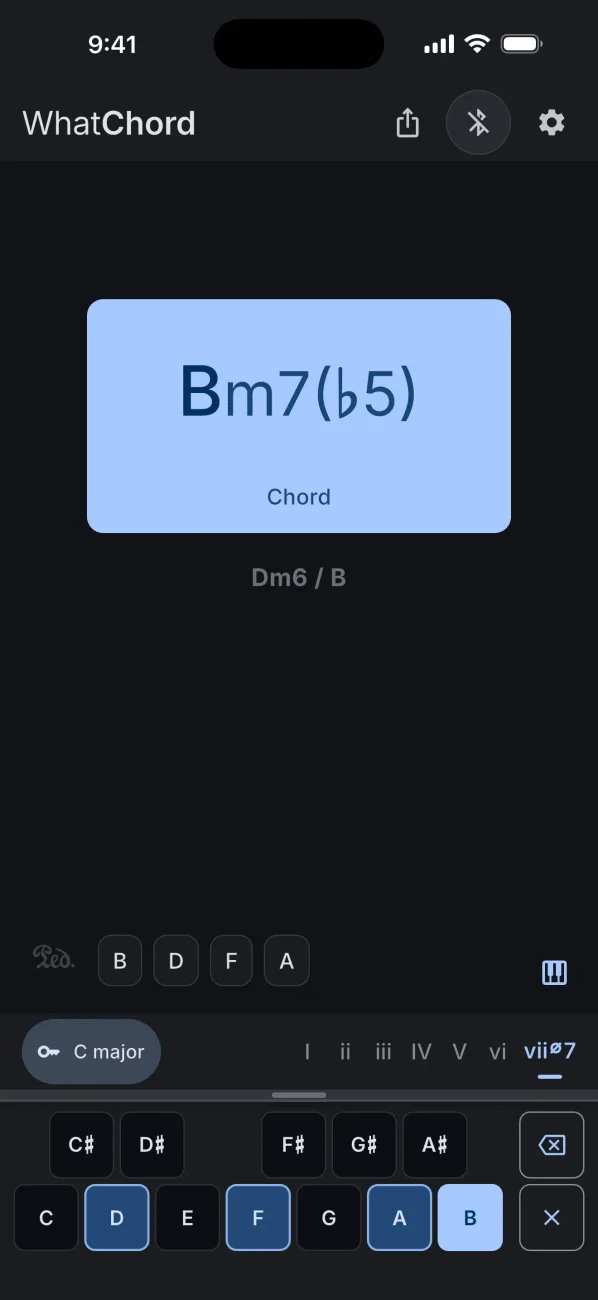
Enter notes directly to identify a chord, choose its bass note, and inspect alternative interpretations without connecting a MIDI device.
- Explore chords
Tap the chord card to open explore mode and build or hear chords without a keyboard by adjusting the root, quality, extensions, and bass note.
- Explore scales
Tap the scale-degree strip to browse a wide range of scales with tones, keyboard patterns, and diatonic chords.
- Musically informed analysis
Recognizes inversions, extensions, slash chords, upper structures, altered tones, and complex harmony.
- Ensemble mode
When comping with a bassist, switch to Ensemble so rootless voicings are named as the chords they imply.
- Alternative interpretations
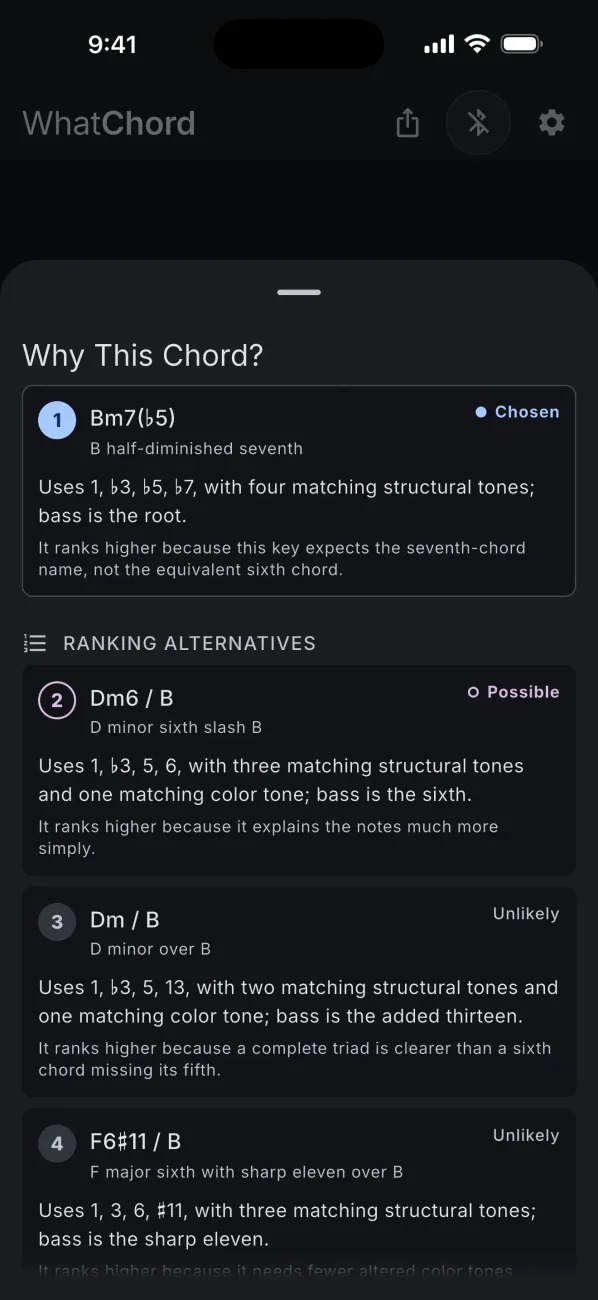
See other valid chord names when more than one reading makes musical sense.
- Context-aware spelling
Uses enharmonic notation based on key signature and chord function.
- Customizable notation
Choose the chord symbol style you prefer.
- MIDI compatibility
Works with standard Bluetooth MIDI and USB MIDI keyboards and controllers.
RECOGNITION
WhatChord identifies everything from simple triads to rich extended harmony and follows key context from real playing. Whether you're practicing theory, learning progressions, exploring altered dominants, or working through dense extended chords, the app names what you play with accuracy and musical intent.
PRIVACY
WhatChord is free, contains no ads, and collects no personal data. All analysis happens locally on your device.
GET STARTED
Play through MIDI, enter notes manually, or start exploring chords, keys, and scales right away.
What’s new
Version 2026.10.06 · Oct 7, 2026
- Pinch to zoom the piano keyboard smoothly, with the keys staying under your fingers as you zoom and pan.
- Resize the keyboard with VoiceOver and hear its current height.
- "Center on active notes" is disabled when the keyboard is already centered.
App privacy
What Aaron Bull Schaefer declares on the App Store about how this app handles data.
-
Data not collected
The developer does not collect any data from this app.
Privacy practices may vary, for example with the features you use or your age.
Information
- Seller
- Aaron Bull Schaefer
- Category
- Music
- Version
- 2026.10.06
- Updated
- Oct 7, 2026
- Released
- Feb 3, 2026
- Size
- 23.9 MB
- Requires
- iOS 15.0 or later
- Age rating
- 4+
- Price
- Free
- Languages
- English
- Copyright
- © 2025-2026 Aaron Bull Schaefer
You might also like
-
 ChordWise: Piano ChordsScales Trainer · Chord Finder
-
 MIDI Piano & Guitar ChordsMusic
-
 Reflection: Piano+MIDI ChordsSee notes & scales as you play
-
 SynthBridge MIDI SynthSoundFont Piano & Looper
-
 MIDI Controller/Oscilloscope16ch sequencer + 8ch scope
-
 MIDI ScribeAuto-capture Practice Sessions
-
 MIDI Memos: Recorder + PlayerRecord, play, share MIDI
-
 Midi AmuserMidi Looper and Arranger
-
 ChordFlow: Piano Chord TrainerSight-Reading, Improv & MIDI
-
 Chords ExplorerChord finder & progressions