Where - Address Book
Door codes, apartments & notes
Designed for iPhone
Free · In-app purchases
- Age rating4+
- CategoryProductivity
- DeveloperMikhail Gudzikevich
- LanguagesEnglish+ 21 more
- Size35.8 MB
Links to the official App Store page
Download.org hosts no file of Where - Address Book. The button opens its official App Store page, published by Mikhail Gudzikevich. Listing last checked on Nov 8, 2026.
Screenshots
About
Which entrance? What floor? What's the door code again? Save the answers in Where so you can stop searching old messages before every visit or delivery.
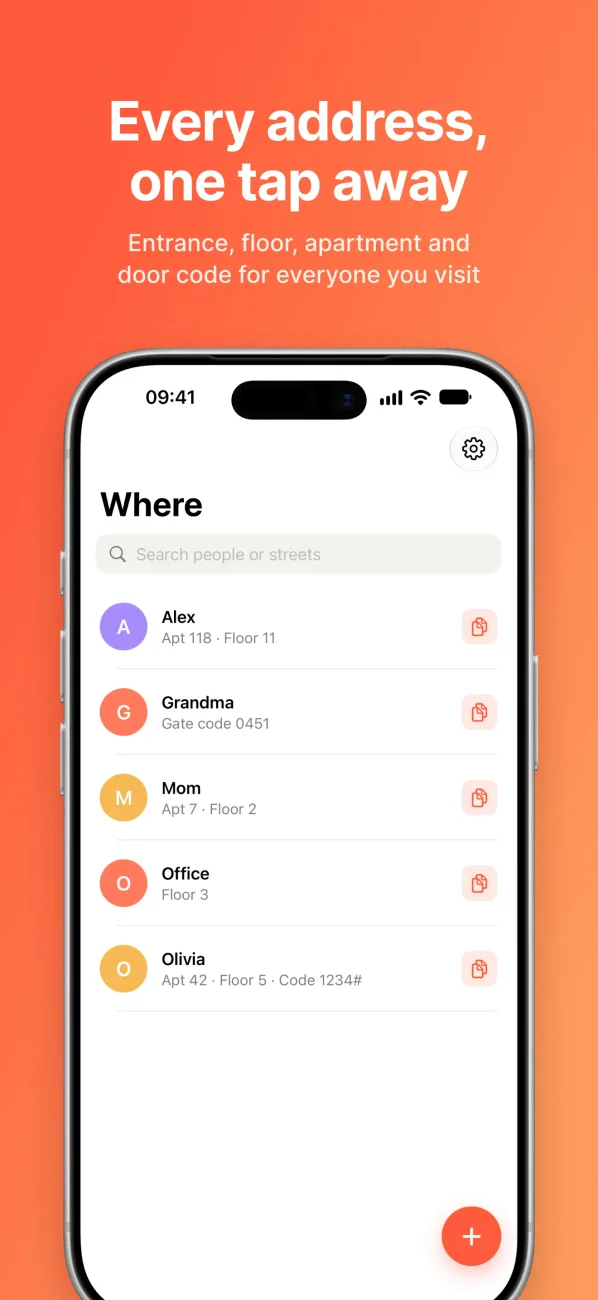
Where is an address book for friends, family and the places you return to. Keep the street address, apartment, entrance, floor, door code, gate code and notes together in one simple card.
FIND THE DETAILS YOU NEED
Search by name or street. Leave a note about the courtyard entrance, the right buzzer or who to call when the intercom is broken. Start with just a name and add the rest whenever you like.
COPY IN ONE TAP
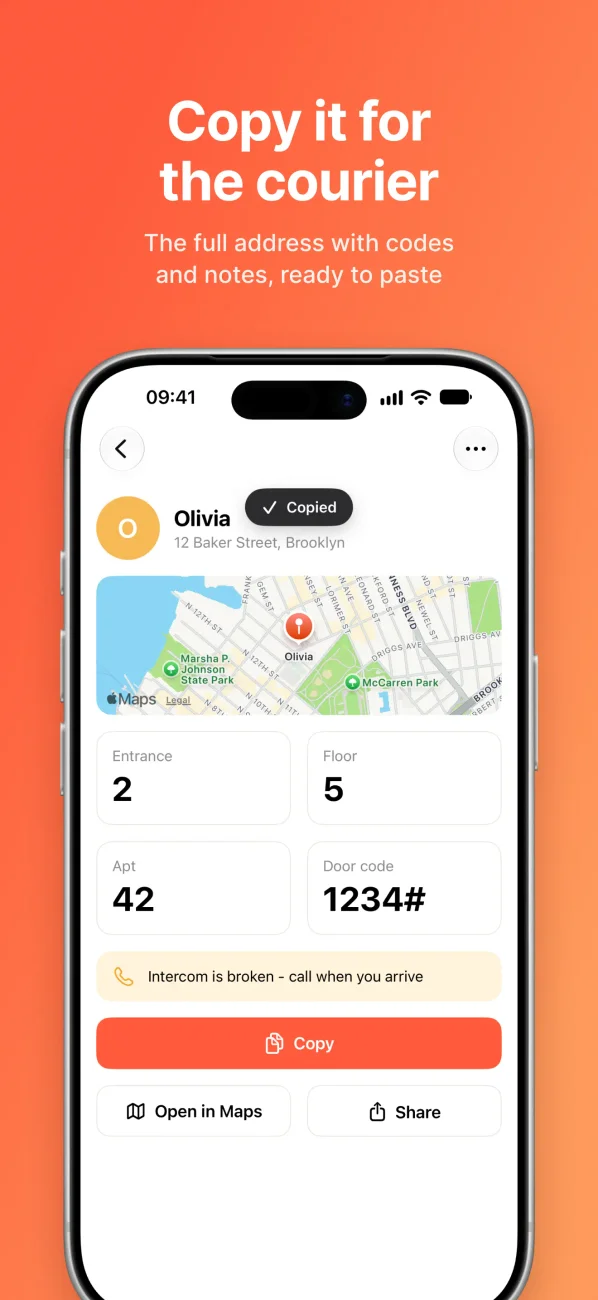
Copy an address straight from the list or from its card, then paste it into a message or delivery app. Only need the door code or apartment number? Tap its tile to copy that detail. You can also share the formatted address using the iPhone share sheet.
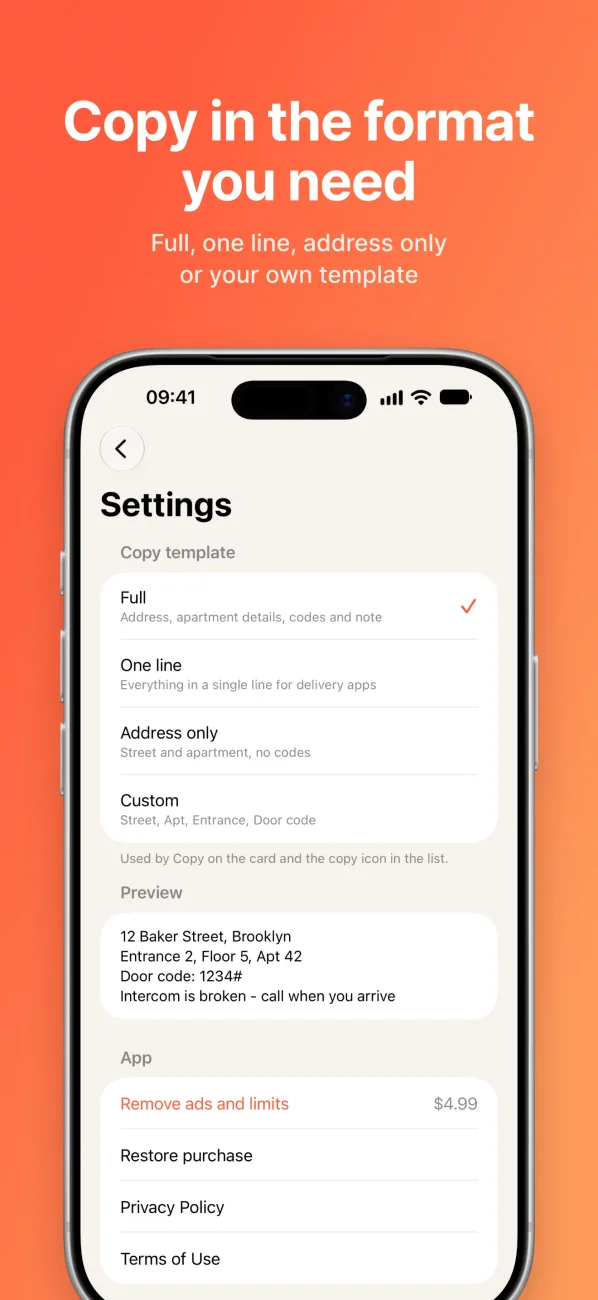
CHOOSE YOUR FORMAT
• Full: the address, apartment details, codes and note.
• One line: the address, apartment details and codes in a single line for delivery forms.
• Address only: the street and apartment, without codes.
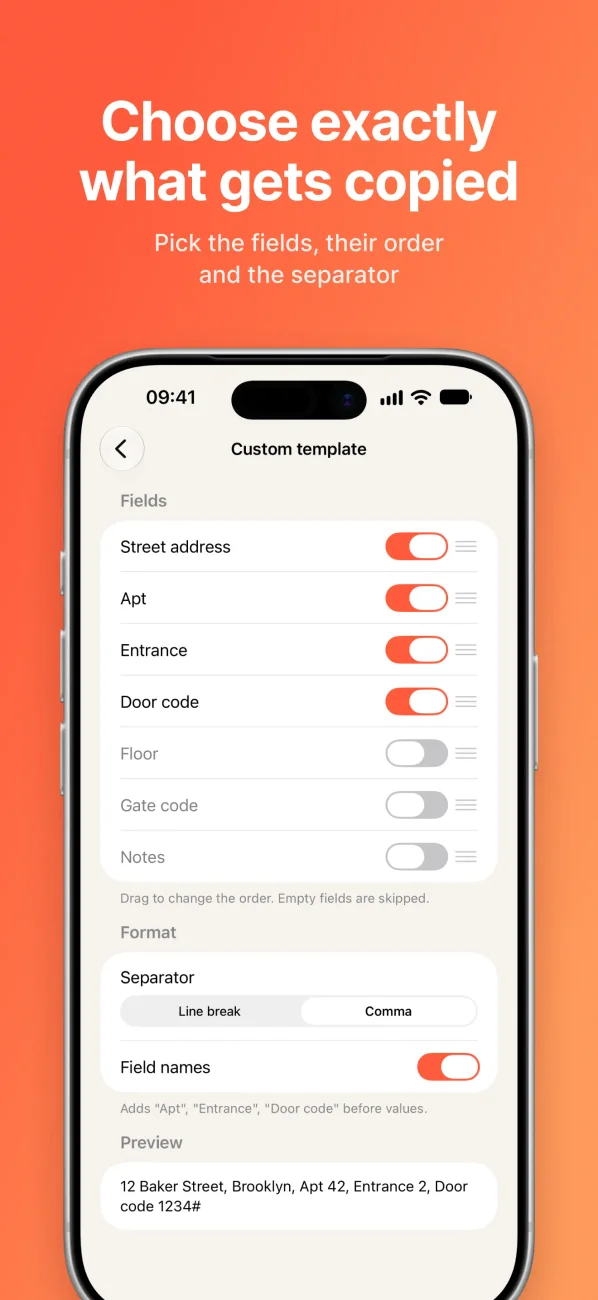
• Custom: choose your fields, arrange their order, toggle field labels and separate details with commas or line breaks.
Empty fields are skipped automatically. A preview shows exactly how your text will look.
PIN THE RIGHT ENTRANCE
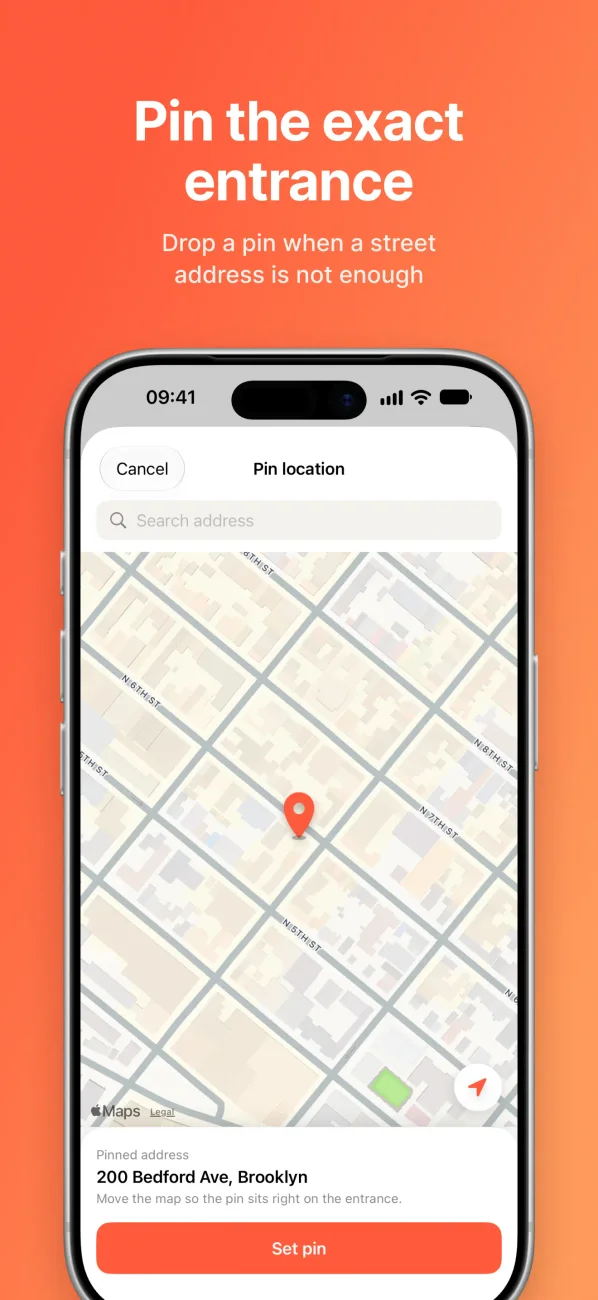
Place a pin at the entrance, gate or driveway. Find an address on the map or use your current location, then open the saved place in Apple Maps.
START WITH 5 PLACES
The free version stores up to 5 places and includes ads. Copying and all copy templates are free. When a rewarded ad is available, watch it to add one more place beyond the limit. A one-time purchase removes ads and the place limit forever. No subscription.
No sign-up required. Your saved cards are stored on your device.
What’s new
Version 1.3 · Nov 3, 2026
Bug fixes and improvements.
App privacy
What Mikhail Gudzikevich declares on the App Store about how this app handles data.
-
Data used to track you
May be used to track you across apps and websites owned by other companies.
- Usage data
-
Data linked to you
May be collected and linked to your identity.
- Location
- Identifiers
- Usage data
-
Data not linked to you
May be collected but is not linked to your identity.
- Purchases
- Diagnostics
Privacy practices may vary, for example with the features you use or your age.
Information
- Seller
- Mikhail Gudzikevich
- Category
- Productivity
- Version
- 1.3
- Updated
- Nov 3, 2026
- Released
- Oct 10, 2026
- Size
- 35.8 MB
- Requires
- iOS 18.0 or later
- Age rating
- 4+
- Price
- Free
- In-app purchases
- Yes
- Languages
- English, Arabic, Czech, Dutch, Finnish, French, German, Greek, Italian, Japanese, Kazakh, Korean + 10 more
- Copyright
- © 2026 Mikhail Gudzikevich
You might also like
-
 Secret Contacts: Locked BookEncrypted phone list, Face ID
-
 Address Book: Contacts & NotesSave address, email, phone
-
 Wallet: Bill Organizer, BudgetExpense Tracker, Savings Goals
-
 Notepad: notes, checklistProductivity
-
 المنصة اليمنية الامريكيةProductivity
-
 Waiter.com DriverProductivity
-
 Custom Phonebook + WidgetContacts call ,address book
-
 Electrical CostSave on electricity costs
-
 Electrical Engineering: QuizFormulas, Calculators, Quiz
-
 Lighting CalculationsProductivity