
WHERE Organize
Storage & Expiry Reminder
Designed for iPhone, iPad, iPod touch
Free · In-app purchases
- Age rating4+
- CategoryLifestyle
- Developer星宇 罗
- LanguagesEnglish+ 4 more
- Size5.2 MB
Links to the official App Store page
Download.org hosts no file of WHERE Organize. The button opens its official App Store page, published by 星宇 罗. Listing last checked on Nov 18, 2026.
Screenshots


About
# WHERE Storage & Organization
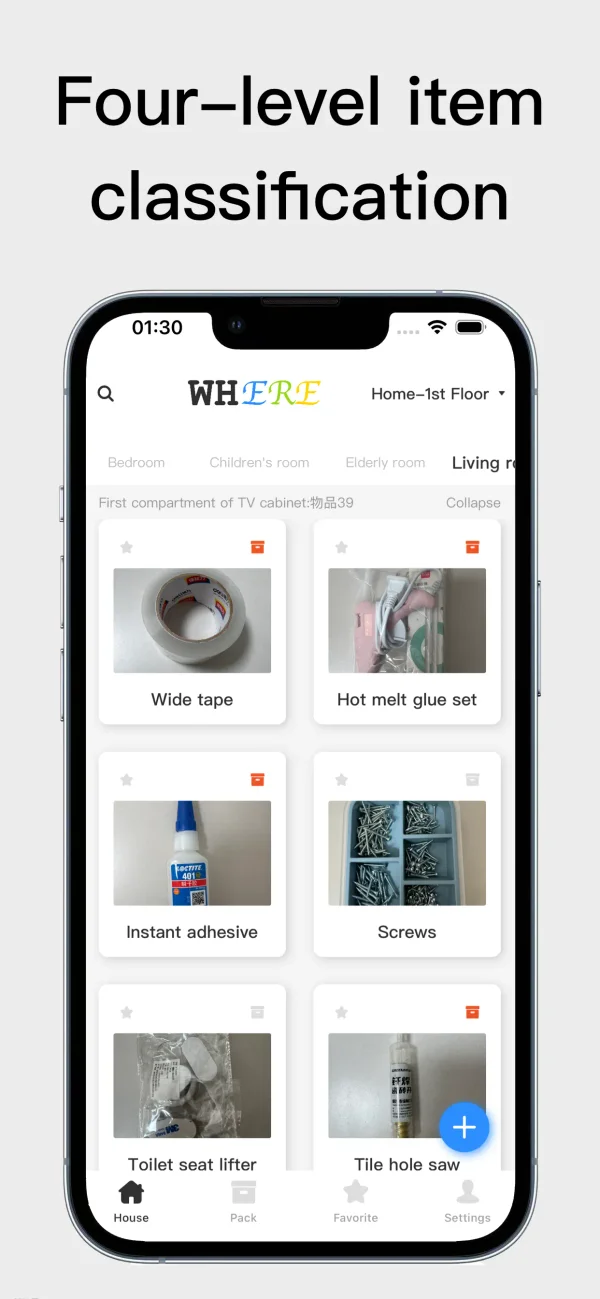
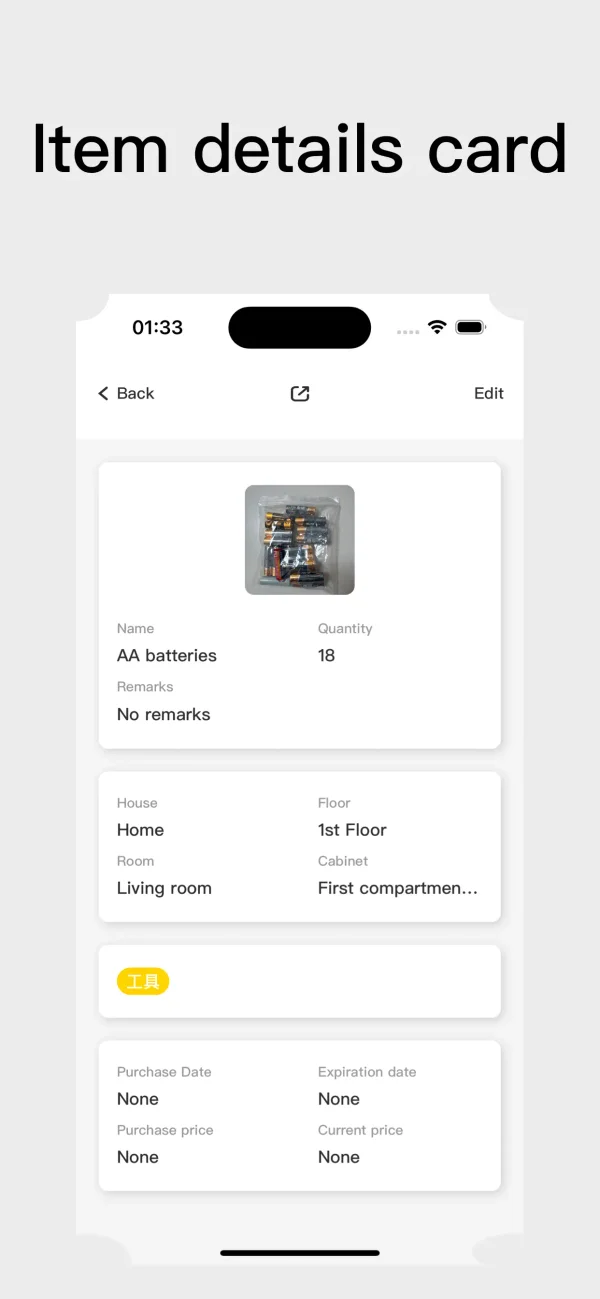
1. Organize your items with support for adding photos, descriptions, reminders, and tags.
2. Freely assign items to your house, floor, room, and storage location.
3. Quick search to find what you need in a second.
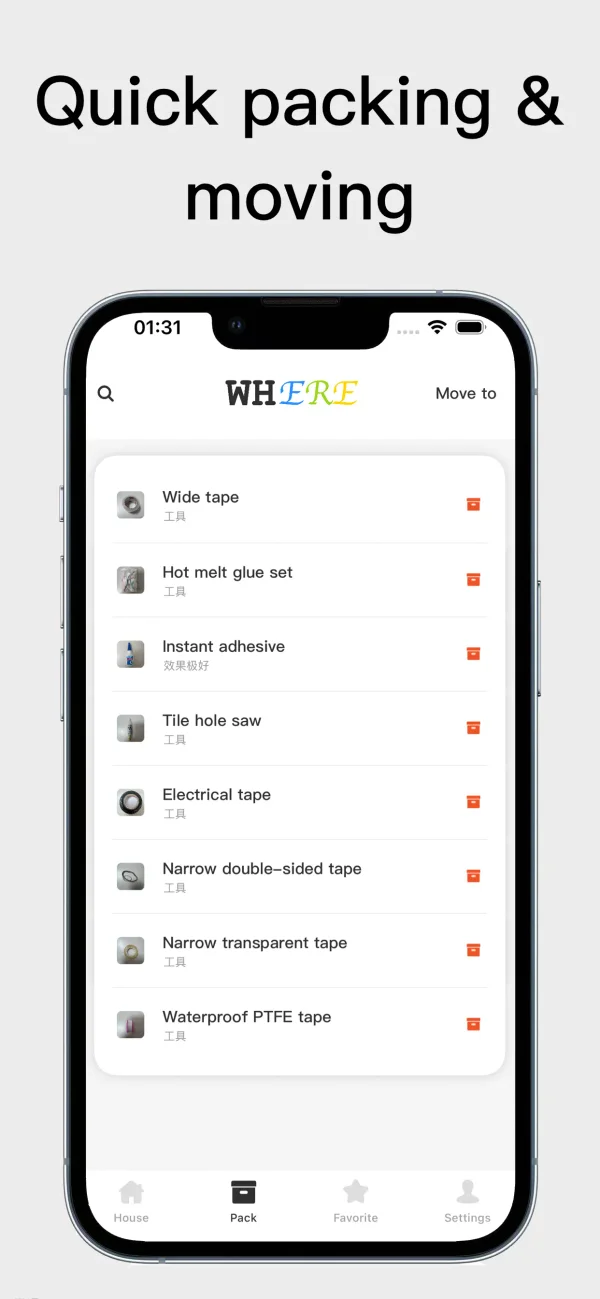
4. Support batch moving for item organization.
5. Seamless sync across multiple devices.
6. Share item cards directly with family members so you’ll never lose things again.
7. Support light and dark modes for easy switching.
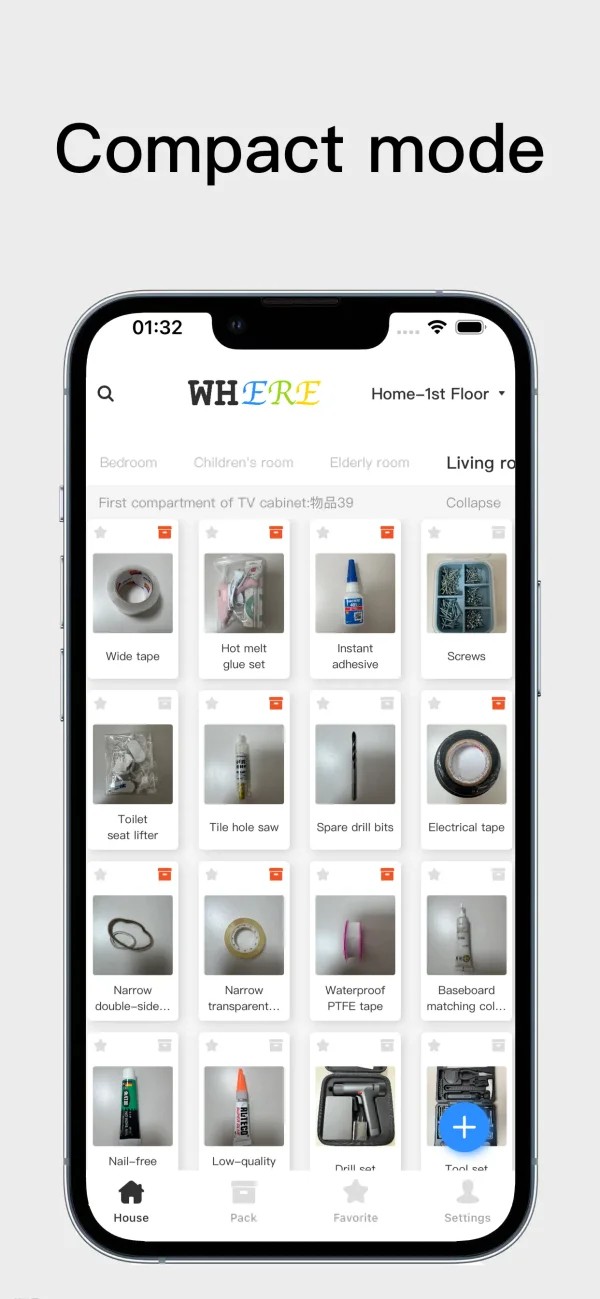
8. Offer both spacious and compact display layouts.
9. Allow folding and expanding storage locations.
---
If you enjoy this app, please leave a review to encourage us.
If you have any questions, suggestions, or feedback, feel free to contact me at sui_hai_cheng@163.com.
You may also submit feedback via the “Feedback” entry in Settings.
Automatic Subscription Service Terms
1. Subscription Service: One Month VIP(1Month),Quarterly VIP(3Months),One Year VIP(1Year)。
2. Subscription Price: One Month VIP(1Month)Price $0.99,Quarterly VIP(3Months)Price $1.99,One Year VIP(1Year) Price $3.99。
3. Payment: Subscriptions are managed by the user. Charges will be applied to your iTunes account upon confirmation of purchase and payment.
4. Renewal: Your Apple iTunes account will be charged within 24 hours prior to the end of the current subscription period. Once payment is successful, the subscription period will be extended by one full cycle.
5. Cancellation: To cancel your subscription, go to your iPhone **Settings** → **iTunes Store & App Store** → tap your **Apple ID**, select **View Apple ID**, go to **Account Settings**, tap **Subscriptions**, then select the subscription service to cancel. If you do not turn off auto-renewal at least 24 hours before the end of the subscription period, the subscription will renew automatically.
What’s new
Version 1.0.1 · Apr 10, 2026
Add Korean support
App privacy
What 星宇 罗 declares on the App Store about how this app handles data.
-
Data not collected
The developer does not collect any data from this app.
Privacy practices may vary, for example with the features you use or your age.
Information
- Seller
- 星宇 罗
- Category
- Lifestyle
- Version
- 1.0.1
- Updated
- Apr 10, 2026
- Released
- Mar 29, 2026
- Size
- 5.2 MB
- Requires
- iOS 12.0 or later
- Age rating
- 4+
- Price
- Free
- In-app purchases
- Yes
- Languages
- English, Japanese, Korean, Simplified Chinese, Traditional Chinese
- Copyright
- © where.cc
You might also like
-
 有处:家庭物品收纳Lifestyle
-
 Stow & SeekAI Home Inventory & Organizer
-
 KeepJoy: Declutter & OrganizeKeep What Brings You Joy
-
 仓鼠管家 - 治愈系居家收纳清单Lifestyle
-
 GoStash: Home InventoryAI expiry tracker & organizer
-
 StellarTree: Item OrganizationOrganize Items Systematically
-
 Unify-Your Storage HelperHome Inventory & Organizer
-
 Find It: AI Home OrganizerSnap, organize, find anything
-
 PutAway - Home EditionFind it. Fast.
-
 元收纳Lifestyle