
- Age rating4+
- CategoryUtilities
- DeveloperAdi Sapir
- LanguagesEnglish
- Size7.6 MB
Links to the official App Store page
Download.org hosts no file of Wi-Fi & Network Pulse. The button opens its official App Store page, published by Adi Sapir. Listing last checked on Nov 25, 2026.
Screenshots
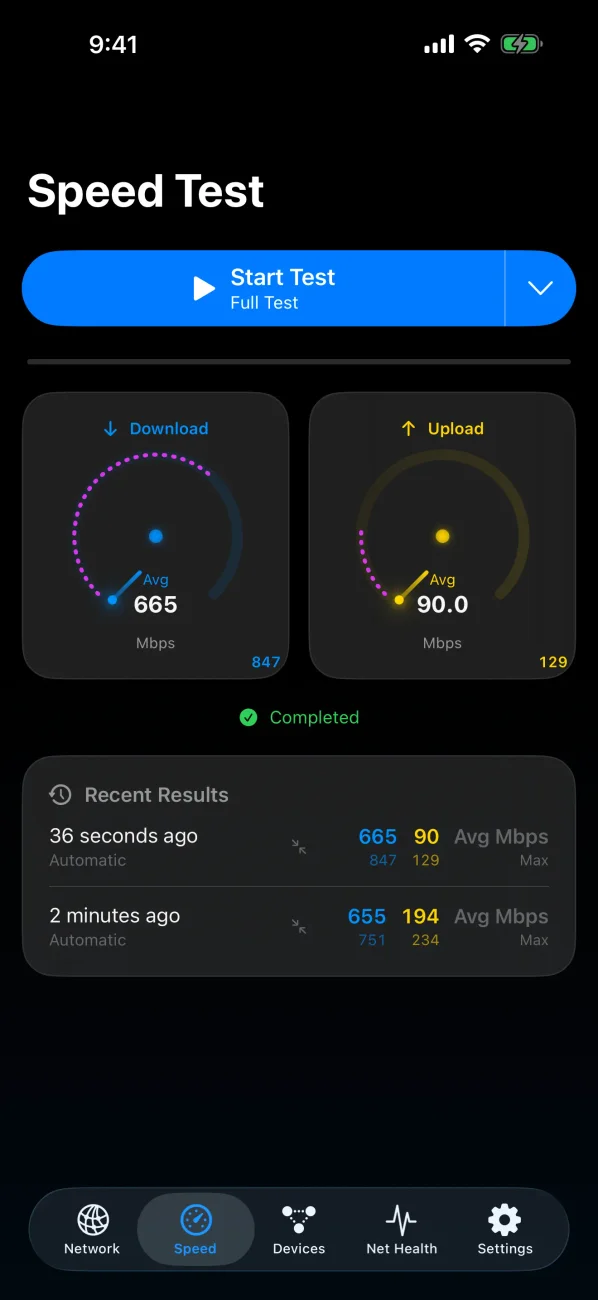
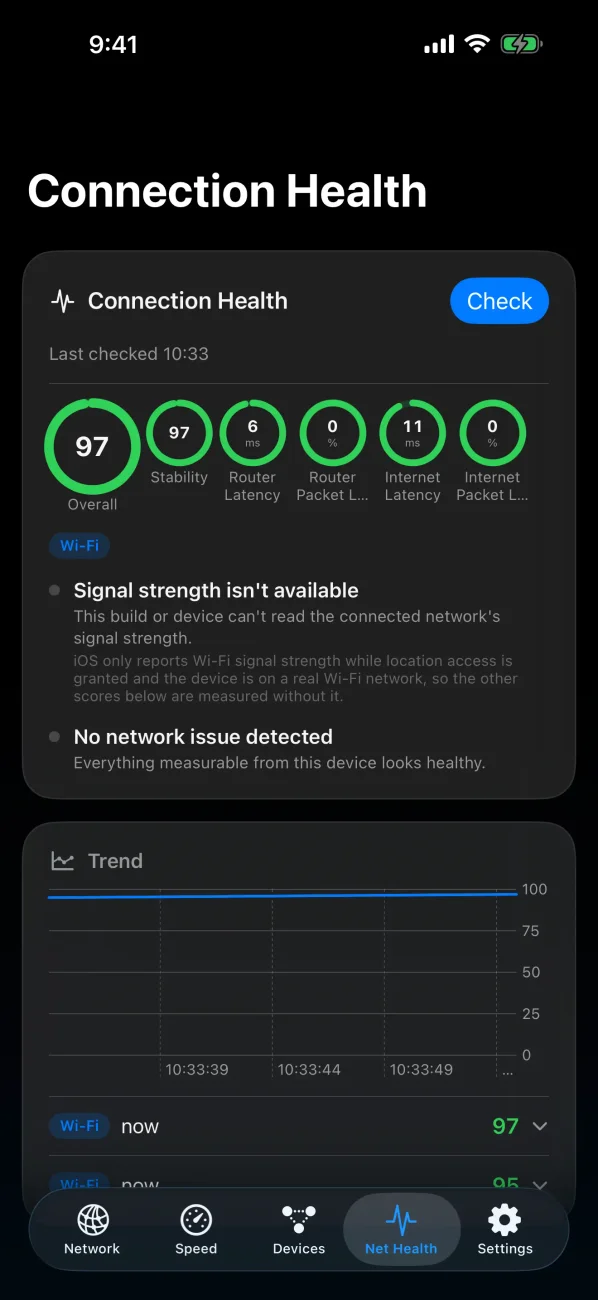

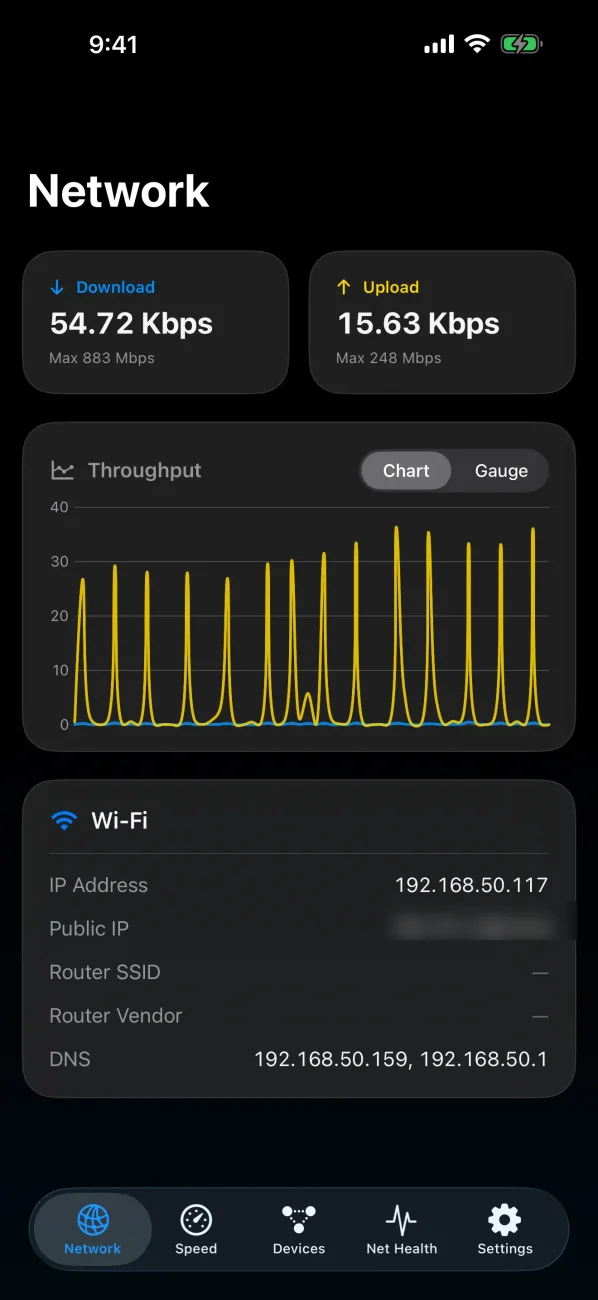
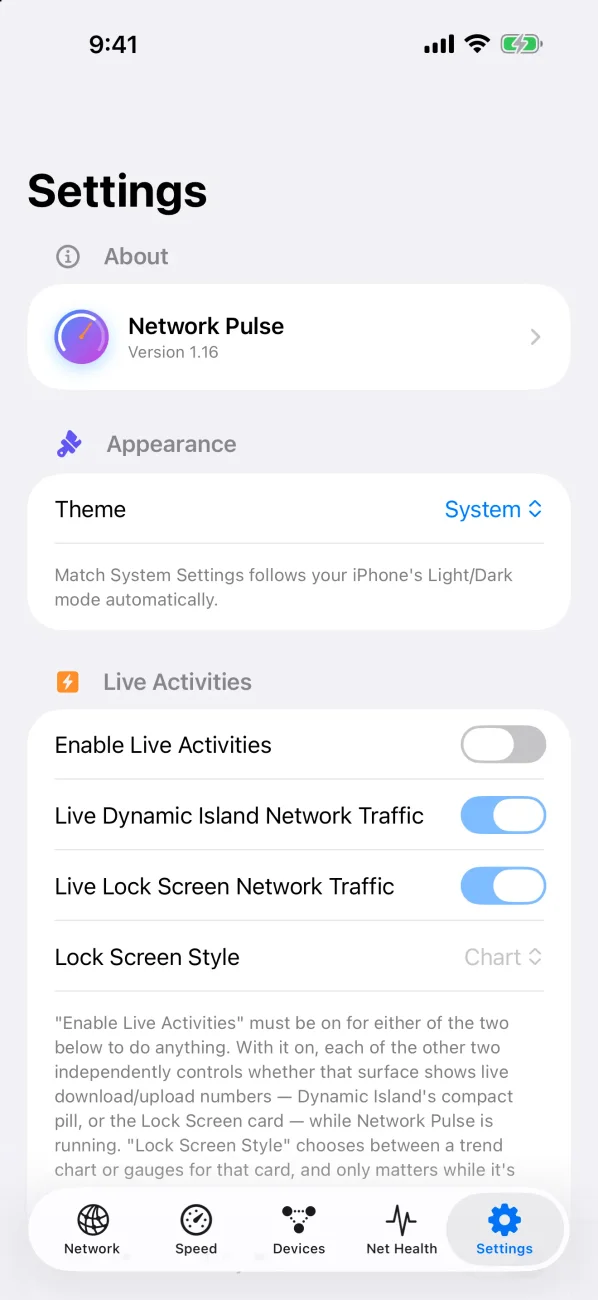
About
Network Pulse shows what your connection is really doing: live traffic, Internet speed, connection health, and every device around you, on your network and over Bluetooth.
CONNECTION
• Live download and upload traffic while the app is open
• Connection map from your ISP to your access point and iPhone, with live status for each hop
• Connection type, local and public IP, DNS servers, Wi-Fi network and router vendor when iOS provides them
• VPN detection, so you know when your ISP and public IP belong to the VPN
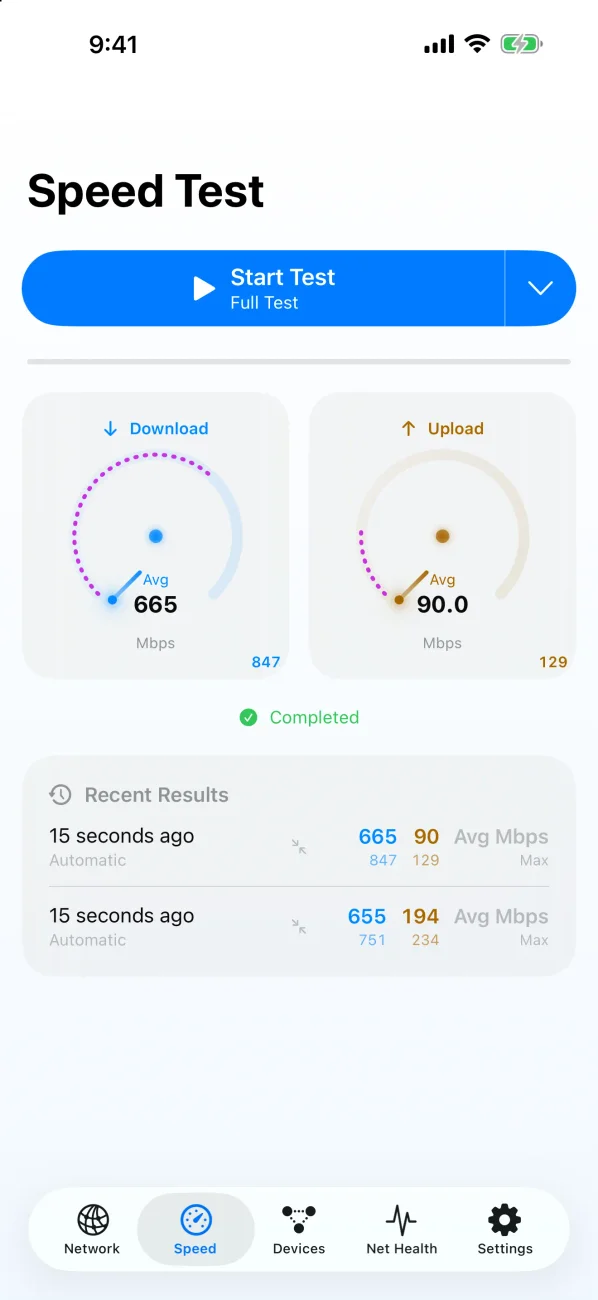
SPEED TEST
• Download-only, upload-only or full tests
• Choose Cloudflare, Measurement Lab (M-Lab NDT7) or Automatic mode
• Adjustable test duration, with recent results saved on your iPhone for comparison
NETWORK DEVICES
• Discover devices on your local network, then search, sort, copy and refresh the results
• Detailed list or Visual Plot grouped by device type
• Optional AI Device Recognition to identify unnamed devices
BLUETOOTH DISCOVERY
• Find nearby Bluetooth devices with decoded device types and signal quality bands
• Duplicate entries from devices that change their Bluetooth address are merged
• Signal plot grouped by type or strength
• Optional AI Device Detection
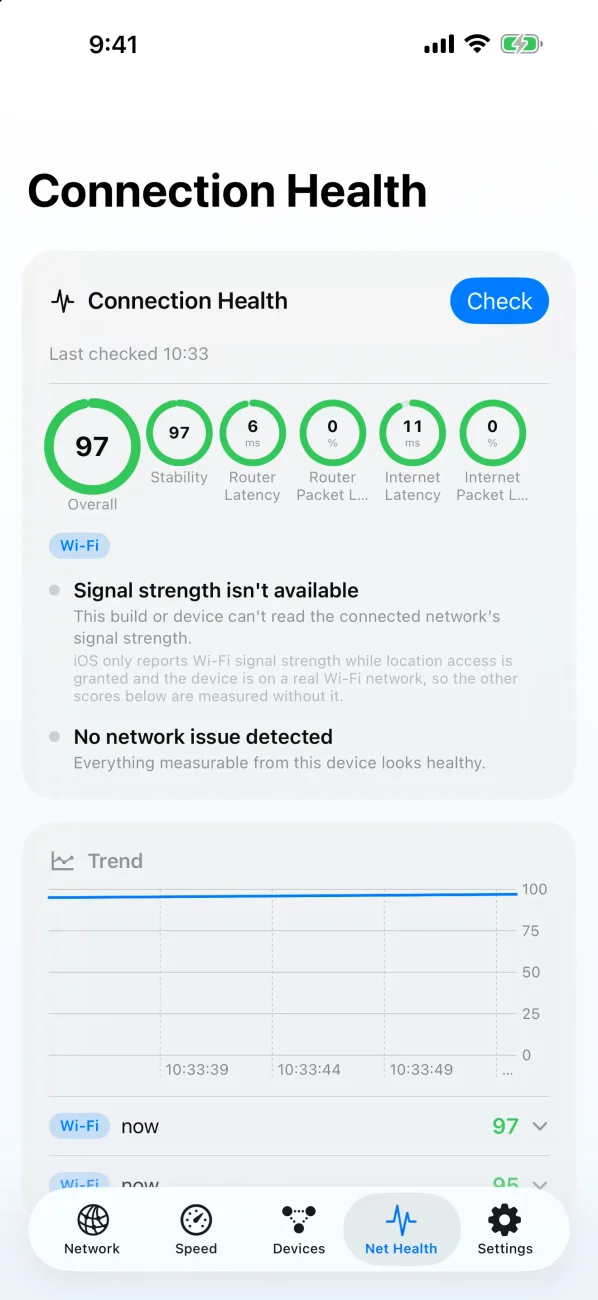
CONNECTION HEALTH
• Scores your connection using gateway and Internet latency, packet loss, jitter and stability
• Saves each check and shows a trend over time
ALWAYS IN VIEW
• Home Screen widgets for your latest speed test and Connection Health result
• Live Activities show traffic on the Lock Screen and in the Dynamic Island, and dim when iOS pauses updates so stale data never looks live
WORKS WITH YOUR MAC
• Broadcast live GPS over Bluetooth to Network Pulse for Mac, so its Wi-Fi Radar scans are tagged with your location
AI, YOUR WAY
• Choose Apple On-Device, OpenAI, Claude, Gemini or Grok, with automatic fallback
• API keys are stored in the iOS Keychain
PRIVATE BY DESIGN
• Results, history and recognized devices stay on your iPhone
• Nothing is sent to an AI provider unless you choose one and run recognition
Some Wi-Fi details, such as nearby network scanning and link speed, are not available to iPhone apps. Network Pulse shows everything iOS allows.
What’s new
Version 1.19 · Nov 24, 2026
New in this version:
- Bluetooth Plot View now shows every discovered device.
- Large AI Device Detection batches no longer get cut off.
- Grok device recognition is faster and no longer times out.
- Fixed some animation glitches and squashed other bugs.New in this version:
- Bluetooth Plot View now shows every discovered device.
- Large AI Device Detection batches no longer get cut off.
- Grok device recognition is faster and no longer times out.
- Fixed some animation glitches and squashed other bugs.
App privacy
What Adi Sapir declares on the App Store about how this app handles data.
-
Data not collected
The developer does not collect any data from this app.
Privacy practices may vary, for example with the features you use or your age.
Information
- Seller
- Adi Sapir
- Category
- Utilities
- Version
- 1.19
- Updated
- Nov 24, 2026
- Released
- Sep 17, 2026
- Size
- 7.6 MB
- Requires
- iOS 26.0 or later
- Age rating
- 4+
- Price
- Free
- Languages
- English
- Copyright
- © Docco Labs
You might also like
-
 PopupNinjaHide site app-install walls
-
 WiScopeWiFi analyzer toolkit
-
 NetMaster-X Network toolsAdvanced Network Tools & suit
-
 Network WiFi ScanNetwork Scan – Network Tools
-
 Threadlytics: Matter & ThreadMesh Health Diagnostics
-
 NetInspectorLocal Network Scanner
-
 Yamlite: YAML ValidatorValidate, fix, convert YAML
-
 Pulse: Wi-Fi & Internet TestCheck download & upload speed
-
 Detect Scanner: WIFI BluetoothCam Detector: Find Device Pro
-
 emu98PC-98 Emulator