
WidgeTunes - Music Widgets
Album widgets & Cover Flow
Designed for iPhone, iPad
Free · In-app purchases
- Age rating4+
- CategoryMusic
- DeveloperGeorgios Trigonakis
- LanguagesEnglish
- Size7.1 MB
Links to the official App Store page
Download.org hosts no file of WidgeTunes - Music Widgets. The button opens its official App Store page, published by Georgios Trigonakis. Listing last checked on Nov 12, 2026.
Screenshots

About
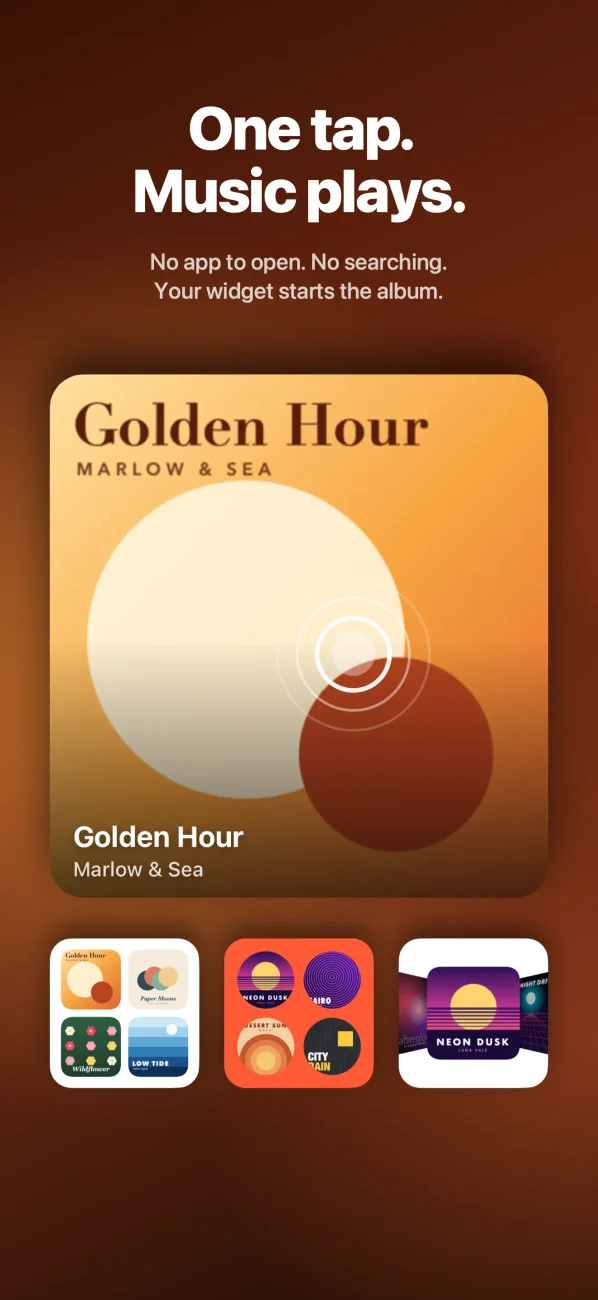
Your favorite albums and playlists, right on your Home Screen. Tap a cover and your music starts playing. No app to open, no searching.
WidgeTunes 3 is rebuilt from the ground up, with a brand-new way to flip through your music.
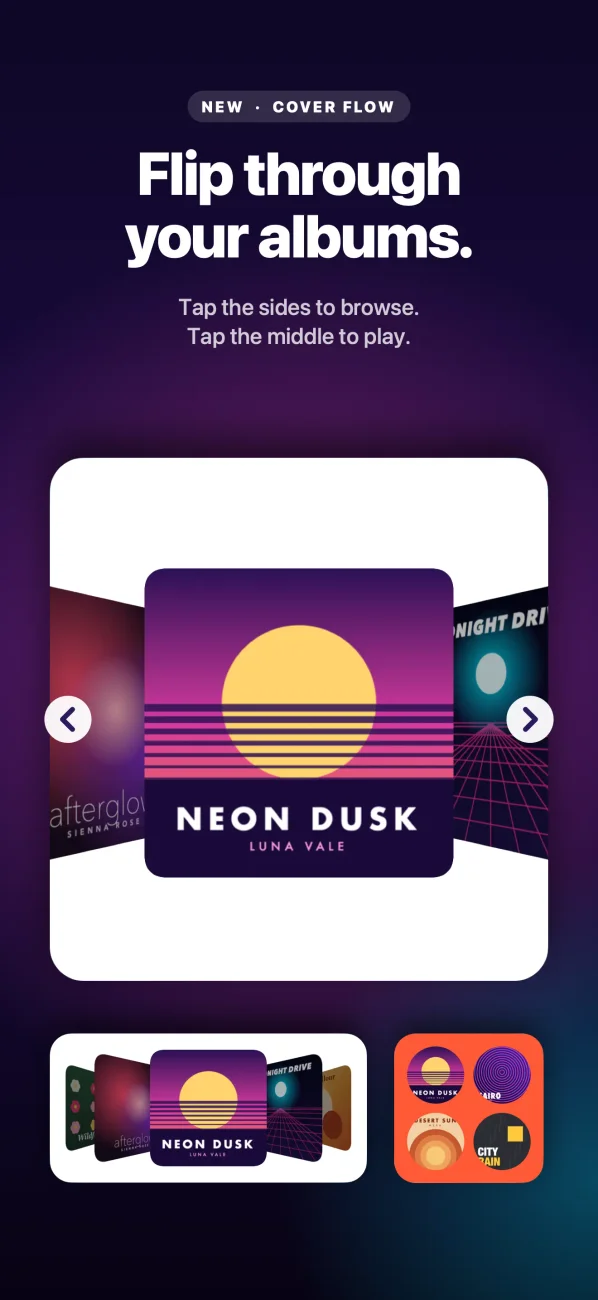
NEW: COVER FLOW
Flip through your albums right from the widget. Tap the sides to browse, tap the cover in the middle to play.
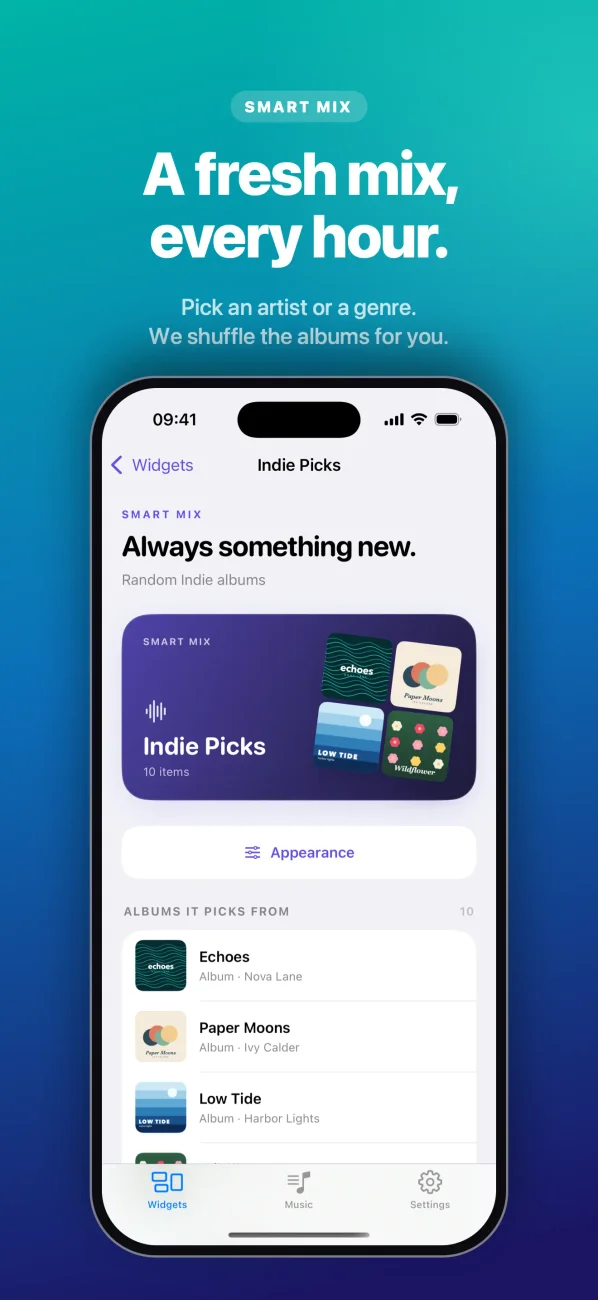
SMART MIX
Pick an artist or a genre and WidgeTunes fills your widget with random albums, reshuffled on a schedule you choose. There is always something new to play.
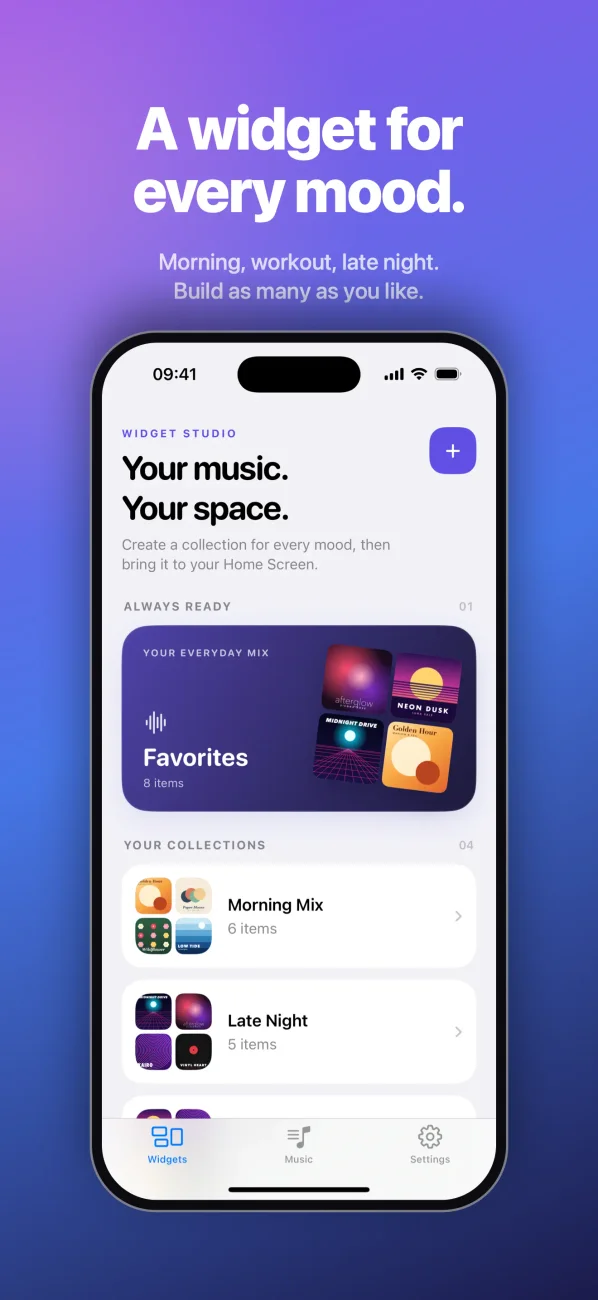
A WIDGET FOR EVERY MOOD
Build as many widgets as you like: Morning Mix, Workout, Late Night. Add playlists, albums or songs to each one and place them anywhere on your Home Screen, in small, medium and large sizes.
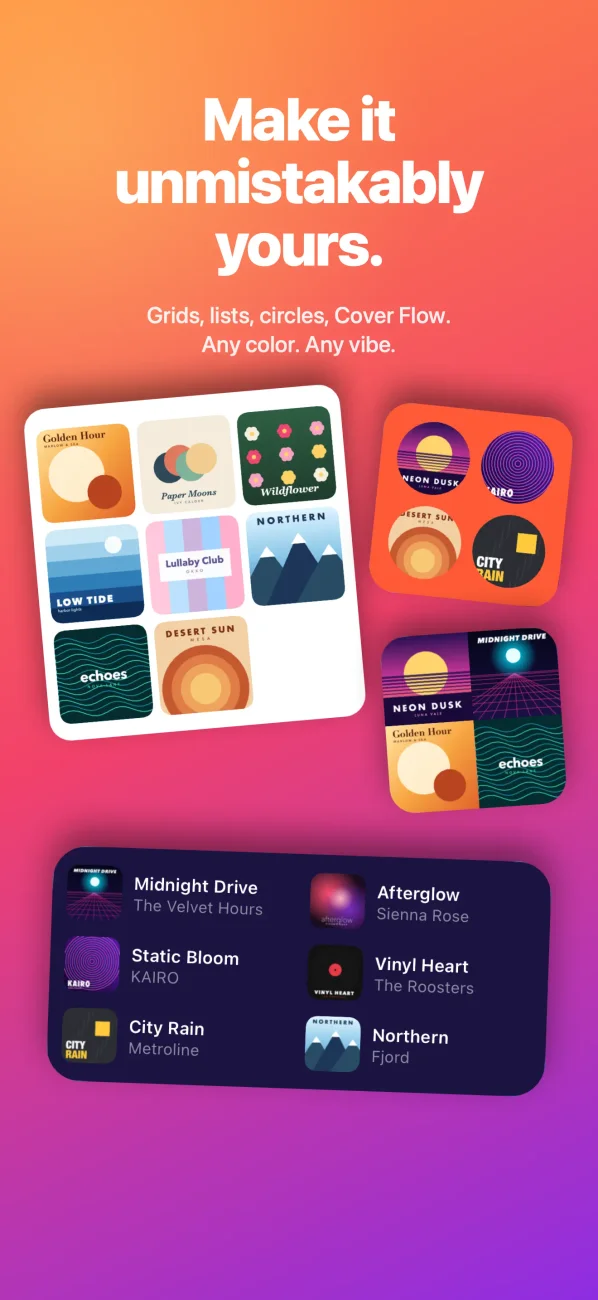
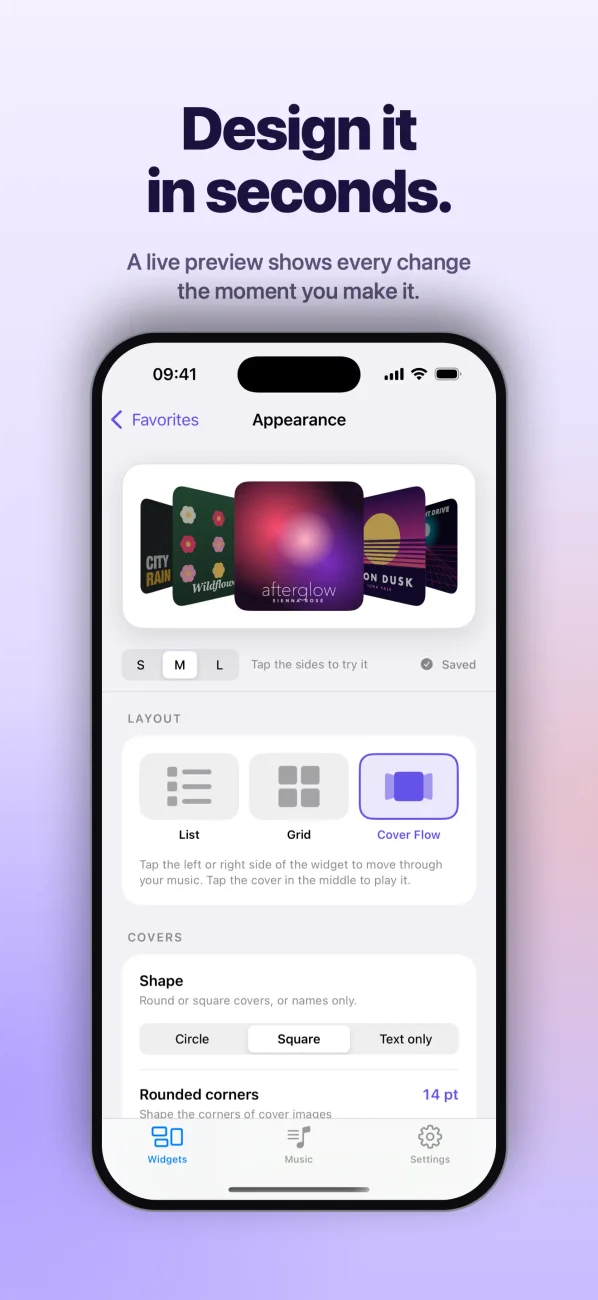
MAKE IT YOURS
• Grid, list or Cover Flow layouts
• Round or square covers, or names only
• Your own photo for any album, playlist or song
• Custom background colors
• Black and white artwork
• Spacing, padding and rounded corners
• A live preview that shows every change as you make it
ONE TAP. MUSIC PLAYS.
Your widgets play straight from your Music library. Turn on Shuffle in Settings to mix things up.
ADD FROM ANYWHERE
Browse your playlists and albums in the redesigned Music tab, and long press any of them to add it to a widget.
WIDGETUNES PRO
Unlimited widgets, Smart Mix, Cover Flow and the full appearance editor are part of WidgeTunes Pro, available as a subscription or a one-time lifetime purchase. If you bought WidgeTunes before subscriptions were introduced, your features are included. If they don't show up, tap Restore Purchases.
Terms of Use: https://www.apple.com/legal/internet-services/itunes/dev/stdeula/
Privacy Policy: https://www.gtrigonakis.com/privacy-policy
What’s new
Version 3.0.1 · Oct 2, 2026
Thank you for all your feedback on WidgeTunes 3! This update brings:
• Your own photos: give any album, playlist or song in a widget a picture from your photo library. Tap the ••• button on an item and pick Choose Photo.
• Your custom playlist artwork is back. The pictures you chose for your playlists in the Music app show up again, in the app and in your widgets.
• The Music tab loads your library faster and no longer appears empty on some devices, including iPad.
• Smaller fixes and improvements.
App privacy
What Georgios Trigonakis declares on the App Store about how this app handles data.
-
Data not collected
The developer does not collect any data from this app.
Privacy practices may vary, for example with the features you use or your age.
Information
- Seller
- Georgios Trigonakis
- Category
- Music
- Version
- 3.0.1
- Updated
- Oct 2, 2026
- Released
- Jan 30, 2015
- Size
- 7.1 MB
- Requires
- iOS 17.0 or later
- Age rating
- 4+
- Price
- Free
- In-app purchases
- Yes
- Languages
- English
- Copyright
- © 2024 Georgios Trigonakis
You might also like
-
 Music Widget:Vinyl Player AppDiscover Stream & Mp3 Songs
-
 QuickPod - Music WidgetsMusic widgets everywhere
-
 Video Looper: AB Repeat PlayerSlow Down, Loop & Practice
-
 MuCase - Custom Music WidgetMusic showcase on your screen
-
 Power Player Music PlayerMore Music in Each Pixel
-
 MusicSmart - Liner NotesSong Credits & Music Knowledge
-
 WidgetBeats: Music WidgetMusic
-
 LivePod - Widget for MusicLive Activities for your Songs
-
 Albums: Music ShortcutsAlbums on Your Home Screen
-
 POGO PuNk ROOTS DRUM LOOPSSongwriting and Practice Tool