- Age rating4+
- CategoryProductivity
- DeveloperWonhee Jeong
- LanguagesEnglish+ 4 more
- Size15.4 MB
Links to the official App Store page
Download.org hosts no file of WiFi Widget - NetState. The button opens its official App Store page, published by Wonhee Jeong. Listing last checked on Nov 12, 2026.
Screenshots

About
You should not need to dig through Settings just to check the network you are using
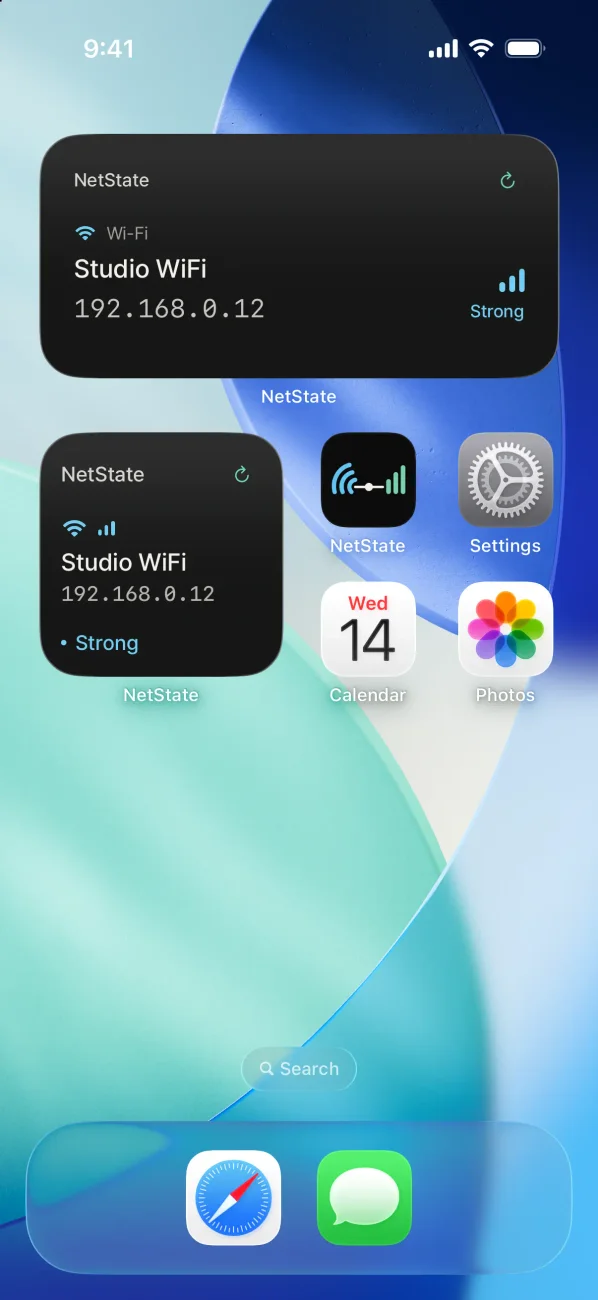
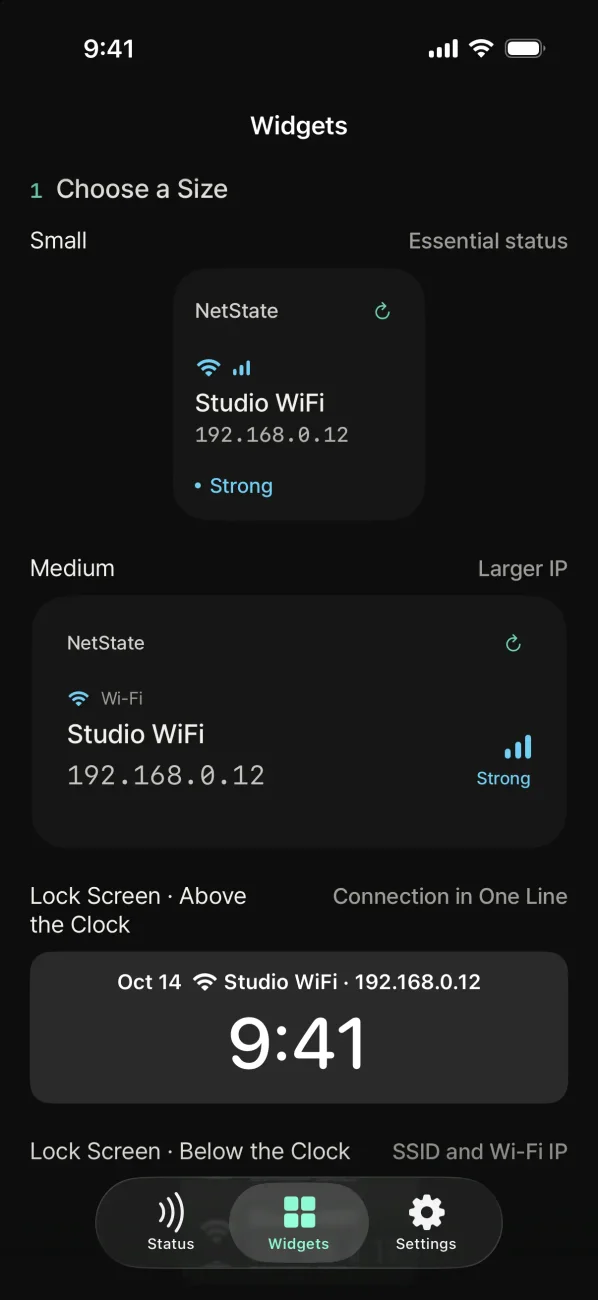
NetState is a widget-first network utility for checking Wi-Fi and cellular status directly from your Home Screen
HOME SCREEN WIDGETS
- Small and Medium widgets
- Watch one rewarded ad in the app to activate widgets
- Current Wi-Fi SSID and local IPv4 address
- LTE or 5G status on cellular
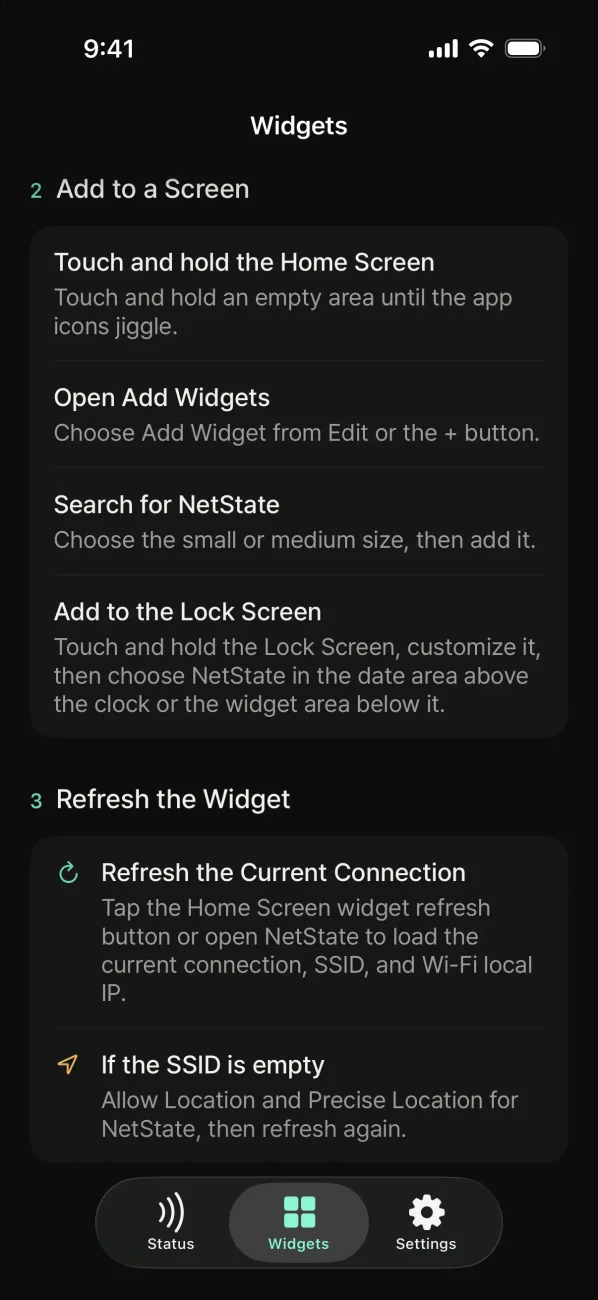
- Refresh without opening the app
- Automatic updates scheduled by iOS
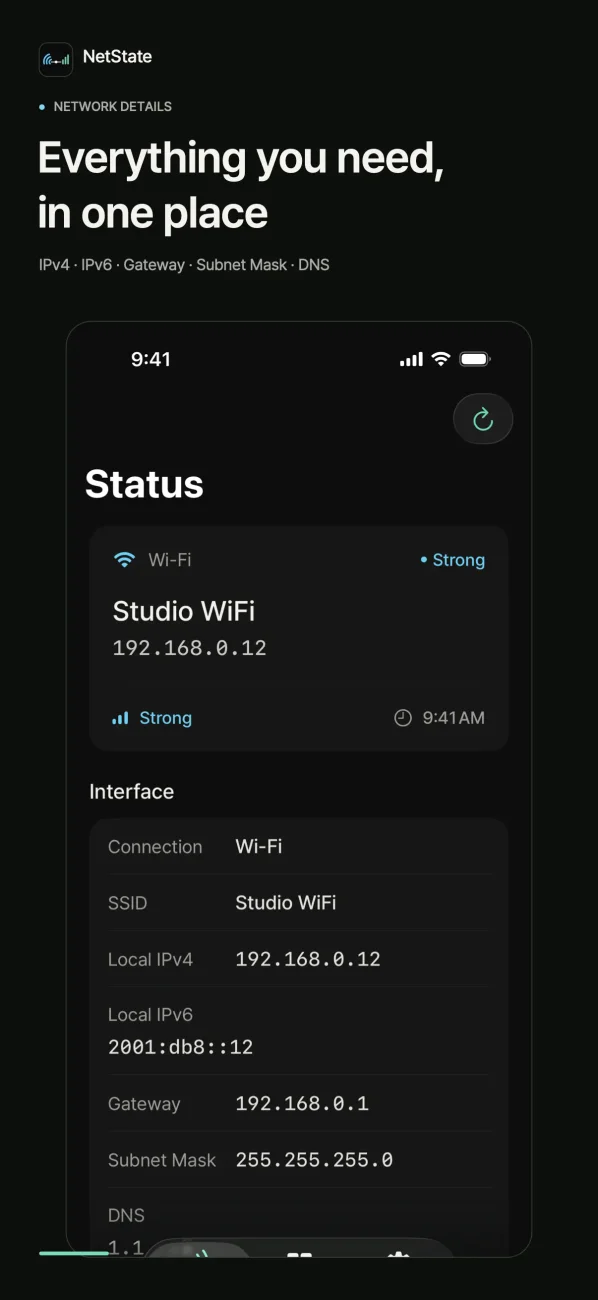
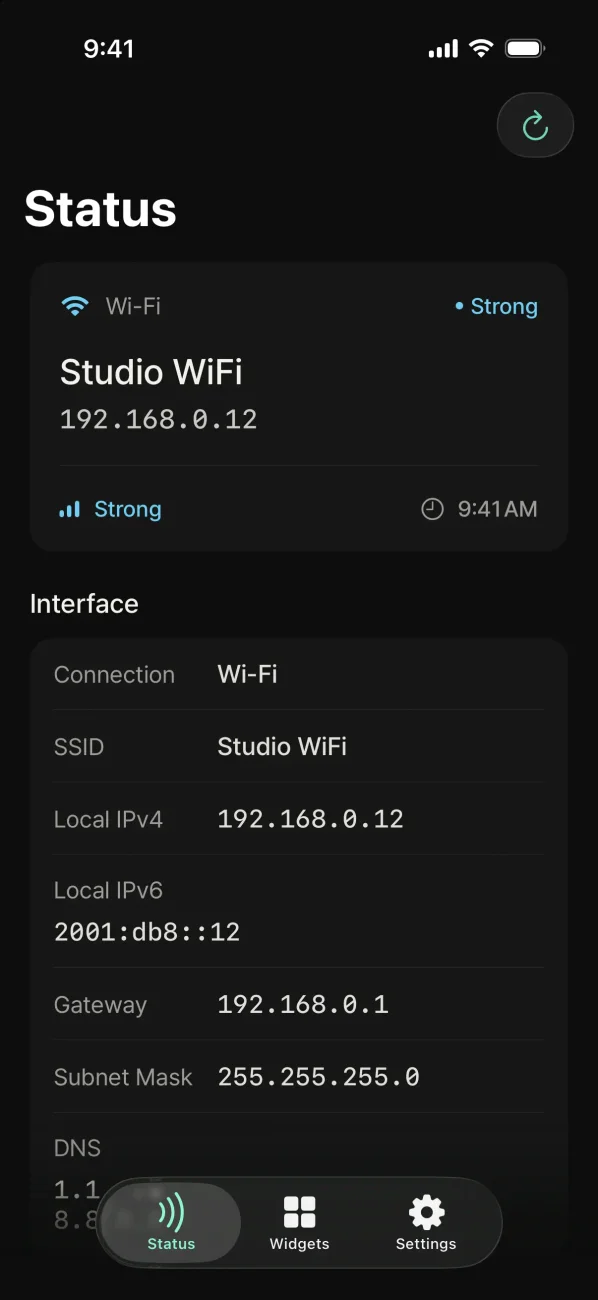
NETWORK DETAILS IN THE APP
- Connection type and current SSID
- Local IPv4 and IPv6 addresses
- Gateway and subnet mask
- System DNS servers
- System-provided link quality on supported iOS versions
ONLY THE INFORMATION YOU NEED
- No ping or speed test during network refresh
- No public-IP lookup or LAN scanning
- No confusing local IP in the cellular widget
- Clear stale status instead of a constantly moving timer
PRIVACY
- Location permission is used only for SSID access
- Geographic coordinates are not read or stored
- SSID and network addresses are processed on the device
- Widgets contain no ads A banner appears only in the main app Status screen
Widget refresh timing is controlled by WidgetKit and may vary with system scheduling Use the refresh button whenever you need to check the current state
What’s new
Version 2.5 · Oct 15, 2026
NetState 2.5 adds a Lock Screen widget above the clock.
- See your Wi-Fi SSID above the Lock Screen clock.
- The SSID takes priority, with local IPv4 shown when there is enough room.
- On cellular, see LTE, 5G, or Cellular.
- Find previews and installation instructions in the Widgets tab.
- Refined the text sizes and spacing of the Medium Home Screen widget.
- Widget previews in the app now match the Home Screen widget design.
App privacy
What Wonhee Jeong declares on the App Store about how this app handles data.
-
Data linked to you
May be collected and linked to your identity.
- Location
- Identifiers
- Usage data
-
Data not linked to you
May be collected but is not linked to your identity.
- Diagnostics
Privacy practices may vary, for example with the features you use or your age.
Information
- Seller
- Wonhee Jeong
- Category
- Productivity
- Version
- 2.5
- Updated
- Oct 15, 2026
- Released
- Apr 23, 2018
- Size
- 15.4 MB
- Requires
- iOS 17.0 or later
- Age rating
- 4+
- Price
- Free
- Languages
- English, Japanese, Korean, Simplified Chinese, Traditional Chinese
- Copyright
- © lucidmaj7
You might also like
-
 HanDBase Database ManagerLife. Organized.
-
 MoGuan PDF – Private ToolkitScan, Sign, OCR & Redact Tools
-
 Calculator Desk AccessoryProductivity
-
 Monster Planner | by PlanneraNever miss a Booking
-
 TimeZone ExpertPlan across time zones
-
 Zones - Time TravelTime zone converter & clock
-
 LawShieldAIKnow Your State Law Instantly
-
 MemoJetProductivity
-
 GENBA-Note"Reach" you on the job site.
-
 Unfollowers & Profile TrackerTrack Lost & New Followers