
Wigglegrams Maker
3D Photo, GIF & Video Loops
Designed for iPhone
Free · In-app purchases
- Age rating4+
- CategoryPhoto & Video
- DeveloperAleksandr Popov
- LanguagesEnglish+ 11 more
- Size4.9 MB
Links to the official App Store page
Download.org hosts no file of Wigglegrams Maker. The button opens its official App Store page, published by Aleksandr Popov. Listing last checked on Nov 15, 2026.
Screenshots
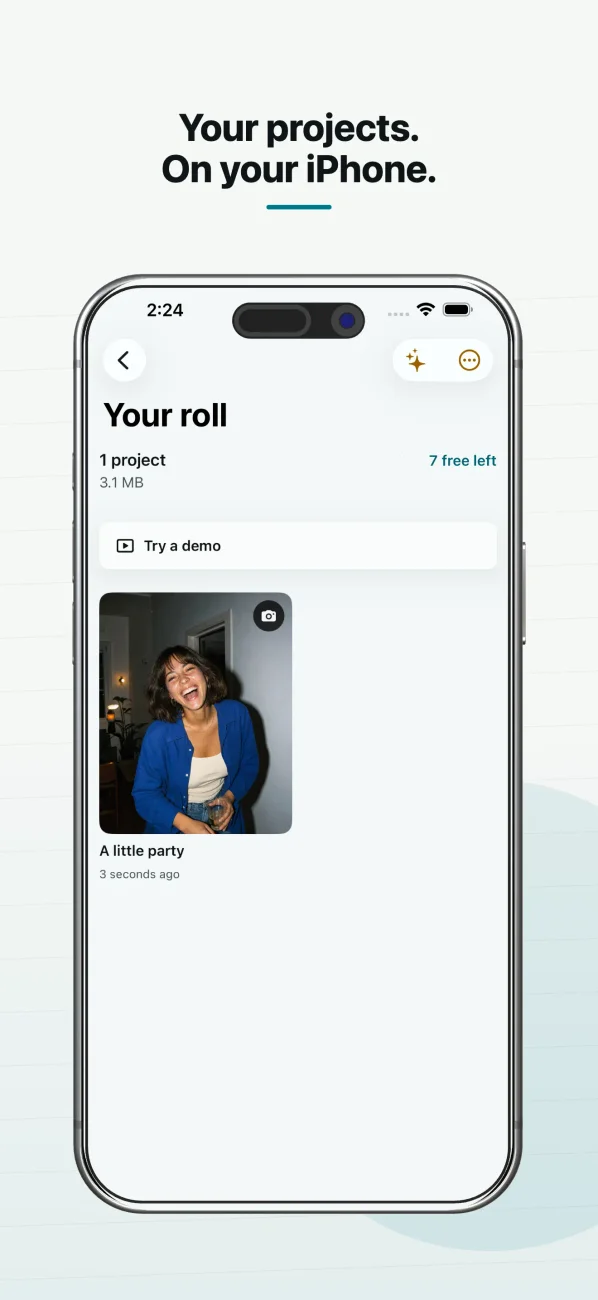
About
Make a photo that moves.
Wigglegram guides you through five quick viewpoints of a person, pet, object, or small scene, then turns them into a playful looping animation. Move your iPhone in any direction or change its angle—the app captures each distinct view for you.
More ways to make it move:
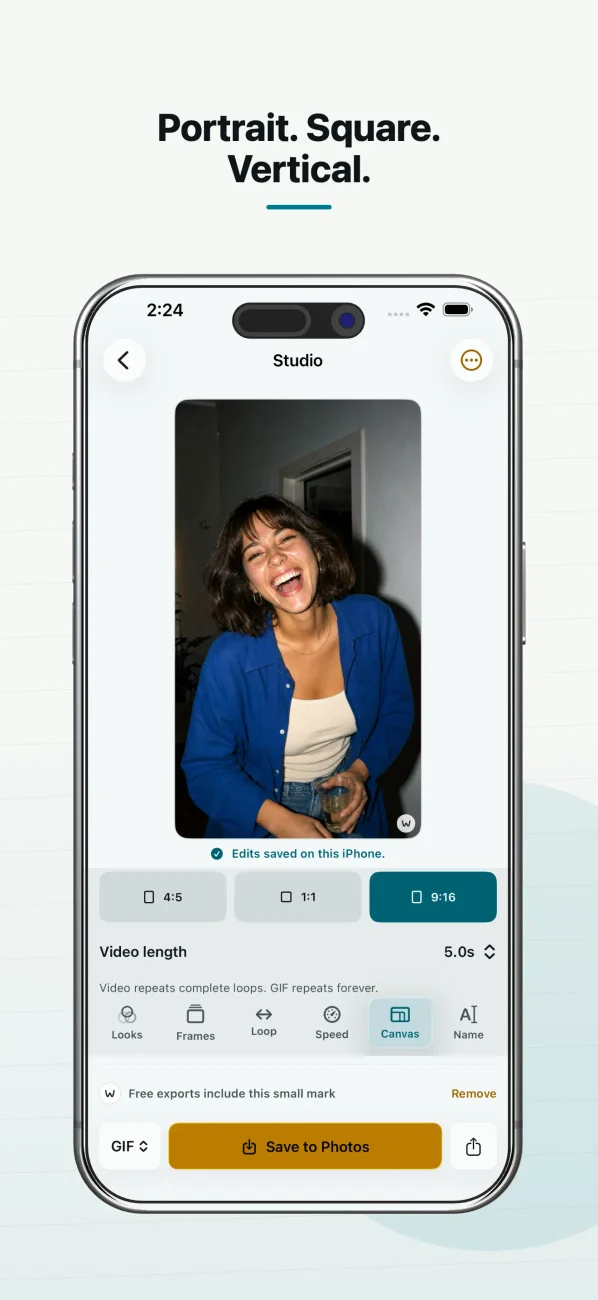
- Choose portrait 4:5, square 1:1 or vertical 9:16.
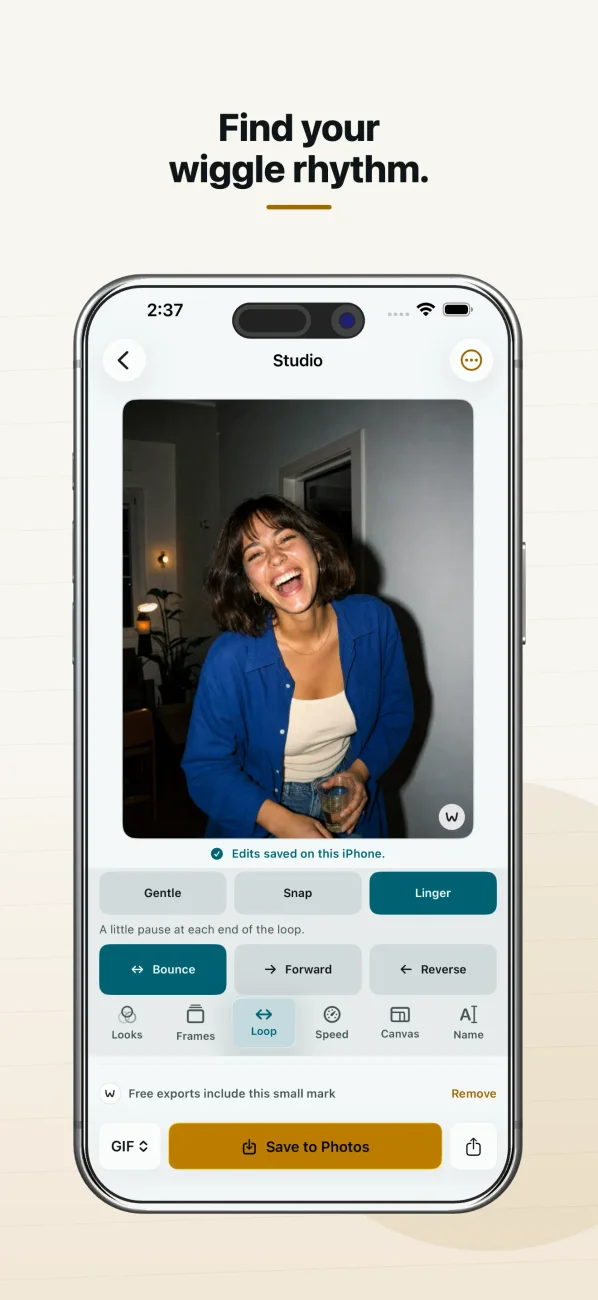
- Try Gentle, Snap and Linger motion with pauses at the ends of a bounce.
- Export complete video loops of at least 4, 8 or 12 seconds.
- Try the built-in Paper Garden demo without camera access or using your weekly capture allowance.
- Learn the five-viewpoint technique with illustrated guidance.
Shape the result:
- Use the rear or selfie camera
- Light the scene with the optional rear-camera flashlight
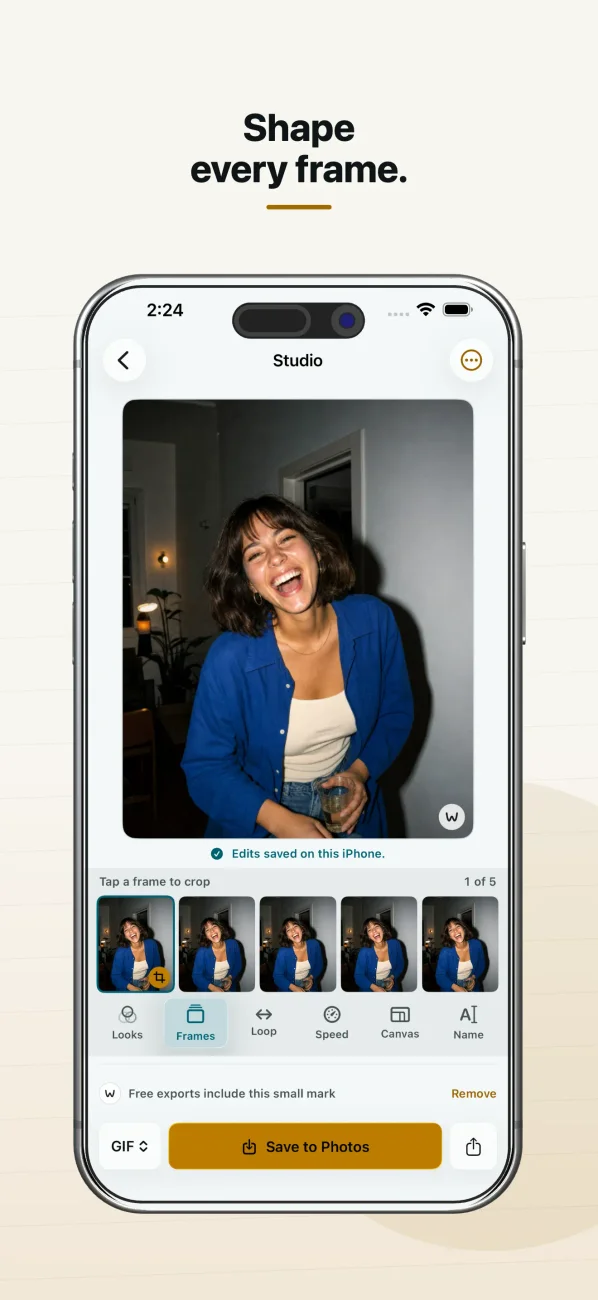
- Crop every frame individually
- Play the loop forward, in reverse, or with a bounce
- Tune the playback speed
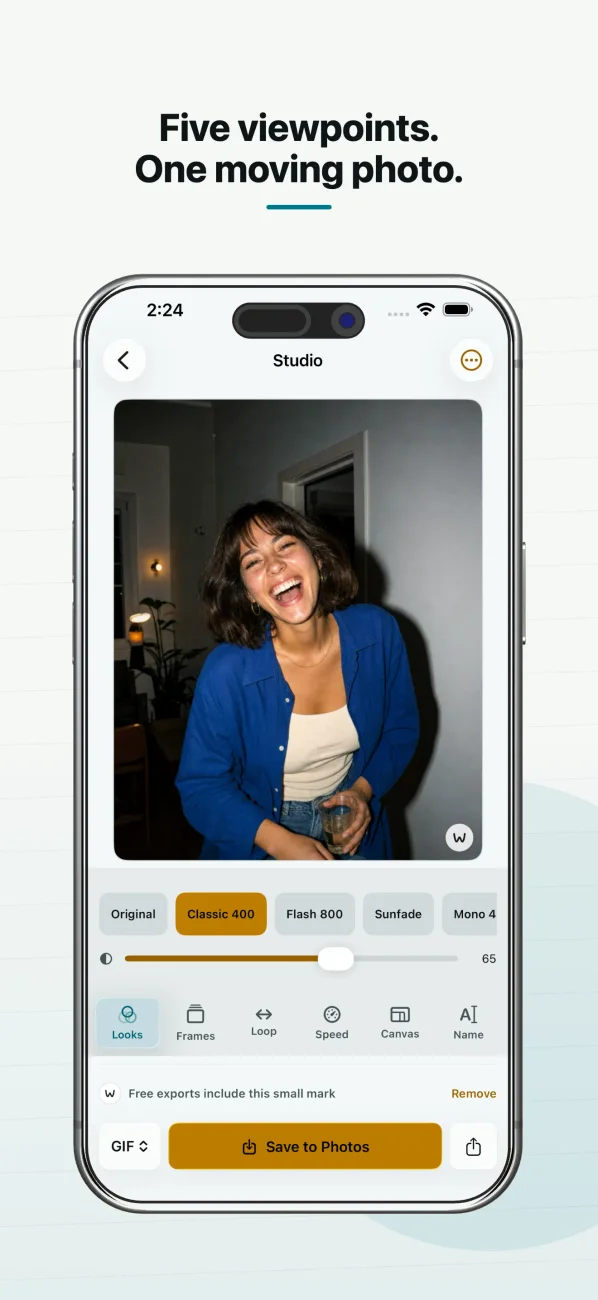
- Choose Original, Classic 400, Flash 800, Sunfade, or Mono 400 film looks
- Adjust the strength of the film treatment
- Name, revisit, and re-edit projects stored on your iPhone
Share it anywhere:
- Export as an animated GIF or MP4 video
- Save directly to Photos or open the system share sheet
- Preview the small Wigglegram mark included on free exports before exporting
Capture, editing, rendering, and project storage stay on your device. No account is required. Wigglegram does not upload your camera frames or projects to a cloud service.
The free version includes a weekly allowance for new projects. A Wigglegram Pro subscription or one-time Lifetime purchase unlocks unlimited new projects and clean exports without the Wigglegram mark. Existing projects remain editable.
Camera capture requires an ARKit-compatible iPhone running iOS 17 or later. Selfie capture depends on device support.
The app interface is available in English and 13 other language and region variants.
Terms of Use (EULA): https://www.apple.com/legal/internet-services/itunes/dev/stdeula/
Terms: https://www.wigglegram.app/terms
Privacy Policy: https://www.wigglegram.app/privacy
What’s new
Version 1.4 · Oct 31, 2026
New in Wigglegram 1.4:
• Choose portrait 4:5, square 1:1 or vertical 9:16.
• Try Gentle, Snap and Linger motion with pauses at the ends of a bounce.
• Export complete video loops of at least 4, 8 or 12 seconds.
• Try the built-in Paper Garden demo without camera access or using your weekly capture allowance.
• Learn the five-viewpoint technique with illustrated guidance.
• The app interface is available in English and 13 other language and region variants.
App privacy
What Aleksandr Popov declares on the App Store about how this app handles data.
-
Data not linked to you
May be collected but is not linked to your identity.
- Purchases
- Location
- Identifiers
- Usage data
- Diagnostics
Privacy practices may vary, for example with the features you use or your age.
Information
- Seller
- Aleksandr Popov
- Category
- Photo & Video
- Version
- 1.4
- Updated
- Oct 31, 2026
- Released
- Aug 5, 2026
- Size
- 4.9 MB
- Requires
- iOS 17.0 or later
- Age rating
- 4+
- Price
- Free
- In-app purchases
- Yes
- Languages
- English, French, German, Italian, Japanese, Korean, Polish, Portuguese, Russian, Simplified Chinese, Spanish, Traditional Chinese
- Copyright
- © 2026 Lagodish Tech. All rights reserved.
You might also like
-
 Parallaxly: Wigglegram MakerWiggle GIF from stereo frames
-
 505 Camera3D Camera App
-
 Wigglegrams3D photos from a single image
-
 Phorus WiggleStereo photos, film look
-
 KitsloTake 3D wigglegram photos...
-
 Scopi: 3D Spatial CameraSee The World In Depth
-
 Artora: Anime & Sketch3D Photo Motion, Offline AI
-
 Dual Cam: Format RecorderRecord 9:16 and 16:9
-
 Fennec StereoA 3D Photography Camera App
-
 Memorial photo animatorPhoto becomes a short video