
- Age rating4+
- CategoryUtilities
- DeveloperIlyas Zhunussov
- LanguagesEnglish
- Size76.5 MB
Links to the official App Store page
Download.org hosts no file of WinDrop. The button opens its official App Store page, published by Ilyas Zhunussov. Listing last checked on Nov 12, 2026.
Screenshots
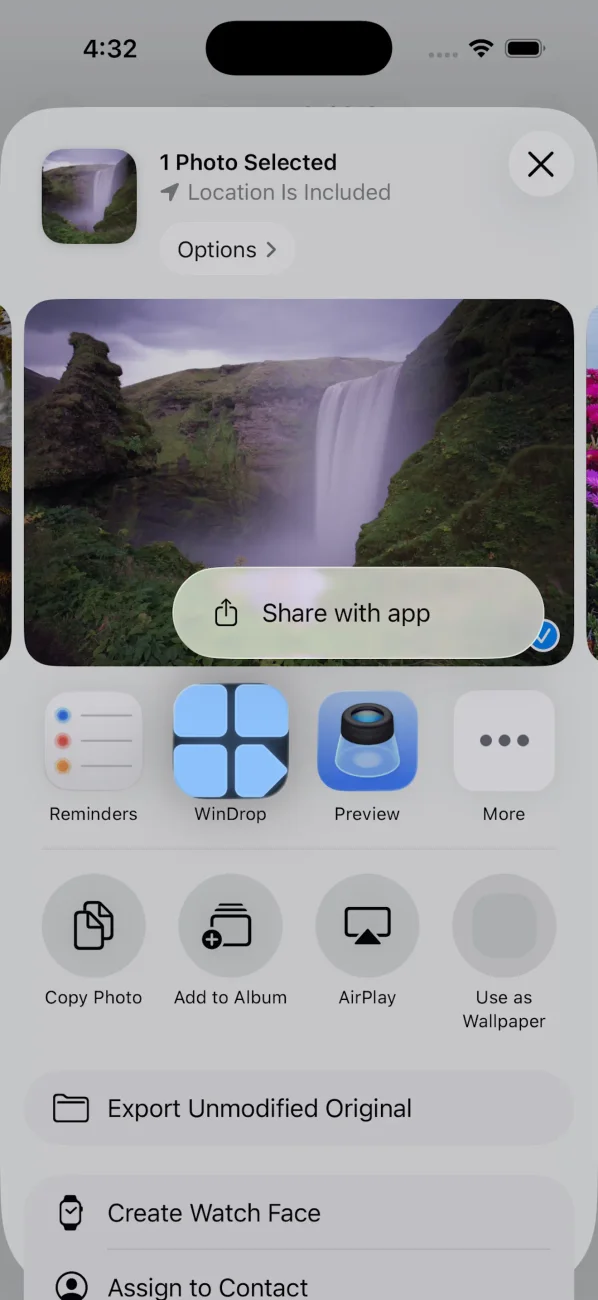


About
WinDrop is the fastest and easiest way to transfer photos, videos, and documents between your iPhone and Windows PC. No more cables, no more cloud storage limits, and no more emailing files to yourself. WinDrop works directly over your local network.
Key Features:
Wireless Freedom: Transfer files via Wi-Fi with zero quality loss.
Background Task Support: WinDrop keeps working even when minimized, ensuring your transfers complete without interruption.
Privacy First: Your data never leaves your local network. No internet connection or servers involved.
No Clouds, No Subscriptions: Direct device-to-device transfer. No storage fees, no waiting for uploads.
High-Speed Transfers: Experience lightning-fast speeds limited only by your Wi-Fi router.
What’s new
Version 1.2 · May 27, 2026
Ускорена передача данных по Wi-Fi. Исправлены ошибки и улучшена общая стабильность работы приложения.
App privacy
What Ilyas Zhunussov declares on the App Store about how this app handles data.
-
Data not collected
The developer does not collect any data from this app.
Privacy practices may vary, for example with the features you use or your age.
Information
- Seller
- Ilyas Zhunussov
- Category
- Utilities
- Version
- 1.2
- Updated
- May 27, 2026
- Released
- May 14, 2026
- Size
- 76.5 MB
- Requires
- iOS 13.0 or later
- Age rating
- 4+
- Languages
- English
- Copyright
- © 2026 Ильяс Жунусов
You might also like
-
 TracePort: Remote DesktopKeyboard-first remote desktop
-
 Likz Drop: File TransferShare Photos, Videos & Folders
-
 FlashClip–Screen Pre-RecordingSave Last 3 Minutes
-
 Offline GPT AppPrivate AI Chat Offline
-
 minimalVNCFast, minimal VNC client
-
 WinSend: iPhone to Windows PCPhoto, File & Clipboard Sync
-
 GyroBridgeSimple Gyro Steering Tool
-
 Let's NESOnline coop retro games
-
 FuelPlug - WiaFuelDeyUtilities
-
 BluetoothCommandUtilities