Wine Cellar Manager & Tracker
Inventory, Journal & Tastings
Designed for iPhone, iPad, Mac
Free · In-app purchases
- Age rating17+
- CategoryLifestyle
- DeveloperTeck Apps UG (haftungsbeschraenkt)
- LanguagesEnglish+ 5 more
- Size275.3 MB
Links to the official App Store page
Download.org hosts no file of Wine Cellar Manager & Tracker. The button opens its official App Store page, published by Teck Apps UG (haftungsbeschraenkt). Listing last checked on Nov 24, 2026.
Screenshots





About
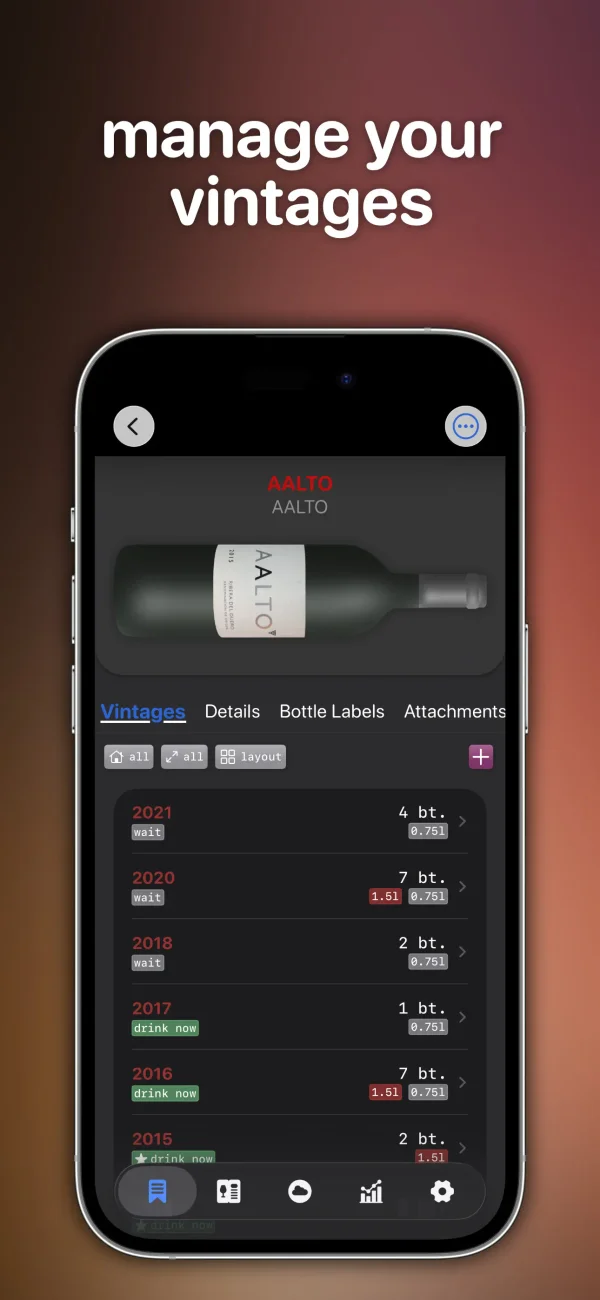
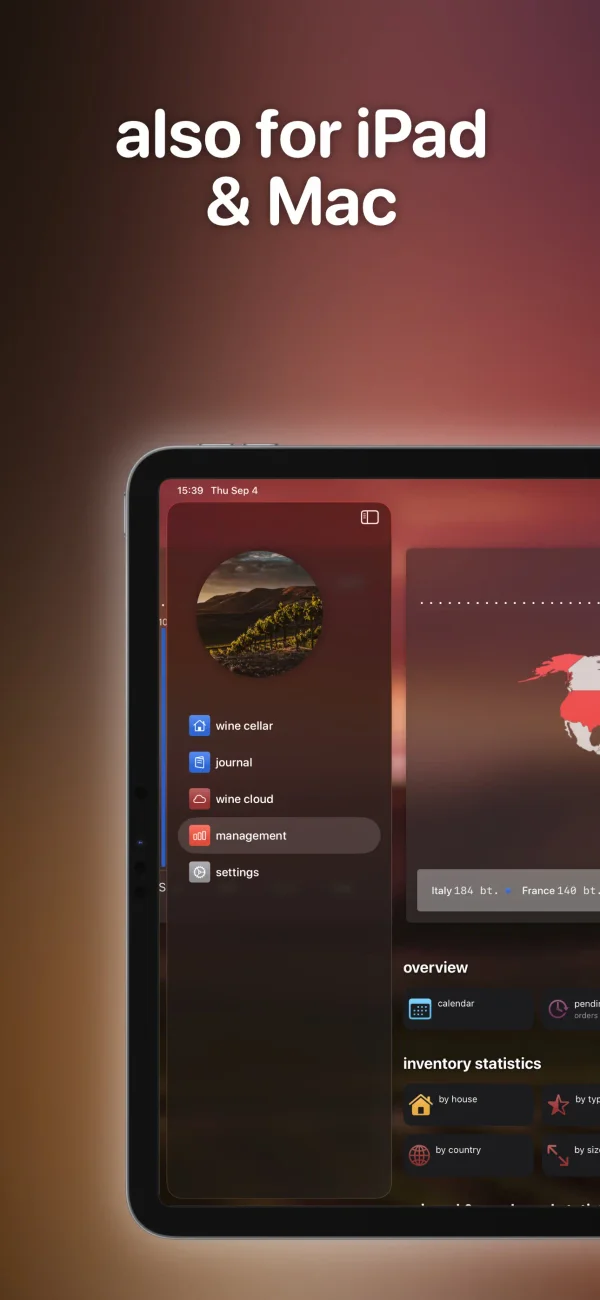
Wine Cellar Manager puts you in charge of your wine cellar: you see what you have, where it is and when it is ready to drink. On iPhone, iPad and Mac, synced through your iCloud.
Track your bottles end to end, from purchase to the last glass. Ad-free, no sign-up – and we don't sell you wine.
INVENTORY
• Wines, vintages and individual bottles with price, bottle size and currency
• Drinking window for each vintage
• Bottle labels, notes, ratings and attachments
• Filters, lists and tables that you set up yourself
A MAP OF YOUR CELLAR
• Set up racks, wine fridges and rooms the way they stand in your home – at several locations, too
• Every bottle has its place: you see at a glance where it is
OPEN BOTTLES
• Opened bottles with date and fill level, ideal with wine preservation systems
• Widgets for the Home Screen and the Lock Screen
JOURNAL
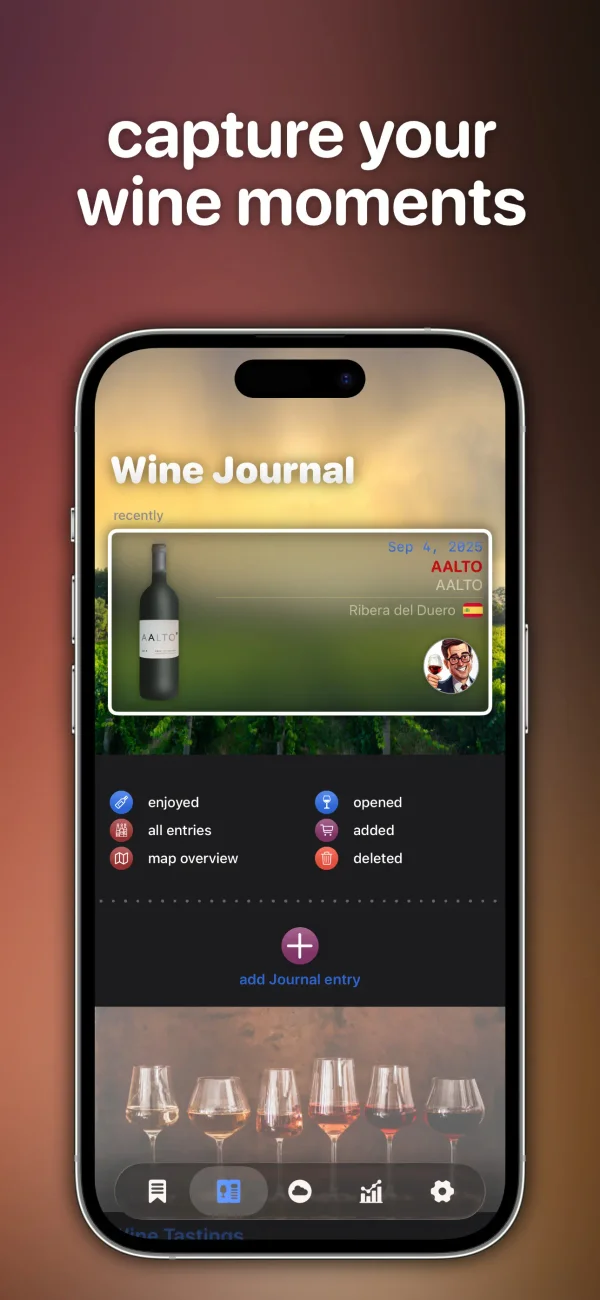
• Every cellar movement is recorded: stored, moved, drunk
• Wines you drink at a restaurant or with friends, too
• Tastings and your own ratings
ANALYZE AND SHARE
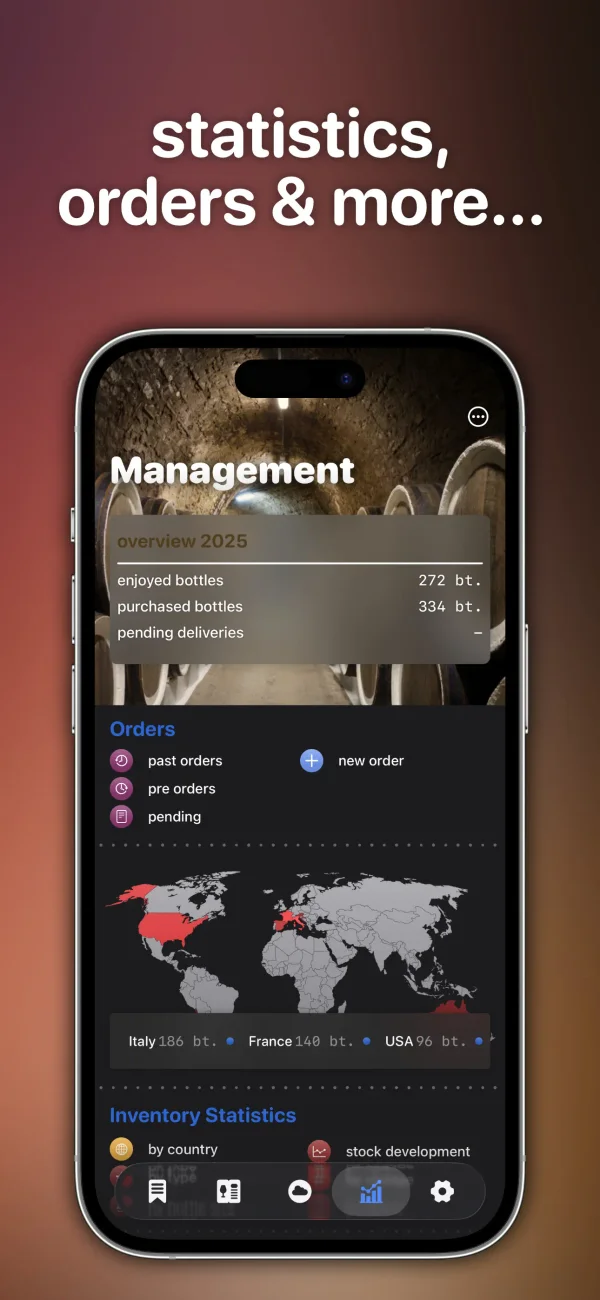
• Statistics on inventory, purchases and consumption
• Wine list and inventory lists as PDF, data as CSV
• Orders and pre-orders at a glance
AND MORE
• Import existing lists via CSV, for example from Excel
• Calendar for events, a map of where your wines come from, products & accessories
• Your own categories, attributes, bottle sizes and currencies
START FOR FREE
Manage up to 50 wines for free, with no time limit. For larger cellars there are the Basic and Advanced Editions – as a subscription or as a one-time purchase.
Questions or requests? Write to us: support@winemanager.app
License Agreement:
https://www.apple.com/legal/internet-services/itunes/dev/stdeula/
What’s new
Version 3.7.1 · Nov 22, 2026
CANVAS REFRESH
The canvas has been rebuilt from the ground up. Racks, fridges, boxes and folders have a new look with configurable materials and colors. Each place can now show either its name or the vintage of the bottle stored there. Improved workflows make the canvas easier to use, and on iPad & Mac the inspector offers even more information and ways to search.
PREVIEW IMAGES • CANVAS
Use the built-in tool to extract missing preview images from your labels automatically. That way the canvas always shows you at a glance which wine is stored where. You find the tool right on the canvas or in Category Management.
BARCODE SCANNER
The barcode scanner has been rebuilt: the camera fills the screen and shows you the matching wine with its stock right away. A barcode the app doesn't know yet can be assigned to a wine on the spot, or you create a new wine for it. You can also type the code, and the scanner is now available on iPad as well. You switch it on in the configuration of the start view.
BEST-BEFORE DATES
For low- and non-alcoholic wines you can now enter a best-before date per bottle. Turn on "Ask for a best-before date" for a type of wine in Category Management so the field always appears when you book bottles, or add it from the menu just before saving.
PDF WINE MENU • IMAGE SIZES (ADVANCED EDITION)
Choose how large the bottle images appear in your wine menu: small, medium or large, or hide them altogether. Medium is the new standard and gives your labels more room on the page.
PRODUCTS & ACCESSORIES
The overview of your products and accessories has a new layout with list and grid views. Group by category, house, brand, place or status, sort the way you like, and reach favorites, gifts, low stock and expiring items with a tap.
DUPLICATE WINES
You can now duplicate a wine from the menu of its detail view. Handy for similar wines from the same producer: producer, origin and type of wine are already filled in, and you only adjust the name.
Questions or requests? Write to us: support@winemanager.app
App privacy
What Teck Apps UG (haftungsbeschraenkt) declares on the App Store about how this app handles data.
-
Data not linked to you
May be collected but is not linked to your identity.
- Usage data
Privacy practices may vary, for example with the features you use or your age.
Information
- Seller
- Teck Apps UG
- Category
- Lifestyle
- Version
- 3.7.1
- Updated
- Nov 22, 2026
- Released
- Apr 1, 2020
- Size
- 275.3 MB
- Requires
- iOS 17.2 or later
- Age rating
- 17+
- Price
- Free
- In-app purchases
- Yes
- Languages
- English, Dutch, French, German, Italian, Spanish
- Copyright
- © 2026 Teck Apps