
- Age rating4+
- CategoryUtilities
- Developer珠海致唯网络科技有限公司
- LanguagesEnglish+ 1 more
- Size5.6 MB
Links to the official App Store page
Download.org hosts no file of WisprPad. The button opens its official App Store page, published by 珠海致唯网络科技有限公司. Listing last checked on Nov 17, 2026.
Screenshots

About
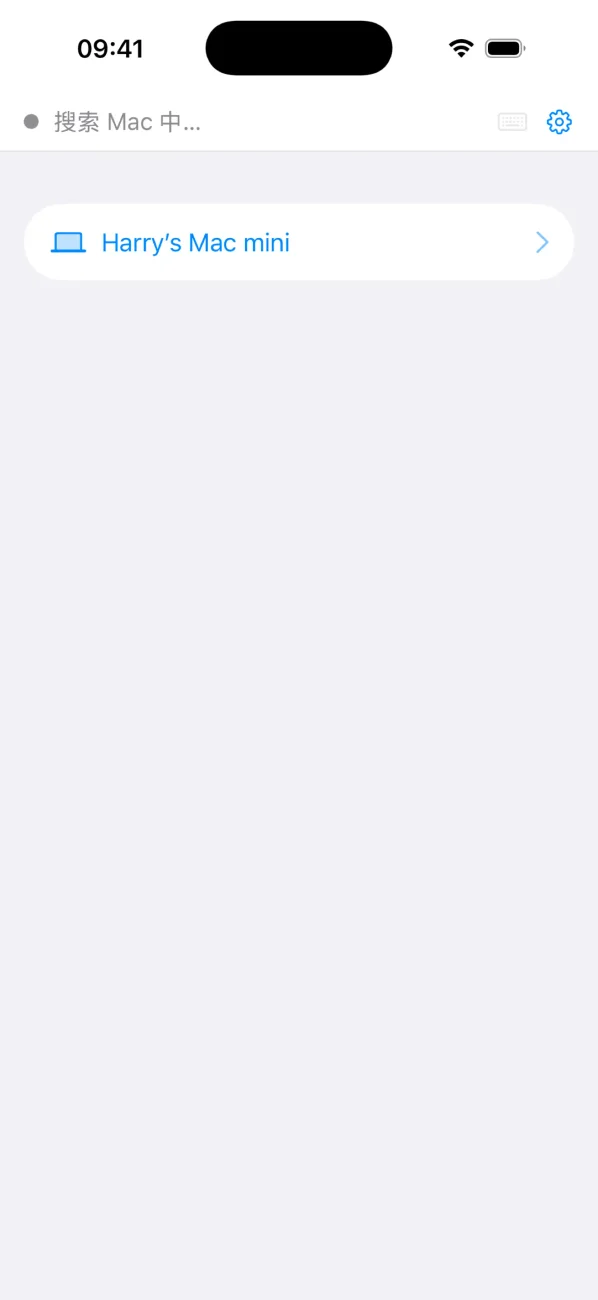
WisprPad turns your iPhone into a wireless trackpad and voice input for your Mac.
Once paired with the companion WisprPad Mac app over local Wi-Fi:
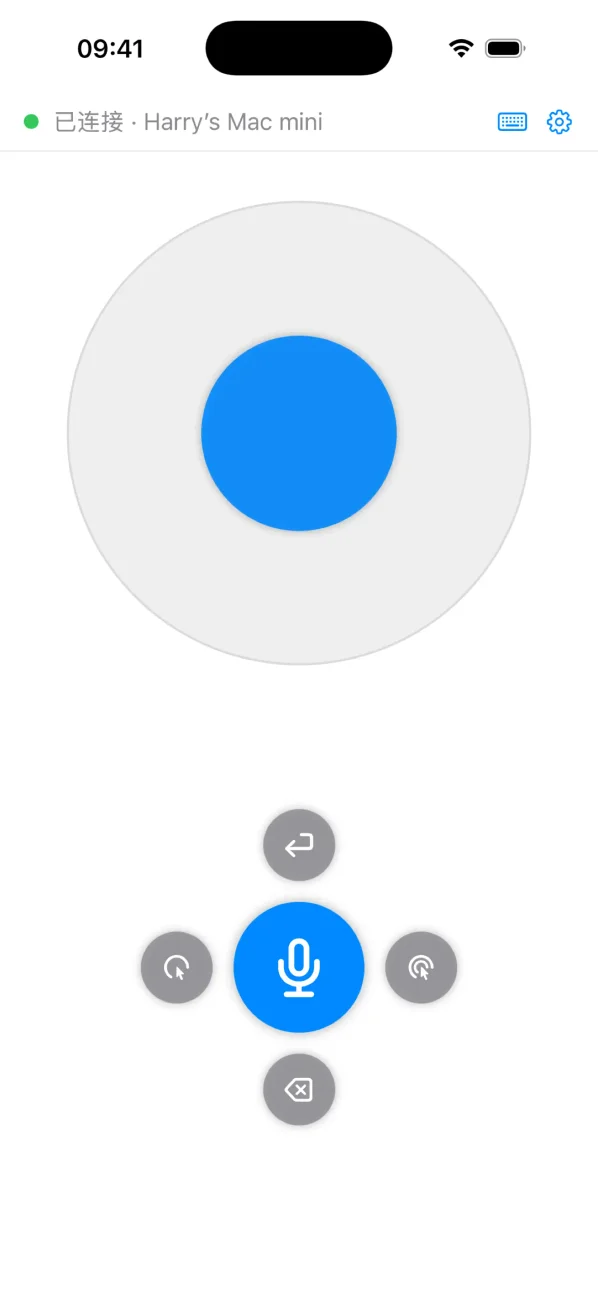
• Use the iPhone trackpad to drive the Mac cursor — supports tap, double-tap, drag, scroll
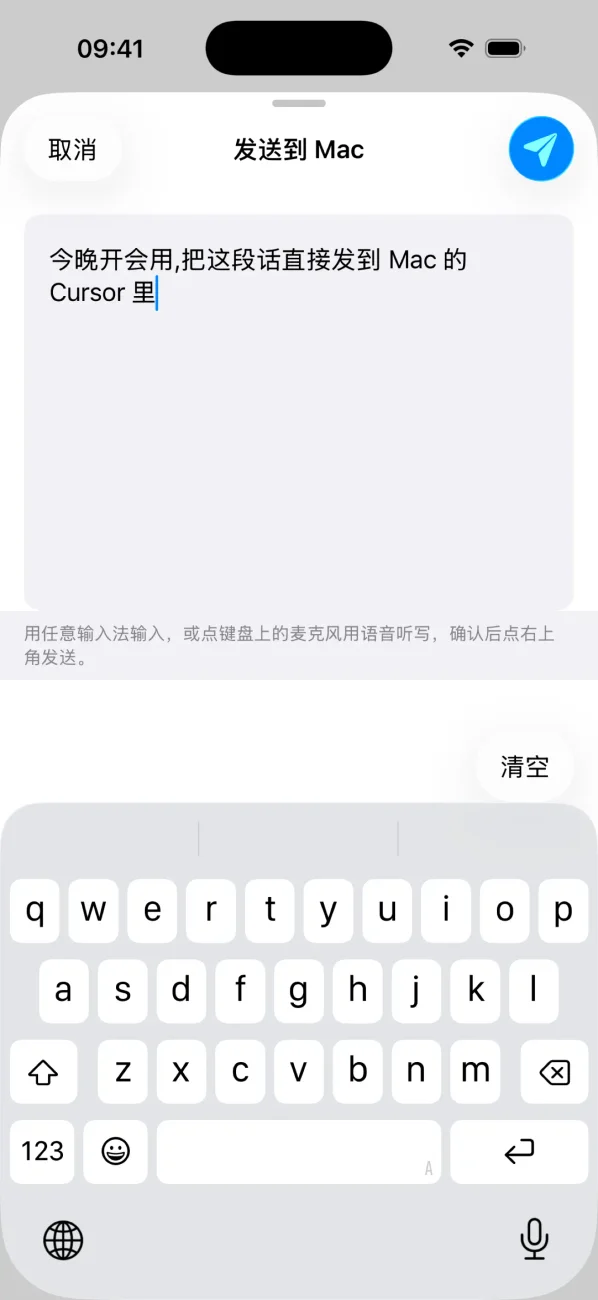
• Hold the mic button to dictate; the recognized text is typed into the focused text field on Mac when you release
• Return and Backspace keys sit beside the mic button; Backspace supports hold-to-repeat
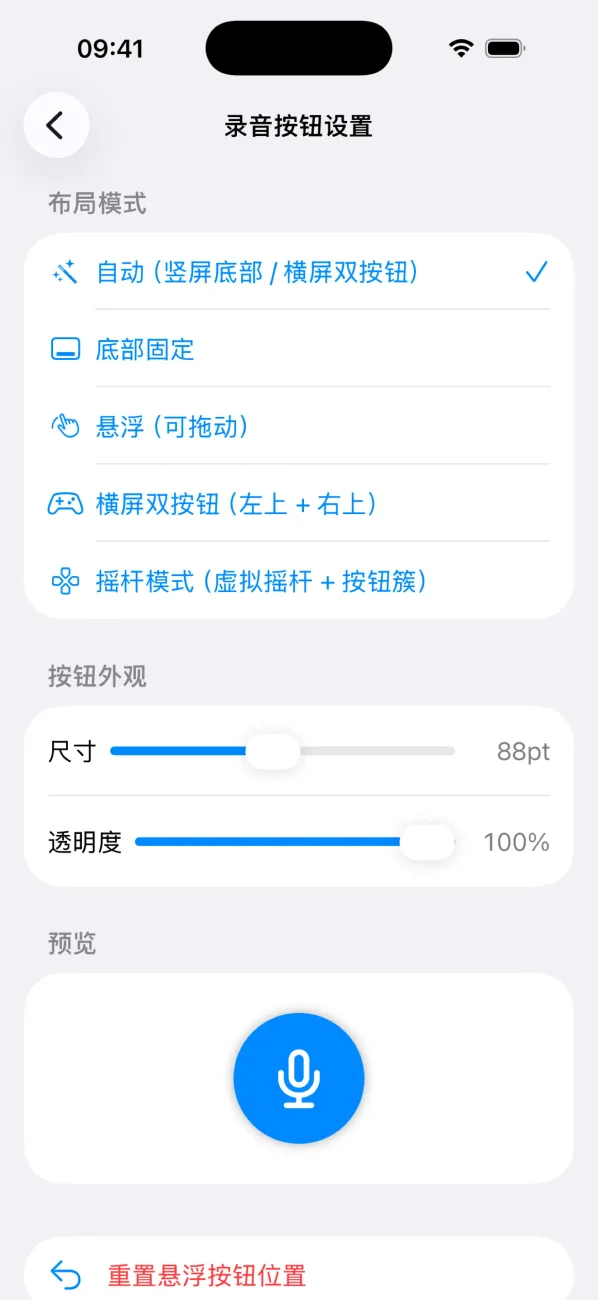
• Adaptive portrait and landscape layouts; mic button placement is customizable
• Speech recognition runs on-device through Apple's offline engine on macOS — no audio leaves your local network
Great for:
• Running a keynote or demo without standing at the keyboard
• Anyone who dictates faster than they type
• Keeping the iPad on screen while using iPhone as a flexible secondary input
Note: Requires the companion WisprPad Mac app (same name, available on the Mac App Store). Both devices must be on the same Wi-Fi network.
What’s new
Version 1.2.2 · Jun 21, 2026
This update brings stability improvements and bug fixes, making pairing and voice typing in WisprPad smoother and more reliable.
App privacy
What 珠海致唯网络科技有限公司 declares on the App Store about how this app handles data.
-
Data not collected
The developer does not collect any data from this app.
Privacy practices may vary, for example with the features you use or your age.
Information
- Seller
- Zhuhai Zhiwei Network Technology Co., Ltd.
- Category
- Utilities
- Version
- 1.2.2
- Updated
- Jun 21, 2026
- Released
- May 27, 2026
- Size
- 5.6 MB
- Requires
- iOS 17.0 or later
- Age rating
- 4+
- Price
- Free
- Languages
- English, Simplified Chinese
- Copyright
- © 2026 LEAPERone
You might also like
-
 MiniTrackUtilities
-
 Sidekey: Wireless KeyboardTrackpad, shortcuts & voice
-
 DuaLinkUtilities
-
 SayAllMicrophone & Remote
-
 FitMe Size AssistantSize Assistant
-
 CallerIndex: Spam Call BlockerCaller ID, Marks & Contacts
-
 Hinge ProtractorRead your physical hinge angle
-
 FilmAllOne-Stop Film Assistant
-
 Peering: Remote Desktop & SSHMac screen, terminal & files
-
 AM Card ToolboxNFC Card Reader