- Age rating4+
- CategoryProductivity
- Developerjaehyun jang
- Size1.9 MB
Links to the official App Store page
Download.org hosts no file of WithVoice. The button opens its official App Store page, published by jaehyun jang. Listing last checked on Nov 18, 2026.
Screenshots



About
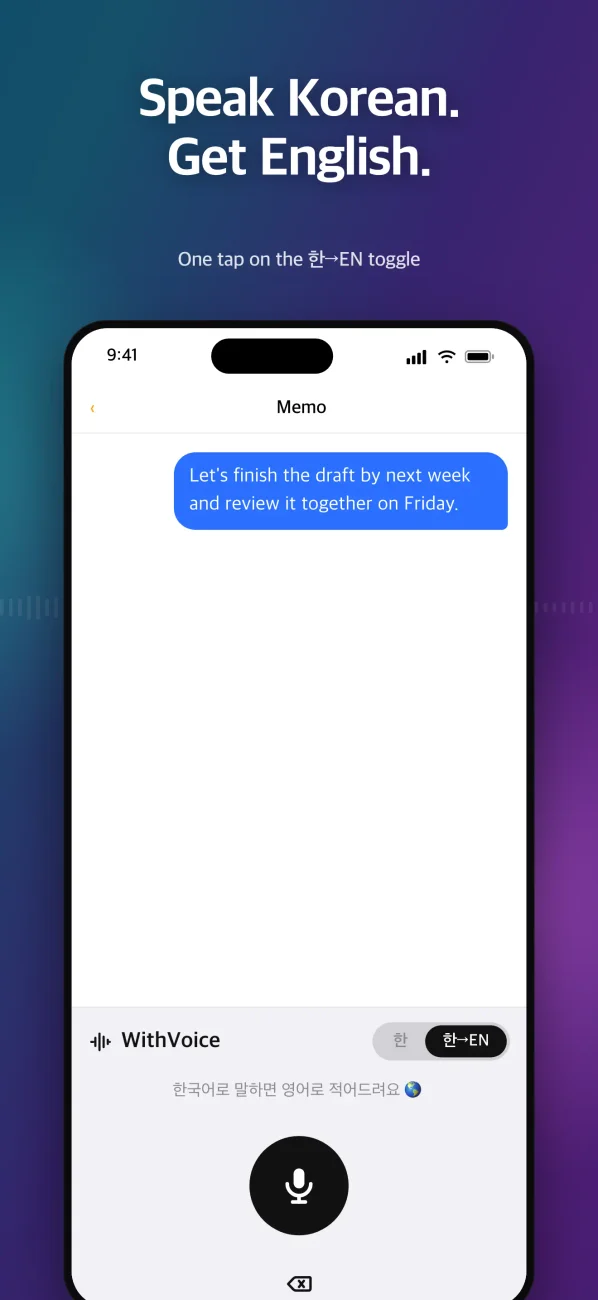
WithVoice is an AI dictation keyboard that turns speech into polished text—right where you're already typing. Tap the mic, talk naturally, and WithVoice inserts clean, punctuated sentences at your cursor in any app: Messages, Notes, Mail, Slack, your
browser, anywhere. It supports both Korean and English input.
Powered by Google Gemini, WithVoice does more than transcribe. It cleans up filler words, fixes punctuation, and formats your speech into text that's ready to send—so you spend less time editing and more time getting things done.
WHY WITHVOICE
• Speak, don't type. Dictate emails, notes, and messages 3x faster than thumb-typing.
• Clean output, not raw transcript. Gemini removes "um," "uh," and false starts, then adds proper punctuation and capitalization.
• One keyboard for Korean and English. Switch languages with the "한/A" key—no need to change keyboards. The standard Dubeolsik layout composes final and compound consonants and vowels naturally, and the mic stays in the same spot in both.
• Works everywhere. As a system keyboard, WithVoice drops text into any app with a text field.
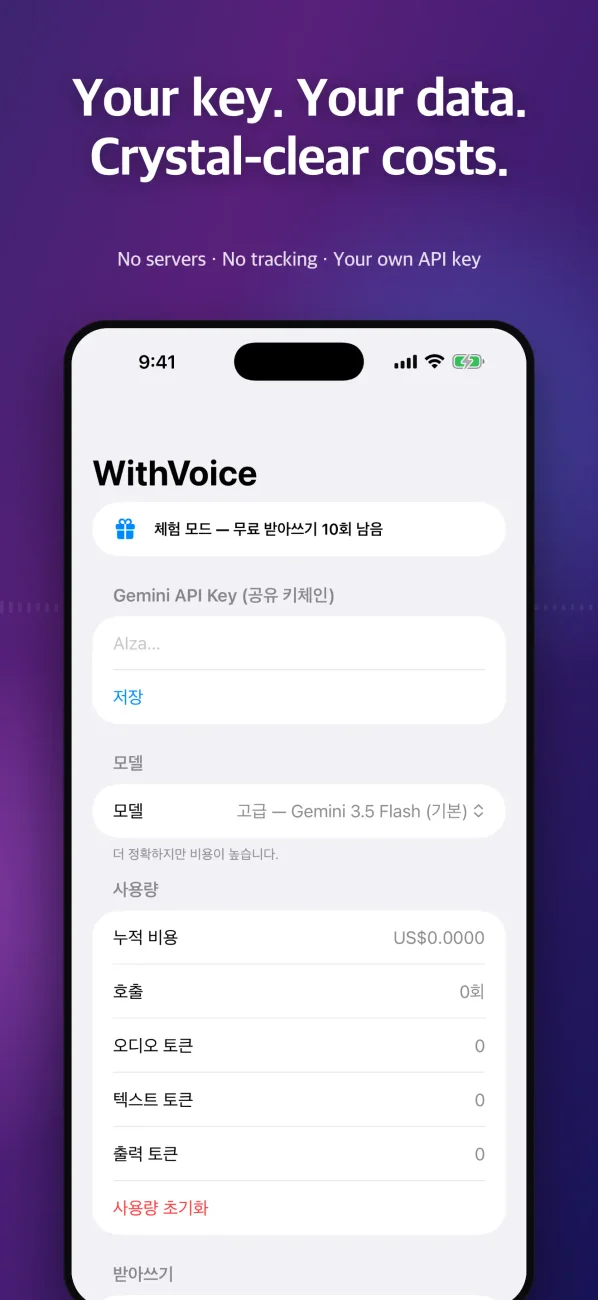
• Your key, your control. Bring your own Google Gemini API key. Audio and text go straight to Google's API and nowhere else.
• No accounts, no tracking. There are no logins, no ads, and no third-party analytics.
HOW IT WORKS
1. Get a free Google Gemini API key and paste it into WithVoice's settings (stored securely in your device Keychain).
2. Enable the WithVoice keyboard in Settings and allow microphone access.
3. Switch to the WithVoice keyboard, pick your language with the "한/A" key, tap the mic, and speak.
4. Your words appear as clean text at the cursor.
PRIVACY FIRST
WithVoice uses your own Gemini API key. Your recorded audio and the resulting text are sent only to Google's Gemini API to perform transcription and cleanup. WithVoice does not store your recordings, does not keep your transcripts, and includes no
third-party analytics or tracking. See our Privacy Policy for full details.
BUILT FOR iPHONE
WithVoice is designed for iOS 26 and iPhone, with a fast, minimal keyboard and a single clear settings screen. No clutter—just talk and type.
NOTE: WithVoice requires your own Google Gemini API key, which you can obtain for free from Google AI Studio. Transcription is performed by Google's Gemini API and is subject to Google's terms and pricing for that service. An internet connection is required.
What’s new
Version 1.2.0 · Oct 15, 2026
Feel every keystroke!
• Keyboard haptics — a light tap of feedback each time you press a key. Turn it off anytime in Settings; it needs "Allow Full Access" for the keyboard.
• Smarter clean-up — now on the latest Gemini model, with more accurate handling of mid-sentence corrections and lists.
• Your text on the completion screen — view and copy your dictation right away. Return to the keyboard within 5 minutes and it's inserted automatically; after that, it isn't.
• Interruptions handled — if your headphones change or a call comes in, WithVoice cleans up what you said so far. There's also a new Cancel button while recording.
• Accessibility — VoiceOver now reads the mic, mode, and Shift state on the keyboard.
This release also cancels quietly when no speech is heard, shows clearer error messages, and includes other small refinements. Send feedback anytime via our Support page!
App privacy
What jaehyun jang declares on the App Store about how this app handles data.
-
Data not collected
The developer does not collect any data from this app.
Privacy practices may vary, for example with the features you use or your age.
Information
- Seller
- jaehyun jang
- Category
- Productivity
- Version
- 1.2.0
- Updated
- Oct 15, 2026
- Released
- Jun 15, 2026
- Size
- 1.9 MB
- Requires
- iOS 26.0 or later
- Age rating
- 4+
- Price
- Free
- Copyright
- © 2026 WithGenie
You might also like
-
 VoiceInk:Voice to TextAI tracks how ideas evolve
-
 CopyPasta - Clipboard HistoryManage copy paste records
-
 MemoCopy - Fast Copy, SyncFast copy and paste !
-
 Enflo - Visual Focus TimerYour flow, made visible.
-
 otu.aiFrom Records to Memories
-
 Ticka – Routines & HabitsDaily Routine & Habit Tracker
-
 스태시 Stashhh - AI 스샷 정리, 링크 저장Productivity
-
 Quick Memo+ToDo - PinDeckMemo Widget · To-Do · Gestures
-
 WispArm - Armenian KeyboardArmenian voice dictation
-
 OLVA:Live AI Meeting AssistantAI Notetaker, Coach & Recap