- Age rating4+
- CategoryHealth & Fitness
- DeveloperKyosuke Tachibana
- LanguagesItalian+ 9 more
- Size129.8 MB
Links to the official App Store page
Download.org hosts no file of Wizabee. The button opens its official App Store page, published by Kyosuke Tachibana. Listing last checked on Nov 20, 2026.
Screenshots



About
Your music follows your steps.
Wizabee is a music player that changes the tempo of the music to match the tempo of your walk. Walk faster and the music lifts; slow down and it settles.
Highlights
- Follows your walking tempo: footfalls are detected on your iPhone, and playback speed is matched to the tempo of your walk.
- The pitch never changes. Only the speed does.
- Even volume across songs.
- Walking feel: set how fast the music catches up, and where it lands.
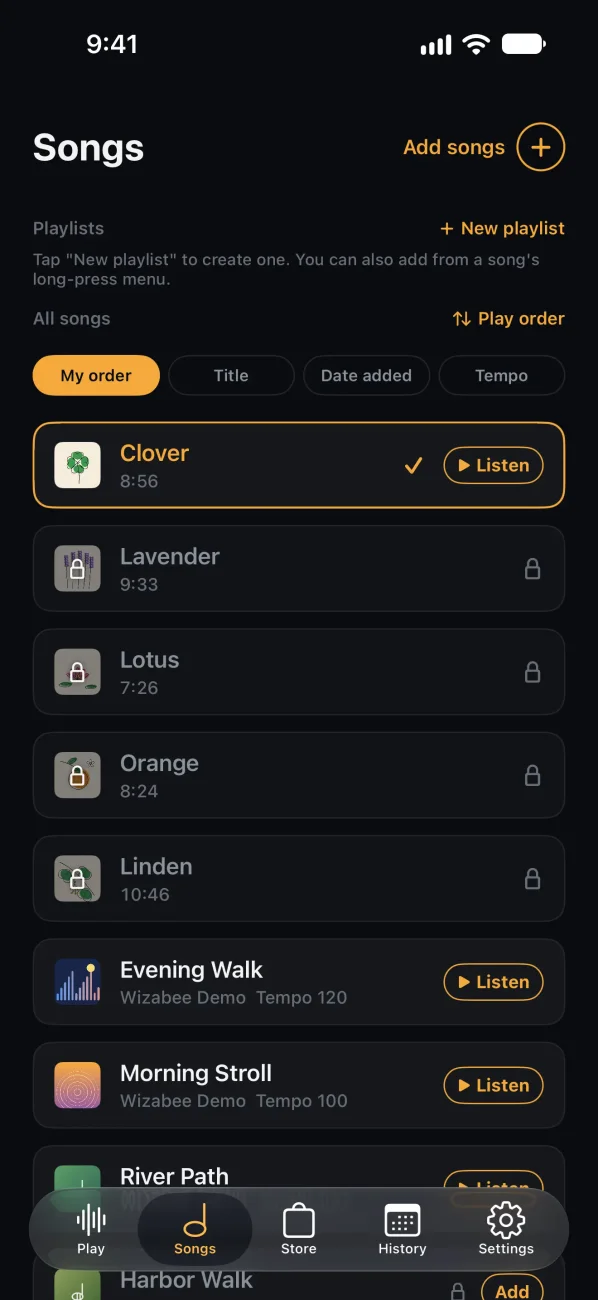
- Playlists: mix the included songs with your own, up to 200 per list; free: 1 list, Plus: unlimited.
- Play screen: four designs (Halo, Vinyl, Cover, Sticker) and colour themes.
- Five original tracks made for walking. Try each in the Store.
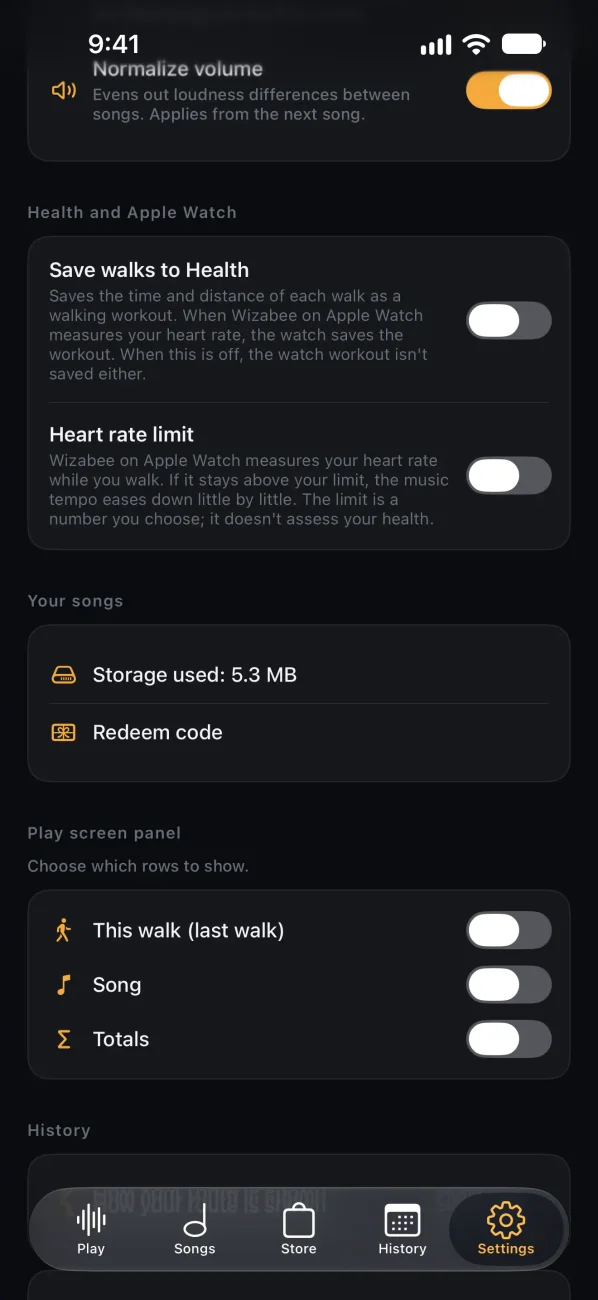
- Apple Watch (optional): your watch measures your heart rate on walks started on iPhone; above a limit you choose, the tempo slows more the further above. The limit is only your own guide.
- Health (optional, off by default): save your walks as walking workouts.
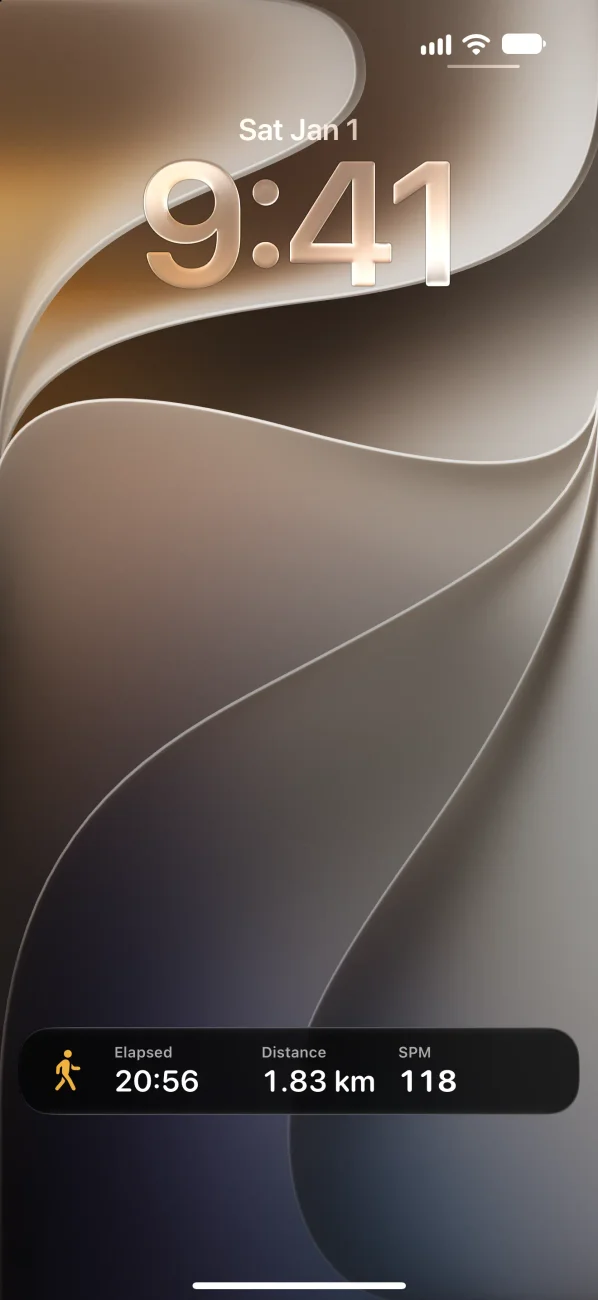
- Lock Screen, Dynamic Island and Siri: time, distance and tempo as you walk. "Start a walk" and "End a walk" work from Siri, Shortcuts and the Action button.
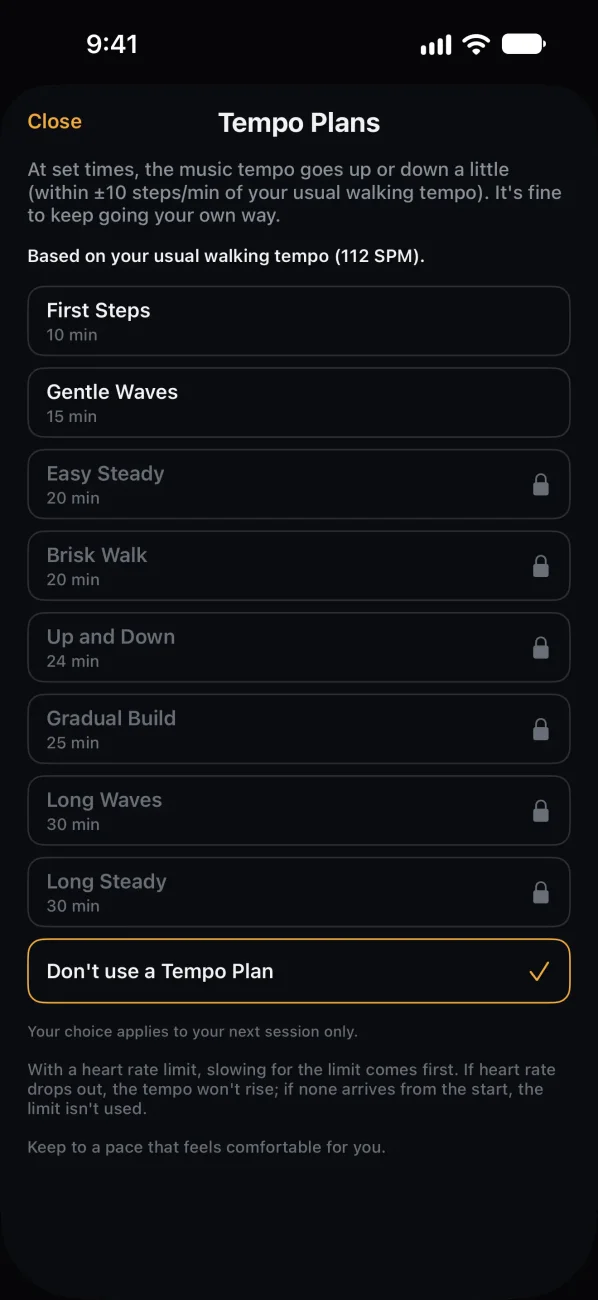
- Tempo Plans (optional): 10–30 min plans where the music tempo changes a little at set times, around your easy walking tempo; the target tempo (SPM) is shown on screen. Free: 2 plans. Wizabee Plus: all 8.
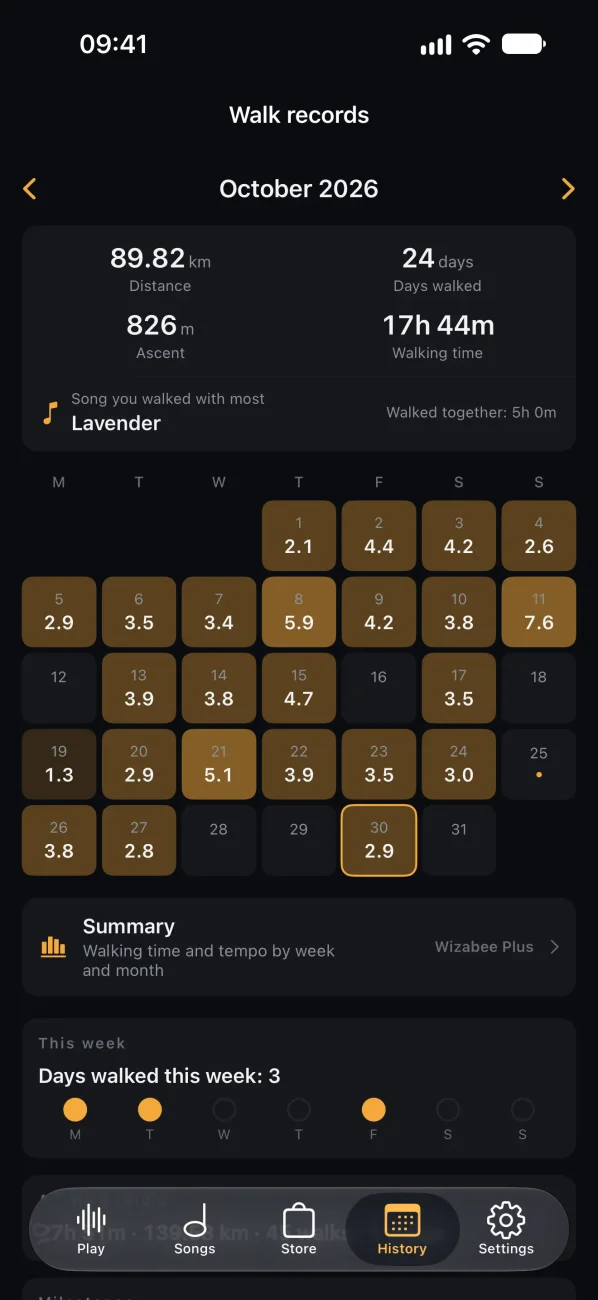
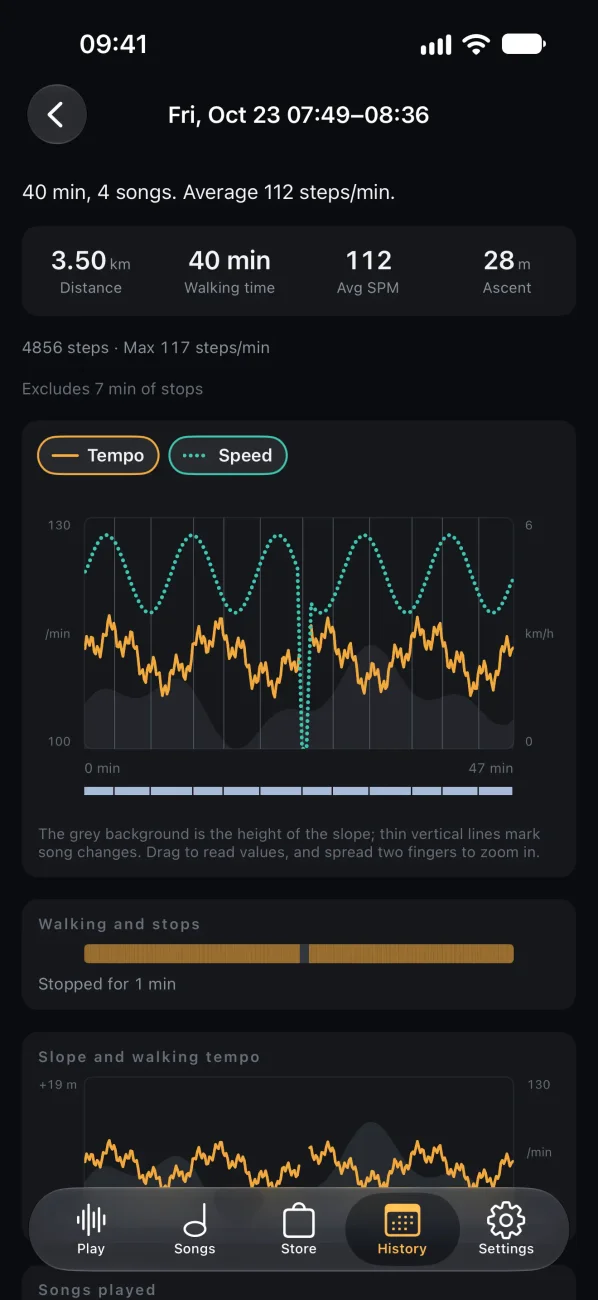
- History tab: a month view with totals and a calendar; tap a walk for a graph, per-km splits and a slope path. Or choose "GPS with map" in Settings (off by default) for a map route: While Using location only; the route is not sent to Wizabee's servers; the map is shown with Apple Maps; first and last 200 m hidden.
Pricing
- Plans and prices are shown in the app. You can also see how the included songs work and what Wizabee Plus (subscription) offers in the in-app Store.
- Your own songs (iOS 27 or later): how many songs you can add for free, and how long each can be, is shown in the app. With Wizabee Plus, there's no limit on the number of songs.
- Wizabee Plus renews automatically unless you cancel. If a free period applies, the paid period begins automatically when it ends.
Cancel in Settings > your name > Subscriptions at least 24 hours before the period ends to stop renewal.
- Wizabee Plus also helps fund ongoing improvements and new features.
- If your subscription ends, no song is deleted: the free plan's limits then apply, as shown in the app. Subscribe again to use them all.
- Terms of Use (Apple's standard EULA): https://www.apple.com/legal/internet-services/itunes/dev/stdeula/
- Privacy Policy: https://kyota1123.github.io/wizabee-privacy/en/
Your own music (iOS 27 or later)
- Add your own audio files (MP3, AAC, WAV, AIFF, ALAC, FLAC; length limits are shown in the app) and walk to them.
- Add songs from the Music app, from the Files app, from the share sheet, or by putting them in the Wizabee folder under "On My iPhone".
- When you choose from the Music app, copy-protected songs, streaming songs and songs not yet downloaded do not appear. When needed, songs are converted to CD-quality audio (44.1 kHz, 16-bit) as they are added.
- Every song gets a free check to see whether it can be walked to ("Ready to add", "Not sure", "Can't be used"), and waits in the list as "Not added yet" until you tap Add.
- The rhythm of your songs is checked on your iPhone. The audio, the title and the file name never leave the device.
- Streaming songs and copy-protected songs cannot be used.
Privacy
- No account and no sign-in.
- Health data stays on your devices; only in the optional Collaborator Mode in Japan can you choose to send heart rate.
- We do not collect your name, location, audio, or advertising identifiers.
- Outside Japan, no personal or usage data is sent to us. The app only checks the song of the month with our server, sending a random one-time value. Your walks and your songs stay on your iPhone.
Take your usual walk, at your own rhythm.
What’s new
Version 2.10 · Nov 19, 2026
- Wizabee now checks again whether included songs you've purchased can play on your current account, for example after you switch Apple Accounts, change your store country, or redeem a code.
- If an included song can no longer be played during a walk, it's now skipped. If no playable songs remain, only the music stops and your walk keeps being recorded.
- For contributors: the messages about requests to delete the data you sent are now clearer.
App privacy
What Kyosuke Tachibana declares on the App Store about how this app handles data.
-
Data linked to you
May be collected and linked to your identity.
- Health and fitness
- User content
- Identifiers
- Usage data
- Diagnostics
Privacy practices may vary, for example with the features you use or your age.
Information
- Seller
- Kyosuke Tachibana
- Category
- Health & Fitness
- Version
- 2.10
- Updated
- Nov 19, 2026
- Released
- Sep 25, 2026
- Size
- 129.8 MB
- Requires
- iOS 16.0 or later
- Age rating
- 4+
- In-app purchases
- Yes
- Languages
- Italian, Simplified Chinese, Traditional Chinese, Korean, French, Japanese, English, Portuguese, Spanish, German
- Copyright
- © 2026 Kyosuke Tachibana
You might also like
-
 BeatWalkMusic That Matches Your BPM
-
 HealthExportHealth & Fitness
-
 Weight Loss with a Samurai AIHealth support by Samurai AI
-
 My OliveHealth & Fitness
-
 インターバルタイマーforトレーニング2LiteHealth & Fitness
-
 OrthoPulse AppOrthoPulse Patient Application
-
 VIE Tunes - Focus,Sleep,RelaxMeditation,Calm,Stress,Zone
-
 WIDEX EVOKEMedical