Woolnote: Knit Row Counter
Knitting and crochet notebook
Designed for iPhone, iPad
Free
- Age rating4+
- CategoryLifestyle
- DeveloperBumjoon Lee
- LanguagesEnglish+ 8 more
- Size16.8 MB
Links to the official App Store page
Download.org hosts no file of Woolnote: Knit Row Counter. The button opens its official App Store page, published by Bumjoon Lee. Listing last checked on Nov 16, 2026.
Screenshots
About
Woolnote is more than a row counter. It is a knitting notebook that carries your whole project with you.
Projects and parts
Choose from 12 kinds, such as sweater, cardigan, socks, hat, scarf or toy, and the parts you need and a finishing list are filled in for you.
Sweaters and cardigans can be knit in pieces and seamed, or top down in one piece.
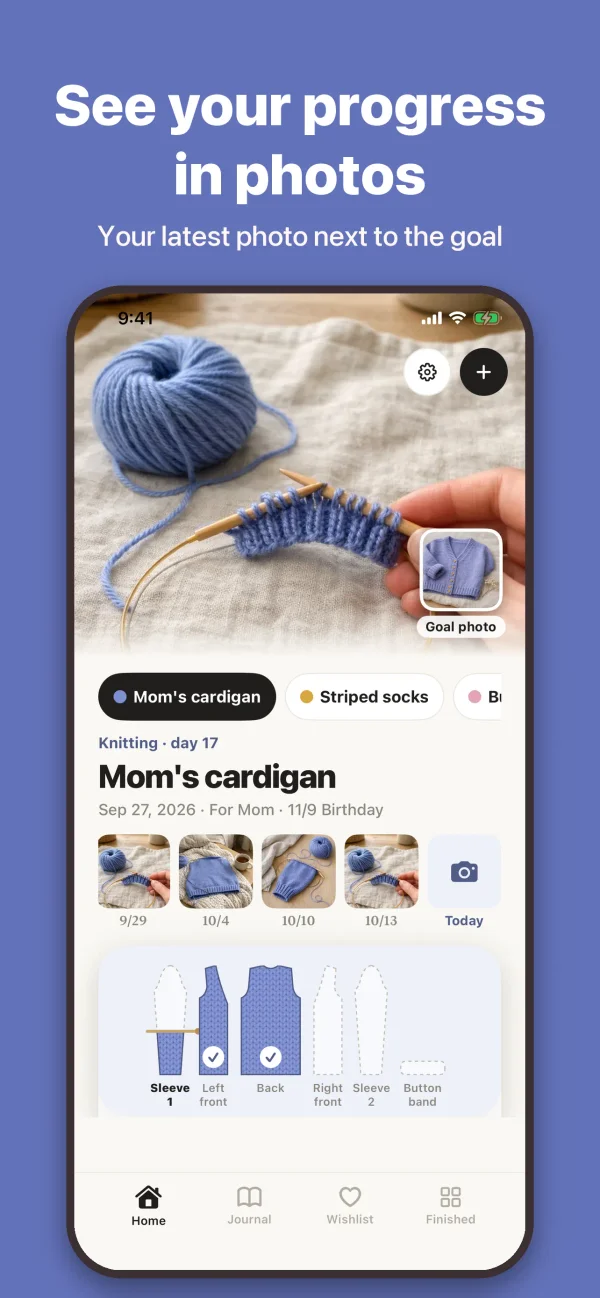
The parts map on the project screen fills with knitted fabric as you go.
Step plans
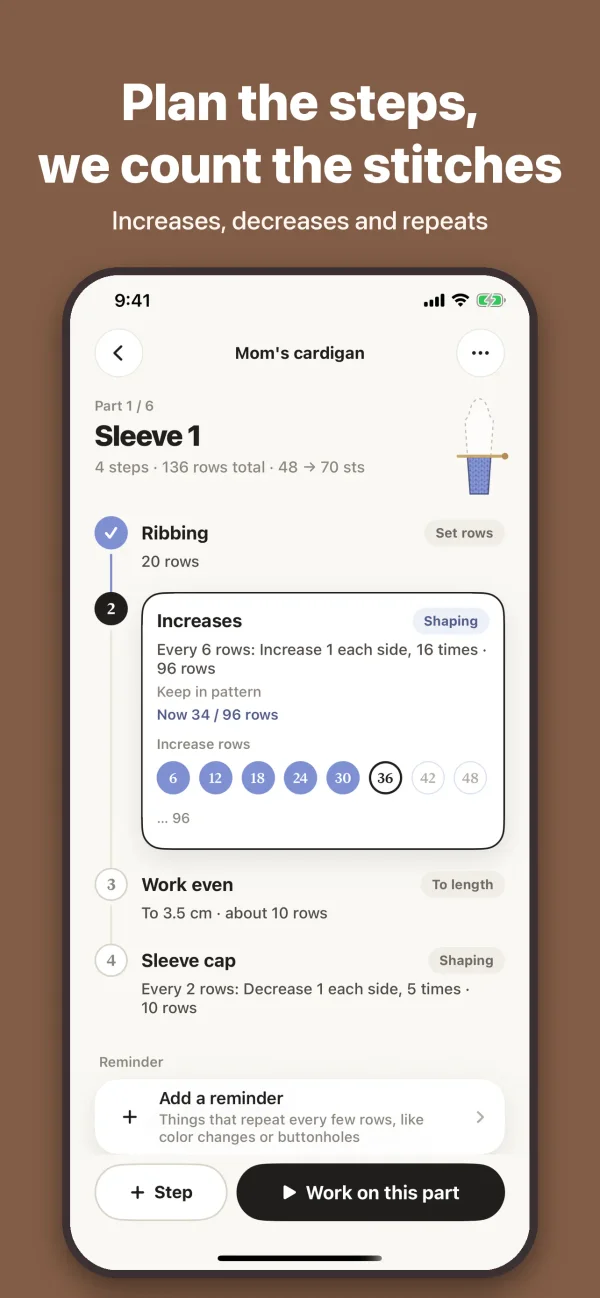
Plan each part in steps, such as ribbing, increases or keeping the pattern.
Choose fixed rows, knit to a length, pattern repeats, increases and decreases, or an open step.
Write something like increase 2 stitches every 6 rows, 8 times, and Woolnote works out those rows and your stitch count.
The counter
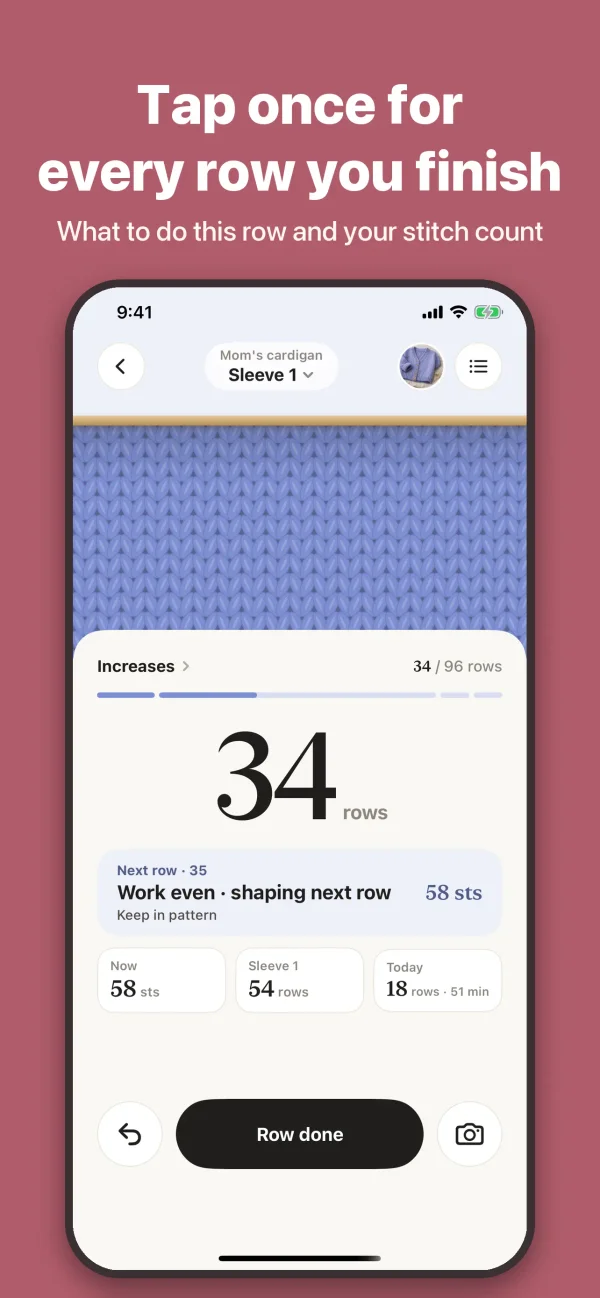
Tap once each time you finish a row, and the fabric under the needle grows by one row.
What to do this row and your current stitch count are shown alongside.
Tapped by mistake? Undo the row. The time you spend is recorded while you count.
Home Screen widget
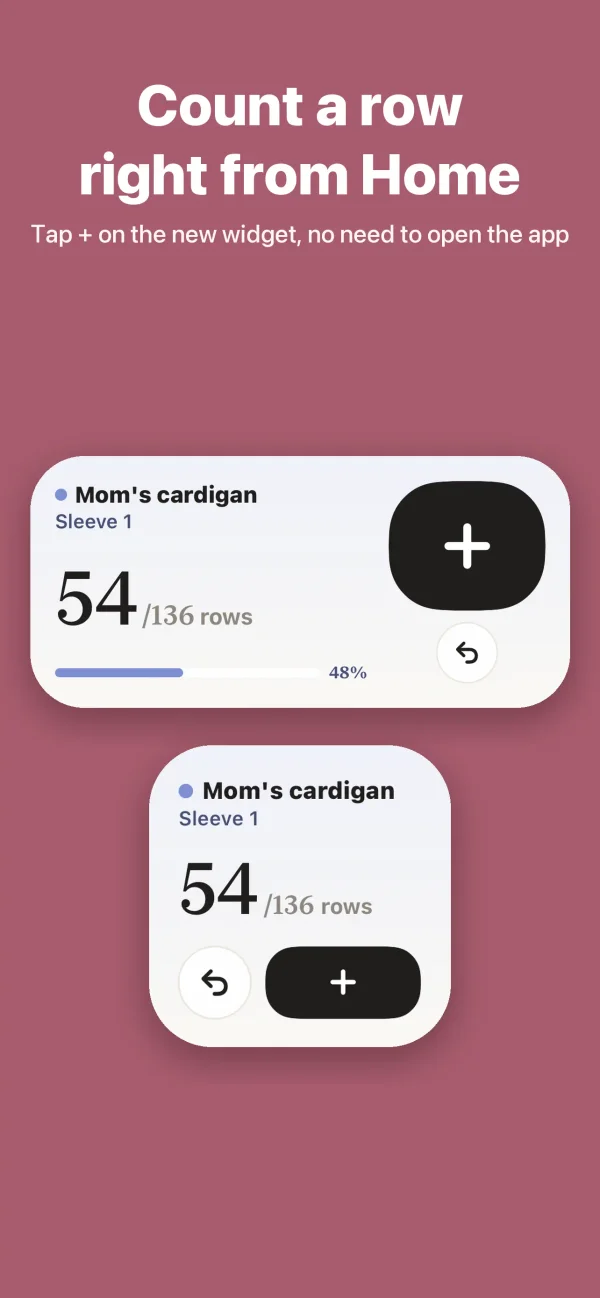
Add the Woolnote widget to your Home Screen and count rows without opening the app. Tap + for each row you finish, or the arrow to take one back.
Rows you count on the widget go into that day's journal the next time you open Woolnote.
Knitting journal
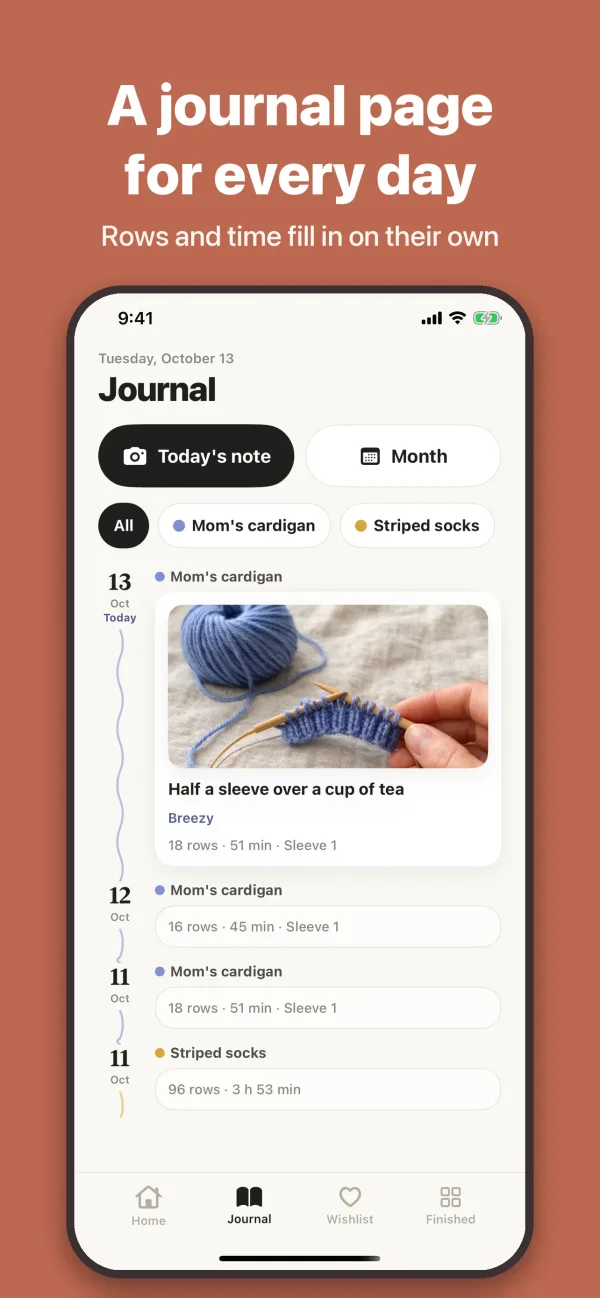
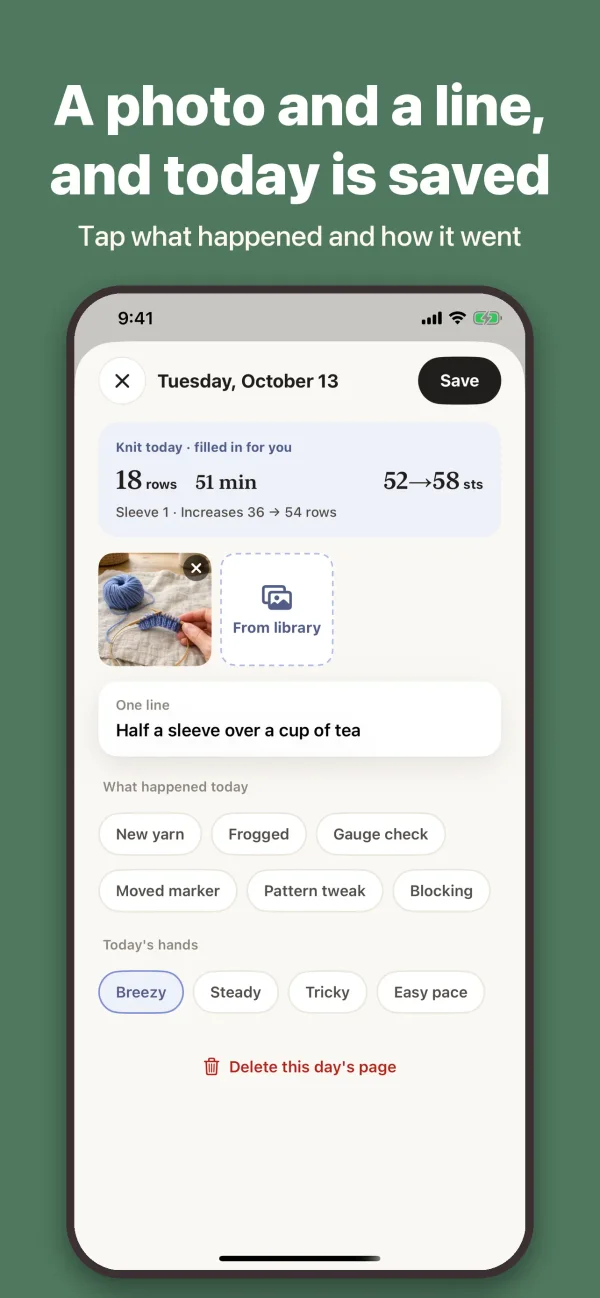
Every day you knit adds a page to the project's journal. Rows, time and the parts you worked on fill in on their own, so you only add a photo and a line.
Photos taken from the counter go straight into that day's page. The month view shows your month in photos and rows.
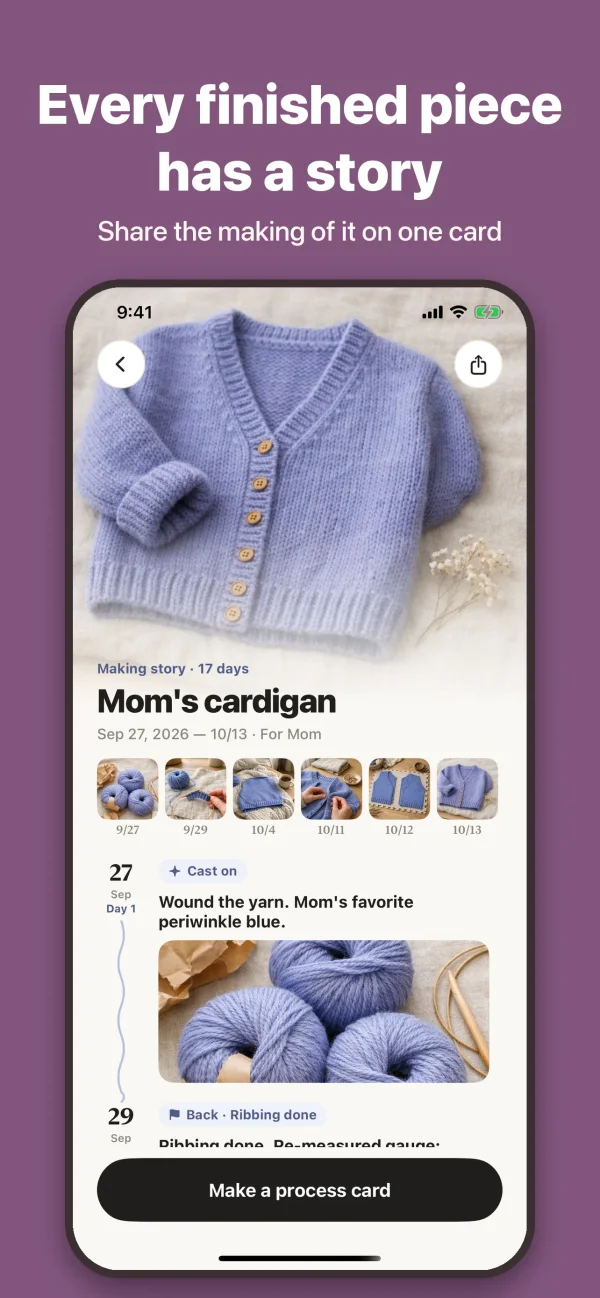
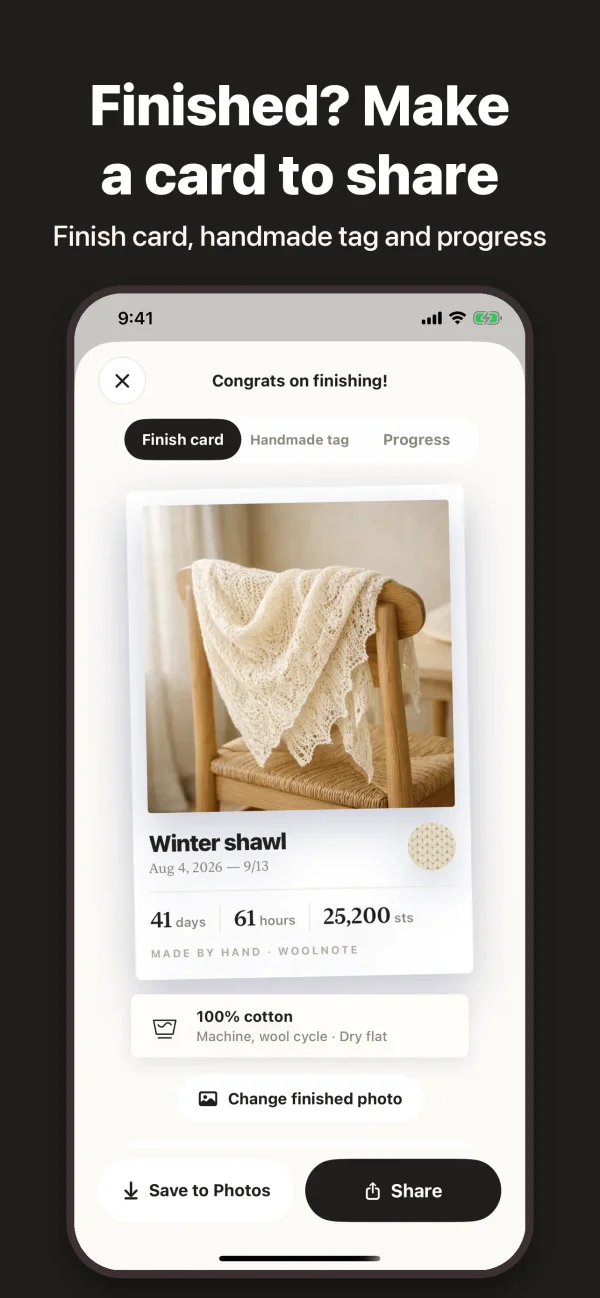
When a project is finished, its journal becomes a making story, and you can share a process card with your progress photos and dates.
Backup files now include journal photos and patterns.
Home shows your latest photo large, with your goal photo in the corner to compare side by side.
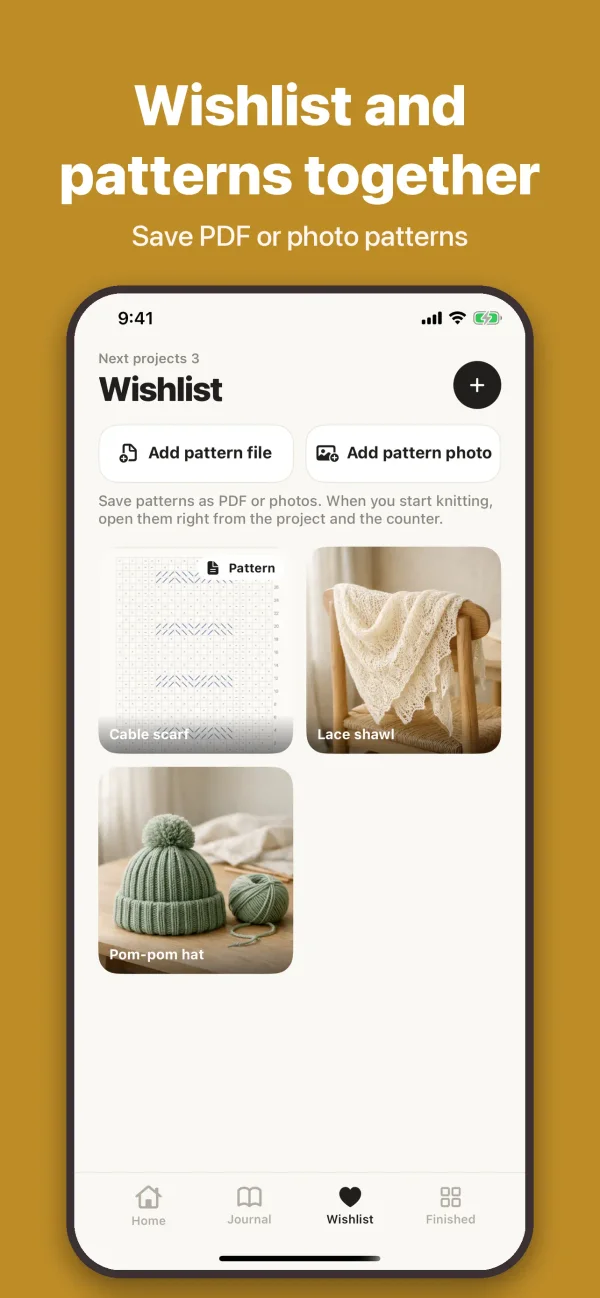
The wishlist keeps projects you want to make together with PDF or photo patterns. On first launch, a sample project with photos and journal pages lets you try everything right away.
Staying on plan
Based on your pace over the last two weeks, Woolnote shows when you are likely to finish and whether you are ahead of your target date.
Add gauge and yarn details to get an estimate of how much more yarn you need.
Finish the first sleeve, and the second one picks up the rows you actually knit.
Finishing and sharing
Tick off a finishing list such as weaving in ends, blocking and sewing on buttons.
When you finish, make a completion card with photos and numbers, a handmade label for gifts, and a card of progress photos to share.
Look back on the projects of your year in the gallery, and keep ideas for what to knit next.
Pattern viewer
Add a pattern PDF or photo you own to a project and open it right from the counter.
Woolnote does not provide patterns. The patterns you add never leave your device.
Good to know
No account is needed and your projects are stored only on this device. You can create a backup file in Settings and restore it later.
The app shows ads. Your projects and patterns are not used for ads.
Available in English, Korean, Japanese, Chinese, Spanish, French, German and Italian.
What’s new
Version 1.1.4 · Nov 15, 2026
What's new in 1.1.4
1. New Home Screen widget. Add a row with + or take one back with the arrow, without opening the app. Rows go into that day's journal.
2. Part names no longer get cut off in German.
3. The row marker, project cards and photos are easier to use with VoiceOver.
4. Kibblo and Plusday join the More Apps list.
App privacy
What Bumjoon Lee declares on the App Store about how this app handles data.
-
Data used to track you
May be used to track you across apps and websites owned by other companies.
- Identifiers
- Usage data
-
Data not linked to you
May be collected but is not linked to your identity.
- Identifiers
- Usage data
Privacy practices may vary, for example with the features you use or your age.
Information
- Seller
- Bumjoon Lee
- Category
- Lifestyle
- Version
- 1.1.4
- Updated
- Nov 15, 2026
- Released
- Oct 15, 2026
- Size
- 16.8 MB
- Requires
- iOS 17.0 or later
- Age rating
- 4+
- Price
- Free
- Languages
- English, French, German, Italian, Japanese, Korean, Simplified Chinese, Spanish, Traditional Chinese
- Copyright
- © 2026 Bumjoon Lee
You might also like
-
 Muuch - Compteur de rangsCarnet de crochet et tricot
-
 Pet LoversLifestyle
-
 한코한코Lifestyle
-
 StitchBook: Knit & CrochetPatterns, projects & stash
-
 Filo - Crochet and KnittingRow Counter, Patterns, Stash
-
 Stitchory: Knit & CrochetRow Counter & Yarn Tracker
-
 Row Counter: Knitting TallyRows, repeats and reminders
-
 Cablewick: Crochet & KnittingRow Counter, Charts & Stash
-
 DuyraCraft Amigurumi CrochetAmigurumi Crochet Patterns
-
 Crochet Pal for BeginnerSmart Pattern & Row Counter