
- Age rating4+
- CategoryEducation
- DeveloperHayrettin Koktas
- LanguagesEnglish+ 18 more
- Size81.9 MB
Links to the official App Store page
Download.org hosts no file of Word Enclosure. The button opens its official App Store page, published by Hayrettin Koktas. Listing last checked on Nov 23, 2026.
Screenshots

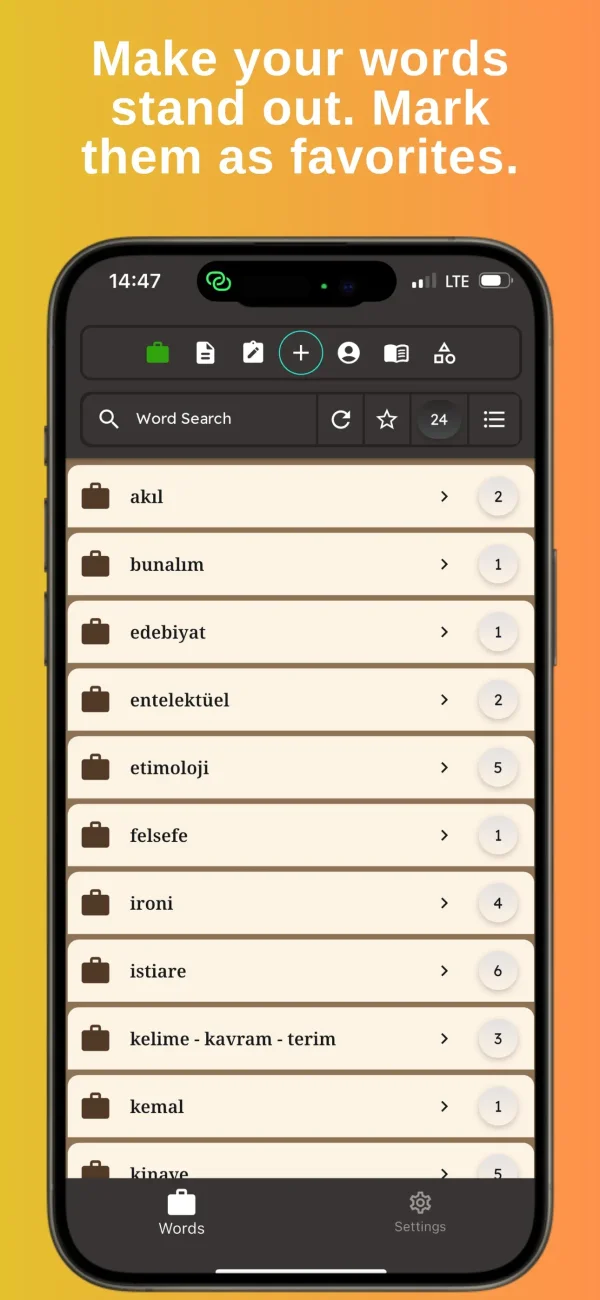
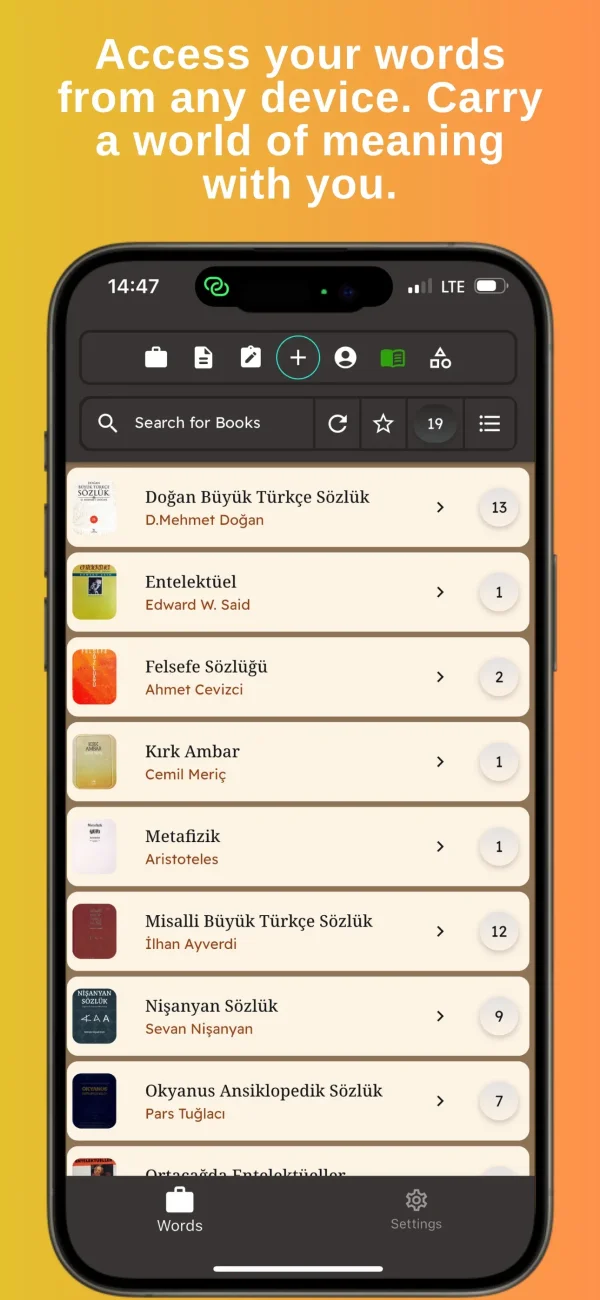
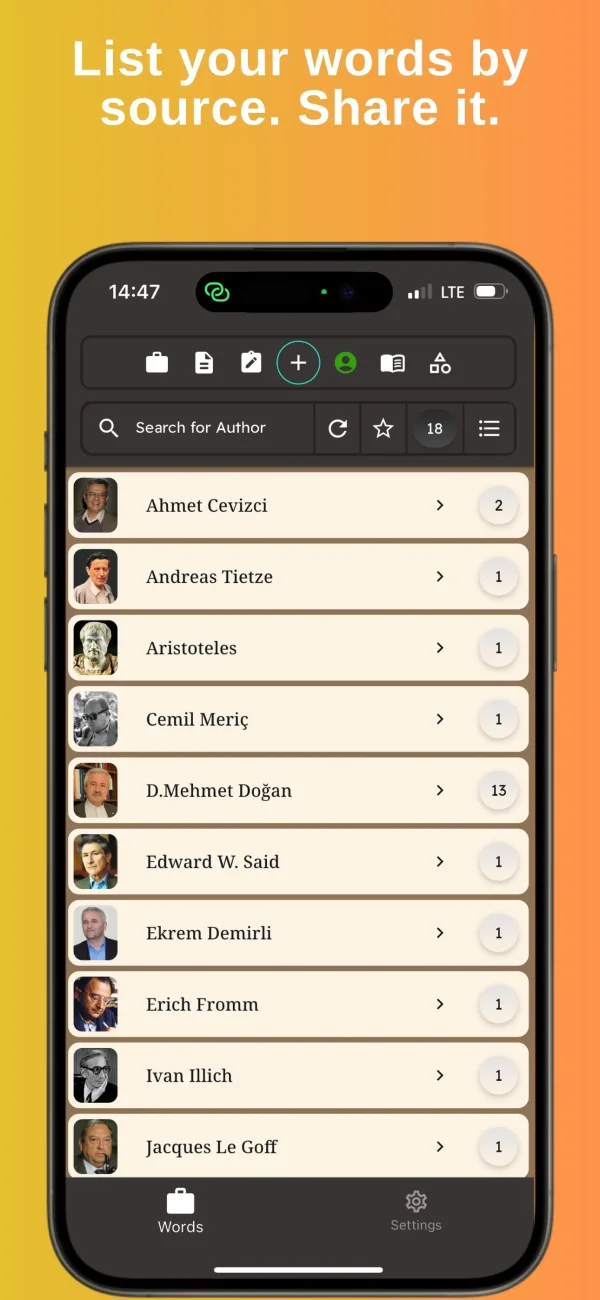
About
WORLD OF THE WORDS - WORDS OF THE WORLD
An application for students, teachers, writers, academics and readers.
You can use the application for free without subscribing and logging in. In this case, your data is stored only on your local device.
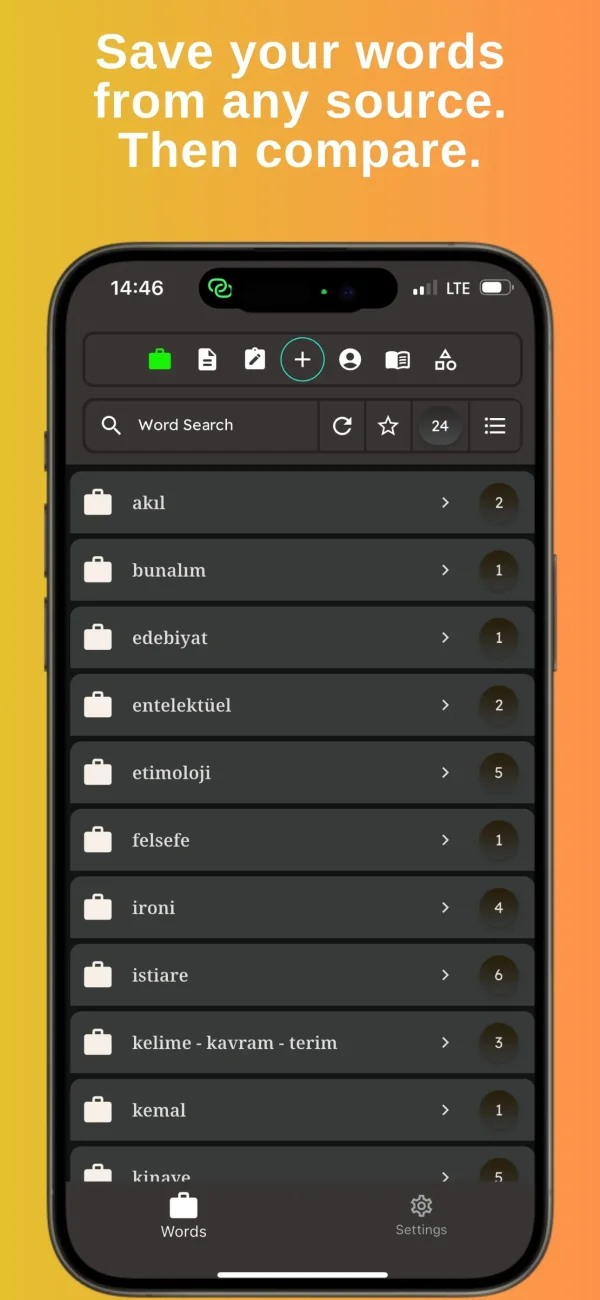
You can comparatively follow the meanings of the words you read, follow, write, research, the meanings of the words you want to have at hand, the words that interest you, the words you want to know, by compiling them from different books, encyclopedias and other sources.
Make friends with words. Enrich your world with words. Let me also care about the richness of your world of meaning. May your words be abundant and your world of meaning big.
Subscription required to sync data across all your devices.
When you cancel your subscription, you will continue to access your existing data. However, you cannot enter new data or make changes to existing data.
You can access the web version of the application at https://kelimekutum.lovable.app/kelimeler.
With the application you can do the following.
1) You can compare the meanings of the same word in different sources by recording them.
2) You can save and follow your highlights in the books.
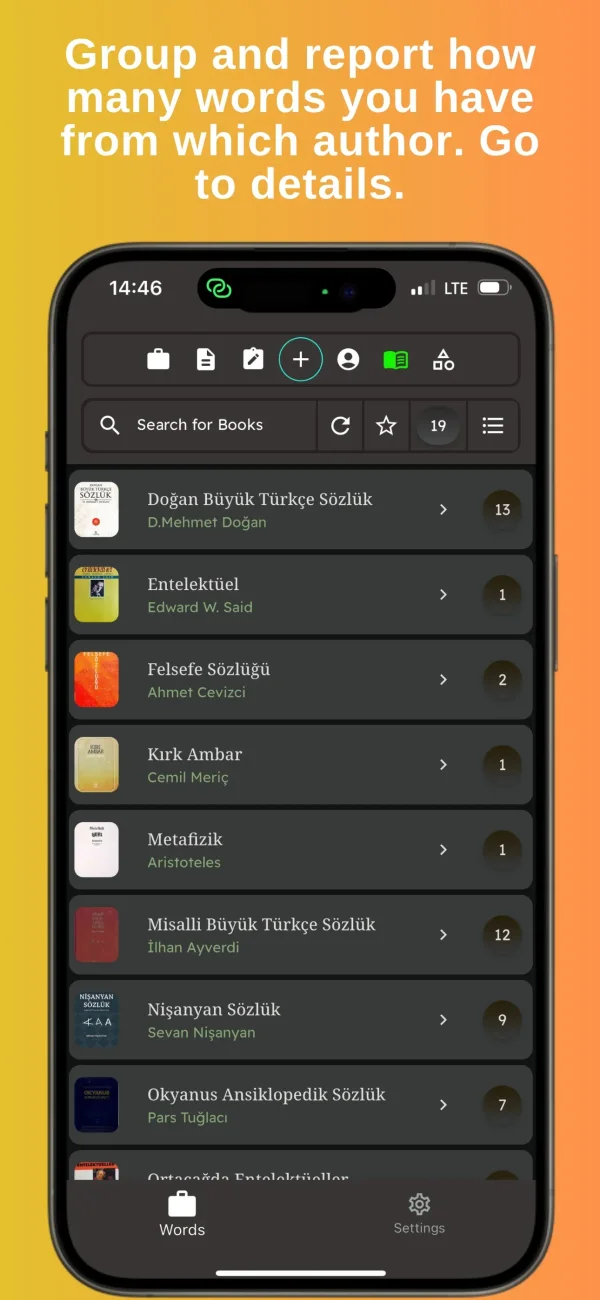
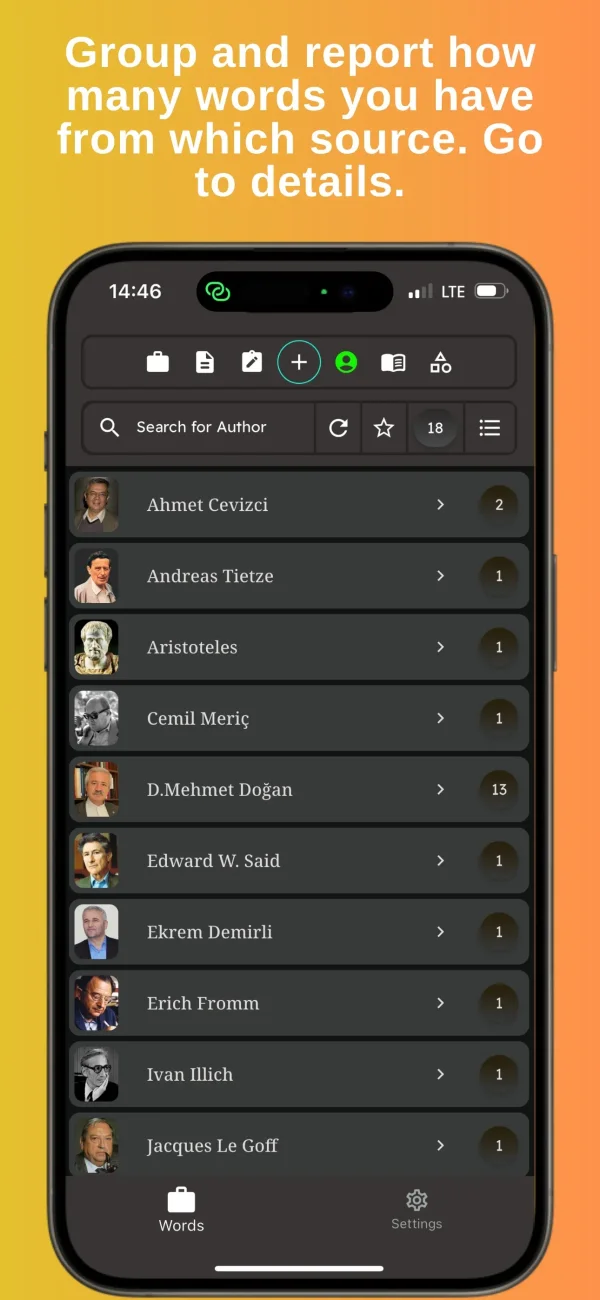
3) You can add the name of the source and the images of its author.
4) You can write notes about the words.
5) You can search words and notes.
6) You can group words according to author and source.
7) You can filter words according to a source or author and search within them.
8) You can set favorite words.
9) You can share your words and notes with others.
10) You can edit or delete your words, notes, and favorites.
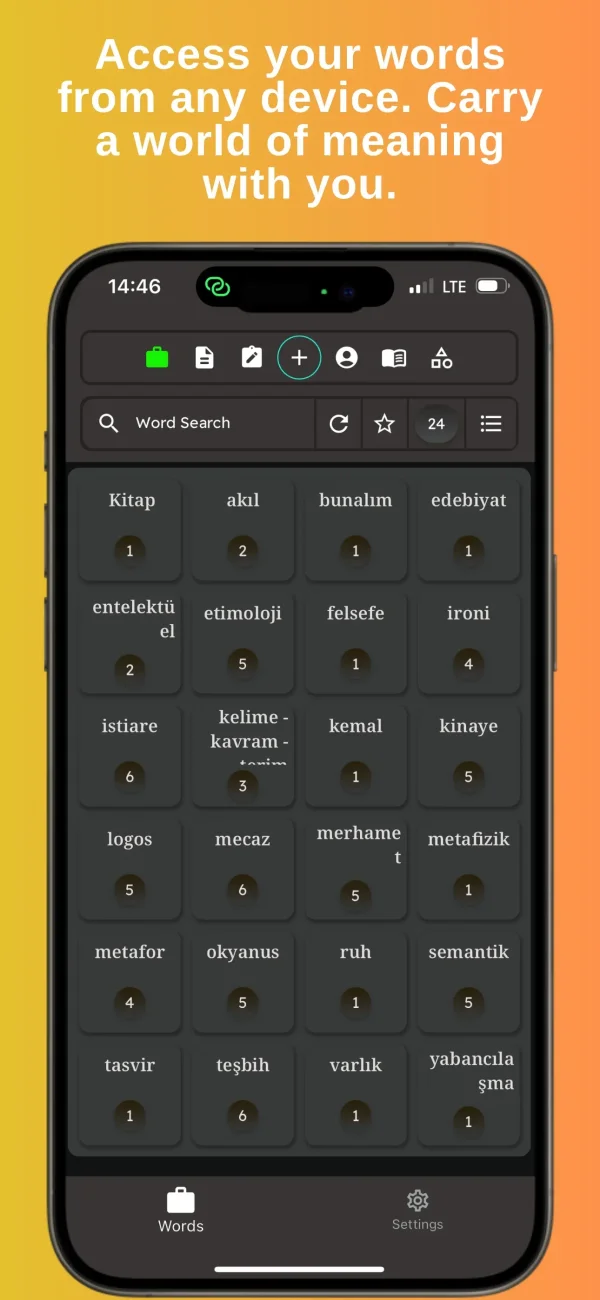
11) When you log in, you can access your words from all devices.
12) You can import your data as csv.
13) You can export your data as csv.
14) You can convert definition entries from camera or image file to text with ocr and save.
15) You can add the sharing URL or direct pdf link of the pdf files of the books that are the source of your words, or you can add the pdf file directly from your own device and access them from within the application.
16) You can access the PDF page containing the words in your books through the PDF file or URL.
17) Data entry with Markdown in definitions.
18) Word of the Day and last viewed words page.
The app only supports Google Drive share URLs, excluding uploading PDF files from your device and direct URLs with PDF extensions. You may not be able to download Google Drive share URLs larger than 25 MB due to some limitations imposed by Google Drive. For these files, you must use direct URLs with PDF extensions or upload a PDF file from your device.
Terms of Use: https://www.apple.com/legal/internet-services/itunes/dev/stdeula/
What’s new
Version 2.1.6 · Nov 21, 2026
Bug fixes and improvements.
App privacy
What Hayrettin Koktas declares on the App Store about how this app handles data.
-
Data not collected
The developer does not collect any data from this app.
Privacy practices may vary, for example with the features you use or your age.
Information
- Seller
- Hayrettin Koktas
- Category
- Education
- Version
- 2.1.6
- Updated
- Nov 21, 2026
- Released
- Jul 1, 2024
- Size
- 81.9 MB
- Requires
- iOS 16.0.0 or later
- Age rating
- 4+
- In-app purchases
- Yes
- Languages
- English, Arabic, Bengali, Czech, French, German, Hindi, Hungarian, Italian, Japanese, Korean, Malay + 7 more
- Copyright
- © 2024 Hayrettin Koktas
You might also like
-
 Kelime Türet - PlusEducation
-
 Pro Hızlı OkumaEducation
-
 Sözhane: Turkish DictionaryEş ve Zıt Anlamlı Kelimeler
-
 LingoLeap: Learn EnglishGames, AI Tutor & Practice
-
 Must Read ThisBite-Sized Reads, Big Ideas
-
 Decode People: Body LanguagePsychology & Micro Expression
-
 Mubex Yökdil Fen Kelime EzberEducation
-
 Kelime DağarcığıEducation
-
 Vizyon68 Sürücü KursuEducation
-
 Prayer Times & NotificationsAdhan Alerts, Qibla & Widgets