
Work Log - Shift Tracker
Track Hours, Shifts & Pay
Designed for iPhone, iPad, iPod touch
Free · In-app purchases
- Age rating4+
- CategoryUtilities
- DeveloperAR Productions Inc
- LanguagesEnglish
- Size105.2 MB
Links to the official App Store page
Download.org hosts no file of Work Log - Shift Tracker. The button opens its official App Store page, published by AR Productions Inc. Listing last checked on Nov 23, 2026.
Screenshots


About
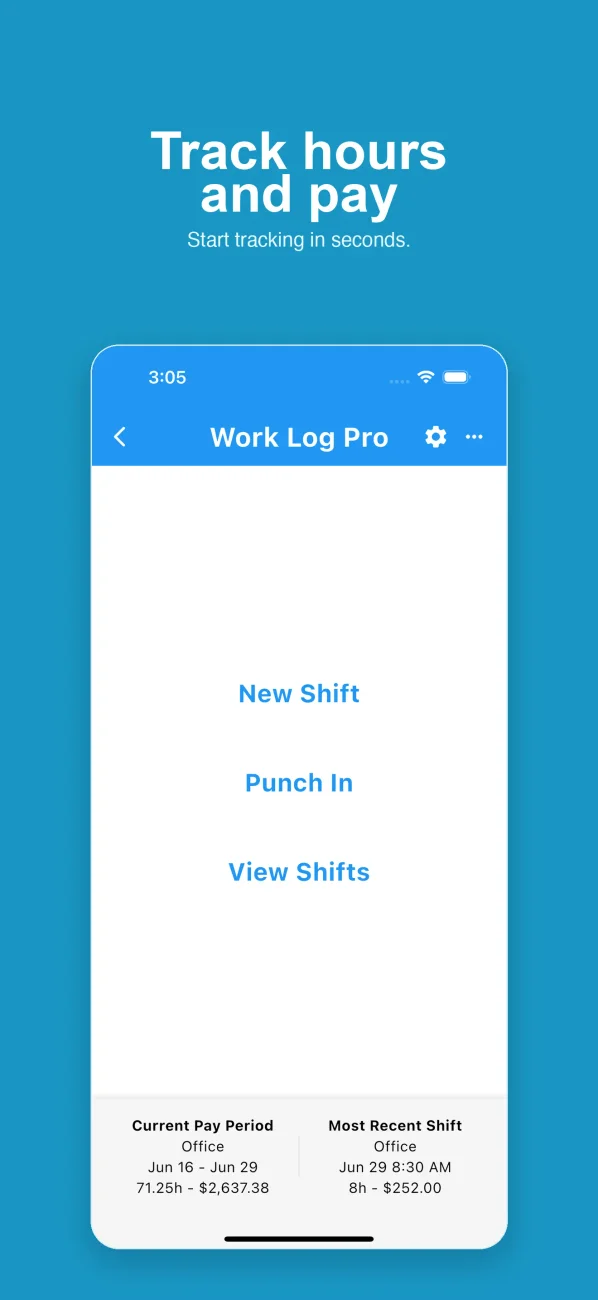
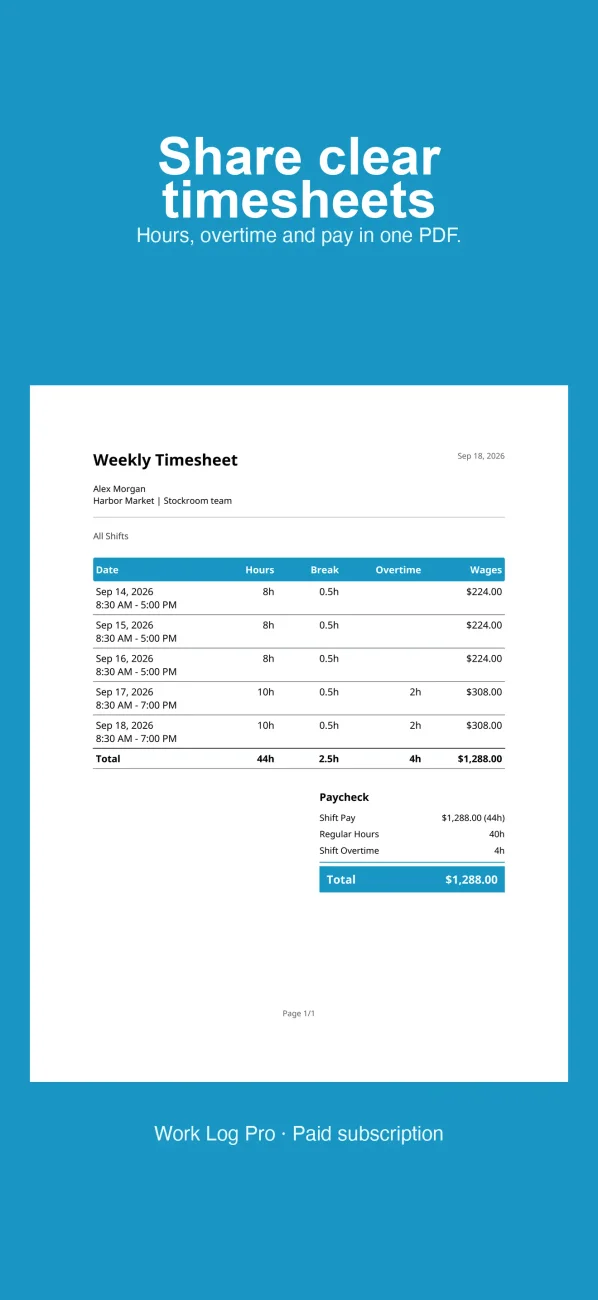
Work Log is a shift and hours tracker for hourly workers, salaried staff and contractors. Log every shift, and see your hours, overtime, time off and estimated pay for each pay period, or turn them into a PDF timesheet for your employer or an invoice for your client.
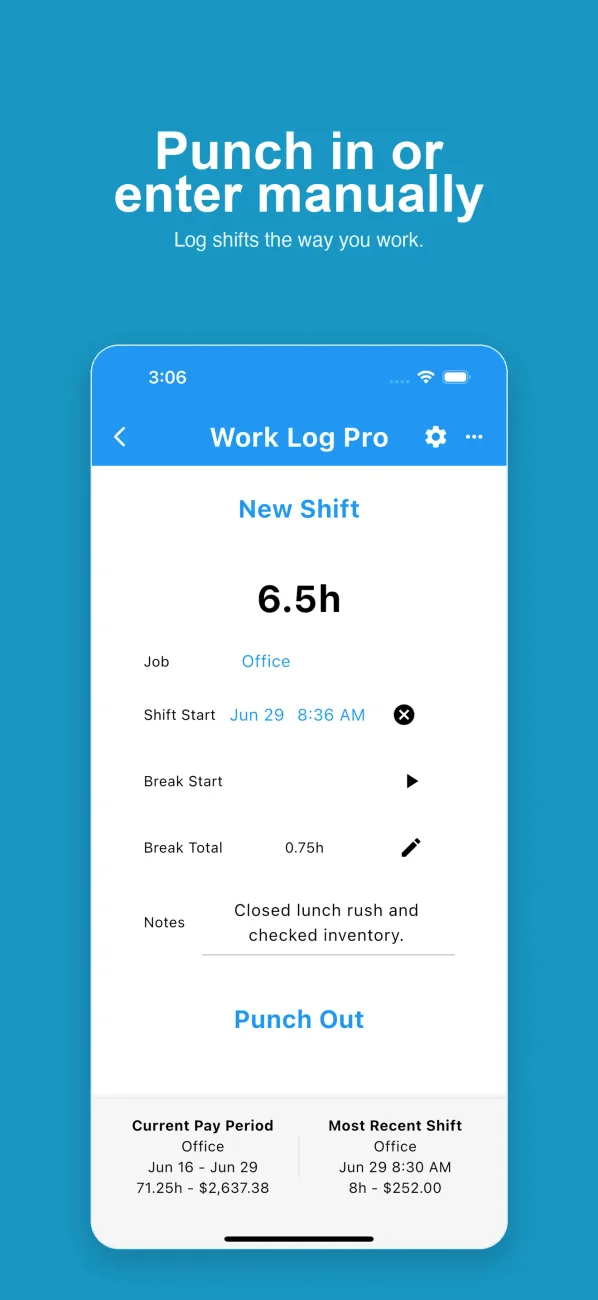
Punch in and out, or add shifts by hand. Work Log adds up your hours and works out your pay for every shift, week, month and pay period.
KNOW YOUR PAY
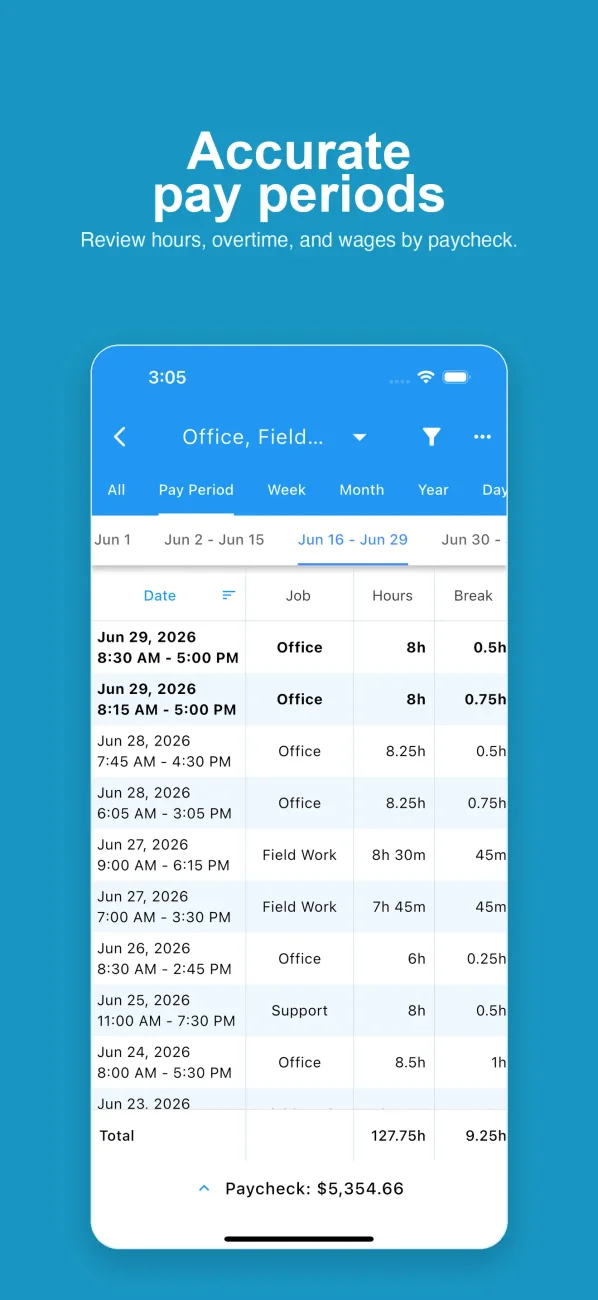
• Pay periods that match your paycheck: weekly, every two weeks, twice a month, monthly or your own schedule
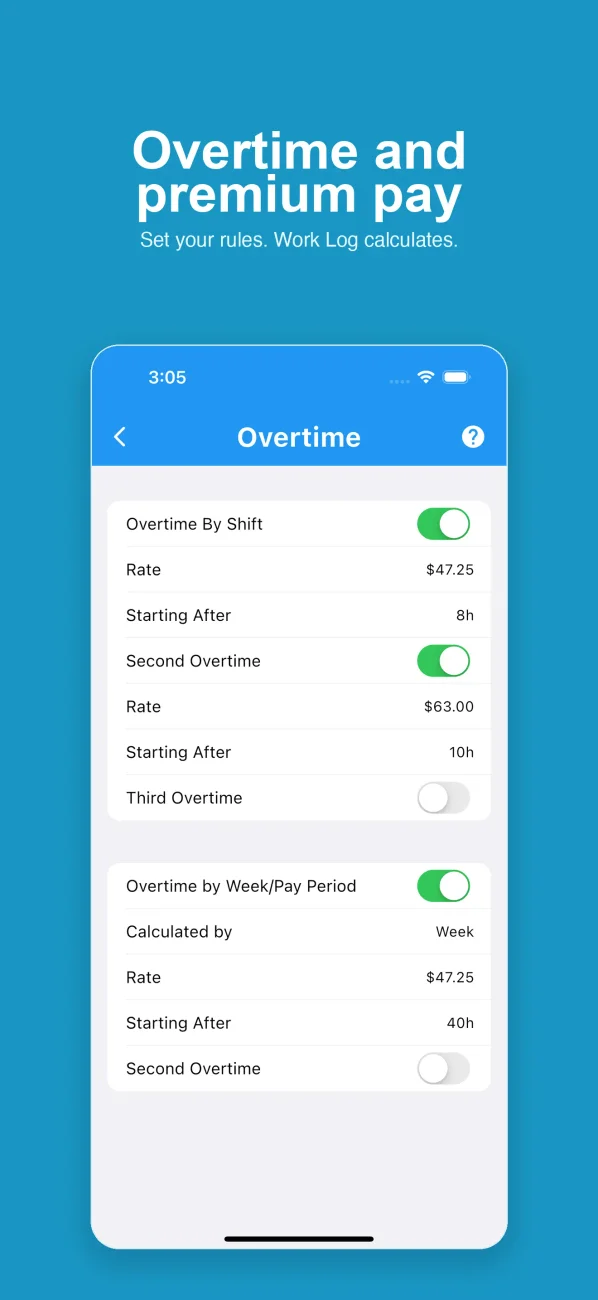
• Overtime by shift, week or pay period, up to three tiers, as a fixed rate or a multiplier like 1.5×
• Premium and shift-differential rates for nights, weekends and holidays
• A clear paycheck breakdown: regular hours, overtime, premium pay and the estimated total
• Estimate your net pay with named taxes, deductions and bonuses. Set your own percentages or flat amounts. Flat amounts can apply per pay period, shift or hour, with before-tax deductions where needed.
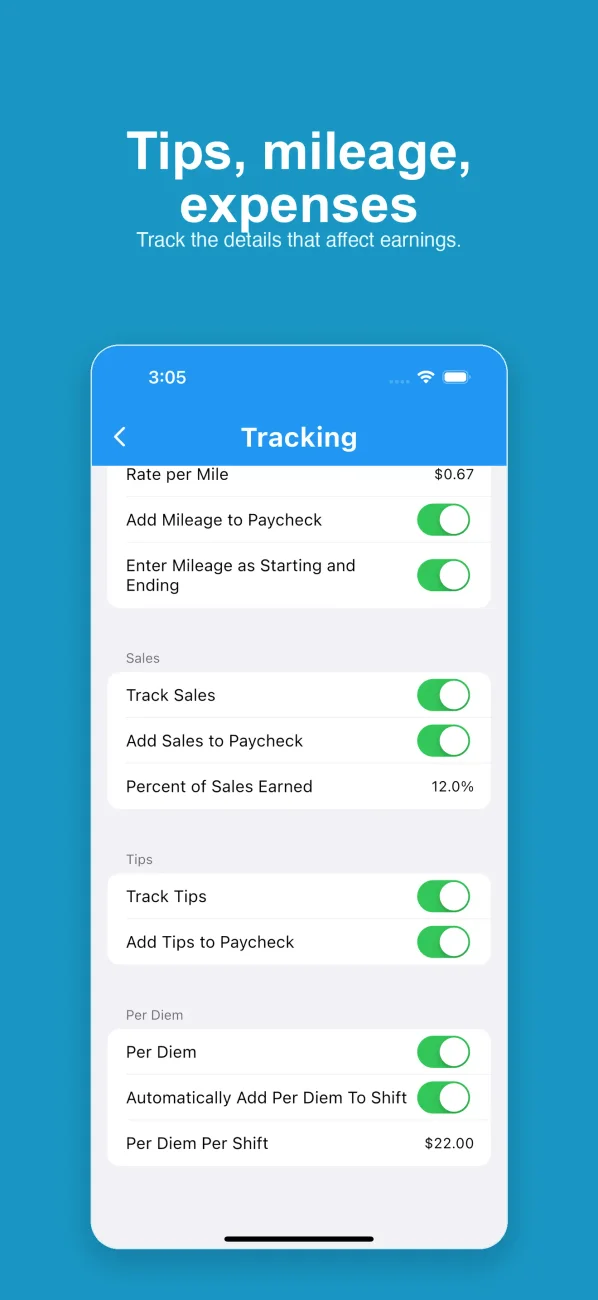
• Tips, sales, expenses, mileage, per diem, bonuses, deductions, raises and holiday pay
TRACK YOUR TIME
• Punch in and out with one tap, or enter shifts manually
• Home Screen widget: punch in without opening the app
• Reminders to punch out, end a break or take one
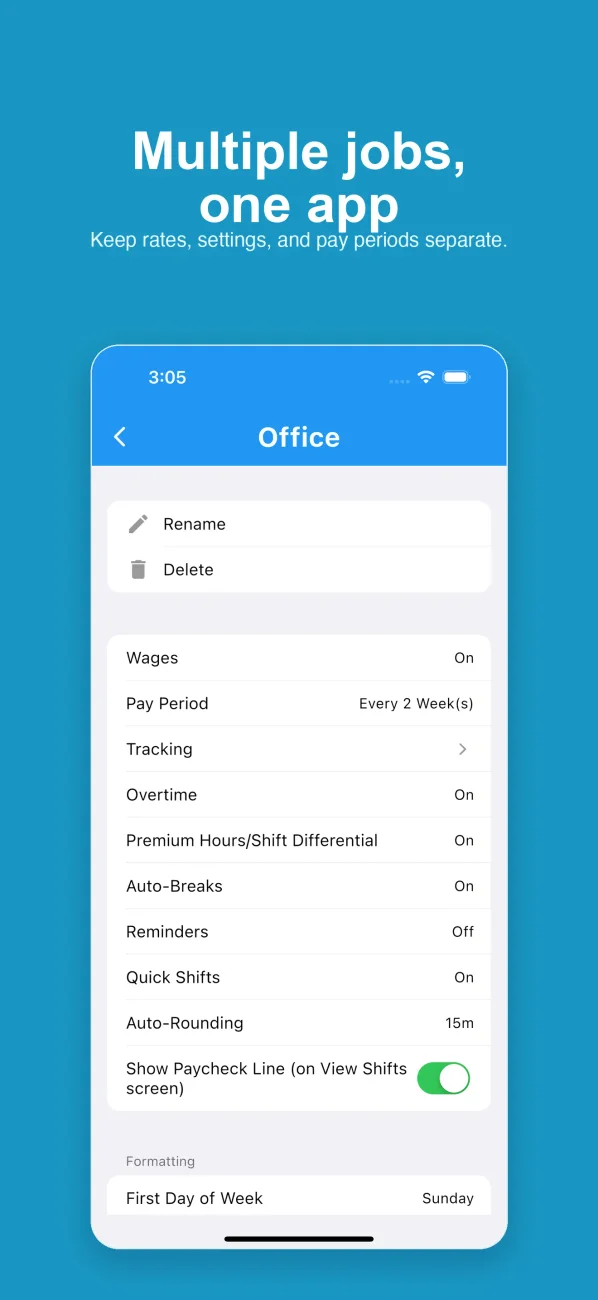
• Quick Shifts, automatic breaks and rounding
• Notes on any shift
• Time zones per job, so your records stay right when you travel
ADD YOUR SCHEDULE
• Take a photo of the roster, or share a PDF or spreadsheet from WhatsApp, email or Files
• Your shifts are found; if several people are listed, you pick your name
• Review and change anything before it's added
• Upcoming shifts are added as scheduled, with optional reminders. Punch in or Confirm with one tap; they're never counted until worked.
• Your first import is free
TIME OFF AND INVOICES
• Time off: log vacation, sick and personal days, and see your balances with accrual, carry-over and yearly resets
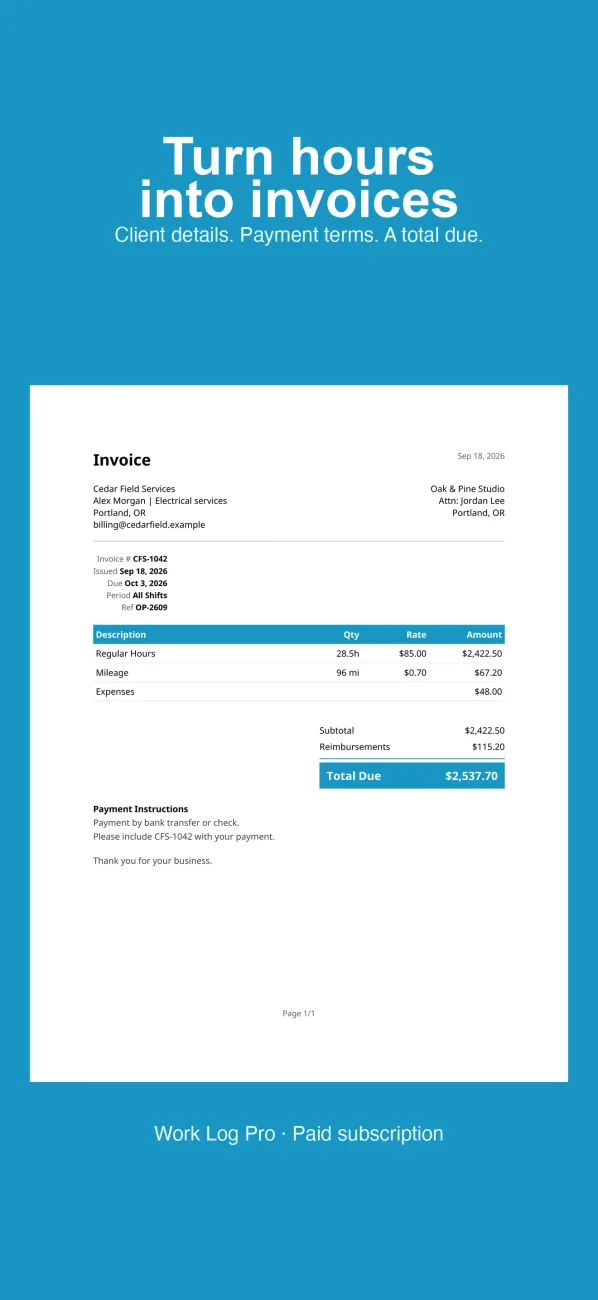
• PDF invoices: bill clients straight from your shifts, with invoice numbers, payment terms and tax (Pro)
• Timesheets and spreadsheets: export any period as PDF or XLSX (Pro)
• Your shifts online: view, edit and export them from any computer at worklogdashboard.com (Pro)
SEE IT YOUR WAY
• Monthly calendar: see worked shifts, scheduled shifts and time off together, then choose a day to view its entries or add a shift.
• View your shifts by day, week, month, pay period or year, as a list or a calendar
• A Home Screen panel you can customize: today, this week, your pay period, year to date and time off
• Light and dark themes, and your own date, time and currency formats
• Available in 23 languages
KEEP IT SAFE
• Free cloud backup and sync across your devices (sign-in required)
• Local backups you can restore at any time
WORK LOG PRO
Upgrade to remove ads and get:
• Import your schedule from a photo, PDF or spreadsheet
• Your shifts in Google, Apple or Outlook Calendar
• Multiple jobs, each with its own rates and settings
• Spreadsheet and PDF exports, including timesheets and invoices
• Your shifts online at worklogdashboard.com
Does your employer use Work Log? Link to your employer in the app and Pro is included.
FOR EMPLOYERS
Work Log - Dashboard shows your team's hours in one place: a team overview, a page for each employee, scheduled email reports for your bookkeeper, and shared access for an office manager.
What’s new
Version 2.12.5 · Nov 20, 2026
- Easier pay setup: Use a payslip photo or PDF to help set up your pay, or follow the new manual setup. Review changes before applying.
- Your financial year: Choose when your financial year starts. Yearly views, year-to-date totals and reports follow your dates.
- Your shifts in your calendar: See your Work Log shifts in Google, Apple or Outlook Calendar. Included with Work Log Pro.
- Your employer’s schedule in Work Log: Receive shifts your employer publishes, get schedule updates, and let them know if you can’t make a shift.
- Fixes and improvements: Improved sign-in and syncing, with clearer calendar and shift-list displays.
App privacy
What AR Productions Inc declares on the App Store about how this app handles data.
-
Data used to track you
May be used to track you across apps and websites owned by other companies.
- Purchases
- Location
- Identifiers
- Usage data
- Diagnostics
-
Data linked to you
May be collected and linked to your identity.
- Purchases
- Financial info
- Location
- Contact info
- User content
- Identifiers
- Usage data
- Diagnostics
-
Data not linked to you
May be collected but is not linked to your identity.
- Identifiers
- Diagnostics
Privacy practices may vary, for example with the features you use or your age.
Information
- Seller
- AR Productions Inc
- Category
- Utilities
- Version
- 2.12.5
- Updated
- Nov 20, 2026
- Released
- Aug 27, 2021
- Size
- 105.2 MB
- Requires
- iOS 15.0 or later
- Age rating
- 4+
- Price
- Free
- In-app purchases
- Yes
- Languages
- English
- Copyright
- © AR Productions Inc. 2026
You might also like
-
 Hours Tracker: Time CalculatorWork Log & Hour Tracking Clock
-
 Work Hours CalculatorTime, shift & salary tracker
-
 OrquestApp for employees
-
 Time Calculator - Work HoursDate, Calendar & Salary Clock
-
 TimeCalc: Time CalculatorHours, Duration, Dates & Age
-
 Hours Minutes Calculator LiteUtilities
-
 Work Log: Hours Tracker & PayHourly work log&pay calculator
-
 Hours Tracker - Work Time HourWork schedule to clock on time
-
 WorkWise TimesheetTrack hours, breaks & pay
-
 Mi LUMAManage a LUMA Energy account.