
Work Order + Punch List
Inspections, sign-off & PDF
Designed for iPhone, iPad, iPod touch
In-app purchases
- Age rating+4
- CategoryBusiness
- DeveloperLionSoft Inc
- LanguagesEnglish
- Size26.8 MB
Links to the official App Store page
Download.org hosts no file of Work Order + Punch List. The button opens its official App Store page, published by LionSoft Inc. Listing last checked on Nov 12, 2026.
Screenshots
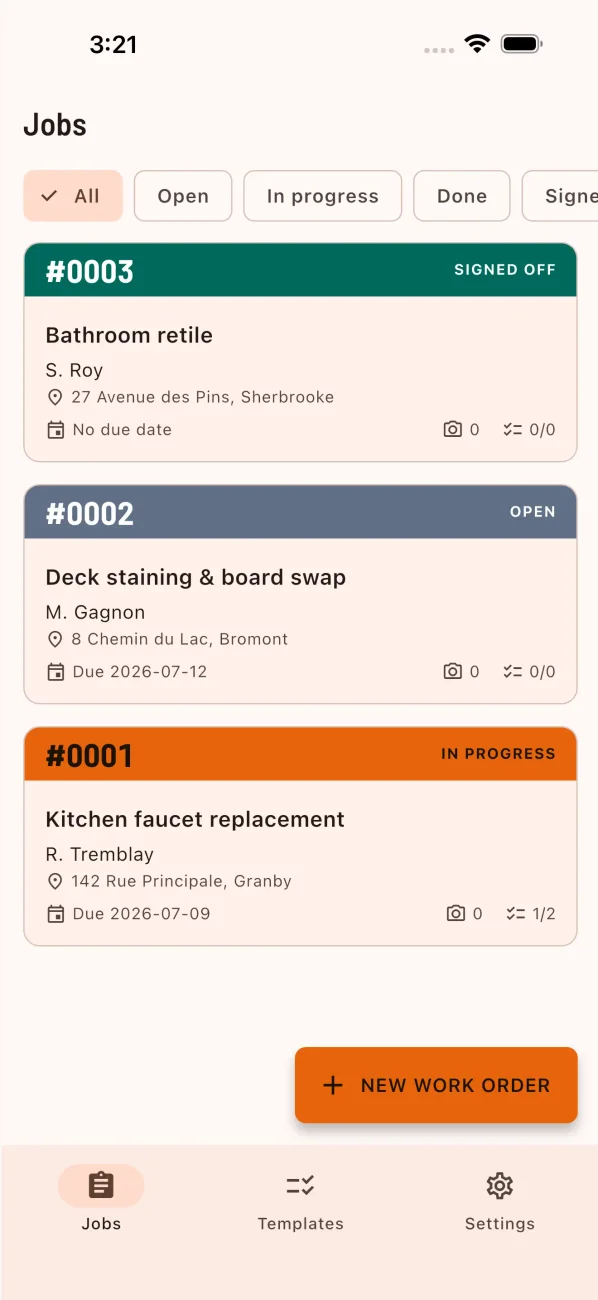

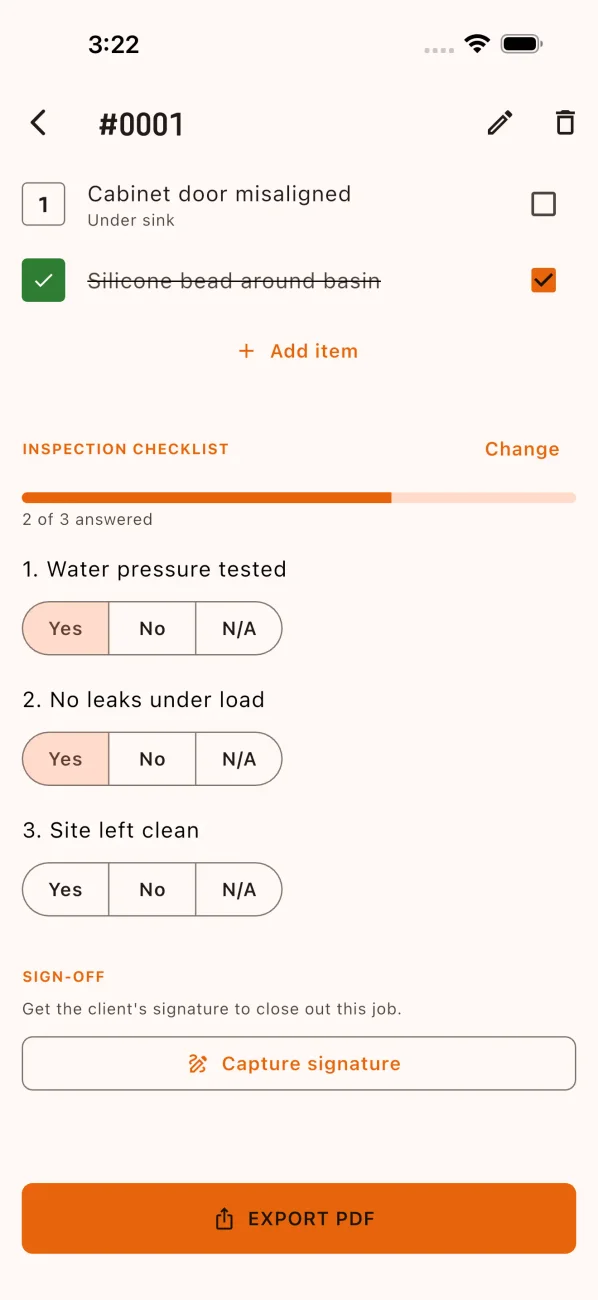
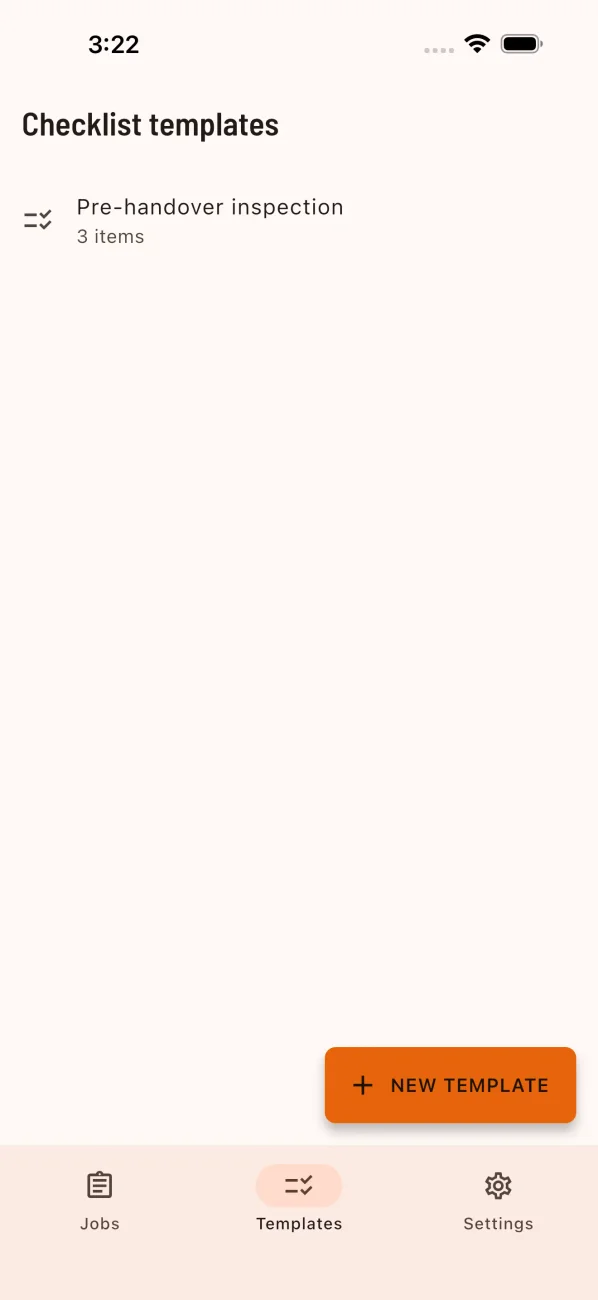
About
The solo tradesperson's closeout tool. Create a work order, document it with
photos, get the client's signature on the glass, and send a professional
branded PDF — no enterprise suite required.
Work Order + Punch List keeps every job in your pocket: statuses from open to
signed-off, punch lists that close themselves out, inspection checklists, and
a report that wins the next job.
KEY FEATURES
- Work orders: client, site, priority, and status (open → in progress → done → signed-off)
- Photo documentation with before/after labeling
- Punch lists — numbered defect items with photos, checked off on site
- Reusable inspection checklists (yes / no / N/A) with completion tracking
- Client signature capture — sign off on the glass, locked with a timestamp
- Branded PDF export with your business name and logo, one tap to share
WHO IT'S FOR
Solo contractors, handymen, and small maintenance crews who need to record a
job, prove the work with photos, get client sign-off, and hand over a clean
PDF — without a $50-per-seat enterprise CMMS.
WHAT'S DIFFERENT
No per-seat pricing, no CMMS jargon, no ads. Just the jobsite closeout
workflow — photos, punch list, signature, branded PDF — done in 30 seconds.
Big type and big buttons, built for a gloved thumb in daylight. Your job
history stays with you.
PRIVACY
Your jobs, client names, photos, and signatures are never sent to us — we
have no server and never receive them. Anonymous usage analytics are on by default and can be
turned off anytime in Settings. Full policy:
https://docs.lionsoft.ca/public/work-order-privacy-policy
TERMS
Work Order Pro is an auto-renewing subscription. Pricing and the
available plans are shown in the app before you purchase. Payment is charged to
your Apple ID at confirmation of purchase and renews automatically unless
cancelled at least 24 hours before the end of the current period. Manage or
cancel any time in your device's account settings.
Terms of Use (EULA):
https://www.apple.com/legal/internet-services/itunes/dev/stdeula/
Built by LionSoft. Questions? https://docs.lionsoft.ca/public/work-order-support
What’s new
Version 1.0.8 · Oct 14, 2026
Checklists and punch lists are smoother and more reliable: long punch item titles now save without a hitch. Create as many jobs as you need and share clean, professional reports with your clients.
App privacy
What LionSoft Inc declares on the App Store about how this app handles data.
-
Data not linked to you
May be collected but is not linked to your identity.
- Purchases
- Identifiers
- Usage data
- Diagnostics
Privacy practices may vary, for example with the features you use or your age.
Information
- Seller
- LionSoft Inc
- Category
- Business
- Version
- 1.0.8
- Updated
- Oct 14, 2026
- Released
- Aug 3, 2026
- Size
- 26.8 MB
- Requires
- iOS 15.0 or later
- Age rating
- +4
- In-app purchases
- Yes
- Languages
- English
- Copyright
- © 2026 LionSoft Inc.
You might also like
-
 Ordem de serviço - ArpaBusiness
-
 Simples OSBusiness
-
 Phone Repair POS & TicketsShop Work Orders & Payments
-
 OS10Productivity
-
 Multi Foco - Ordem de ServiçoProductivity
-
 Work Orders For BusinessJobs, Maintenance & Dispatch
-
 Produttivo: Ordem de ServiçoBusiness
-
 PDF Quote Maker ProQuote Maker
-
 Recibos e OrçamentosProductivity
-
 Meu AjudanteBusiness