
- Age rating4+
- CategoryProductivity
- DeveloperJude Mareen Abishake Usliyanage Don
- LanguagesEnglish
- Size39.6 MB
Links to the official App Store page
Download.org hosts no file of Worked For It. The button opens its official App Store page, published by Jude Mareen Abishake Usliyanage Don. Listing last checked on Nov 12, 2026.
Screenshots



About
Worked For It - Study Time Tracking
Track Your Time. Achieve Your Goals. Master Your Learning.
Worked For It is a comprehensive study time tracking app designed for students, professionals, and lifelong learners who want to maximize productivity and monitor their academic progress.
Key Features
Goal-Based Organization
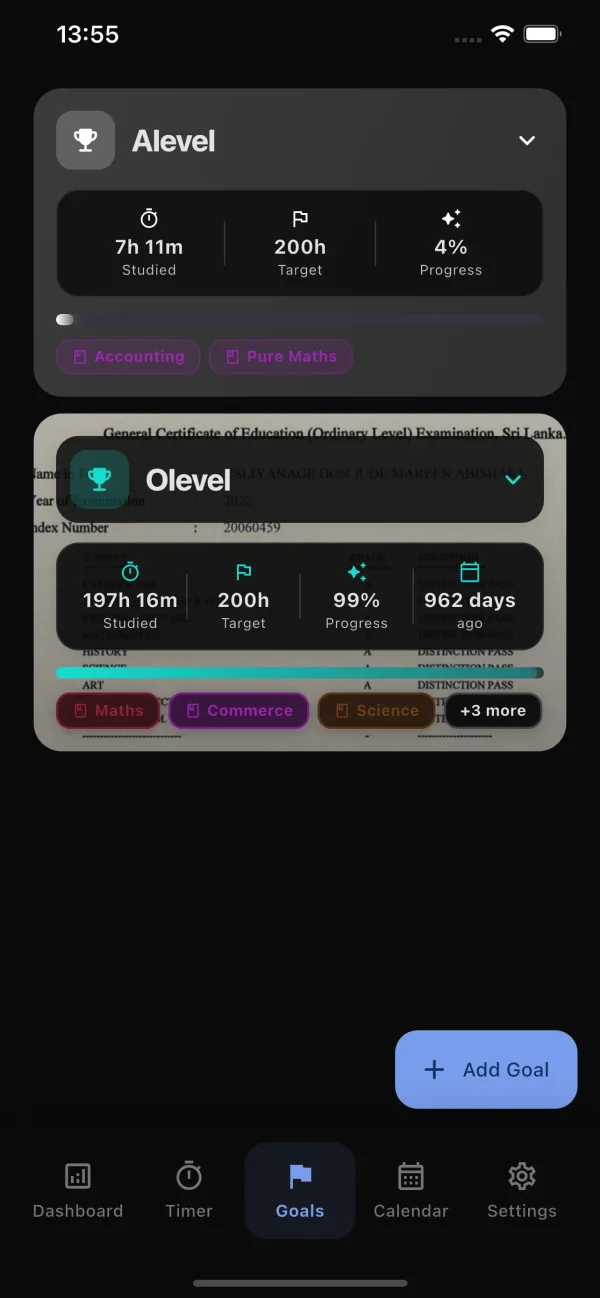
Create goals for your learning objectives and break them down into modules for detailed tracking. Set target hours, customize with colors, and monitor progress toward completion.
Powerful Timer
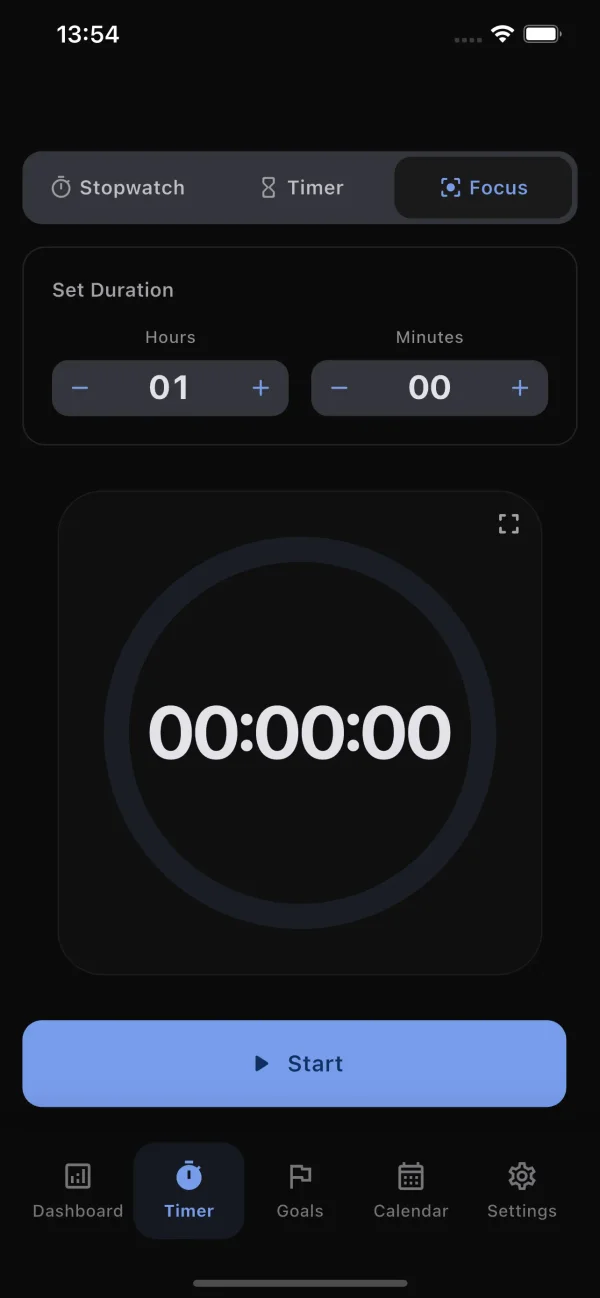
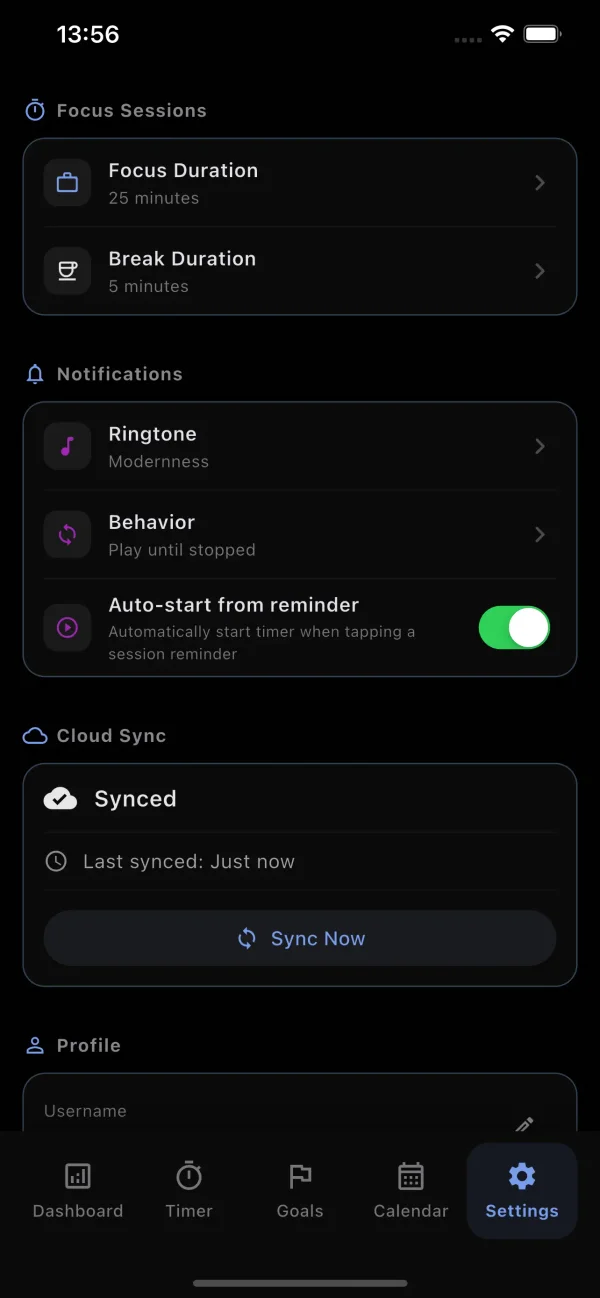
Three modes for every situation: Stopwatch for open-ended tracking without limits, Countdown to set specific session durations, and Focus Mode using the Pomodoro technique with customizable work/break cycles. The timer runs in the background, ensuring accurate tracking even when switching apps.
Visual Dashboard
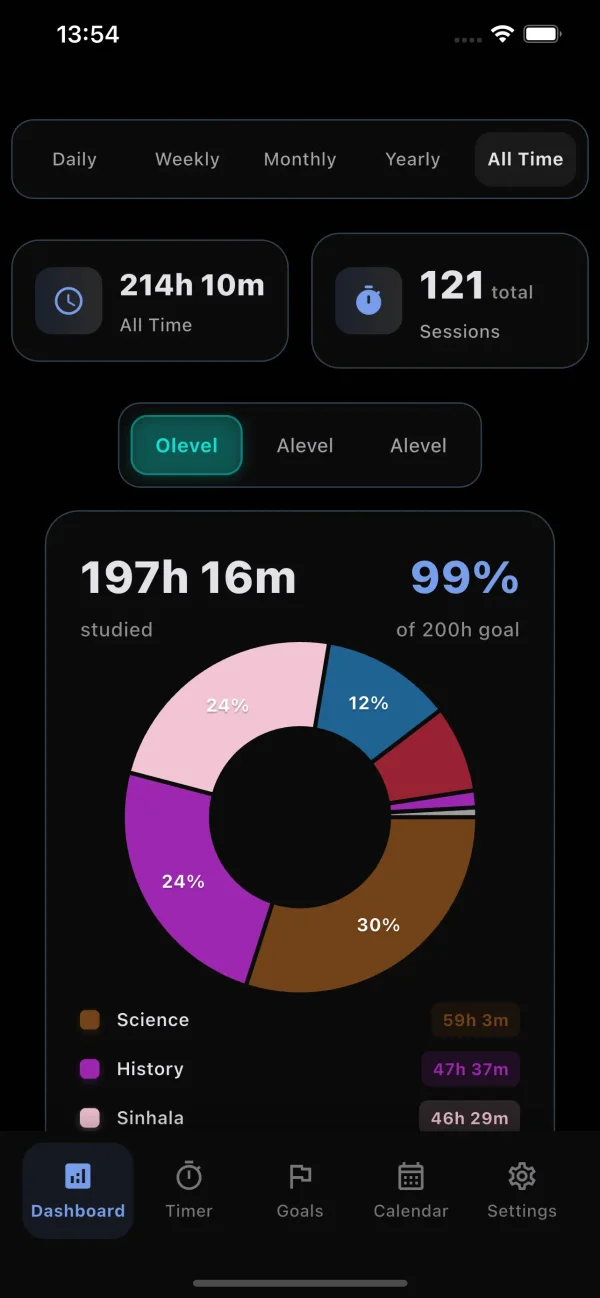
Transform your data into insights with interactive charts showing daily, weekly, and monthly activity. View module distribution, goal progress, and session statistics at a glance.
Flexible Session Management
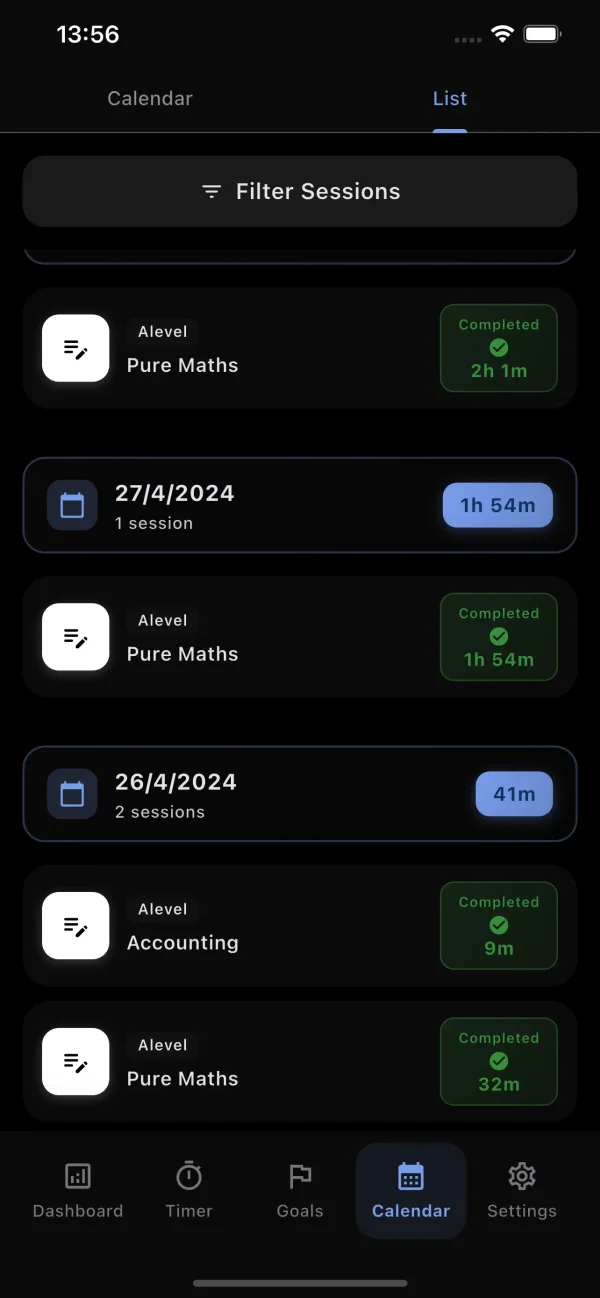
Automatic logging via timer, manual entry for retroactive sessions, edit existing sessions anytime, and calendar view for pattern visualization.
Import and Export
Export to Excel for backup or analysis. Import historical data easily where each sheet becomes a goal with sessions automatically created.
Cloud Sync
Optional account creation enables seamless synchronization across all your devices. Works fully offline and syncs when convenient.
Personalization
Light and dark themes, customizable dashboard, goal filtering, and configurable timer sounds and durations.
Smart Notifications
Timer completion alerts, background audio cues, and push notifications keep you on track.
Perfect For
University students managing multiple courses, professionals preparing for certifications, self-directed learners pursuing any skill, and anyone wanting to understand their study habits.
Privacy First
All data stored locally by default. Cloud sync is optional and encrypted. Export your data anytime.
Download Worked For It and start transforming scattered study sessions into measurable progress today.
What’s new
Version 1.0.4 · Oct 17, 2026
Your timer, outside the app: on a Mac it lives in the notch and menu bar (Send it there from the timer; choose its size or show it only on hover), and on Android in an ongoing notification, the status bar and Samsung's Now Bar. Sign in with Google in one tap. A session saved on one device shows on all of them, and your devices are named in Settings. The dashboard now shows a daily average that matches the tab. Plainer timer tiles, steadier clock, and many sync and notification fixes.
App privacy
What Jude Mareen Abishake Usliyanage Don declares on the App Store about how this app handles data.
-
Data not collected
The developer does not collect any data from this app.
Privacy practices may vary, for example with the features you use or your age.
Information
- Seller
- Jude Mareen Abishake Usliyanage Don
- Category
- Productivity
- Version
- 1.0.4
- Updated
- Oct 17, 2026
- Released
- Jan 27, 2026
- Size
- 39.6 MB
- Requires
- iOS 13.0 or later
- Age rating
- 4+
- Languages
- English
- Copyright
- © 2026 Usliyanage Don Jude Mareen Abishake
You might also like
-
 AllDay: Tasks & CalendarDaily planner & to-do list
-
 Untime: Time & Hours TrackerMinimalist timer & tracking
-
 Reels Blocker: Stop ScrollingBlock shorts & focus on life
-
 DigitalBreak: ScreenTime FocusBlock Apps for focus
-
 Tivvity: Personal Time TrackerVisualize Where Your Life Goes
-
 Daily Habit Tracker: HabitFlowRoutines, Streaks & a Garden
-
 Still: Reels & Shorts BlockerBlocks on mobile and desktop
-
 RelockIn: App Limits + BrowserHide Shorts, Reels & Ads
-
 Basic CalendarPlan, decorate, and look back
-
 Habit Tracker - Better HabitsBuild better habits daily