
Worker Tracker – Time Tracking
Ad-Free Work Earnings Tracking
Designed for iPhone, iPad, iPod touch
Free
- Age rating4+
- CategoryProductivity
- DeveloperCliyer
- LanguagesEnglish
- Size39.7 MB
Links to the official App Store page
Download.org hosts no file of Worker Tracker – Time Tracking. The button opens its official App Store page, published by Cliyer. Listing last checked on Nov 18, 2026.
Screenshots

About
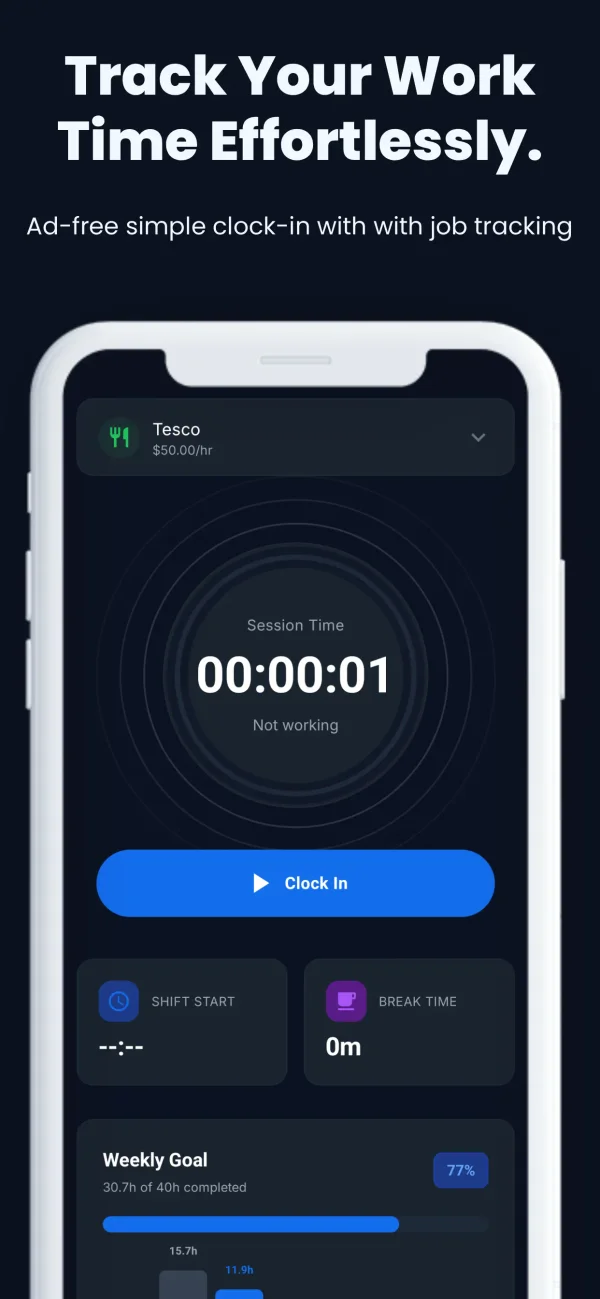
Worker Tracker – Time Tracking helps you track work sessions, breaks, and earnings fast and accurately. Whether you work part-time, freelance, or manage multiple jobs, Worker Tracker – Time Tracking keeps your logs organized and turns them into clear, useful insights.
Track your work with confidence
• Clock in/out with a live session timer
• Start and end breaks with automatic tracking
• Add manual logs for past shifts (edit anytime)
• Prevent common mistakes with time validation
Manage multiple jobs
• Create jobs with custom names, colors, and icons
• Set hourly rates (and optional tax rate)
• Switch jobs quickly when logging time
Goals & insights
• Set a weekly hours goal and view progress at a glance
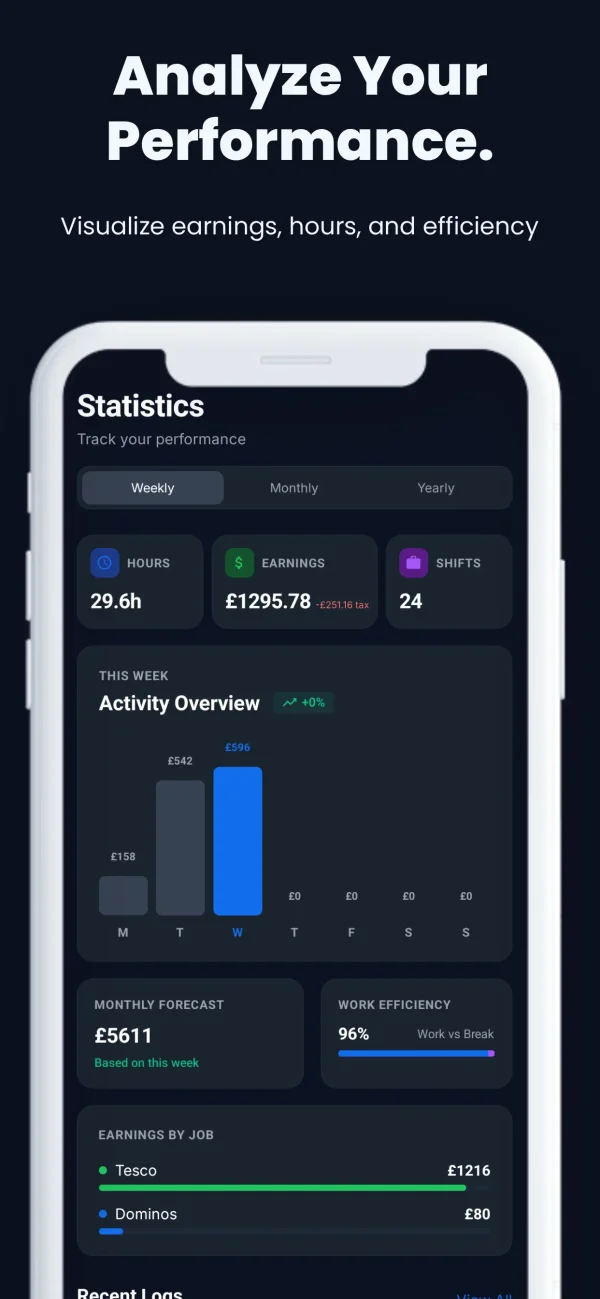
• Daily breakdown chart to see when you worked most
• Statistics for weekly, monthly, and yearly performance
• Earnings analysis, job distribution, and recent logs
Export & backup
• Export your work history to CSV for sharing or reporting
• Optional cloud sync to back up and restore your data across devices
Customize your experience
• Dark mode
• Choose your currency symbol
• Simple, clean interface designed for speed
Worker Tracker – Time Tracking is built for people who want a lightweight way to track hours and understand earnings without spreadsheets.
Download Worker Log – Time Tracking and make every shift count.
What’s new
Version 1.0.14 · Mar 6, 2026
Pay Period Settings
Configure how you get paid with flexible pay period options:
• Monthly – Set a specific pay day (1st–31st)
• Bi-weekly – Every 2 weeks with an anchor date
• 4-Weekly – Every 4 weeks with an anchor date
• Semi-monthly – Twice monthly with custom split days
• Weekly – Uses your week start day
Your earnings and stats automatically calculate based on your pay schedule, so you always know exactly what you've earned this period.
Home Screen Widget
Stay on top of your earnings at a glance:
• View current pay period earnings, hours, and shifts
• See tax deductions automatically calculated
• Live session timer when clocked in
• Dark mode support matches your app theme
• Quick refresh to see latest data
Add the widget to your home screen for instant access to your work progress without opening the app.
App privacy
What Cliyer declares on the App Store about how this app handles data.
-
Data linked to you
May be collected and linked to your identity.
- Financial info
- Contact info
- User content
- Identifiers
Privacy practices may vary, for example with the features you use or your age.
Information
- Seller
- CLIYER LTD
- Category
- Productivity
- Version
- 1.0.14
- Updated
- Mar 6, 2026
- Released
- Jan 16, 2026
- Size
- 39.7 MB
- Requires
- iOS 15.1 or later
- Age rating
- 4+
- Price
- Free
- Languages
- English
- Copyright
- © 2026 Cliyer Ltd
You might also like
-
 Top Pick - Easy DecisionsMake Group Decisions Simple
-
 Time Tracker: Time CalculatorHours Tracker & Work Log
-
 DreamCalendar: Visual Life LogIllustrations Inspired by You
-
 WorkOneWork Hour Tracker
-
 WorkTime SheetProductivity
-
 Work Tracker: Hours & ManDaysLog work time, tasks & billing
-
 Work Time TrackTrack your hours,clients,money
-
 Span: Time Tracker & TimesheetWork hours. Billable projects.
-
 Time Vision - Time TrackerEliminate time blindnes